News · 19 May 2010 · MTW Editorial Team
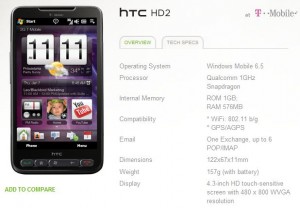
The HTC HD2 2.13.531.1 ROM that went live 5 days ago and then disappeared is now finally back upon T-Mobile US support site:
A software update for the HTC HD2 is now available bringing several improvements to the HTC HD2’s software experience. In addition to device stability and performance improvements, we’ve also added the MyAccount application for managing your T-Mobile account directly from your device.
IMPORTANT INFORMATION:
With this upgrade, your HTC HD2 device will be restored back to its factory settings. Please be aware of the following before installing the update:
- Ensure that you write down your settings for your e-mail accounts.
- It is highly recommended that you back up your files. There are several ways to do so.
– Use Microsoft® My Phone before downloading the software upgrade to save:
– Contacts, calendar, tasks, text message, favorites , photos, videos, music and documents
– Save your photos, music, documents, and other files to your microSD card or your PC.– Contacts stored to device memory will be erased. Back them up using one of the following:
– Mobile backup
– My Phone
– Adding contacts to your SIM card
– *Note: Any email account with contacts will be re-synced upon logging back in
- For any applications that require a sign in, make sure you have access to your password as you’ll need to re-login to the application.
- If you have rented a movie from BLOCKBUSTER On Demand, your rental will no longer be available after the update, therefore you may wish to watch any rented movies prior to initiating the update. There is not an option to receive credit for the rental or to re-rent the movie without paying the standard fee. You will still have access to your purchased movies, but you will need to download the movie files again. Reminder: A Wi-Fi connection is needed to download movies.
- If you have downloaded any eBooks from the Barnes & Noble application, you will need to re-download those eBooks upon syncing the application with your Barnes & Noble account. Note: bookmarks will be lost, so remember what page you were on!
- The HTC HD2 comes bundled with several demo games, including Ferrari GT Evolution, Millionaire 2010, and Prince of Persia. Regrettably, if you have purchased the full versions of one of these games, you will need to re-purchase them at the standard cost following the software update. This is a result of the software update initiating a master reset of the device. Note: this only affects the above listed games and will not affect other games installed on the microSD card.
- All personalized settings (wallpaper, home screen, etc) will need to be set up again.
Here’s how to install the update on your HTC HD2:
- On your PC, visit www.t-mobile.com/wmupgrade
- Follow the instructions listed under the HTC HD2 image to complete the installation.
Head over to http://www.t-mobile.com/wmupgrade
Buyer action
Where to buy or check next
Use this as the final check before ordering a phone, changing network or trusting a headline monthly price.