UPDATED · News · 21 Jun 2026 · Daniel Reid
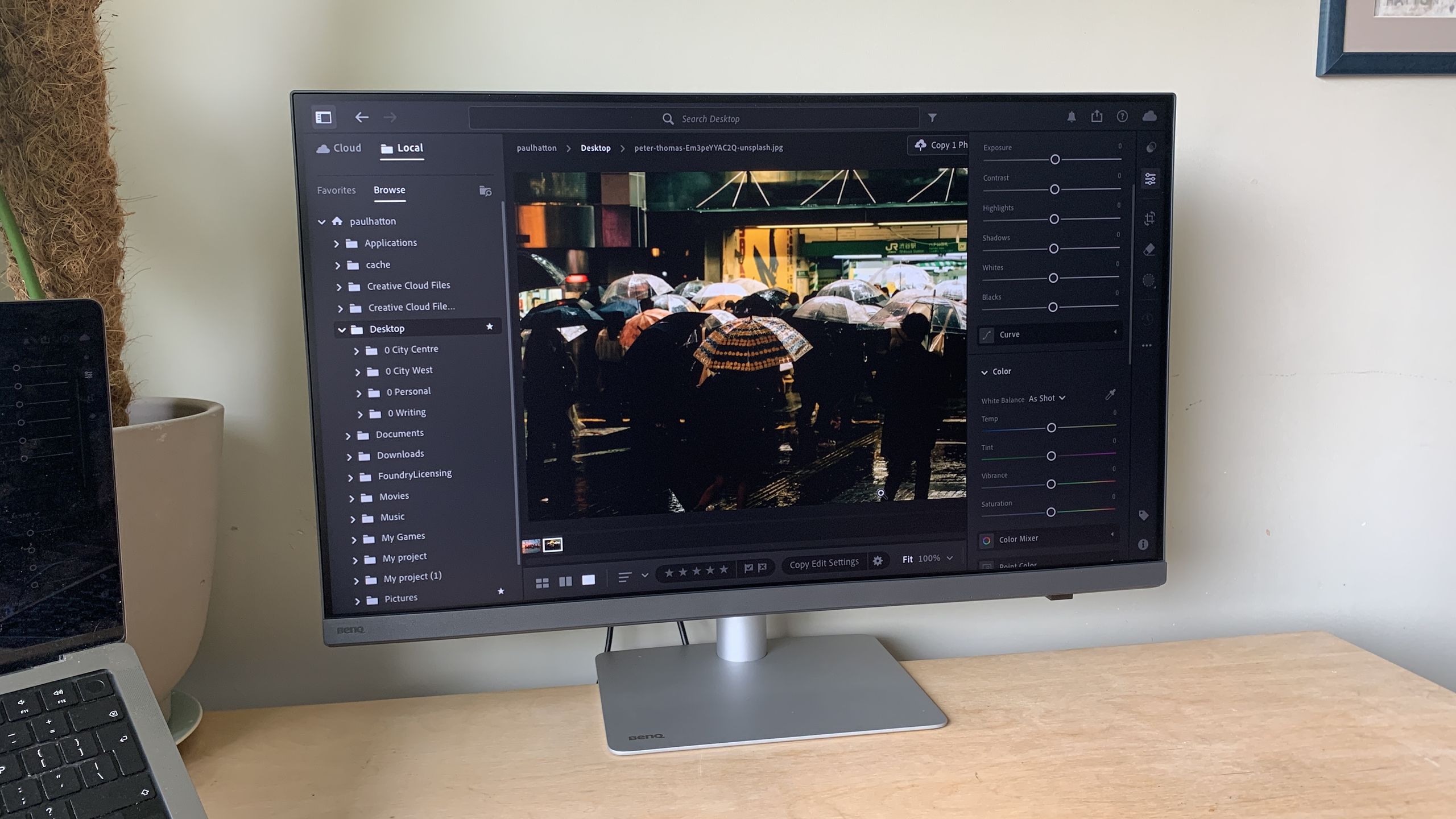
The BenQ PD3226G costs £1,099.99 and is a 32-inch 4K monitor that runs at 144Hz, covers 95% of the DCI-P3 gamut, ships factory-calibrated, and charges your laptop down a single Thunderbolt 4 cable at 90W. BenQ confirmed UK availability on 10 March 2025, and the pitch is pointed. For years the creator-monitor question in Britain meant choosing between colour accuracy and speed, or between a clean desk and a wallet-emptying dock. The PD3226G is BenQ trying to make that compromise disappear.
It arrived as part of a two-pronged DesignVue PD-series push, announced alongside the 5K PD2730S. The PD3226G is the one most working creatives will actually weigh up, because it sits at the price point where a serious monitor stops being an indulgence and starts being a tool you can justify on an invoice.
The short version: for £1,099.99 you get a 32-inch 4K 144Hz panel at 95% DCI-P3, factory-calibrated, with a built-in Thunderbolt 4 dock delivering 90W to charge the laptop over one cable. The 144Hz is the spec that sells it in a list; the single-cable dock is the spec you’ll feel every morning.
What you actually get for £1,099 (Thunderbolt 4 monitor)
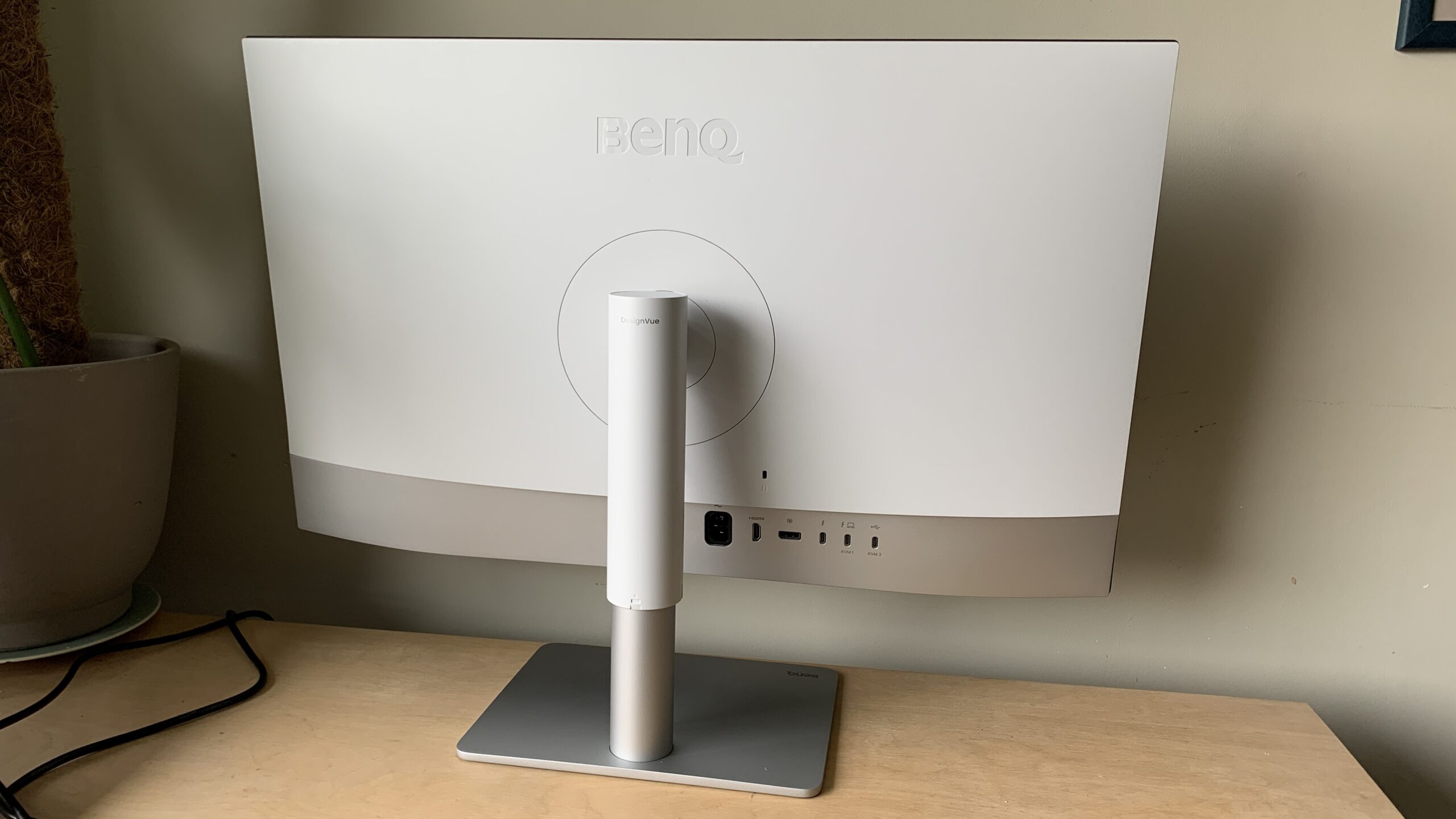
The headline numbers are easy to recite and harder to argue with. As BenQ’s UK spec sheet lays out, this is a 32-inch 4K UHD panel running at 144Hz, with 95% DCI-P3 coverage and factory calibration out of the box. The connectivity earns the asking price: Thunderbolt 4 with 90W of power delivery, enough to keep most creative laptops topped up while a single cable carries video, data and charge in and out.
That 90W figure matters more than it looks on paper. A 14-inch MacBook Pro or a mid-spec Windows creative laptop will happily sit at full tilt on 90W for everyday editing, retouching and design work. You plug in once, the screen wakes, the laptop charges, the peripherals hanging off the monitor come alive — and your desk loses the brick, the dongle and the second cable run. For anyone who docks and undocks daily, that is the genuine quality-of-life upgrade, not the refresh rate.
There is a ceiling to flag, because BenQ doesn’t lead with it: 90W is comfortable for a 14-inch MacBook Pro or a thin-and-light Windows machine, but a 16-inch MacBook Pro or a creative laptop with a discrete GPU can pull well past that under a sustained export or render. Plug one of those in and the monitor still charges it — just slowly, and sometimes only enough to slow the battery drain rather than reverse it during heavy work. It is a real single-cable dock for most creative laptops; for the most power-hungry ones it is a single-cable dock that won’t quite keep up.
Why 144Hz on a colour monitor isn’t just marketing
A high refresh rate on a designer display used to read as a contradiction — speed was for gamers, accuracy was for everyone else. That line has blurred. Motion designers scrubbing timelines, illustrators working at speed with a pen, and anyone who resents the soupy feel of a 60Hz desktop all benefit from 144Hz, and it costs them nothing in colour fidelity here. Creative Bloq’s review frames it as a 4K monitor that delivers for creatives precisely because it refuses to pick a lane — the smoothness is a bonus on top of the colour work, not a trade against it.
The factory calibration is the quieter reassurance. For freelancers and small studios who can’t justify a colorimeter and the faff that comes with it, a panel that arrives close to correct removes one more variable between what you see and what the client gets. It is not a substitute for a proper colour-managed workflow, but it is a sane starting point.
What that calibration actually buys a UK freelancer is time and one less excuse. You can open Photoshop or DaVinci Resolve on day one and trust the panel enough to send a client proof without first buying and fiddling with a colorimeter. It does not replace periodic recalibration over the monitor’s life, and a studio shipping print or broadcast work will still want its own measured profile — but as a baseline that gets you working accurately out of the box, it removes a cost and a chore that cheaper 4K panels quietly leave on your plate.
Where it sits in BenQ’s own line-up
BenQ launched the PD3226G and the 5K PD2730S together because they answer different questions. If your work lives and dies on pixel density — fine print design, dense UI work, photography where you pixel-peep — the 5K panel is the more logical buy. The PD3226G is for the larger group whose work is 4K-plus-motion: video, broad design, mixed creative days where speed and a tidy single-cable setup matter as much as resolution.
At £1,099.99 it is priced like a considered purchase rather than a flex, and that is the right side of the line. It undercuts the reference-grade panels that cost two and three times as much, while offering the one feature — proper Thunderbolt 4 docking — that the genuinely cheaper 4K monitors leave out. You are paying for the dock and the calibration as much as the panel, and that is where the value actually lives.
Strip the monitor down and a comparable 32-inch 4K 144Hz panel without proper Thunderbolt docking can be had for less — but then a standalone Thunderbolt 4 dock is itself a few hundred pounds, and you are back to the brick and the cable run BenQ designed out. Bundle the dock and the factory calibration into the panel and the maths starts to look less like a premium and more like a fair price for not assembling the setup yourself. That is the calculation a UK buyer should actually run, rather than comparing the headline figure against a dock-less screen.
Who should put it on the desk
Here is where I land. If you are a UK-based creative working off a Thunderbolt laptop — the freelance editor, the design-studio mid-weight, the photographer who also cuts video — this is an easy one to shortlist. The single-cable workflow, the 144Hz that makes the whole desktop feel faster, and the factory calibration together justify the £1,099.99 in a way a thinner-specced 4K panel never will once you’ve lived with its compromises. It is listed as orderable on BenQ’s UK site, so it is a real buying decision, not a pre-order gamble.
Who should walk past it? Two groups. If your work demands the absolute finest detail and you’d notice the difference, save up and buy the 5K PD2730S instead — the PD3226G isn’t built to win that fight. And if you are still on a laptop without Thunderbolt or USB-C charging, you forfeit the single best thing about this monitor and should think harder about whether you’re really its buyer. For everyone else in the creative middle, BenQ has done the harder thing here: it has built a monitor that stops asking you to choose, and priced it like it means it. That is the bit that would get my order in.
Buyer action
Where to buy or check next
Use this as the final check before ordering a phone, changing network or trusting a headline monthly price.














Reader discussion
Leave a comment
Comments are moderated. Keep it useful, accurate, and on topic.