UPDATED · News · 3 Jun 2026 · Claire Bennett
WhatsApp Meta AI privacy UK questions have become unavoidable now that a glowing blue ring sits in the corner of millions of British chat lists, and Meta has begun rolling out a new Incognito Chat with Meta AI built on its Private Processing technology. This guide explains, in plain terms, what Meta AI can and cannot see inside WhatsApp, how the new private and disappearing AI chats actually work, and the exact settings you can change today to limit or avoid Meta AI altogether. It also sets out where UK GDPR and the Information Commissioner’s Office fit, so you can make a calm decision rather than a panicked one.
Key facts: what changed and why it matters now
WhatsApp added a Meta AI assistant that you can message directly or summon inside a chat, and in 2025 it introduced Advanced Chat Privacy to give people firmer control over sensitive conversations. The newest step, announced by Meta in May 2026, is Incognito Chat with Meta AI: a private, temporary way to talk to the assistant where, in Meta’s words, the conversation is processed in a secure environment that even Meta cannot access, and your messages disappear by default. The reason this matters now is simple. The assistant is being switched on for more accounts, the default WhatsApp interface nudges you towards it, and many people are unsure whether using AI changes the privacy of the ordinary chats they have with friends and family.
The short answer, which the rest of this guide unpacks, is that your normal one-to-one and group messages remain end-to-end encrypted and are not read by Meta. Meta AI only sees what you deliberately send to it. The controls that matter are about deciding when, or whether, you hand anything to the assistant at all. If you also wear smart eyewear, the same instinct applies, and our companion piece on the privacy checks Meta AI glasses wearers should run first covers the device side of the same account.
What Meta AI can and cannot see in your chats
WhatsApp messages between people are protected by end-to-end encryption, which Meta says means no one except you and the people you are talking to can access them, not even Meta or WhatsApp. That protection does not change because Meta AI exists on your phone. The assistant cannot silently read the messages flowing between you and your contacts. It only receives a message when you choose to involve it, for example by opening the dedicated Meta AI chat or by typing @Meta AI inside a group to ask a question.
The important distinction is that anything you send directly to Meta AI is not private to Meta in the way a personal chat is. When you ask the assistant a question, that question is processed by Meta’s systems to generate a reply, so the content of your request to the AI is seen by the service. This is why Meta is careful to describe the new Incognito Chat as different: it uses Private Processing so that the AI conversation itself is handled in a secure environment Meta cannot see. For everyday Meta AI use outside Incognito Chat, treat your prompts the way you would treat a search engine query rather than a sealed letter.

In a group, mentioning Meta AI sends only that specific message and the context you provide to the assistant, not the entire history of the group. Other members can see that the assistant was invoked. If you would rather no one in a chat be able to bring the assistant in at all, that is exactly what Advanced Chat Privacy is designed to stop, which we cover next. For a wider view of how AI assistants compare on privacy and output quality, our roundup of the best AI writing assistant in the UK for 2026 is a useful reference point.
Advanced Chat Privacy: the toggle that blocks AI in a chat
Advanced Chat Privacy, introduced by WhatsApp in April 2025, is the single most useful control for anyone worried about AI inside their conversations. When you turn it on for a chat or group, it blocks others from exporting the chat, stops media from auto-downloading to their phone, and prevents messages from being used for AI features such as mentioning Meta AI in that chat. In other words, with it enabled, no one in the conversation can pull the assistant into the thread.
The settings path is short. Open the chat or group, tap the chat name at the top to open its info screen, then tap Advanced Chat Privacy and switch it on. It works in both individual chats and groups. In a group, an administrator can set it for everyone. This is the toggle to reach for before sharing anything sensitive, whether that is health information, legal matters or financial details. If your work involves regulated advice, our guidance for UK solicitors using AI safely sets out the same discipline of deciding what should never be handed to a model.
One realistic caveat is worth stating. Advanced Chat Privacy reduces what can be taken out of a chat, but it cannot stop someone screenshotting their own screen or retyping your words elsewhere. It is a strong guardrail against export and AI involvement, not a guarantee of secrecy against a determined participant. Treat it as raising the floor on privacy within a specific conversation rather than sealing it completely.
Incognito Chat and Private Processing explained
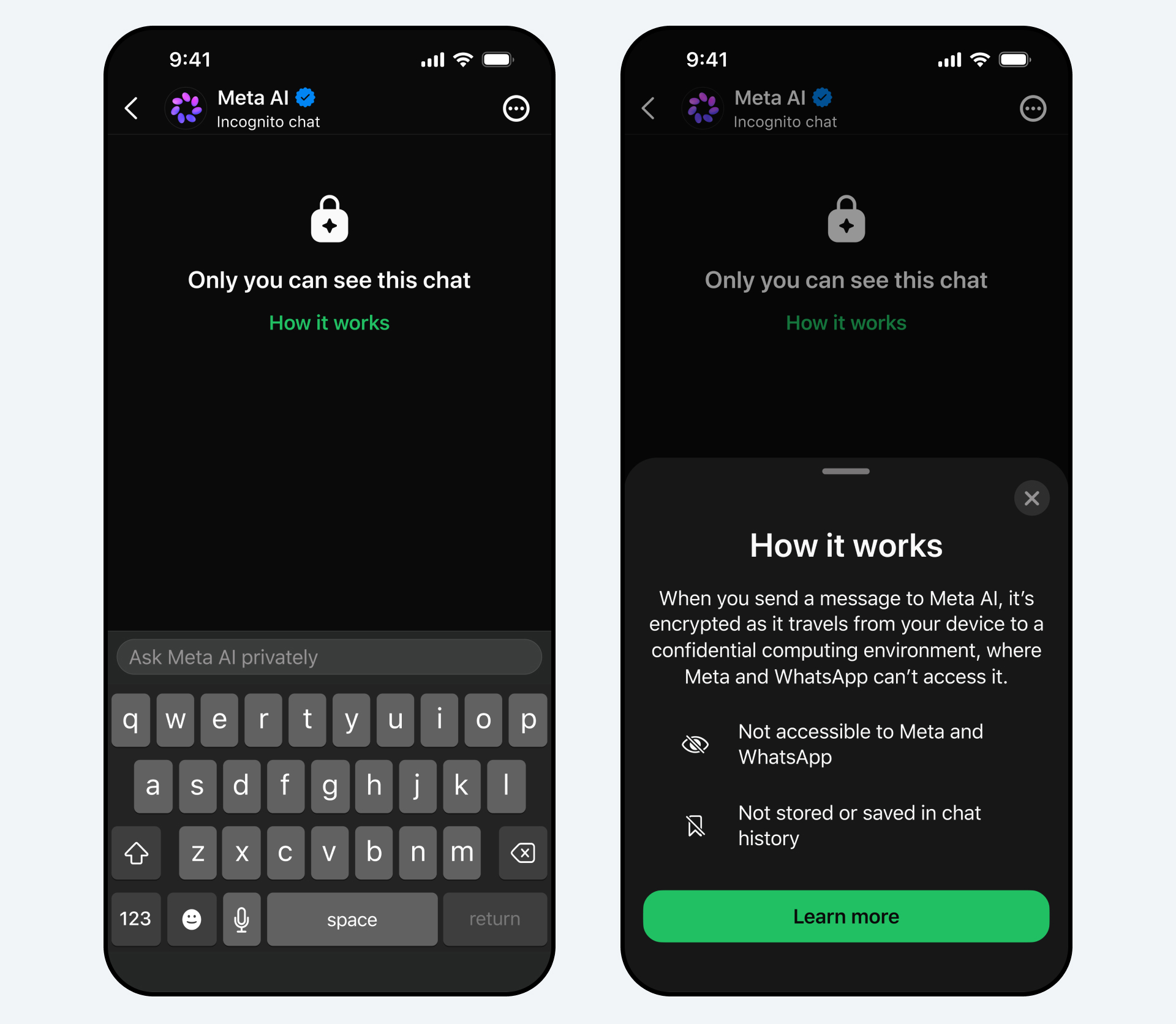
Incognito Chat with Meta AI, announced in May 2026, is a private and temporary conversation with the assistant that only you can see. Meta says these conversations are processed in a secure environment that even Meta cannot access, are not saved, and disappear by default. The pitch is a deliberate contrast with other apps’ so-called incognito AI modes, which can still see the questions going in and the answers coming out. Meta’s claim here is stronger: no one, including Meta, can read the Incognito Chat conversation.
The technology underneath is Private Processing, which Meta detailed in April 2025. It is optional, and Meta is explicit that using Meta AI through WhatsApp, including features that rely on Private Processing, must be a choice you make rather than a default forced upon you. Private Processing runs inside a Trusted Execution Environment with end-to-end encryption between your device and the processing system, using keys Meta and WhatsApp say they cannot access. Meta frames three guarantees: data stays inaccessible while in transit and processing, the system is designed to fail closed or become publicly discoverable if protections are tampered with, and independent researchers can audit it to verify the claims.
A companion feature, Side Chat, is coming and uses the same Private Processing protection to offer private help with a conversation, with context of what is being discussed, without disrupting the main thread. Both Incognito Chat and Side Chat are rolling out on WhatsApp and the Meta AI app over the coming months, so availability in the UK will arrive in stages rather than all at once. If you compare this approach with how rival assistants handle personalisation, the parallel checks in our guide to Gemini app privacy settings to check before personalised features show how different the defaults can be.
How to avoid or limit Meta AI in WhatsApp
If you simply do not want to use Meta AI, the most reliable approach is to not message it. The assistant does not act unless you open its chat or summon it, so leaving the blue ring untouched keeps it dormant. The dedicated Meta AI chat can be archived so it stops appearing near the top of your list, which removes the constant visual prompt to tap it. You cannot necessarily delete the assistant from the app entirely, since it is built into WhatsApp, but you can choose never to engage with it.

For chats where you want a hard stop, enable Advanced Chat Privacy as described above so no participant can invoke Meta AI there. For groups you administer, setting it protects every member at once, which is sensible for family groups, community groups and anything covering vulnerable members. If you are concerned about a teenager’s account, the parental supervision and age-assurance tools, covered later in this guide, give you a separate layer of control over what AI experiences they can reach.
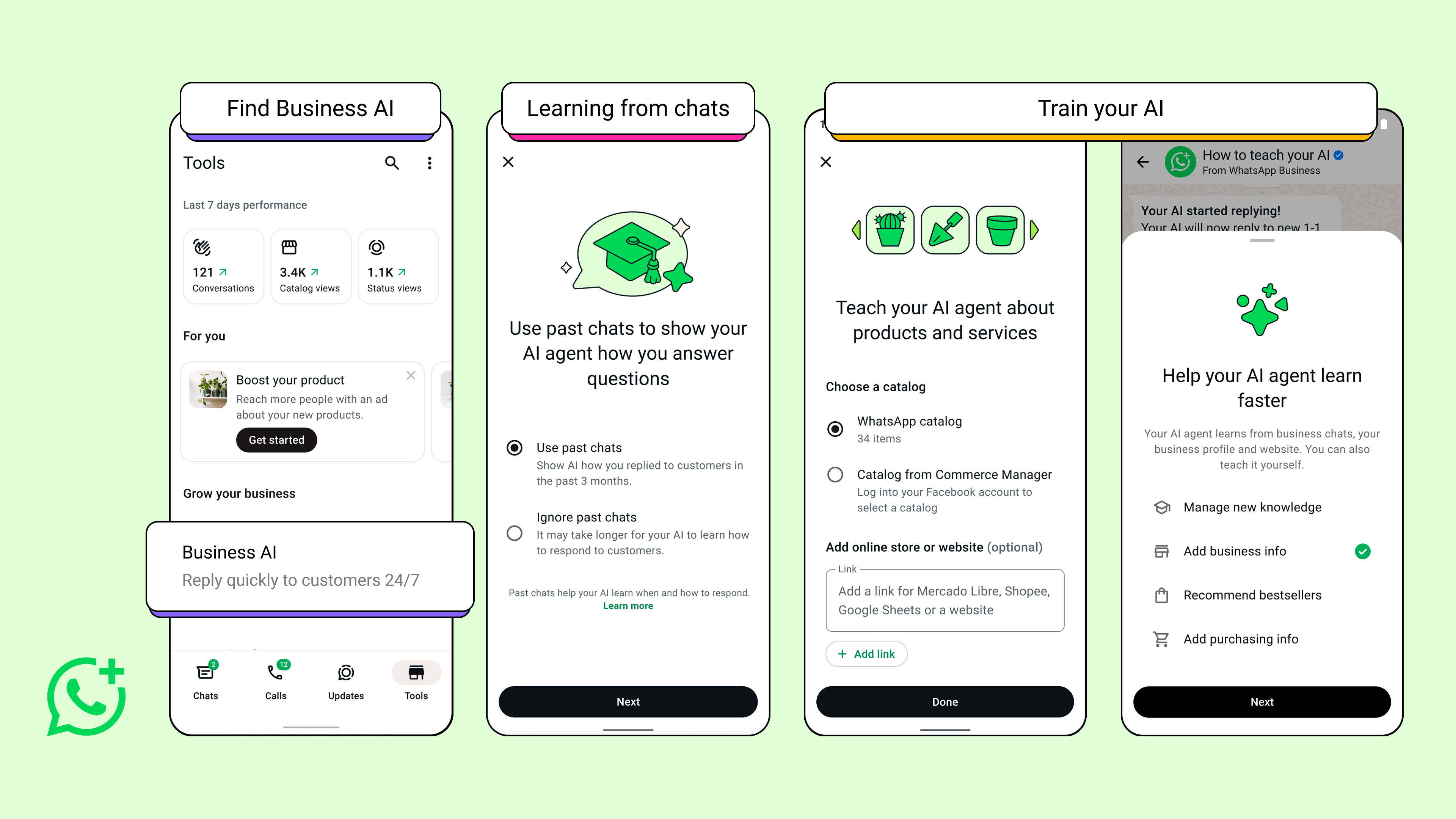
It also pays to be deliberate about the difference between WhatsApp’s consumer AI and the business side. Companies using the platform have their own AI tools, and our explainer on WhatsApp Business AI and what it means for UK small businesses sets out how messages to a business that uses these features are handled differently from a private chat with a friend. When you message a business that has opted into AI, treat your input as visible to that business and its systems.
What data Meta says it uses, and what it does not
Meta’s stated position is that personal messages between people stay end-to-end encrypted and are not used to train its AI. Meta has publicly pushed back on viral claims that the assistant can scrape WhatsApp group messages or contacts in the background, and reiterated that the assistant only receives the specific messages you send it. When you do use Meta AI, the content of your requests can be processed to generate responses and, depending on the feature and region, may inform how the service works, which is why the new Incognito Chat exists as a no-record option for sensitive questions.
The practical takeaway is to separate two things in your mind. Your conversations with humans are private and encrypted. Your conversations with the AI are a service you are using, and outside Incognito Chat you should assume the provider can see what you type in order to answer you. That is not unique to Meta, and it mirrors how every mainstream assistant works. The advantage of Private Processing and Incognito Chat is that Meta is trying to extend message-style confidentiality to the AI interaction itself, with a design it invites researchers to audit.
If you are deciding how much to trust any single vendor’s AI ecosystem, it is reasonable to spread your risk. Many UK readers weighing up the broader privacy posture of competing platforms find our comparison of the Samsung and Google AI eyewear privacy test a helpful way to see how different companies describe the same trade-offs in their own words.
UK GDPR and ICO context for British users
In the UK, the processing of personal data by services such as WhatsApp falls under UK GDPR and the Data Protection Act 2018, overseen by the Information Commissioner’s Office. That framework gives you rights regardless of which toggles an app exposes: the right to be informed about how your data is used, the right of access to data held about you, and the right to object to certain processing. The ICO has been consistent in pressing platforms to make AI features transparent, to set sensible defaults, and to apply heightened care where children are involved.
For Meta AI specifically, the UK GDPR principles of data minimisation and purpose limitation are the lens to apply. Only send the assistant what is necessary for the answer you want, and avoid pasting other people’s personal details into a prompt, because doing so makes you the one sharing their data. If you ever want to understand what a provider holds, you can exercise a subject access request, and providers operating in the UK must respond within the statutory timeframe. The ICO’s guidance on AI and on children’s data, including the Age Appropriate Design Code, is the authoritative UK reference if you want to read further.
None of this requires legal training to act on. The everyday version is a habit: assume your AI prompts are readable by the service unless you are in Incognito Chat, keep sensitive conversations human-to-human with Advanced Chat Privacy on, and use your UK data rights if you ever need to escalate. Professionals handling client data should go further, and our note for UK accountants using AI shows how a clear internal rule on what never goes into a prompt keeps you on the right side of confidentiality.
Teens, age assurance and parental controls
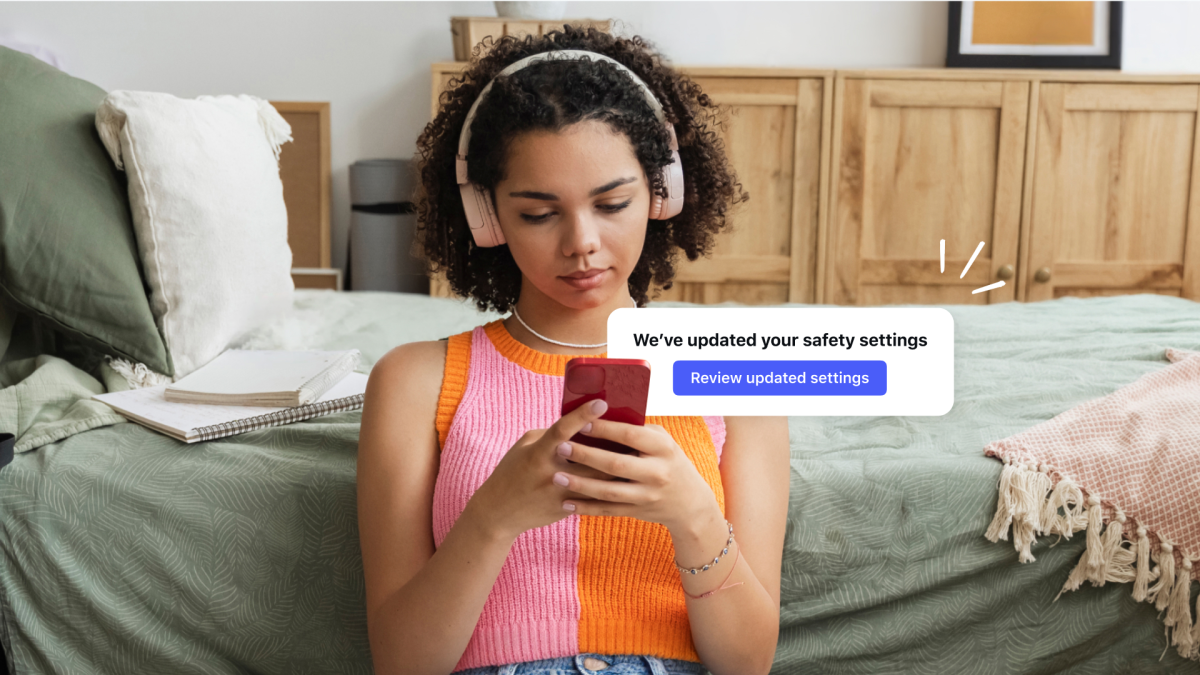
Meta has been building age-assurance technology and teen-specific protections across its apps, including tools that help place younger users into more protected experiences and features that help parents understand the kinds of conversations their teenagers are having with AI. For WhatsApp in the UK, the practical controls are the account’s privacy settings combined with the platform-level teen protections Meta applies, and, where relevant, the device-level parental controls on the phone itself.
If you are a parent, the sensible checklist is short. Make sure the young person’s account uses the strictest practical privacy settings, talk through when it is appropriate to use an AI assistant at all, and enable Advanced Chat Privacy on shared family groups so the assistant cannot be pulled into them by anyone. Combine that with the parental supervision tools Meta provides and the screen-time and content controls built into iOS and Android. Age assurance is not perfect, so treating it as one layer among several is the right mindset.
The same accessibility and supervision thinking applies to other Meta devices in the home. If a family member relies on assistive features, our Ray-Ban Meta UK accessibility guide shows how the wearable side of the ecosystem can help while still needing its own privacy review, which is a useful companion to the chat-level controls covered here.
Key takeaways at a glance
| Control | What it does |
|---|---|
| Personal and group chats | End-to-end encrypted; Meta AI does not read them unless you involve it |
| Meta AI direct chat | Processes what you send it to generate replies; treat prompts as visible to the service |
| Advanced Chat Privacy | Blocks export, media auto-download and AI use in that chat; chat name then Advanced Chat Privacy |
| Incognito Chat with Meta AI | Private, disappearing AI chat via Private Processing; Meta says even it cannot see it |
| Private Processing | Optional Trusted Execution Environment, keys Meta cannot access, auditable by researchers |
| UK rights | UK GDPR access, objection and minimisation rights, overseen by the ICO |
Where to check next in the UK
WhatsApp and Meta AI are free, so there is no purchase to make, but there are authoritative places to verify the settings and your rights. WhatsApp’s own Help Centre is the first stop for the current wording of Advanced Chat Privacy, Meta AI and Private Processing, since the menu paths can shift slightly between app versions. Check it on the exact version of the app you have installed, because a feature can be rolling out and not yet visible on your account.
For your data rights, the Information Commissioner’s Office website at ico.org.uk is the UK authority, with plain-English guidance on AI, on subject access requests and on children’s data. If you buy a new phone to run these features, mainstream UK retailers such as Currys, John Lewis, Argos, Amazon UK and the networks EE, Vodafone and Three sell the latest Android and iPhone models; when comparing, check the handset price, delivery timing, the returns window and the warranty terms rather than headline offers. If you are weighing up which handset to buy at all, our look at the Meta AI glasses in the UK ecosystem is worth a read for anyone considering going deeper into Meta’s hardware alongside the app.
Our verdict
| What we like | What we would watch |
|---|---|
| Personal chats stay end-to-end encrypted and untouched by the assistant | The blue ring nudges casual use, so privacy depends on user discipline |
| Advanced Chat Privacy is a clear, one-tap block on AI in a chat | It cannot stop screenshots or someone retyping your words elsewhere |
| Private Processing is optional and invites independent audit | Incognito Chat is rolling out in stages, so UK availability varies |
Our view is that Meta has done the right structural things here: it keeps human-to-human messages encrypted, makes AI use optional, gives a genuine one-tap block in Advanced Chat Privacy, and is extending confidentiality to the AI interaction itself through Private Processing and Incognito Chat. For most UK users the assistant is safe to leave alone and useful when invoked deliberately, provided you keep sensitive conversations human-only and switch on Advanced Chat Privacy where it matters.
We would change that recommendation if independent audits of Private Processing surfaced gaps between the claims and the implementation, or if defaults shifted to make AI harder to avoid. For now, the pragmatic position is to use the controls rather than fear the feature. Enable Advanced Chat Privacy on your sensitive chats today, treat ordinary Meta AI prompts as visible to the service, reserve genuinely private questions for Incognito Chat once it reaches you, and lean on your UK GDPR rights if you ever need to. That combination gives you the benefits of an in-app assistant without surrendering control of your conversations.














Reader discussion
Leave a comment
Comments are moderated. Keep it useful, accurate, and on topic.