News · 13 Apr 2011 · MTW Editorial Team

Most of the new features which are going to be introduced in the upcoming Windows Phone 7 Mango update have just been demonstrated on stage during the MIX11 keynote. So in case you didn’t check it out here’s a compilation of the most important features that you can expect to see on your Windows Phone 7 device later this year.
First lest start with something that wasn’t talked about during the Keynote: SIMD / ARM NEON support in Mango. As you probably know all Windows Phone 7 devices are powered by an AMRv7 Qualcomm QSD8250 SoC which also features support for NEON instructions. Unfortunately the current version of WP7 doesn’t have support for these SIMD functions but this is going to change in the coming months (only for XNA apps):
ARM processors support SIMD (Single Instructions Multiple Data) instructions through the ARM® NEON™technology that is available on ARMV7 ISA. SIMD allows parallelization/HW-acceleration of some operations and hence performance gains. Since the Windows Phone 7 chassis specification requires ARMV7-A; NEON is available by default on all WP7 devices. However, the CLR on Windows Phone 7 (NETCF) did not utilize this hardware functionality and hence it was not available to the managed application developers. We just announced in MIX11 that in the next version of Windows Phone release the NETCF runtime JIT will utilize SIMD capabilities on the phones.
Here’s a short video showing your the improvements:
Certain operations on some XNA types will be accelerated using the NEON/SIMD extensions available on the phone. Examples include operations on Vector2, Vector3, Vector4, Matrix from the Microsoft.Xna.Framework namespace will get this acceleration. NOTE: At the point the exact types and the exact operations on them are not closed yet and subject to change. Do note that user types will not get this acceleration. E.g. if you have rolled out your own vector type and use say dot operations on it, the CLR will not accelerate them. This is a targeted acceleration for some XNA types and not a vectorizing JIT compiler feature.
more info about NEON support here.
Now let’s go back to the features shown during the keynote:

Mango will include nearly 1500 new APIs and will now feature Silverlight 4 instead of Silverlight 3 (w/a couple of SL4) found right now in WP7.

Microsoft has also improve the currently relatively crappy Listbox control so all third-party application can now feature smooth scrolling list without any change to the code. The user input is now going to handled by a background thread so that it doesn’t affect the UI thread an bogs down the apps performance.

Applications will also load faster and consume less memory and load faster thanks to the new Generational GC (Garbage Collector):
Today in the MIX11 keynote ScottGu just announced something that I’ve been working on for some time. The next version of the Windows Phone will have a Generational Garbage Collector (GenGC for short). A bunch of folks has worked real hard to get this piece into WP7 in a short time.
Today on Windows Phone 7 we have a stop the world, mark-sweep-compact, non-generational GC. When it runs it pauses the entire execution, looks through each object in the application to find and eliminate all unused data. This manifests as longer app startup time and stutters during time critical execution.
In Mango we are adding Generational GC to reduce collection latency to address both of these problems . Existing apps and games even without any changes can expect faster startup, faster level loads and reduction in gameplay stutters due to collection. Developers can specifically optimize for the new generational GC to completely remove stutters during animations and game play that came due to these GC pauses.

Mango will now also include something called Search Extras.

This is actually what we first saw in the DFT video from a few days (and this confirms that hackers already have builds of Mango). Users can now search through their installed application via a jump-list or simply by typing in the textbox. Search is also now directly connected to the Marketplace and Bing. For example if you do a Bing search for a movie you will have an extra pivot tab in the results contain the movie related application already installed on your device. This will also allow deep linking into third-party apps so that when you tap on the application it will jump directly to the movie your searched for in Bing etc.. One nice thing you will notice in the picture below is that Image search is FINALLY available as part of Mango.

The Marketplace search results are also now filtered via a pivot control just like I suggested in my Windows Phone 7 review a couple of months ago. The Marketplace will also include podcast downloads (only in the US).

Mango will also include support for 16 languages (not 14 as previously announced):


Mango also finally brings developer access to all the devices sensors (yes even Gyroscopes which are going to be found in future WP7 handsets later this fall) via motion sensors API.

This was demo’d with an updated version of the Amazon application which includes support for bar-code scanning and also the Layar application.
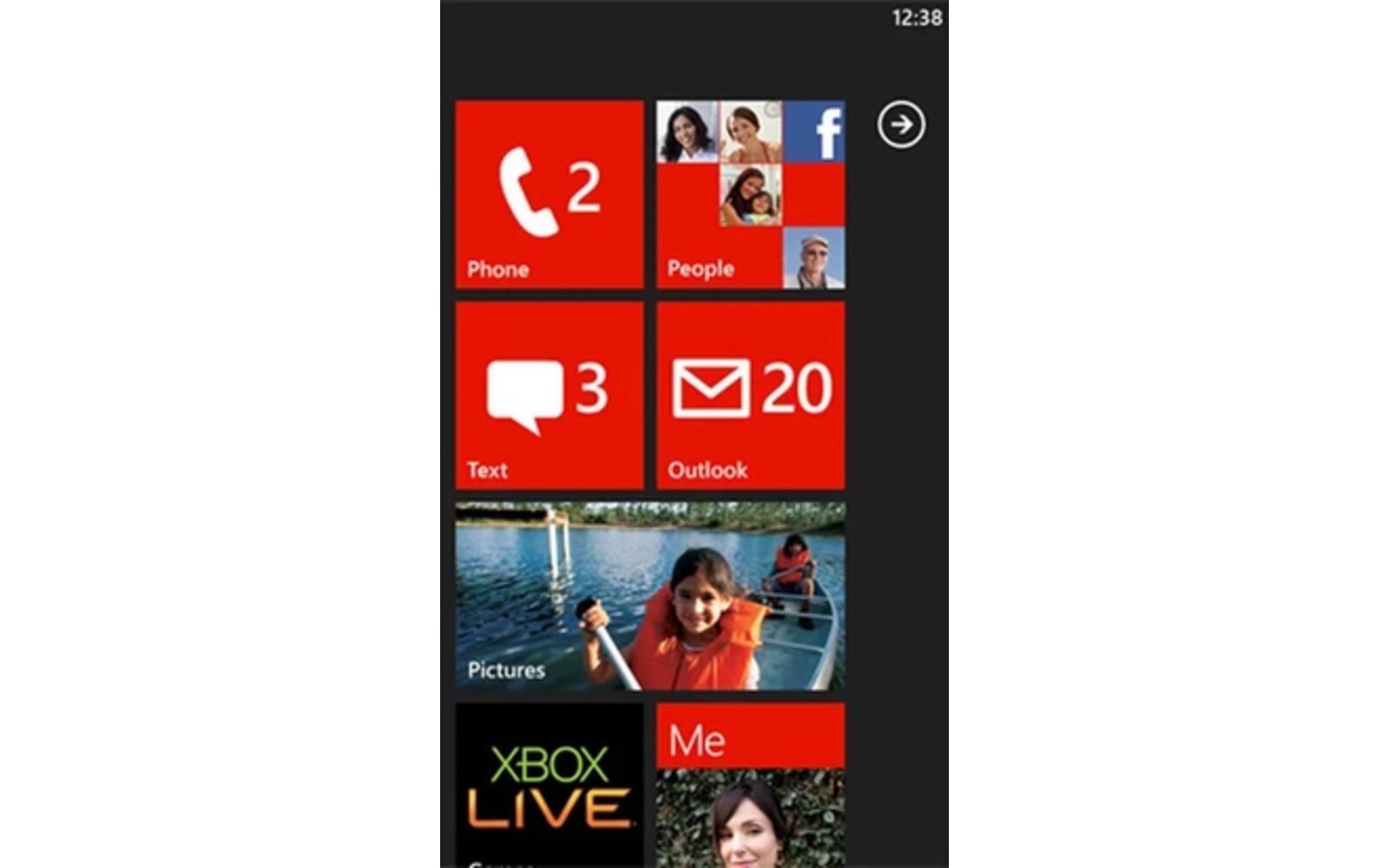
Mango also includes an updated version of the live tiles (with new animations) and push notification features called live agents which can be used in conjunction with the OS’ new multi-tasking features. Users can also pin application features to the home screen (as seen in the picture below where the bar-code scanning feature was pinned).

Check out most of the new features in the video below:
Internet Explorer 9 Mobile was also demoed showing GPU accelerated HTLM5 rendering and unfortunately it looks like the UI we saw earlier at MWC11 and today is going to be the real thing (I kinda find it a bit lame that we now have to “open” the app bar to access the tabs and favorites..).

IE9 Mobile in landscape view:

Last but not least: TCP IP sockets support. Skype is going to be released this fall and all third-party developers will be able to use sockets in the apps thanks to SL4. Mango will also include SQLite Database.

The Mango SDK and developer tools which will now feature built-in sensors & location simulators for the emulator plus advanced performance tracking / troubleshooting functionalities are going to be released next month.

Mango will also include: Custom ringtones support, background file transfer the ability to developed application which can include Silverlight and XNA and probably more features that have yet to be announced.
UPDATE: You can now watch the full keynote here.
Buyer action
Where to buy or check next
Use this as the final check before ordering a phone, changing network or trusting a headline monthly price.