Snapmaker Artisan review: the 3-in-1 that wants to replace your whole workshop
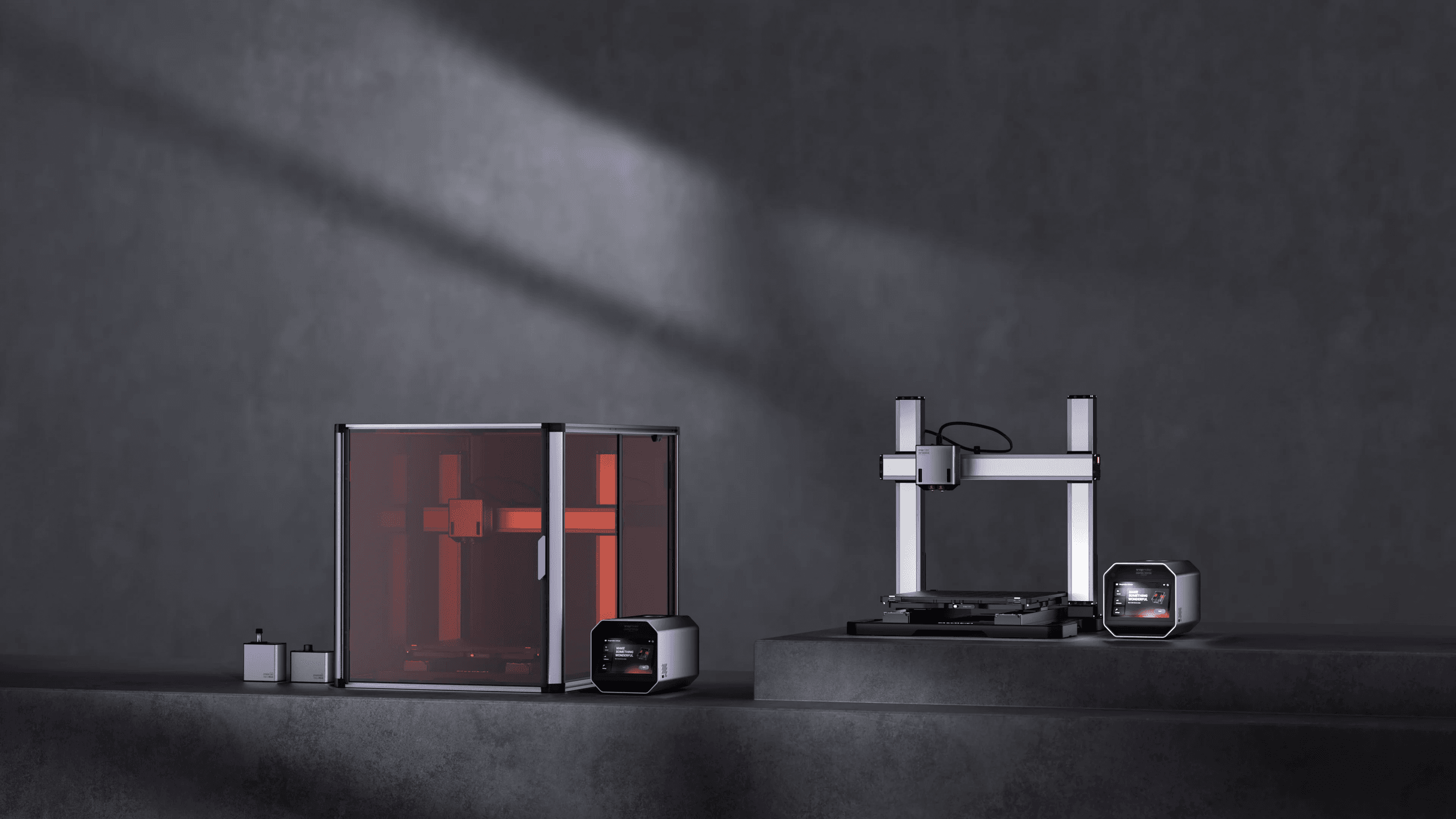
One machine, three workshops: a 300°C dual-extruder 3D printer, a 40W laser engraver and a 200W CNC mill, all sharing the same 400 × 400 × 400 mm bed. That is the promise 3D Printing Industry put to the test when it reviewed the Snapmaker Artisan, and it is the promise that should make any UK maker pause before spending the same money on three separate machines. The question is not whether the Artisan can do all three jobs. It is whether a do-everything box does any one of them well enough to earn a permanent spot on your bench.
What you actually get for the money (Snapmaker Artisan)
Let me deal with price first, because it frames everything else. Snapmaker sells the Artisan in two flavours. The Standard ships with a 10W diode laser at $2,599; the Premium swaps in a 40W laser for $2,999, figures confirmed across both the 3D Printing Industry review and Tom’s Hardware. There is no separately confirmed UK GBP price in the sources I trust, so I’d send you straight to Snapmaker’s own listing for live sterling pricing and import duties before you commit. Order from outside the UK and you should budget for 20% VAT plus a customs handling fee on top of the dollar figure, which is exactly how a $2,599 machine quietly becomes a four-figure sterling outlay once it clears the border. This is not a weekend impulse buy, and you should price it like the capital purchase it is.
That positions the Artisan squarely as a premium, high-ticket tool rather than a starter hobby printer. For the £-equivalent of three mid-range single-function machines, you get one chassis that converts between disciplines. Whether that consolidation is a virtue or a compromise is the whole argument, and it is the question I kept coming back to reading across the 3D Printing Industry, Tom’s Hardware, TechRadar and All3DP reviews.
The two SKUs at a glance
The single most important choice you make is Standard or Premium, and it comes down to one component. The printer, the CNC head and the build volume are identical between them; the laser and the price are not. Here is how the two stack up on the specs that actually differ.
Image: Techradar
Spec
Artisan Standard
Artisan Premium
Laser module
10W diode
40W diode
Price (USD, ex-UK VAT/duty)
$2,599
$2,999
3D printer
Dual extruder, 300°C nozzle, 110°C bed
Identical
CNC spindle
200W, 18,000 RPM
Identical
Build / work area
400 × 400 × 400 mm
Identical
Best for
Occasional engraving, thin stock
Regular cutting, faster engraving
My pick
—
✓ Premium
Sources: Snapmaker specs; 3D Printing Industry; Tom’s Hardware
The 3D printer: the part that earns its keep
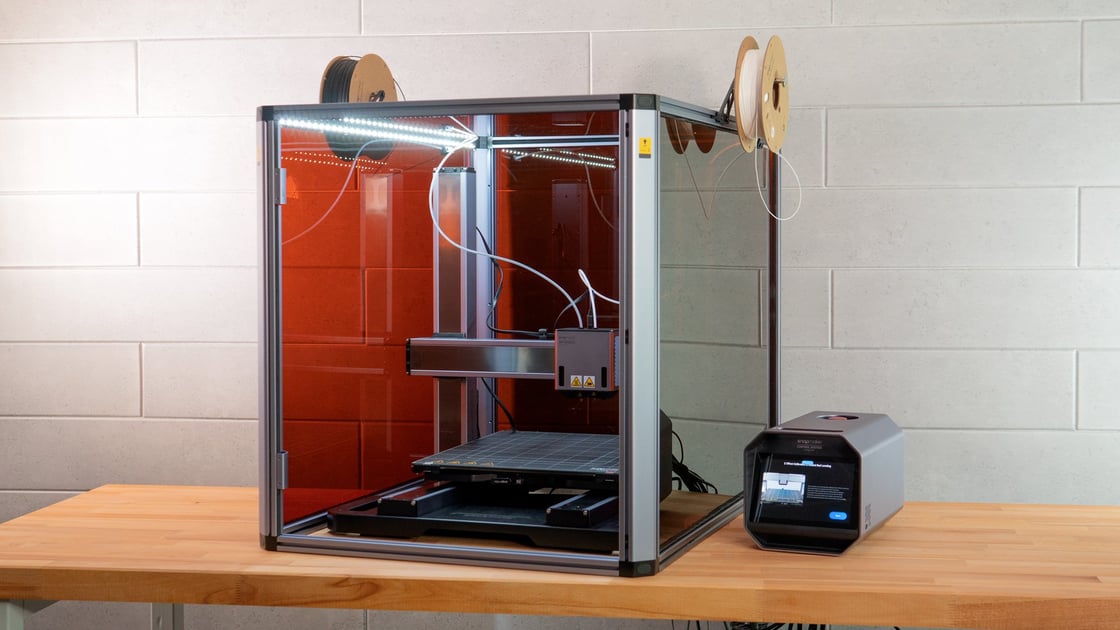
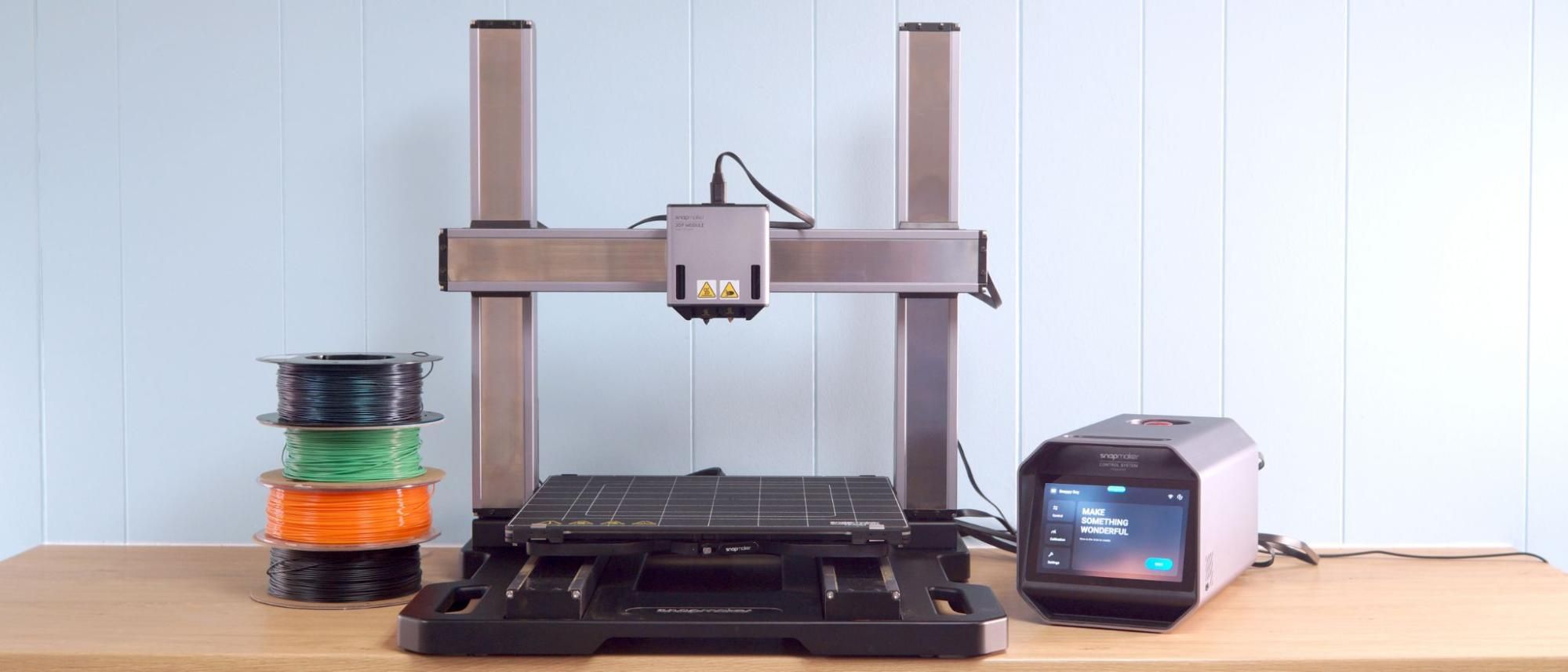
Of the three heads, the dual-extruder printer is the one I’d buy the machine for. The manufacturer specs list a nozzle that climbs to 300°C and a heated bed hitting 110°C — and those two numbers matter more than any marketing line. They mean the Artisan isn’t confined to easy PLA. You can run nylon, polycarbonate blends, ABS and the engineering filaments that demand real heat, with the dual extruder opening the door to soluble supports and genuine two-material prints. That is the difference between a toy and a tool: PETG brackets that survive a hot car, nylon jigs that take a knock, supports that wash away instead of scarring the part.
Layer height spans 50 to 300 microns, so you can choose between a slow, fine 0.05mm finish and a fast, chunky draft. Combine that range with a 400mm cube of build volume and you have a printer that swallows parts most desktop machines have to slice into pieces. For functional prototyping, jigs, large enclosures and engineering work, this is a serious envelope, and it is the headline act however you use the rest of the machine. If you stripped the laser and the CNC off entirely, a 400mm dual-extruder printer at this price would still be a defensible buy.
The dual-extruder printer is the reason to buy the Artisan; the laser and CNC are the reasons to feel clever about it later.
Image: Snapmaker
The laser: where Standard and Premium part ways
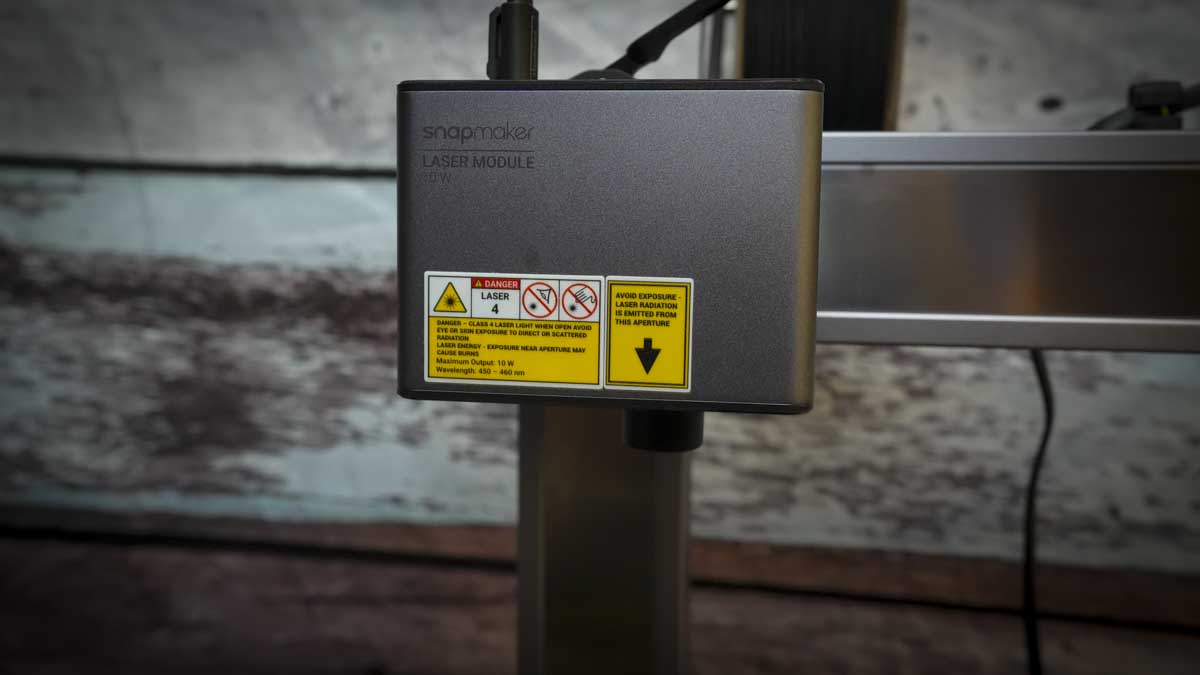
This is the single decision that should govern which Artisan you order. The Standard’s 10W diode laser is fine for engraving and cutting thin stock. The Premium’s 40W diode, working across the full 400 × 400 mm area, is a different proposition — it cuts thicker timber and acrylic in fewer passes and engraves faster. As the 3D Printing Industry test sets out, that laser is the headline difference between the two SKUs, and it is the one upgrade you cannot bolt on after the fact.
My view: if you care about the laser at all, the £-equivalent $400-ish step up to the 40W Premium is the only sensible choice. Buying the Standard and wishing later for more laser power is the classic false economy. If you genuinely never plan to cut anything thicker than card, the Standard frees that money — but be honest with yourself about scope creep, because a 3-in-1 machine invites exactly that. The whole appeal is doing more, and the 40W head is what lets you say yes.
The CNC: capable, within reason
The CNC head runs a 200W spindle topping out at 18,000 RPM, and on the spec sheet it handles wood, acrylic, aluminium, brass and similar materials. That aluminium-and-brass capability is genuinely useful and lifts the Artisan above the wood-and-plastic-only crowd. Engraving a brass nameplate or cutting a soft-alloy bracket is well within its remit.
Image: Snapmaker
But keep expectations calibrated. A 200W spindle is light-duty milling — fine for engraving metal, cutting soft alloys and detailing, not for production-rate machining of hard stock. Treat the CNC as a precise finishing and short-run tool and it delights; ask it to behave like a standalone industrial mill and it will frustrate you. Plan for dust extraction and noise too, because milling is the messiest of the three jobs and the one most likely to annoy whoever shares the room. That is the honest trade of an all-in-one: breadth bought with a ceiling on each discipline.
The catch nobody mentions: swapping heads
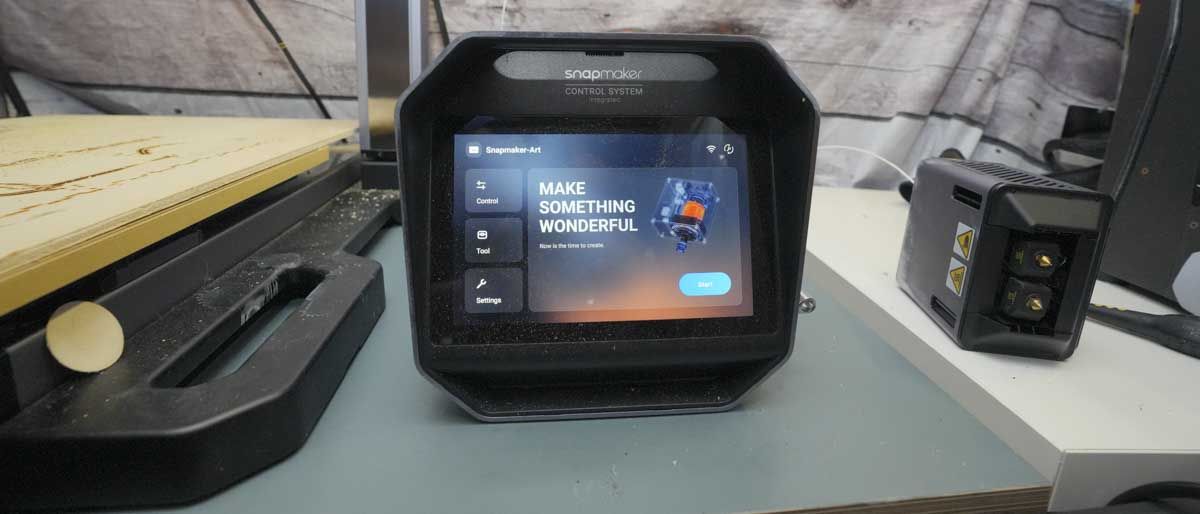
What the spec sheet won’t tell you is the friction of conversion. A 3-in-1 is only a printer and a laser and a mill if you’re willing to physically change modules, re-level and re-calibrate between jobs. If your workflow is “print all morning, engrave all afternoon,” that’s no hardship. If you want to print, then immediately laser, then mill in a single afternoon, the changeover tax is real and it accumulates. The cross-checked reviews from TechRadar and All3DP are worth reading on exactly this point: the convenience is in owning one machine, not in instant switching. Factor in the bench space for the modules you’re not currently using, because they have to live somewhere.
Who should buy it — and who shouldn’t
Here’s where I land. The Artisan is for the maker, small studio or product designer who is space-constrained and discipline-curious — someone who wants serious large-format 3D printing as the main event, with laser and CNC as genuine, occasionally-used bonuses rather than daily tools. For that person, one premium machine beats three good-enough ones, and the 400mm build volume alone may justify it.
Image: Snapmaker
It is not for you if any single discipline is your livelihood. A production laser cutter, a dedicated CNC router or a high-throughput print farm will each outperform the Artisan at its own job, and at that point three specialists earn their floor space. It’s also wrong for the true beginner: this is a lot of capability and calibration to absorb, and the money is better spent learning on one process first.
If it were my bench and my budget, I’d order the Premium — the 40W laser is the upgrade you can’t add later — treat the printer as the headline act, and consider the laser and CNC a licence to take on jobs I’d otherwise have turned away. The thing that would change my mind is confirmed UK pricing: if the sterling figure after VAT and duty drifts far north of three separate mid-range machines, the consolidation argument weakens fast. Check Snapmaker direct for the live UK number before you decide — that one figure settles the whole case.
We use cookies to make this site work, measure how it is used, and (with your consent) personalise advertising. Strictly necessary cookies always run. Analytics and advertising cookies run only if you accept. See our Cookie Policy and Privacy Policy.
MobileTechWorld Ltd — Companies House registration 16224011. Independent UK technology publisher since 2009.







Reader discussion
Leave a comment
Comments are moderated. Keep it useful, accurate, and on topic.