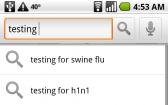

The Android version of Swype has been leaked a few days ago so all you Android user can now get a taste of it. Unfortunately this beta version will only work on the Motorola Droid (the only FWVGA 854×480) device out there:
1.Download and install the Astro file manager from the Android Marketplace
2.Download this zip file
3.Unzip that file, which will give you a file called “[mfhs]Swype-SwypeReference-WVGA854-trial-release.0.35.3959.apk”
4.Copy the APK file to your handset’s SD card
5.On your Android handset, go to Settings > Applications > and check the box next to Unknown Sources
6.Use Astro to browse for the apk file on your SD card, install it.
7.Go to Settings > Language and Keyboard. Enable the Swype keyboard.
8.You should now be able to switch between the standard keyboard and the Swype keyboard by tapping-and-holding on any text input field.
9.Enjoy!
You can grab the Windows Mobile version here
Source: DroidMuff.in via MobileCrunch
Buyer action
Where to buy or check next
Use this as the final check before ordering a phone, changing network or trusting a headline monthly price.