
Apple’s MacBook Neo is real, it is shipping, and at $599 (around £480) it sits in territory that Apple has not occupied in over a decade. The initial wave of reviews is in, the early adopters have weighed in, and the picture is clearer now than it was at launch. But “affordable Mac” does not automatically mean “right Mac for you.” Before you hand over your money, work through these five questions honestly.
Macbook Neo: Contents
- 1. Do You Need Apps That Don’t Run in a Browser?
- 2. Is 8GB of Memory Enough for You?
- 3. How Much Do Ports and Upgrades Matter?
- 4. Is £475 (about $599) Actually Your Budget?
- 5. How Long Do You Plan to Keep It?
- The Bottom Line

1. Do You Need Apps That Don’t Run in a Browser?
This is the first and most important question, because it defines whether the MacBook Neo makes sense compared to a Chromebook at the same price. Chromebooks handle web-based work capably. Gmail, Google Docs, Slack in a browser, YouTube, online banking, all of it runs fine on a $400 (around £320) Chromebook.
Where the MacBook Neo pulls ahead is native application support. You get full macOS with access to the entire Mac App Store and desktop-class applications. GarageBand, iMovie, Pages, Numbers, and Keynote come preinstalled. You can run Zoom’s desktop client rather than the stripped-down web version. Microsoft Office runs natively. Photo editing in the full Lightroom app rather than Lightroom Web is a genuine upgrade in capability.
If your computing life happens entirely inside Chrome tabs, a Chromebook at $300 (around £240) to $400 saves you money for comparable day-to-day performance. If you need even one or two native apps regularly, the Neo earns its premium. Our MacBook Neo launch coverage has the full specs breakdown.
2. Is 8GB of Memory Enough for You?
The MacBook Neo ships with 8GB of unified memory and there is no upgrade option at purchase, so this is a question you only get to answer once. For a single browser with a dozen tabs, email, a streaming video service and a document open, 8GB is fine. Start layering in video calls alongside heavy-duty photo editing or dozens of tabs across multiple browsers, and macOS will lean harder on swap memory, which means slower responsiveness and more wear on the SSD over time.
If your workflow today is already brushing the ceiling on an 8GB machine, a MacBook Air with 16GB is the safer buy. If your workflow is genuinely light, the Neo’s 8GB will serve you well into 2028 or 2029.
3. How Much Do Ports and Upgrades Matter?
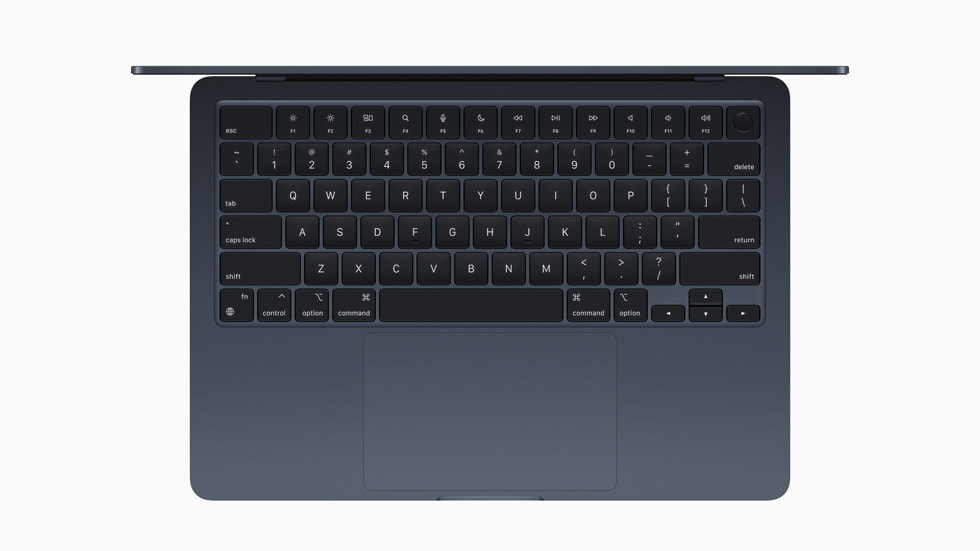
The MacBook Neo keeps the port selection minimal: USB-C charging, limited expansion, and a 3.5mm headphone jack. There is no SD card slot, no HDMI, and no MagSafe. If you regularly plug in external monitors, card readers or older peripherals, budget for a USB-C hub on top of the purchase price.
None of the Neo’s components are user-upgradable either. What you buy is what you keep for the life of the machine. That makes the spec decision at purchase matter more than it would on a Windows laptop where you could swap an SSD later.

4. Is $599 Actually Your Budget?
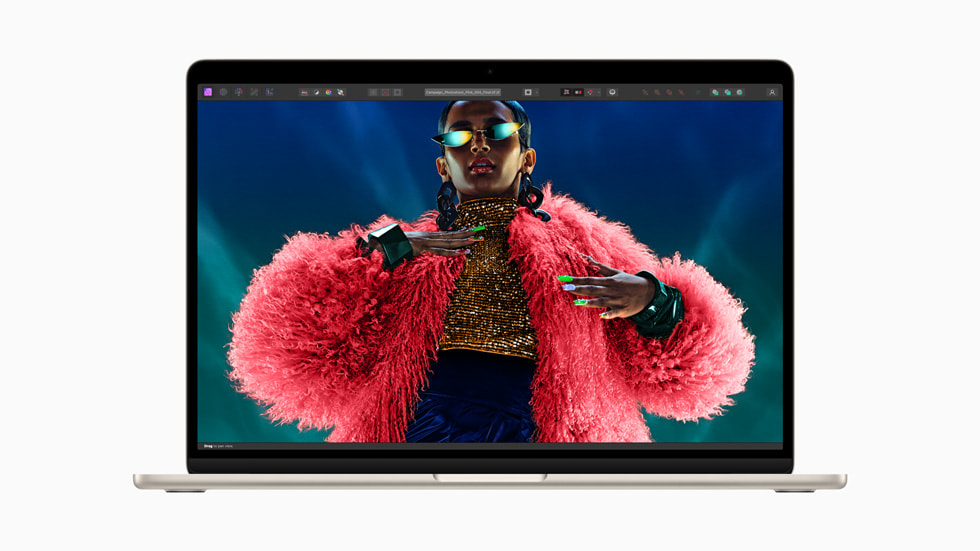
The $599 (around £480) price gets you the base configuration: A18 Pro chip with a 6-core CPU and 5-core GPU, 8GB unified memory, 256GB storage, and a 13-inch Liquid Retina display at 2408×1506. That 256GB of storage fills up faster than you might expect, especially if you plan to keep photos, music, or any video files locally.
Apple’s 512GB storage upgrade adds $100 and a Touch ID sensor, bringing the total to $699 (around £560). At that price, you are close to the territory of a refurbished MacBook Air M2, which offers better performance, a slightly larger display, and the full M-series architecture rather than a repurposed phone chip.
Apple’s refurbished store regularly sells MacBook Air M2 units from around $759 (around £605), with a full warranty and a new battery. If your real budget is “around $600 to £555 (about $700) after I inevitably upgrade the storage,” the refurbished Air deserves serious consideration. It is a more capable machine that will handle demanding tasks with less strain.
5. How Long Do You Plan to Keep It?
Longevity is where the MacBook Neo presents its most interesting question. Apple typically supports Macs with macOS updates for seven to eight years. The A18 Pro chip, while capable, is architecturally different from the M-series chips that power every other current Mac. Nobody outside Apple knows whether the A-series Mac line will receive the same software support timeline as M-series machines.
If you plan to use this laptop for three to four years before replacing it, the Neo is a safe bet. The A18 Pro has enough performance headroom to remain comfortable for everyday tasks well into 2029 or 2030. If you are hoping for a six-to-eight-year machine that tracks with Apple’s traditional Mac longevity, the uncertainty around A-series support timelines introduces a risk that the M-series MacBook Air does not carry.
Apple has not commented on long-term support differentiation between A-series and M-series Macs. Until they do, the conservative assumption is that the cheaper chip may see a shorter support window.
The Bottom Line
The MacBook Neo is a genuinely good laptop at a price Apple has not offered in years. For students, light users, and anyone who wants into the Apple ecosystem without the traditional entry fee, it fills a real gap. Apple’s education price of £395 (about $499) sweetens the deal further if you or a family member qualifies. But it is not the right machine for everyone, and Apple’s own lineup includes options that may serve you better depending on how you answered these five questions.
If your work leans toward fitness tracking and health data rather than heavy computing, your budget might be better split between a capable Chromebook and a well-configured Apple Watch. The right tool depends entirely on what you actually need to do with it.
Related reading on MTW
- Cala’s kIQ Plus Is the Wearable That Finally Makes the Consumer Medical Argument Properly
- AGIBOT’s G2 Launch Is the Humanoid Robot Pitch That Actually Sells Into a Factory
- Volkswagen’s ID.3 Neo Refresh Is the Apology Europe’s EV Buyers Actually Needed
MMTW Editorial
Buyer action
Where to buy or check next
Use this as the final check before ordering a phone, changing network or trusting a headline monthly price.














Reader discussion
Leave a comment
Comments are moderated. Keep it useful, accurate, and on topic.