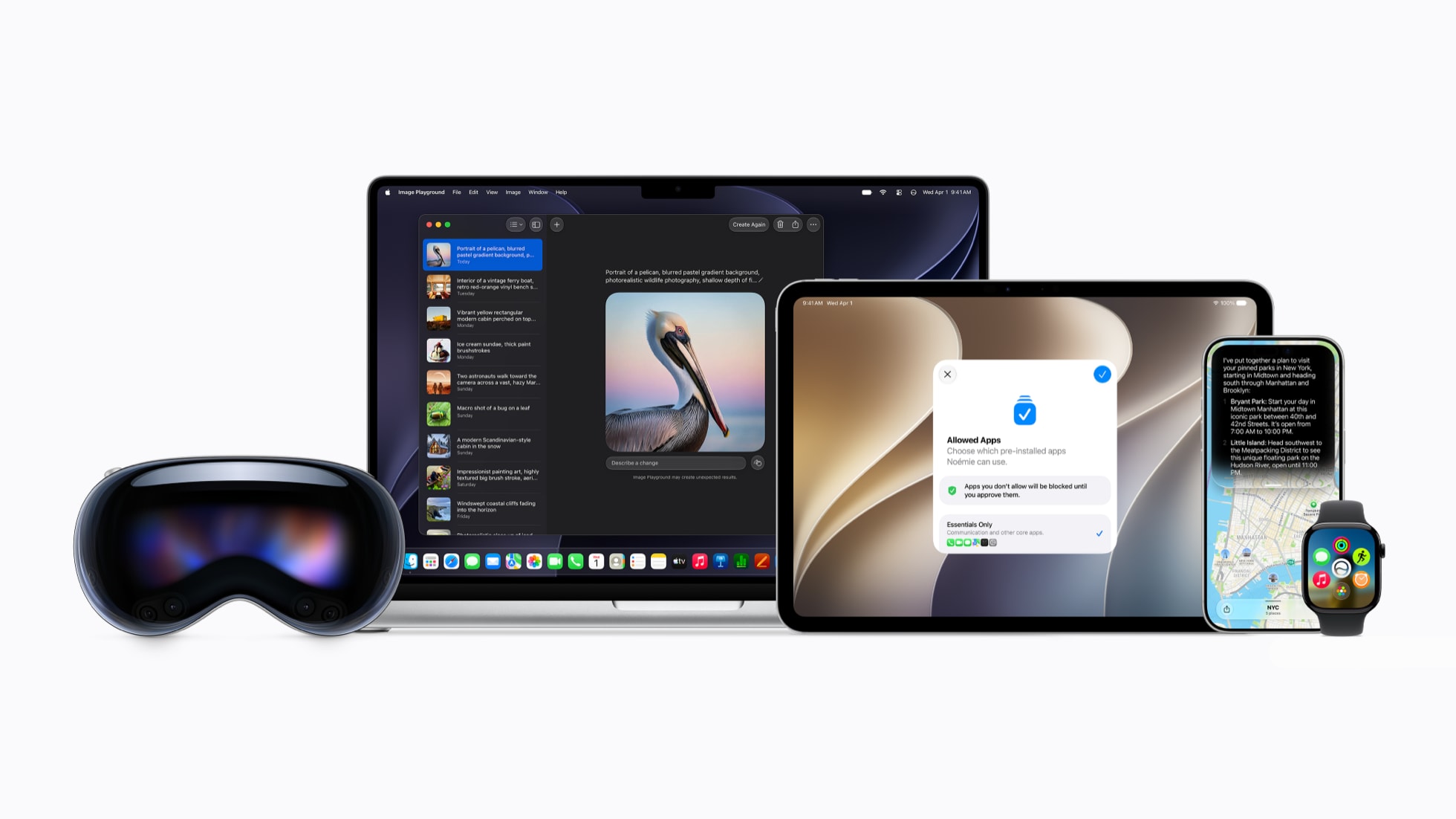
The iOS 27 public beta is the version of Apple’s next iPhone software that anyone can try before the autumn launch, and Apple confirmed the headline features at its WWDC keynote on 8 June 2026, when it unveiled a rebuilt Siri, Apple Intelligence woven through more apps, and a clutch of Photos tools (per Apple’s newsroom). Apple says the public beta arrives next month, which points to July, and the finished version usually lands in the second week of September. I have read through Apple’s own announcement so you do not have to, and below I have pulled out the five changes that actually matter if you own an iPhone in the UK, plus an honest note on what is live today versus what is still labelled “coming later”.
The short version, before you read on
- Apple unveiled iOS 27 at its WWDC keynote on 8 June 2026, led by a next-generation Siri.
- The public beta is expected next month (so July 2026); the full release should follow around mid-September, going by Apple’s usual timing.
- The big five for UK owners: a smarter Siri, Apple Intelligence across more apps, new Photos editing, expanded parental controls, and the practical reality of joining the beta.
- Some features are available at launch; others are flagged “rolling out later”, so do not expect the whole list on day one.
One thing to get straight first: this piece is the “what is new and worth caring about” explainer. If you have already decided you want in and you just need the steps, my separate guide on the iOS 27 public beta install and back-out process walks through enrolling, backing up, and rolling back if it all goes wrong. Here I am staying on the features and whether they are worth the upgrade.
1. A genuinely new Siri (the reason the iOS 27 public beta matters)
Siri is the centrepiece, and it is the most rebuilt it has been in years. Per Apple’s 8 June newsroom post, the new Siri can use your personal context, meaning it can search across your messages, emails and photos to answer something like “what was the address that my dad sent me last week?”. It also gains on-screen awareness, so it can act on whatever you are looking at, and the ability to take actions inside and across apps rather than just opening them. Apple says your conversation history syncs privately through iCloud, so you can start a question on your iPhone and continue it on another device, and Siri can now pull in web knowledge for current information.
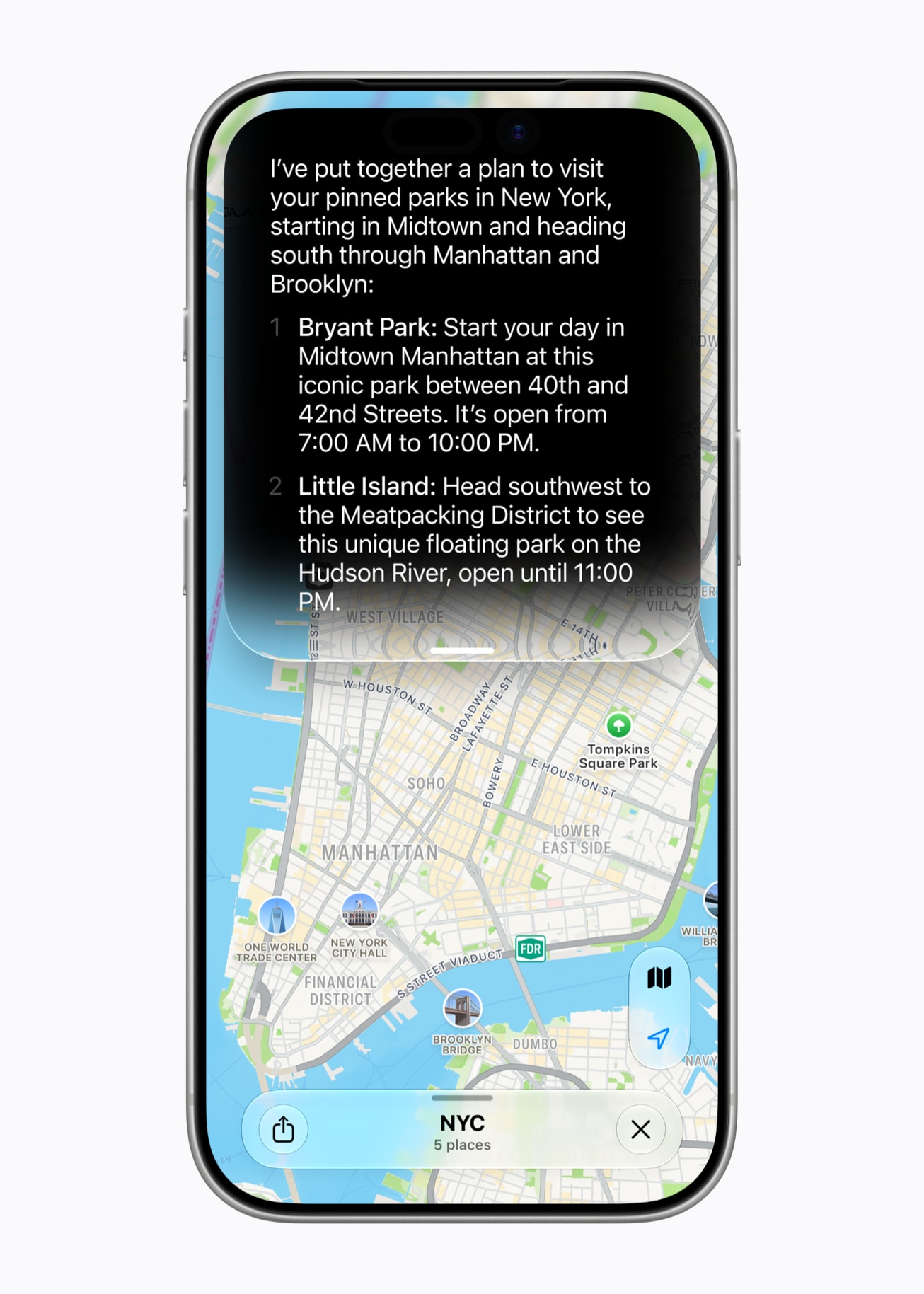
Here is my honesty caveat, and it is a big one. Apple has shown these abilities, but it has a track record of demonstrating a smarter Siri and then shipping pieces of it across the year rather than all at once. So treat the personal-context and on-screen features as the destination, not a guarantee of what works the first day you load the beta. If a smarter assistant is the whole reason you are tempted, that is exactly the bit I would expect to arrive in stages.
2. Apple Intelligence spreads into the apps you actually open
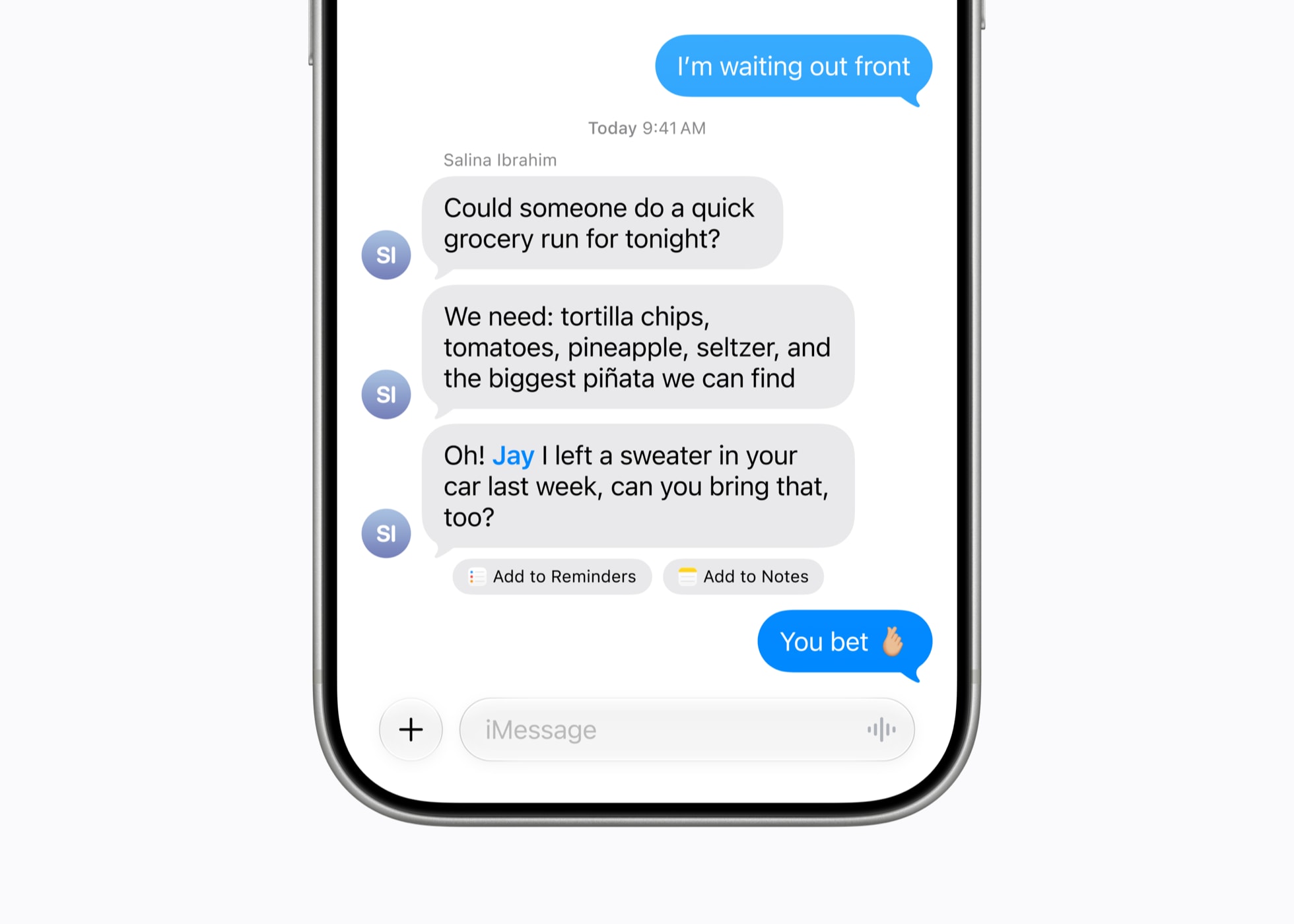
The second change is breadth. Apple Intelligence is moving deeper into Safari, Photos, Messages, Mail, Calendar, Home and Shortcuts. The example that stood out to me from Apple’s announcement is a new Safari “Notify Me” feature that watches a web page and pings you when something changes, like a restock or a price drop, which is genuinely useful if you are stalking a sold-out product. In Messages and Mail you get context-aware suggestions and one-tap reminders or notes pulled straight from a conversation, and Shortcuts gains smarter automation hooks.
If you have been underwhelmed by Apple Intelligence so far, this is the update that decides whether it earns its keep. It is less about one flashy trick and more about small, repeated time savings in the apps you live in. That is also where I would temper expectations for the early beta, because “smarter suggestions everywhere” is precisely the sort of thing that gets refined right up to release. For a wider look at how the rival assistants compare in Britain, my rundown of Google Gemini’s 2026 UK features is a useful counterpoint.
3. Photos gets the edits people will actually use
Photos is the third pick because the changes are concrete rather than conceptual. Apple is adding Spatial Reframing, which improves the composition of a shot after you have taken it, an Extend tool that fills in beyond the original frame, and an upgraded Clean Up for removing distractions from a picture. These are the kind of edits that turn a slightly wonky photo into a keeper without you opening a separate app, and they sit alongside the broader image-generation work Apple is doing across the system.
The Photos tools are the features I expect most people to actually notice day to day, far more than any clever Siri demo.
A small reality check, because it matters in Britain: some of Apple’s generative image features have arrived later or with restrictions in the UK and EU than in the US. So if image generation is your main draw, check the exact wording in Settings once you are on the beta rather than assuming parity from the keynote.
4. Expanded parental controls, finally with more nuance
The fourth change is the one I would flag to any parent. Apple is expanding parental controls so that setting up a child account switches on age-appropriate protections across the system. Per Apple’s announcement, there is an “Ask to Browse” option that requires your permission before a child visits a new website, Communication Safety that blurs content showing gore or violence, Time Allowances that let you set limits by category such as Games, Social Media or Entertainment, and Schedules that control which apps are available at particular times of day.
This is the sort of unglamorous feature that rarely makes the highlight reels but quietly changes how a family phone works. If you hand an iPhone to a child, the category-based limits and the browse permission are worth setting up properly once the software is stable, rather than fiddling with them on a buggy beta.
5. The UK reality of joining the public beta
My fifth pick is not a feature, it is the practical question of whether to install it at all. The public beta is an opt-in: you sign up at beta.apple.com, enrol your device, and updates then arrive over the air. The non-negotiable bit is backing up first, ideally to iCloud and a computer, because a beta is unfinished software and you should expect bugs, faster battery drain and the odd app that misbehaves. I would not put it on the iPhone you depend on for work.
There is also a specifically British caveat: not every Apple Intelligence feature lands in the UK at the same moment as the US, and some need a supported iPhone with the feature switched on in Settings. So before you judge iOS 27 on a single demo, check what is actually live for your account and region. If you would rather wait for the polished release, my pick of the best iPhones to buy in the UK this year and the iPhone 16 Pro Max and its upgrades both cover which handsets will get the most out of the new software. Apple Watch owners may also want my notes on the confirmed watchOS 27 features, since the two updates land together.
What I would actually do
If I am honest, I would not rush the beta onto my main iPhone, and I would not buy into the keynote on faith either. The features I would genuinely upgrade for are the Photos edits and the broader Apple Intelligence reach, because those are concrete and useful from day one. The new Siri is the most exciting promise and the one I would judge later, once Apple has shipped the personal-context and on-screen parts rather than just shown them. My plan is simple: keep a spare device or wait for the stable September release, back up before I touch anything, and check Settings to see which features are really live for me in the UK rather than assuming the full list. Try the beta if you enjoy tinkering; wait for autumn if you just want it to work.
Buyer action
Where to buy or check next
Use this as the final check before ordering a phone, changing network or trusting a headline monthly price.














Reader discussion
Leave a comment
Comments are moderated. Keep it useful, accurate, and on topic.