UPDATED · News · 16 Jun 2026 · Hannah Foster
When Google switched on its new “Memories” personalisation for Gemini in the UK on 19 May 2026, as the company confirmed on its UK blog, the headline was framed as a convenience: an assistant that finally remembers what you told it last week. The detail that made me sit up, though, wasn’t the feature itself. It was that it arrives switched on by default. That single design choice tells you most of what you need to know about where Gemini is heading in 2026 — more useful, yes, but also a lot more present in your day than the old version ever was.
I’ve spent a fortnight living with the changes that have actually landed for UK accounts, and I want to be precise about which ones are real here, which are still “coming weeks” promises, and which are quietly doing more than the marketing lets on. Because the gap between those three things is where you’ll either save yourself time or hand over more than you meant to.
What Gemini’s “Memories” actually changes day to day
The premise is simple: Gemini can now draw on your past conversations to tailor what it gives you, so you stop re-explaining yourself every session. Ask it to plan a weekend and it can lean on the fact that you mentioned being vegetarian three chats ago, or that you’re working to a tight budget. In practice that’s the difference between an assistant and a glorified search box, and for the kind of repetitive how-to tasks I use Gemini for — drafting replies, summarising long threads, planning — it genuinely cuts the friction.
The wrinkle is the default. As resultsense.com flagged ahead of the UK launch, Memories is on unless you turn it off, and the rollout that began on 19 May was billed as reaching full UK availability over the following weeks — so if you haven’t seen it yet, that’s expected, not a fault. If you’d rather Gemini didn’t quietly build a profile of you, the off switch lives under Settings > “Personal context” > “Memory”. I’d at least go and look at it, decide deliberately, and move on. Defaults are decisions someone else made for you.
Importing your history from ChatGPT and Claude into Gemini
The feature I find genuinely clever — and slightly unnerving — is migration. Gemini will now ingest chat history and memories from rival apps, including OpenAI’s ChatGPT and Anthropic’s Claude, either via a ZIP export you upload or by copy-pasting prompts across. Google has written up the mechanics in its “switch to Gemini” guide, and the point is obvious: it analyses that imported context to personalise responses from day one, so you don’t start from scratch if you defect.
For switchers that’s a real reduction in pain. But think about what you’re uploading. A full ChatGPT export is often a year of unfiltered thinking — work problems, health worries, half-formed ideas. Handing that to a second company to “personalise” your experience is a meaningful trade, and it’s worth doing with eyes open rather than because a button made it frictionless. My rule: if I wouldn’t email a transcript to a colleague, I don’t bulk-import it into Gemini either.
Gemini 3.5 Flash, and the bit the UK still doesn’t get
Underneath the personalisation sits a new engine. Google’s GB release notes list Gemini 3.5 Flash as live for UK users, powering faster responses across the app and Search, for free and paid accounts alike with no UK-specific restrictions. In ordinary use that mostly shows up as speed and steadier reasoning on multi-step questions, which is exactly where the old Flash model used to wobble.
What the UK still doesn’t get is Gemini Spark, the more capable agent that can go off and complete tasks for you — that remains US-only for now, as I covered in MobileTechWorld’s I/O 2026 round-up. It’s the familiar pattern: the UK gets the model upgrade quickly and the headline-grabbing autonomous-agent layer later, if at all. I’d temper expectations accordingly. If your reason for staying interested in Gemini is the promise of an assistant that books and buys things on your behalf, that future isn’t here yet on this side of the Atlantic.
Search-history personalisation and Gemini Live
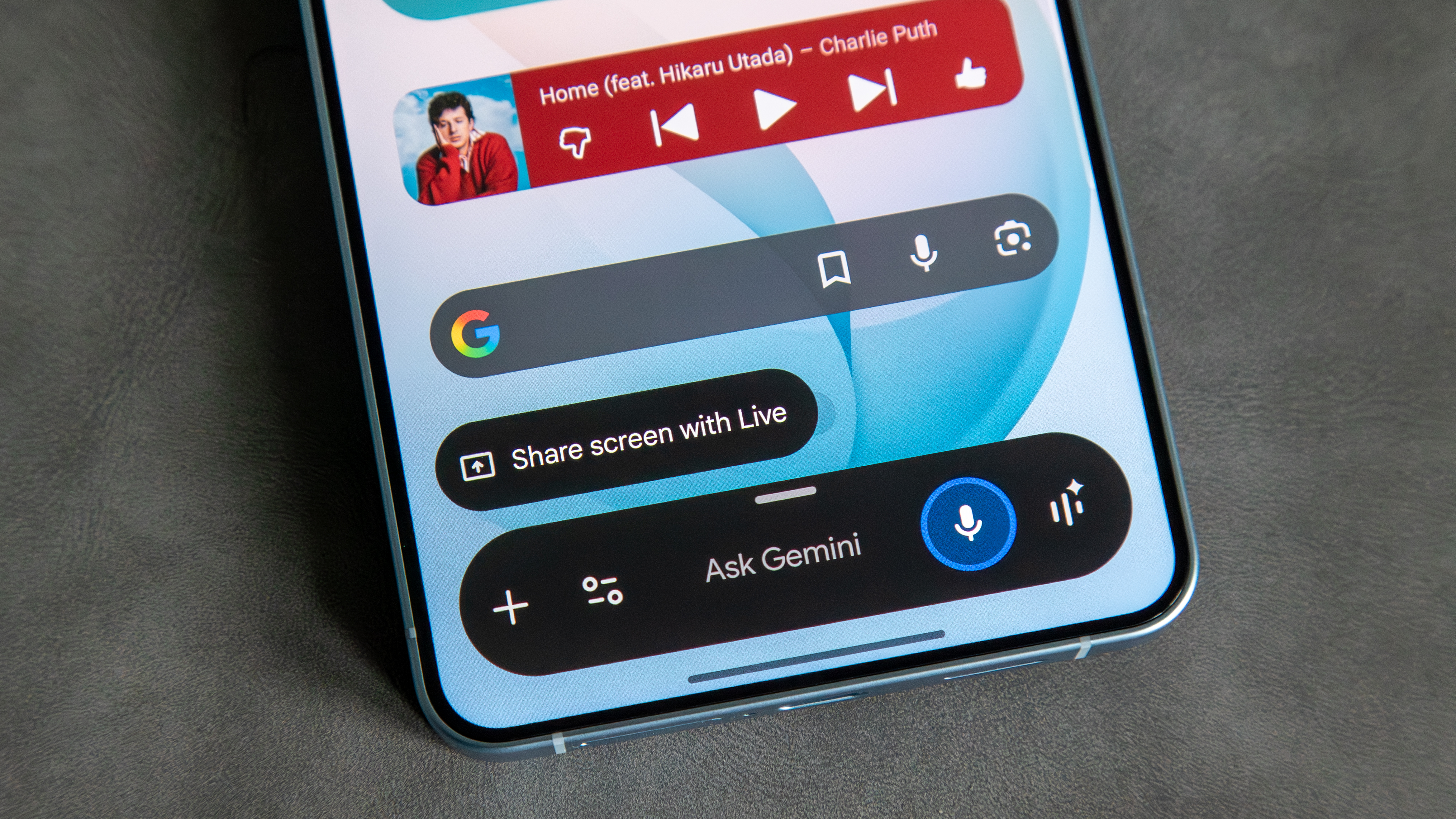
Two more changes are worth a line. There’s an experimental Personalisation mode that pulls from your Google Search history to sharpen recommendations and brainstorming — live globally across web and mobile in 40-plus languages, though Workspace and Education accounts are excluded. And per the same release notes, Gemini Live now folds together voice, real-time maps and visual input, including the “show Gemini what you see” trick for generating images from your camera feed. The Live integration is the one part of Gemini I’d actually recommend playing with — pointing a phone at something and talking through it is the first time the multimodal pitch has felt natural rather than gimmicky.
Who should switch this on, and who I’d tell to wait
Here’s where I land. If you already lean on Gemini for everyday tasks and you’re comfortable with Google holding the context, leave Memories on, try the history import, and enjoy 3.5 Flash — the experience is meaningfully better than it was a month ago, and it costs you nothing. If you’re privacy-cautious, or you use one assistant for work and another for personal life, go into settings on day one, switch Memories off, and skip the bulk import; you lose a little convenience and keep a lot of control. And if your whole interest was agentic, do-it-for-me automation, there’s no need to change anything yet — the part that matters to you, Spark, hasn’t crossed the Atlantic.
The thing that would change my own mind is transparency about deletion: I’d happily run Memories full-time the moment Google makes it trivially easy to see, edit and wipe exactly what Gemini has remembered, the way it eventually did for Search history. Until then I’m treating 2026’s Gemini as a sharper tool that I keep on a shorter leash — useful precisely because I decided what it gets to know, rather than letting a default decide for me.
Buyer action
Where to buy or check next
Use this as the final check before ordering a phone, changing network or trusting a headline monthly price.














Reader discussion
Leave a comment
Comments are moderated. Keep it useful, accurate, and on topic.