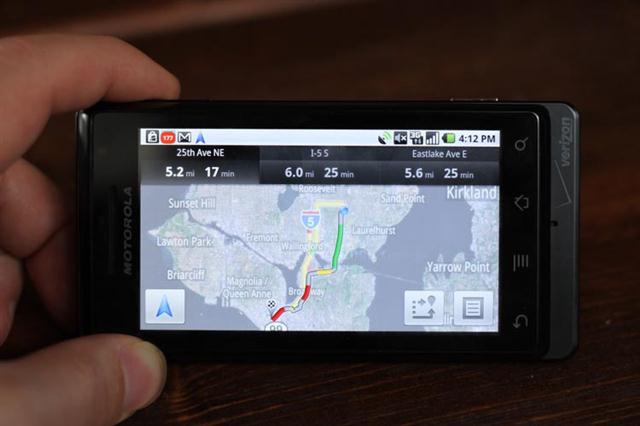
Google Navigation Reviewed, Good for free but far from perfect
Gizmodo posted a review of Google’s newly announced Navigation feaures included in Android 2.0. Google’s so called “game changing” free nav software has been…
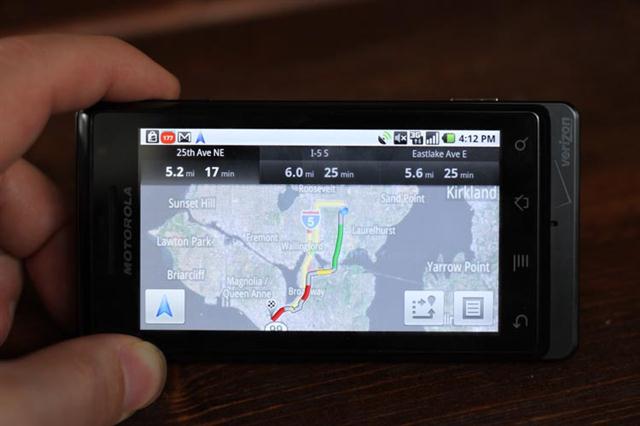
Gizmodo posted a review of Google’s newly announced Navigation feaures included in Android 2.0. Google’s so called “game changing” free nav software has been taken on a ride for some testing in the streets of NY. The stand-out feature IMO is the nearly flawless integration of Voice command search in the application. It’s Kind-of fascinating to see Google pull this off so nicely when Microsoft has had this feature buried into Windows Mobile since November 2003 (You know that little thing called Microsoft Voice Command) but, in true MS fashion, never talked about it and as usual only a few OEMs took the time to bundle it with their devices. Bing for Mobile also feature Voice Commend since 2008 too, but nobody cares about it. Microsoft’s TellMe app is one a whole other level better but is only officially available on one phone! Anyway Google should really get credit for making this feature perfectly integrated into their OS.
The surprise hit of Google’s new software is the voice command. I said “Navigate to Cloud City” and it quickly launched the navigator, showing me a few options with “Cloud City” in the name. On top was my wife’s favorite coffee shop (home of my favorite BBQ pulled-pork sandwich). I tapped it and got on my way. I have done this with street addresses, store names and categories like simply “barbecue” and it’s worked fine. It’s only when I tried text searching that things got iffy.
According to the Giz the UI is the what disappoints but overall they foud it really impressive.
+ Amazing voice recognition engine
+ Live traffic and alternate route planner
+ Text-to-speech
+ Good routing and fast re-routing
= Satellite view and other views not always useful
– Text search features are overlapping, confusing
– Interface overall needs better flow
– No POI category browsing or “go home” feature
– No multi-stop trip planner
Source: Gizmodo
How we test
Buyer action
Where to buy or check next
Use this as the final check before ordering a phone, changing network or trusting a headline monthly price.