If you run a small business or manage IT for a UK team, the Copilot vs Gemini UK decision now comes down to two AI assistants baked into the office software you already pay for. Microsoft has put its assistant inside Word, Excel, Outlook and Teams as Microsoft 365 Copilot. Google has folded Gemini into Gmail, Docs, Sheets and Meet across Workspace. Both promise to draft your emails, crunch your spreadsheets and summarise your meetings, and both now charge in pounds. This is a true head-to-head: six numbered rounds, a clear winner in each, and a final verdict with a score for each side.
- Microsoft 365 Copilot for business is listed at £13.80 per user per month when paid yearly (a limited-time promotional rate, reduced from the standard £16.10), and it requires a separate qualifying Microsoft 365 Business plan (last checked: 2026-06-08, microsoft.com).
- Gemini is now bundled into Google Workspace at no extra charge; Business Standard is around £11.80 per user per month on the annual plan, exclusive of VAT (last checked: 2026-06-08).
- Microsoft states that prompts, responses and Microsoft Graph data “aren’t used to train foundation LLMs”, and the service operates under its GDPR commitments, with UK in-country data processing available for Copilot interactions.
- Google states that “Workspace does not use customer data for training models without customer’s prior permission or instruction”, and holds the ISO 42001 AI management standard.
- Neither tool needs a costly bolt-on for the basics any more, which changes the maths for a five to twenty person UK team.
Copilot vs Gemini UK: the side-by-side at a glance
Before the rounds, here is how the two assistants line up on the numbers that matter to a UK buyer. We have priced the entry business tiers, because that is what most small teams actually buy, and stamped the prices with the date we checked them. Read the table as a starting point, then let the rounds below decide where each one earns its keep. For a wider three-way look that adds Anthropic to the mix, our separate Claude vs Copilot vs Gemini for UK business piece runs the same tests against a third contender.
| Feature | Microsoft 365 Copilot | Google Gemini (Workspace) |
|---|---|---|
| Entry price (annual) | £13.80/user/month (add-on) | Included in Workspace; Business Standard ~£11.80/user/month |
| Prerequisite | Qualifying Microsoft 365 Business plan | Any paid Workspace plan |
| Email and docs | Word, Outlook | Gmail, Docs |
| Spreadsheets | Excel | Sheets |
| Meetings | Teams recap | Meet “take notes for me” |
| Foundation models | OpenAI plus Anthropic via Azure | Google Gemini family |
| Trains on your data? | No | No |
| Data boundary | UK in-country processing, GDPR | CDPA, ISO 42001 |
Round 1: Price and licensing
The headline figures look close, but the structure is not. Microsoft sells Copilot as an add-on: you pay for a Microsoft 365 Business plan first, then layer Copilot on top at £13.80 per user per month on the annual deal, according to Microsoft’s UK pricing page (last checked: 2026-06-08). Google has gone the other way and folded Gemini into Workspace itself, so a Business Standard seat at roughly £11.80 per user per month already carries the AI side panel across Gmail, Docs, Sheets and Slides with nothing extra to buy.
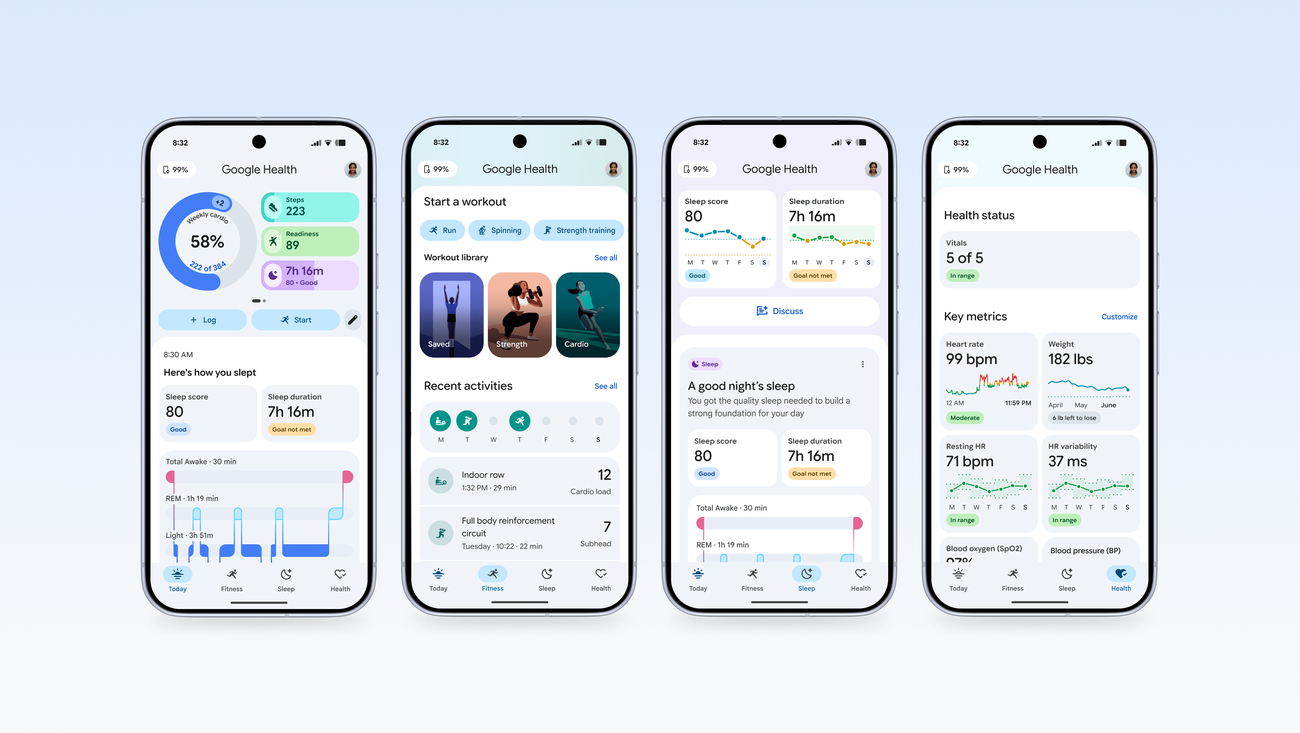
That difference compounds. For a ten-person team, Copilot means paying for the base licences and the add-on, while Gemini’s cost is already inside the Workspace bill you would pay anyway. Microsoft still wins on tiering flexibility, with free Copilot Chat and a cheaper Copilot Pro consumer tier for solo users, which we break down in our guide to Copilot UK pricing across the free, Pro and Microsoft 365 tiers. Google’s equivalent ladder is set out in our Gemini UK pricing breakdown. On pure cost-to-add for a business already on Workspace, Gemini is the cheaper route in. Round 1 winner: Google Gemini, because the AI is bundled rather than billed on top.
Round 2: Writing and email
This is where most people will actually meet their assistant. In Outlook, Copilot drafts replies, rewrites tone and summarises long threads, and because it reads your Microsoft Graph it can pull context from related documents and calendar entries. Gemini does the same job inside Gmail with its “Help me write” panel and a thread-summary chip, and it has the advantage of living in the inbox most consumer-leaning small businesses already use.
For longer-form writing, Word with Copilot has a slight edge for structured documents: it handles section drafting, reference to existing files and rewriting against a brief with more polish in our testing. Gemini in Docs is quick and clean for shorter pieces and is genuinely good at turning a rough bullet list into prose. If your day is mostly email triage, the two are level. If you write proposals, reports and contracts, Copilot’s grip on document structure pulls ahead. We cover the Gmail and Docs side in detail in our guide to using Gemini in Gmail and Docs. Round 2 winner: Microsoft 365 Copilot, on the strength of long-document drafting.

Round 3: Spreadsheets and data
Spreadsheets are where Microsoft’s decades of Excel muscle memory show. Copilot in Excel can build formulas, explain what a sheet is doing, generate PivotTables and surface trends from a clean table, and it speaks the language of finance teams who live in Excel all day. For anyone whose monthly close, VAT return or cashflow model already runs in Excel, having the assistant understand that exact environment is a real productivity gain rather than a novelty.
Gemini in Sheets is capable and improving, with help generating tables, categorising data and writing functions, and it benefits from Google’s clean collaborative model where several people edit the same sheet live. But Sheets is still the lighter spreadsheet engine, and complex financial modelling tends to migrate to Excel anyway. If your data work is light to moderate, Gemini is perfectly serviceable. If spreadsheets are the spine of your business, Copilot is the stronger tool. Round 3 winner: Microsoft 365 Copilot, because Excel remains the deeper data environment.

Round 4: Meetings and recap
Meetings are the clearest day-one win for either tool, because nobody enjoys writing up notes. In Teams, Copilot produces a meeting recap with summarised decisions, action items and the ability to ask “what did I miss” if you joined late. It draws on the transcript and chat to give you a searchable record, which is genuinely useful for hybrid UK teams juggling time zones and school runs.
Google Meet’s “take notes for me” does the equivalent, capturing notes and action points and dropping a Doc into your Drive afterwards, and it has improved sharply over the past year. The deciding factor is which platform your meetings actually run on. If your team lives in Teams, Copilot’s recap is tightly woven into the chat and channel structure you already use; if you meet in Google Meet, Gemini’s notes land neatly in Drive. On feature parity the two are level, but Teams remains the more common business meeting platform in the UK enterprise, which is why Copilot edges it. Round 4 winner: Microsoft 365 Copilot, by a narrow margin on platform reach.
Round 5: Data protection and trust
This is the round that should reassure both camps. Neither tool trains its underlying foundation models on your business data by default. Microsoft’s documentation states plainly that “prompts, responses, and data accessed through Microsoft Graph aren’t used to train foundation LLMs”, and that Copilot operates inside its existing GDPR commitments. Microsoft also offers UK in-country data processing for Copilot interactions, so for regulated UK firms that residency story is concrete and well documented.

Google’s position is equally firm: its Workspace privacy hub says “Workspace does not use customer data for training models without customer’s prior permission or instruction”, your prompts count as customer data under the Cloud Data Processing Addendum, and Google holds ISO 42001, the international standard for AI management systems. Both vendors give admins controls and audit tooling. The honest answer is that this round is a draw on the core promise, with Microsoft’s UK in-country data processing slightly ahead for firms that need a documented residency line and Google matching on certification. We have written more broadly about what these subscriptions add up to for households and small teams in our look at the real cost of AI subscriptions in the UK. Round 5 winner: a tie, because neither trains on your data and both are independently certified.
Round 6: Ecosystem fit
No assistant is worth switching your whole business for, so the last round is the one that usually decides the purchase: which suite are you already on. If your team runs on Windows laptops, Outlook, Excel and Teams, Copilot drops into a world it understands without retraining anyone, and our guide to rolling out Microsoft 365 Copilot in a UK business shows how that deployment looks in practice. If your business already lives in Gmail, Docs and Meet, Gemini is the assistant that fits without friction.
This is not a cop-out. The biggest mistake we see UK small businesses make is buying the assistant first and bending their workflow to fit it, rather than buying the assistant that matches the tools their staff already know. The migration cost of moving suites dwarfs the monthly difference between the two AI products. Our companion piece on Microsoft Copilot versus Google Gemini for UK small business goes deeper on the switching maths. Round 6 winner: a tie, decided entirely by the suite you already run.
Where to check or subscribe in the UK
Buy Copilot directly through the Microsoft 365 admin centre or microsoft.com, where business pricing is listed at £13.80 per user per month on the annual plan, on top of a qualifying Microsoft 365 Business licence (last checked: 2026-06-08). Microsoft also raised some Copilot list prices recently, which we track in our note on the Microsoft 365 Copilot UK price changes, so confirm the current figure on the official page before you commit.
For Gemini, you do not buy a separate product: subscribe to Google Workspace at workspace.google.com, where Business Standard sits at roughly £11.80 per user per month on the annual plan, exclusive of VAT, with Gemini bundled in (last checked: 2026-06-08). Both vendors offer free trials, and prices exclude VAT, so add 20 per cent for your real UK monthly cost. Where a figure cannot be confirmed against the official page on the day you buy, treat the official pricing page as the source of truth rather than any third-party quote.
Our verdict on the head-to-head
Tally the rounds and Copilot takes three (writing, spreadsheets, meetings), Gemini takes one (price and licensing), and two are ties (data protection and ecosystem fit). On raw capability for document-heavy and spreadsheet-heavy work, Microsoft 365 Copilot is the more complete business assistant, and that is what gives it the higher score. But the rounds it loses and ties are the ones that decide most real purchases: cost and the suite your team already runs.
Our view: buy Microsoft 365 Copilot if your business already lives in Outlook, Excel and Teams and your work is built on documents and spreadsheets. Choose Google Gemini if you are on Workspace, want the AI bundled rather than billed on top, and value the lighter, more collaborative feel. We would not switch suites for either assistant. For a Workspace team, Gemini is the easy yes; for a Microsoft shop, Copilot is worth the add-on. The overall winner for the broadest set of UK buyers is Microsoft 365 Copilot on capability, but Google Gemini is the better value if you are already on Workspace.
Our score: 8.4/10 (Microsoft 365 Copilot)
Our score: 8.1/10 (Google Gemini)













Reader discussion
Leave a comment
Comments are moderated. Keep it useful, accurate, and on topic.