News · 4 Jun 2026 · MTW Editorial Team
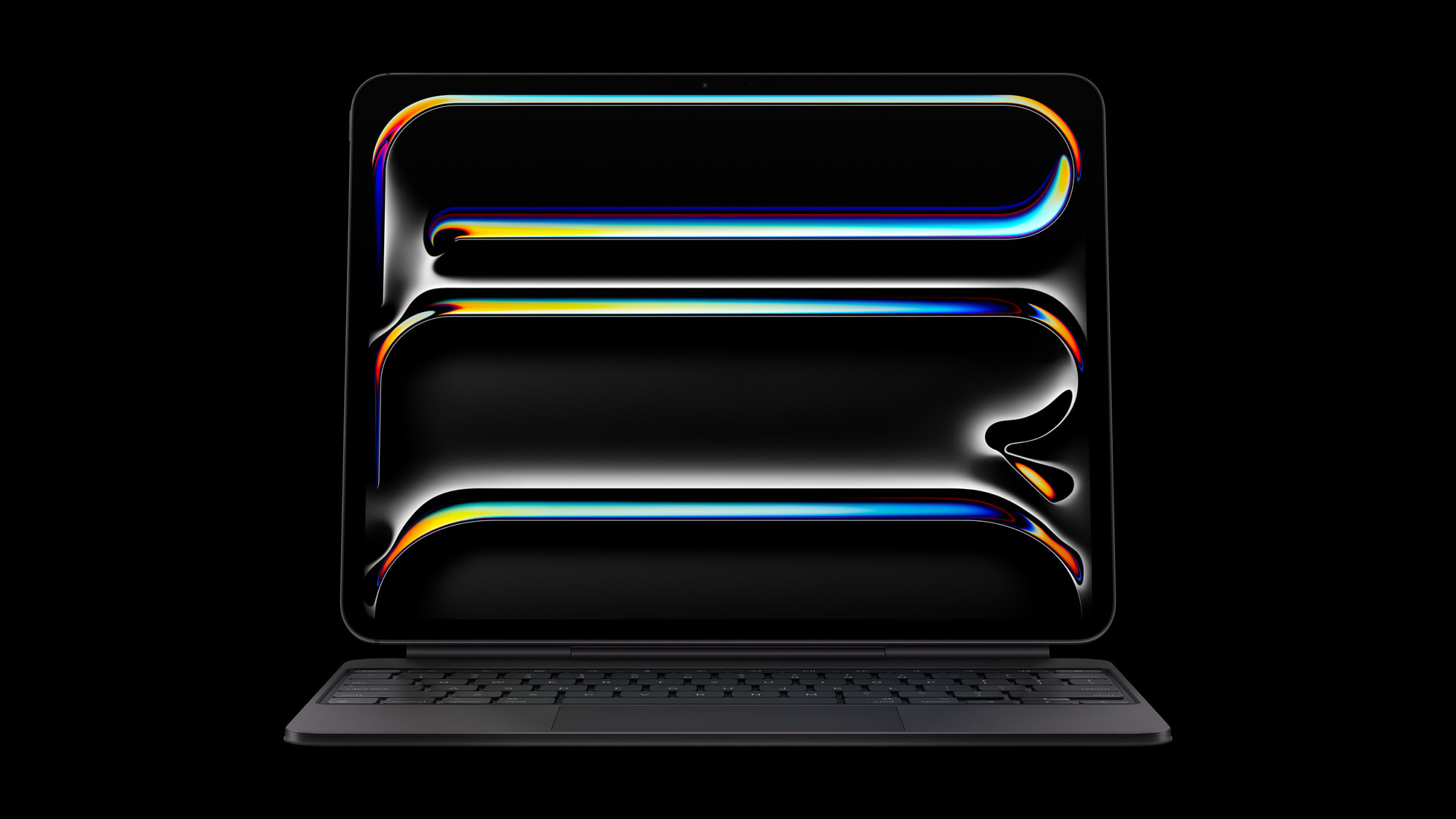
The iPad Pro M5 starts at £999 in the UK for the 11-inch Wi-Fi model, and Apple is selling it now rather than teasing it. Apple confirmed UK pricing and availability when the tablet went on sale, but the price is only half the question. The harder one is whether the M5 jump, the OLED Ultra Retina XDR screen and the cost of the keyboard and pencil add up to a laptop replacement, or whether you are paying flagship money for a tablet that iPadOS still will not let loose. This guide walks a UK buyer through the confirmed numbers, the real M5 gains over the M4, and a clear buy or wait call.
- 11-inch iPad Pro M5: £999 Wi-Fi, £1,199 Wi-Fi + Cellular (256GB start).
- 13-inch iPad Pro M5: £1,299 Wi-Fi, £1,499 Wi-Fi + Cellular (256GB start).
- M5 chip: up to 3.5x the AI performance of the M4, with a Neural Accelerator in every GPU core.
- Magic Keyboard adds £299 (11-inch) or £349 (13-inch); Apple Pencil Pro adds £129.
The confirmed UK price across every model and storage tier
Apple kept the iPad Pro line at two sizes and the same entry prices as the M4 generation, so the ladder is easy to read. The 11-inch iPad Pro M5 opens at £999 for Wi-Fi and £1,199 with Wi-Fi + Cellular, both at 256GB. The 13-inch model opens at £1,299 for Wi-Fi and £1,499 with cellular. Both sizes come in 256GB, 512GB, 1TB and 2TB configurations, in silver and space black. Apple sells the tablet direct on its UK store and through Apple Authorised Resellers, with student and education pricing dropping the 11-inch to £899 and the 13-inch to £1,199.
The detail buyers miss is how fast the price climbs once you leave the base tier. Storage is the lever Apple uses to push margins, and the 1TB and 2TB steps are where the iPad Pro starts to overlap with a MacBook on price. If you are cross-shopping against a Mac, our breakdown of the MacBook Air M5 versus MacBook Pro M5 is worth reading before you commit, because a maxed-out iPad Pro can cost more than a capable laptop. For a wider view of the whole iPad range and where the Pro sits against the Air and the base model, our guide to the best iPad to buy in 2026 sets out who actually needs the Pro tier at all.
| Model | Wi-Fi (256GB) | Wi-Fi + Cellular | MTW read |
|---|---|---|---|
| 11-inch iPad Pro M5 | £999 | £1,199 | The mainstream pick; portable, still expensive once accessorised. |
| 13-inch iPad Pro M5 | £1,299 | £1,499 | Better for creative and split-screen work; heavier in the bag. |
| Magic Keyboard | £299 / £349 | n/a | Near-essential for laptop-style use; pushes the real price up sharply. |
| Apple Pencil Pro | £129 | n/a | Worth it for artists and note-takers, optional for everyone else. |
What the M5 chip actually changes versus the M4
The headline upgrade is the chip, and the gains are concentrated in graphics and AI rather than raw single-core speed. Apple’s M5 carries up to a 10-core CPU and a 10-core GPU, and the GPU is the part that matters here: each core now has a Neural Accelerator built in. Against the M4, Apple quotes up to 3.5x faster AI performance, up to 1.5x faster 3D rendering with ray tracing, and around 2x faster AI image generation in apps such as Draw Things. Unified memory bandwidth climbs to over 150GB/s, a near 30 percent increase on the previous generation, which is the kind of number that shows in heavy creative apps rather than email.

Step back to the M1 iPad Pro and the gap is dramatic: Apple cites up to 5.6x the AI performance and up to 6.7x the 3D rendering speed. That framing tells you who the M5 is really for. If you are on an M1 or M2 iPad Pro, the leap is real and worth feeling out. If you bought the M4 model last year, the day-to-day difference is far smaller, and the chip alone is not a reason to trade up. The M5 also sits in a broader Apple silicon story, and our look at how the AMD Ryzen AI Max 400 stacks up against the Apple M5 puts the AI claims in context against what x86 laptops now offer.
There are two quieter silicon additions. The new N1 wireless chip brings Wi-Fi 7, Bluetooth 6 and Thread, which matters if you run a busy smart home or a fast mesh network. On the cellular models, Apple’s own C1X modem delivers up to 50 percent faster cellular data than its predecessor, a useful gain for anyone tethering or working away from Wi-Fi. Neither is a reason to buy on its own, but together they make the cellular iPad Pro a more sensible mobile workstation than before.
The OLED Ultra Retina XDR display is still the best reason to want one
The screen carried over from the M4 model, and it remains the iPad Pro’s standout feature. Apple’s Ultra Retina XDR display uses tandem OLED, stacking two OLED panels to hit 1000 nits of full-screen brightness in SDR and HDR, and 1600 nits peak in HDR. It runs ProMotion at up to 120Hz with True Tone, and there is an optional nano-texture glass finish that cuts glare for anyone working near windows or under studio lighting. For photo editing, film grading, comics and HDR video, there is nothing on a tablet that matches it.
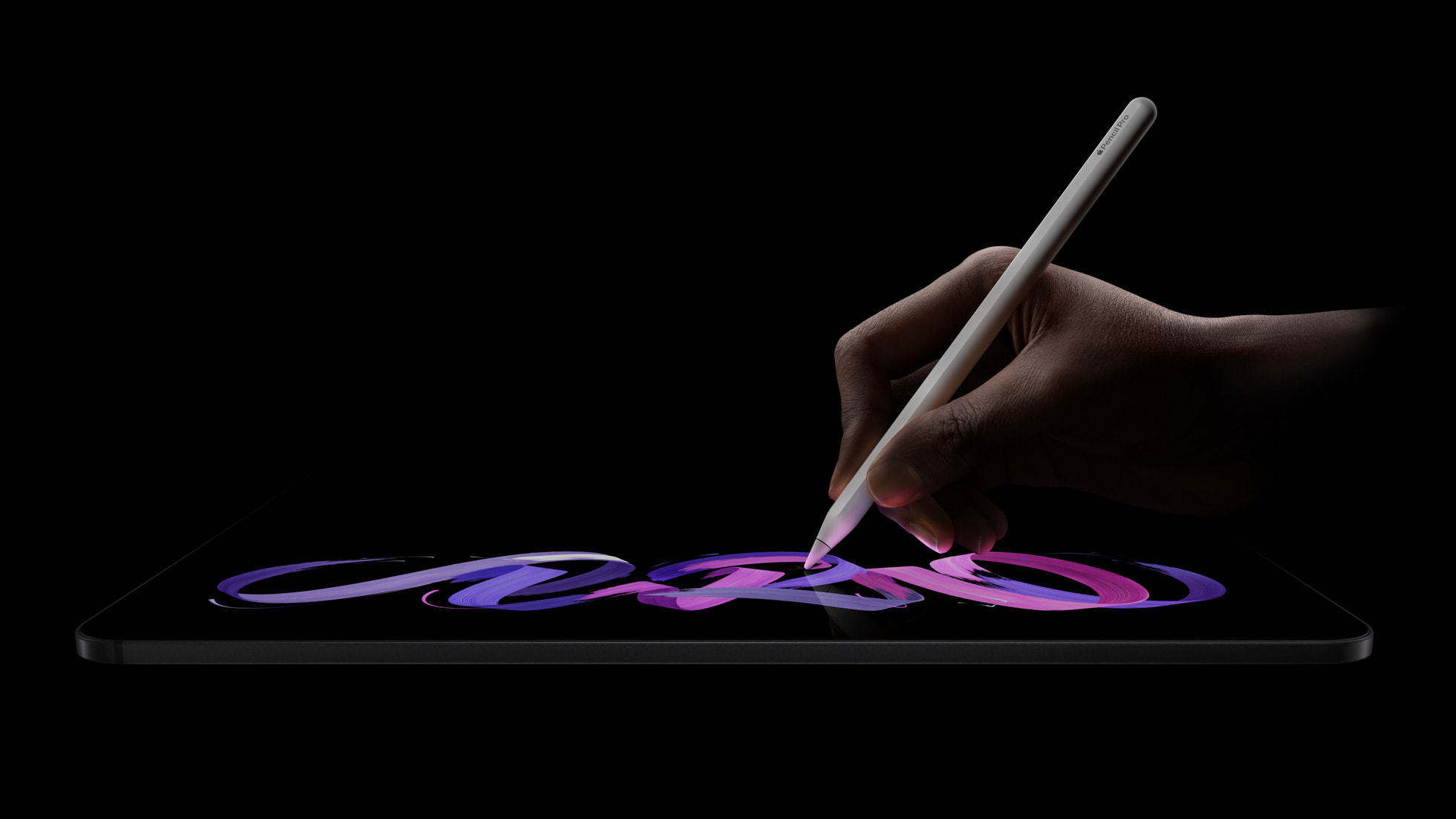
The tandem OLED panel is also what justifies the Apple Pencil Pro for creative buyers. The Pencil Pro adds a squeeze gesture, a barrel-roll sensor for shaped brushes, haptic feedback and Find My, and against an inky-black OLED with deep contrast it makes drawing and handwriting feel closer to paper than any rival tablet. At £129 it is not cheap, but for illustrators and heavy note-takers it is the accessory that unlocks the screen. If you are kitting out an iPad for rougher use, our take on the Logitech Rugged Combo 4c iPad case shows the cheaper protective route that schools and field workers often prefer.
The display is also where rivals are starting to push. Huawei has been chasing the same premium tablet buyer, and our look at the Huawei MatePad Pro Max at 4.7mm shows how thin the competition is willing to go, even if it cannot match Apple’s app ecosystem. For UK buyers the iPad Pro’s screen advantage is real, but it is no longer uncontested.
Cameras, Center Stage and the front-facing upgrade that matters for video calls
Apple did not lead the M5 launch on cameras, and the rear setup is unchanged in everyday terms: a 12MP wide camera with the adaptive True Tone flash and a LiDAR scanner for scanning and AR. The more useful change for most people sits on the front. The landscape 12MP Ultra Wide front camera with Center Stage keeps you centred on video calls and pans to include other people in frame, which is the right place for the lens when the iPad is docked in a keyboard.

For hybrid workers this is the practical difference between the iPad Pro and a cheaper tablet. A landscape camera, Center Stage framing and the M5’s on-device processing make it a genuinely good FaceTime and Teams machine, and Apple’s Live Translation features now run in Phone, FaceTime and Messages on supported devices. If your day is mostly calls, notes and reading, that combination does more for you than the chip benchmarks. It also leans on the same Apple Intelligence stack that has had a rocky rollout, which we will come back to.
Can the new tablet replace a laptop for UK buyers?
This is the question that decides whether the price is justified, and the honest answer is: for some people, finally, mostly. iPadOS 26 added a proper windowing system with a menu bar, so you can run and arrange multiple apps the way you would on a Mac, plus external display support at up to 120Hz with Adaptive Sync. The Files app gained List view and better folder handling, Preview arrived for PDF markup, and there is local capture and audio input control aimed at podcasters and creators. With the Magic Keyboard’s trackpad and function row, the iPad Pro behaves far more like a laptop than it did two years ago.
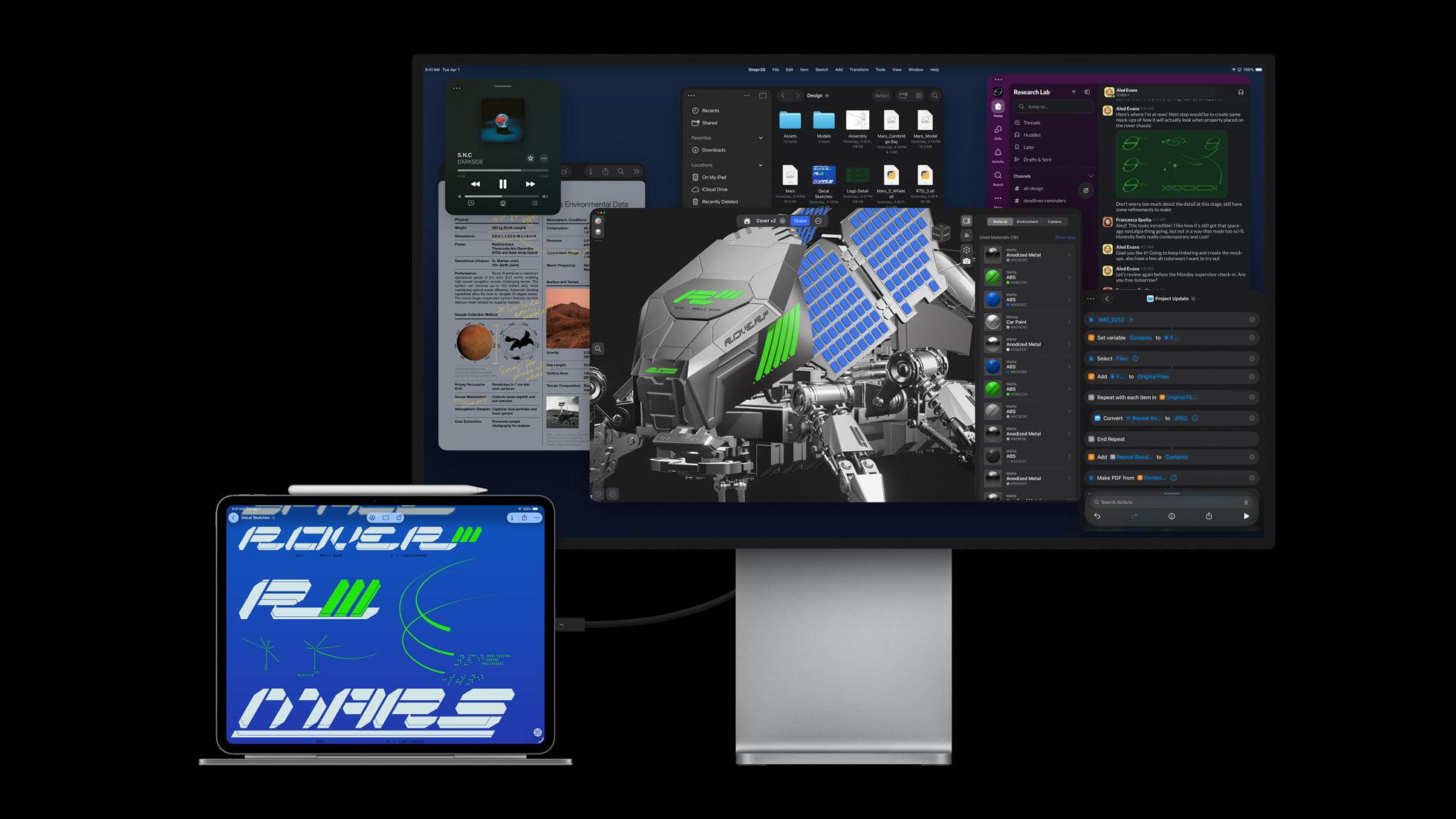
The catch is the software ceiling, not the hardware. Some professional workflows still expect a desktop browser, full file-system access or apps that simply do not exist on iPadOS. Students weighing a tablet against a clamshell should read our comparison of the Samsung Galaxy Book6 versus the MacBook Air M4, because for essay-and-spreadsheet work a cheaper traditional laptop often wins outright. The iPad Pro replaces a laptop best for people whose work is touch-first, pencil-first or call-heavy: designers, note-takers, field staff and anyone who values the OLED screen and instant-on portability over raw desktop software.
Battery and charging round out the laptop case. Apple rates all-day battery life, and with the separately sold 70W USB-C power adapter the iPad Pro can reach a 50 percent charge in around 30 minutes, which is fast enough to top up over a lunch break. Add the keyboard and pencil and you are carrying a setup that genuinely competes with a thin-and-light laptop on capability, if not always on software flexibility.
iPadOS direction, Apple Intelligence and whether a refresh is imminent
The software story is the reason some buyers should pause. Apple Intelligence underpins the iPad Pro’s AI pitch, from Image Playground to Live Translation and smarter Shortcuts, but the rollout has been uneven. Our audit of the Apple Intelligence delays tracks the features that slipped well past their announced dates, including the deeper Siri overhaul. If you are buying the iPad Pro specifically for its AI features, check which ones are actually live in the UK today rather than promised for a future update.

Timing matters too. The M5 iPad Pro went on sale in late October, so it is still current and not due for an obvious replacement in the immediate term, but the software roadmap is about to move. Apple’s developer conference sets the direction for the next iPadOS, and our WWDC 2026 preview covering iOS 27, macOS 27 and the Siri overhaul lays out what is expected. The hardware will not change at the show, but the features that decide how laptop-like the iPad Pro feels could, so a buyer who can wait a few weeks gets a clearer picture of the software they are committing to.
Where to buy in the UK
The iPad Pro M5 is widely stocked, so the decision is about delivery, finance and after-sales cover rather than scarcity. Apple’s own UK store lists the full range from £999, offers free delivery and in-store collection, includes a one-year warranty, and runs the standard 14-day return window plus optional AppleCare+ and trade-in. Buying direct also gets you the widest choice of storage and the nano-texture glass upgrade.
Among third-party retailers, Currys stocks both sizes with click-and-collect from most stores, a flexible finance option and its optional Currys Care cover. John Lewis is the pick if warranty matters most, since it typically adds a two-year guarantee on iPads at no extra cost, with collection from John Lewis and Waitrose branches. Argos suits anyone who wants same-day collection where stock allows, Amazon UK and Very compete on delivery speed and occasional promotions, and AO is worth a price check at the 256GB tier. Under the Consumer Rights Act your statutory protection against faulty goods is the same wherever you buy, so the deciding factors are warranty length, finance terms and how quickly you need it.
Our verdict
The iPad Pro M5 is the best tablet you can buy and, at £999 for the 11-inch, it is priced where it has always been. Our view: buy it if you are coming from an M1 or M2 iPad Pro, if the OLED Ultra Retina XDR screen does real work for you, or if you want a touch-first, pencil-first device that now behaves far more like a laptop thanks to iPadOS 26 windowing. Budget honestly for the Magic Keyboard at £299 to £349 and the £129 Apple Pencil Pro, because the real cost of a working setup is well above the headline. We would wait if you own the M4 model, where the gains are marginal, or if you are buying mainly for Apple Intelligence features that are not yet live in the UK. The risk that would flip the call is the next iPadOS direction at WWDC: if Apple loosens the software ceiling further, the laptop-replacement case gets stronger, but if it does not, a cheaper Mac or Windows laptop remains the smarter spend for desktop-style work.













Reader discussion
Leave a comment
Comments are moderated. Keep it useful, accurate, and on topic.