News · 27 Nov 2011 · MTW Editorial Team

First off, sorry for the lack of updates lately but with my new full time job and many more things to handle on the side I didn’t have much time left to write things down. I will just share my thoughts about the Nokia Lumia 800 after using it a bit in the last 48h hours which I hope you will be interested in. One thing to note prior to reading what’s below is that all current retail Lumia 800 handsets are effectively running the same firmware as the review samples (1600.2475.7720.11414) and that all the bugs and issues should have been well known since last month (Nokia even provided updated firmwares to some reviewers) this just goes to show how many blogs/sites (not all) don’t do their job correctly (or are afraid not to get review samples in the future if they tell the truth). The upcoming firmware should be 1600.2475.7720.11450/51. Anyway, let’s start with the hardware it self:
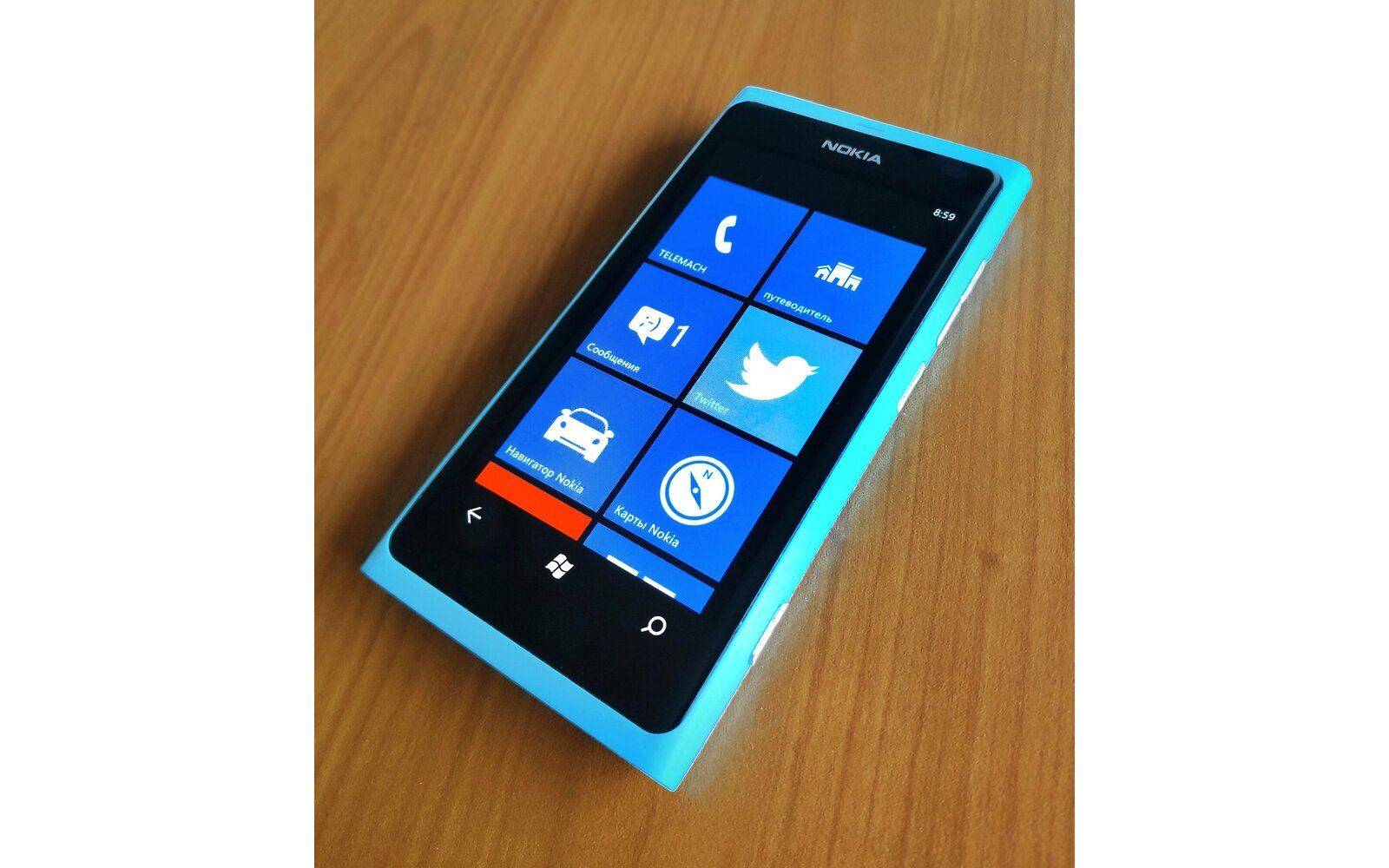
– Awesome build quality: There’s nothing more to say here. The devices a bit heavy for its size but really feels good in the hand.
– Display: This is a standard 3.7″ PenTile Matrix AMOLED panel (same as the one used on Samsung Focus Flash and Omnia W). The main difference between Lumia 800′s display is that Nokia has calibrated the screen colors in a way to compensate the greenish tint caused by the RGBG matrix. The Reds are boosted so that the color reproduction is more true to life and not as cold as on Samsung’s PenTile devices. The only downside is that the whites aren’t really white anymore (a bit warm). Nokia has also opted not to have an Auto-display brightness dimming functionality that kicks in when the screen is mostly displaying bright white colors unlike Samsung (they now gives users the option to toggle it on/off). The downside is that this drains the battery faster than the same panel on the Focus Flash with Auto-display brightness on. The one thing that currently annoys me is that the Medium brightness setting is really too low compared to other Windows Phone 7 devices so I have to use the Highest one and thus kill my battery.
– Screen digitizer: The capacitive digitizer is currently too sensitive on the Lumia 800. Single taps are often registered as double taps and leaving my finger on the screen (for example the start screen) will make the whole UI erratically jump up/down unless I press really hard on it. This is something I have also noted on a Lumia 800 on display at an Orange store so it’s a widespread issue and its severity depends on the ambient and finger temperature. Really annoying and will hopefully be fixed soon. The screen has also the tendency of being stuck; finger contact is sometimes not registered unless you lift it and tap/swipe again.
– Battery Life: Well known bug that is going to be fixed in an upcoming firmware update. The device also has the bad habit of dying; the hardware buttons no longer work so you can’t turn it back on unless you plug it in the charger (hey..non-removable battery for the win..). This is a known issue that should be fixed in the upcoming update.
– Camera: Once again I’m sure that you’ll all heard about the Nokia Lumia 800′s camera issues. The company is working on improving it but I really hope that they really fix everything. Besides the totally busted white balance and auto-exposure in low light scenes the continuous auto-focus is also not perfectly functional in video mode. It sometimes totally loose focus and get’s stuck unless you stop recording and start again. It hunts all over the place and I guess that it may be related to the previously mentioned white-balance and exposure issue (the auto-focus system is contrast based). There’s also too much grain in low light shots as if the auto-iso wasn’t correctly working either. Interestingly when things work as planned the shots are superb (no sharpening artifacts at all) and the videos are insane compared to other Windows Phones (and other unnamed devices..). One thing that I haven’t seen reported anywhere is that the Lumia 800 shoots / encodes videos at 14Mbps compared to 9Mbps -10Mbps on the HTC Titan (and 6MB/s on the first gen WP7 devices). The framerate also never goes below 25fps (up to 30fps) even in low light conditions unlike the Titan (and most other devices) which can drop as low as 15fps in some cases.
– I can’t really talk about the phone cell reception or HSPA/HSUPA speed yet because I have not received my micro-sim card yet.
– Performance: It’s on par with the HTC Titan nothing really out of the ordinary here. But the Lumia 800 suffers from the same video playback issues that I had on the HTC Titan (dropped frames when playing back videos transferred / automatically trans-coded by Zune) so it seems to be a OS / MSM8255 driver issue here and up to Microsoft /Qualcomm to fix.
– You can access the Diagnostic tools by dialing ##634#
That’s it for now and I will post more thoughts ‘and samples later on. Hopefully this won’t sound like I’m bashing the Nokia Lumia 800 because of all the issues noted above. It’s best to wait for the first firmware updates which are planned to be rolled out in the coming weeks before giving a definitive and objective opinion. Don’t hesitate to ask questions or post your thoughts if you have a Lumia in the comments section below.
UPDATE: Several people have asked me about the wallpaper in the picture above…this is just one of the per-installed artwork provided by Nokia. They were all originally created for the Nokia N9 (artist info here) and later cropped to 800×480 for the Lumia 800. You can download some of the original N9 versions from here (via Symbantweet thanks for the tip Resistancia!) .
Buyer action
Where to buy or check next
Use this as the final check before ordering a phone, changing network or trusting a headline monthly price.