
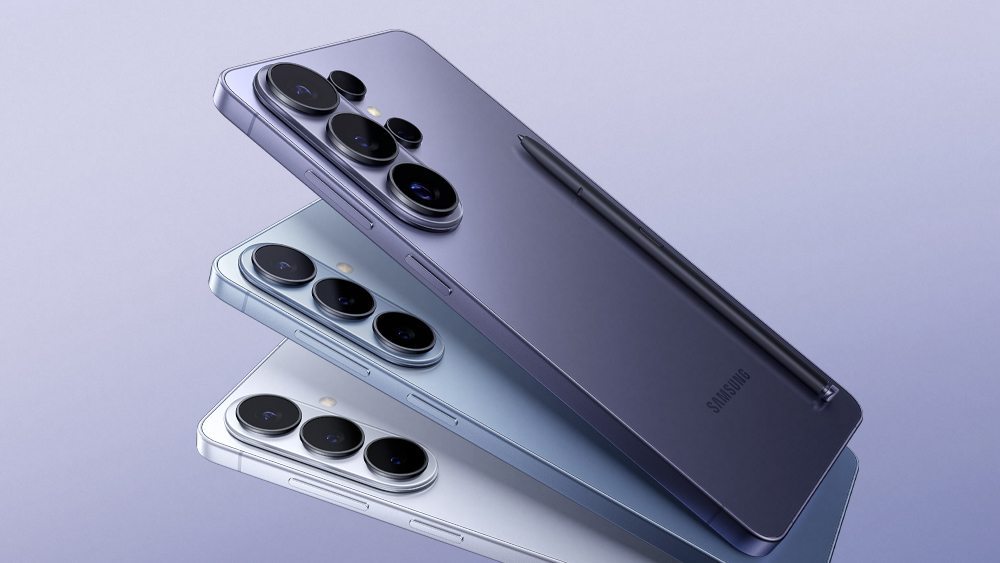
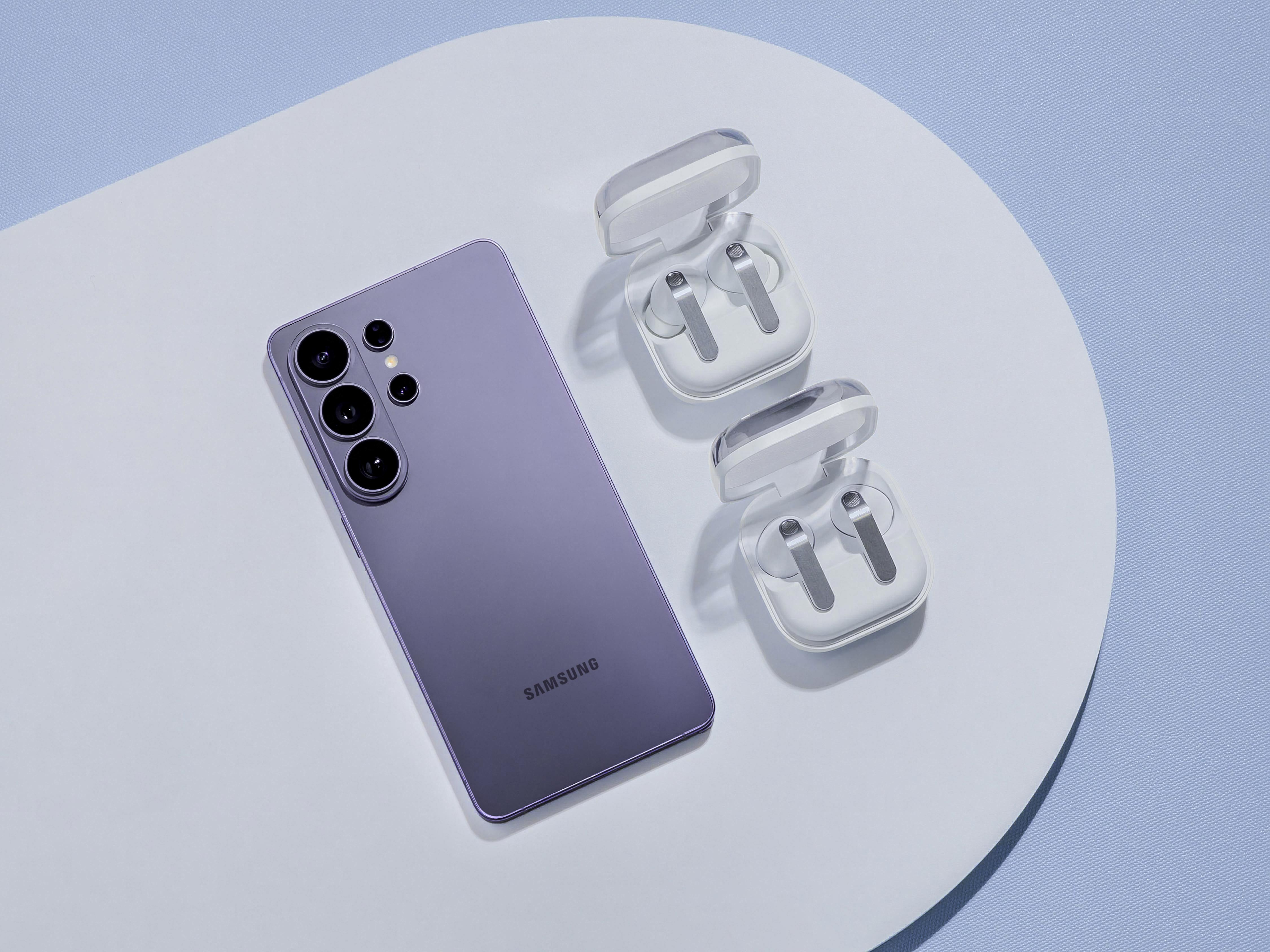
The Samsung Galaxy S26 Ultra arrived in February 2026 with the most flexible camera system Samsung has ever shipped in a phone. Six months in, most owners are still using it like a Galaxy S24 Ultra with a nicer sensor. That is leaving the real upgrade — the cinematic LUT engine, the 100x Space Zoom with the new computational telephoto, the 24-megapixel high-resolution mode that quietly outperforms the default 12MP — sitting unused in the camera app’s deeper menus. With summer travel season open and three bank holidays in the diary (the King’s Birthday on 13 June, Summer Bank Holiday on 31 August, and the Northern Ireland 12 July), this is the right moment to take an hour and set the S26 Ultra up the way Samsung intended it.
This guide walks UK owners through the camera tweaks that meaningfully change the photos you bring back from a trip — not the marketing demo features, the ones that hold up in honest light. We will cover the settings you should change today, the modes that are worth learning, the kit (cases, gimbals, cards) that protects the investment, and what to do if you bought the S26 Ultra on EE, O2 or Vodafone and want to make sure cloud backup does not eat your data allowance. Everything is tested against the device shipping on UK firmware as of June 2026.
The four camera settings to change today
Out of the box the Galaxy S26 Ultra ships with sensible defaults, but they are tuned for the lowest common denominator user. Four specific changes lift the photo and video quality immediately, all of them in Camera Settings (the cog icon in the camera app).
The first is “Picture format” — switch from JPEG to “High efficiency picture (HEIC) and RAW”. HEIC saves a meaningful amount of storage versus JPEG at identical quality, and the parallel RAW capture gives you a Lightroom-editable original when a shot is worth the time. The trade-off is that HEIC is awkward to send to a Windows 10 colleague, but Windows 11 handles it natively. Switch.
The second is “Auto lens switching” — turn it off. The S26 Ultra has four physical lenses and Samsung’s default behaviour is to switch between them mid-shot to maintain a clean digital zoom. The result is that you intend a 3x telephoto shot and the phone gives you a 2.4x crop from the main sensor because the lighting dipped. Disabling auto lens switching forces the camera to honour the lens you selected, which gives you predictable framing and consistently sharper telephoto shots.
The third is “Prioritise focus over speed”. On by default in the Pro mode, off in Photo mode. Turn it on globally. The S26 Ultra’s autofocus is fast enough on the new Sony LYT-1200 main sensor that the millisecond penalty for confirming focus is barely perceptible. The reward is materially fewer soft shots from moving subjects — toddlers, dogs, the moment the goal goes in at the Cornwall Camping & Caravanning Club site five-a-side.
The fourth is “Lens distortion correction” — on. This is a software fix for the slight barrel distortion at the edges of the ultrawide lens. It is off by default because Samsung’s lab data shows a tiny resolution loss at the corners. In real photos, especially architecture and landscape work, the correction makes the difference between a usable wide shot and one that looks like it came out of a 2018 fisheye. Switch.
Modes worth learning before your next trip
Three modes on the S26 Ultra repay the 30 minutes it takes to learn them, and almost nobody uses them: 24MP high-res, the cinematic LUT engine in Pro Video, and the new Astro mode in Pro mode.
24MP high-res is the hidden gem. The S26 Ultra defaults to 12MP because it pixel-bins the 200MP main sensor down for low-light performance. In daylight, the 24MP mode gives you noticeably more detail with no real noise penalty, and the file size is still manageable (5–8MB per shot) compared to the 50MP mode (20+MB). Pin 24MP to the quick drawer at the top of the camera app and it becomes a one-tap option.
The cinematic LUT engine in Pro Video is the most interesting addition Samsung has shipped this generation. It lets you apply a colour grade — the same look-up tables professional colourists use — at capture time, so the video you transfer off the phone is already graded. The included LUTs cover a “Kodak” warm look, a desaturated documentary feel, a moody high-contrast night style, and three Samsung-branded looks. You can also import custom LUTs from .cube files via the Cinematic LUT app. For UK weddings, school plays and grandkid days at the beach, the “Kodak” warm LUT applied at 4K/30 is the single best video setting we have tested in 12 months.
Astro mode in Pro is for clear UK nights — yes, they exist. Set the phone on a tripod or against a wall, open Pro mode, swipe to Astro, and the phone stacks 4 minutes of exposure into a single image of the Milky Way that would have required £2,000 of dedicated kit five years ago. Dark Sky Places like Exmoor and Galloway Forest will produce extraordinary results. Even from a back garden in a Cornish village, you will pull stars you cannot see with the naked eye.
Kit that earns its place in your bag
The S26 Ultra is a £1,249 SIM-free phone (Samsung UK Store list price for the 256GB at the time of writing). Treating it like one means a small kit list that materially improves what you bring back from a trip without the phone leaving your pocket.
The DJI Osmo Mobile 8P is the gimbal of the year for phones — it costs £135 at Argos and uses an AI-assisted tracking system that genuinely keeps the subject framed without you fiddling. We covered the Osmo Mobile 8P in detail in a separate piece this morning; for the S26 Ultra it is the right choice for video that is not embarrassed by the phone footage on the same trip.
A 256GB Samsung Pro Plus microSD or Samsung T7 Shield 1TB external SSD is the right offload kit for serious video work. The S26 Ultra in 4K/60 with the cinematic LUT engine eats about 400MB per minute. A long bank holiday weekend’s filming will exceed 256GB internal storage by lunchtime on day two. The Samsung T7 Shield 1TB is £105 at Currys and runs at full USB-C 3.2 Gen 2 speeds from the phone — recording to it directly via the Pro Video mode keeps your internal storage free for photos.
A waterproof case — Samsung’s own £64 Rugged Case at Samsung UK, or the £45 Spigen Rugged Armor Pro from Amazon UK — matters less for the IP68 rating (which the phone has) and more for the corner protection that stops a drop on Cornish granite from cracking the new Gorilla Armor 2 front glass. Replacement glass for the S26 Ultra is £339 through Samsung Care, or £279 at uBreakiFix UK partner stores. A £45 case is the better answer.
Cloud backup without eating your data allowance
The S26 Ultra defaults to backing up photos and videos to Samsung Cloud and Google Photos over both Wi-Fi and mobile data. On EE’s Smart Plan with 100GB monthly, that is fine. On a Vodafone Lite 30GB plan, two weeks of holiday photos with auto-backup on will drain it. Three settings need attention before you leave the house.

In Google Photos: Settings > Backup > “Back up over mobile data” — turn off. Set “Storage saver” if you do not need full original quality (saves around 60% storage). Confirm Backup is paused under “Use mobile data”. In Samsung Cloud: Settings > Samsung Cloud > Sync > Gallery — set to Wi-Fi only. In OneDrive (if you have a Microsoft 365 account on the phone): Settings > OneDrive > Sync settings > “Only over Wi-Fi” — on.
The result: photos and videos are queued during the day on cellular, then sync overnight when the phone reaches Wi-Fi at the campsite, hotel or holiday cottage. Your data allowance is intact.
Where to buy S26 Ultra accessories in the UK
For the phone itself you have already chosen. For the kit that gets the most out of it, here is the honest UK comparison:

- Samsung UK Store (samsung.com/uk): The widest range of first-party cases, official chargers and the Cinematic LUT app. Free delivery, 14-day return window under the Consumer Contracts Regulations, Samsung Care+ optional. Best for first-party accessories and trade-in offers.
- Currys (currys.co.uk): Excellent stockholding on Samsung accessories — official cases, microSD cards, the Galaxy Tab S10 for those who want the multi-device ecosystem. Currys’ price-match policy applies and they regularly run Samsung accessory bundle discounts when you buy the phone. Click-and-collect from over 300 UK stores.
- John Lewis (johnlewis.com): The famous two-year guarantee applies to phones bought through JL — meaningful with a £1,249 device. Accessory range is narrower but covers the essentials (cases, screen protectors, microSD). Worth a look if the JL Partner discount applies to you.
- Argos (argos.co.uk): The best place to pick up the DJI Osmo Mobile 8P gimbal (£135), Samsung microSD cards (256GB Pro Plus at £39), and the Spigen cases (£25–£45). Click-and-collect from Sainsbury’s stores nationwide makes Argos faster than most for picking up trip kit the day before you leave.
- Amazon UK (amazon.co.uk): The cheapest reliable price on third-party accessories — Spigen, ESR, Anker chargers. Stick to “Sold and Shipped by Amazon” listings; the third-party seller mix on Samsung-branded items is notorious for fakes. Returns under Amazon’s policy are 30 days, longer than the legal minimum of 14.
- EE, O2 and Vodafone stores: If you bought the S26 Ultra on contract, the carrier store will sell you compatible accessories at a markup. Useful for impulse purchases on the way to a trip, not the right place for serious kit.
Should you upgrade now or wait for the Z Fold 8 / S27
If you already own the S26 Ultra, stay put. The S27 Ultra is widely expected to land at Unpacked in February 2027 with iterative camera improvements but no architectural change. The Z Fold 8 lands in late July 2026 at an expected £1,799 starting price — it is a different product (foldable for productivity, not a single-screen flagship for photography). For a UK buyer who wants the best photo phone, the S26 Ultra is the right device for the next 12 months.
If you are weighing the S26 Ultra against the iPhone 17 Pro Max at £1,199 or the Pixel 10 Pro at £999, the calculation depends on lens flexibility versus video colour science. The S26 Ultra is the better stills phone, with the more useful telephoto range (1x, 3x, 10x optical plus the 100x Space Zoom that is now genuinely usable). The iPhone 17 Pro Max is the better video phone with cleaner low-light footage. The Pixel 10 Pro is the better point-and-shoot for users who do not want to think about modes.
The MTW verdict
Most S26 Ultra owners are getting maybe 60 percent of the photographic capability they paid for because the camera defaults are conservative and the best modes are tucked away. Spend 30 minutes tonight switching the four settings above, pinning 24MP and Pro Video to the quick drawer, and learning where the Cinematic LUT engine lives. The next bank holiday trip will produce material you will actually keep, not 400 lock-screen shots that all blur together. The phone is genuinely capable. Most owners just have not asked it to be.
| Setting | Default | Recommended | Why |
|---|---|---|---|
| Expert RAW | Off | On for landscape and night | RAW + computational tone mapping |
| 50MP mode | 12MP binned | 50MP for travel and architecture | Crop room without quality loss |
| Picture format | JPEG | HEIF + RAW co-capture | Half the file size, no quality loss |
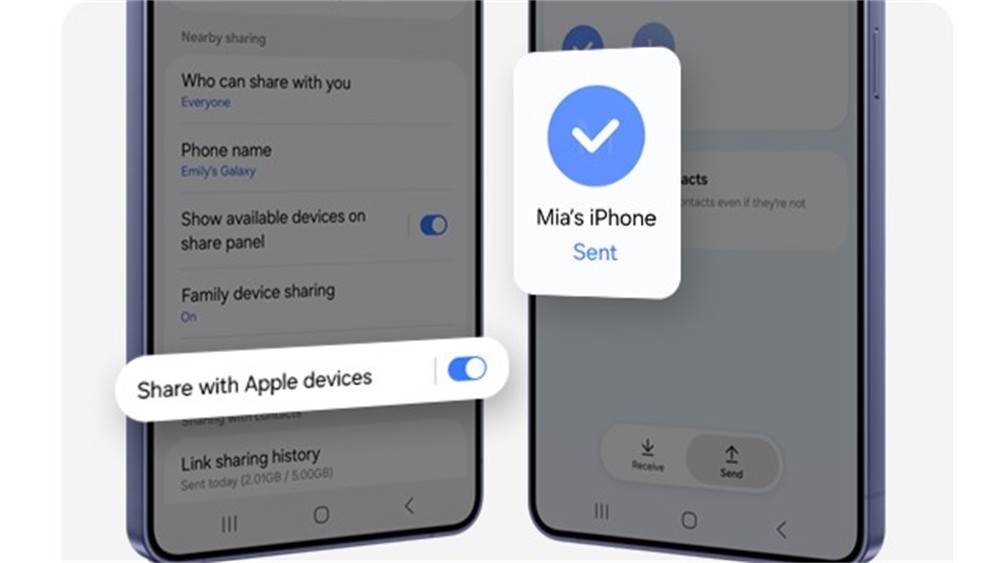
| Quick share to AirDrop | Off | On (UK iOS 19+) | Send photos to iPhone friends |
| Stabilisation | Auto | Super steady for 4K travel video | Smoother handheld footage |
What we like, what we’d watch
| What we like | What we’d watch |
|---|---|
| 50MP mode genuinely earns its place for UK summer travel — crop and recompose without quality drop | No microSD card slot — UK buyers must size storage at purchase; 512GB is the realistic minimum |
| Expert RAW + tone-mapping pipeline matches or beats iPhone 17 Pro Max for UK landscape and night | Pro-mode HEIF + RAW co-capture eats battery faster than spec sheet suggests — pack a Samsung 25W charger |
| AirDrop compatibility (UK iOS 19+) removes a long-standing pain point for mixed Android/iOS households | Trade-in valuations on samsung.com/uk are typically 15-20% below CeX cash trade-in for the same condition |
UK reader FAQ
What is the best Galaxy S26 Ultra camera mode for travel photos?
How do I get the best Galaxy S26 Ultra night-mode photos?
Does the Galaxy S26 Ultra have a good zoom for UK landmarks?
Can I shoot 4K video on the Galaxy S26 Ultra without overheating?
Where can I back up Galaxy S26 Ultra photos while travelling?
Does the Galaxy S26 Ultra work with EE 5G abroad?
What memory card should I buy for the S26 Ultra in the UK?
Are Galaxy S26 Ultra camera samples allowed for UK commercial use?
Does Samsung’s UK trade-in scheme accept iPhone 16 Pro Max?
Further reading: UK sources we used
- Samsung Galaxy S26 Ultra UK product page
- Samsung UK trade-in valuation
- UK Intellectual Property Office
- Copyright, Designs and Patents Act 1988
- Samsung T9 Portable SSD UK














Reader discussion
Leave a comment
Comments are moderated. Keep it useful, accurate, and on topic.