
The budget laptop market has never been more interesting. Apple’s MacBook Neo, priced at £599 in the UK, has shaken up a segment that Chromebook Plus models have quietly dominated for the past two years. Both promise capable everyday computing at a fraction of the cost of their premium siblings, but they take fundamentally different approaches to getting there. If you are trying to decide between a Chromebook Plus and the MacBook Neo, here is an honest comparison across the areas that actually matter.
Budget Laptop: Contents
- Price and What You Get for Your Money
- Operating System: Chrome OS vs macOS
- Performance for Common Tasks
- Display Quality
- Build Quality and Longevity
- Ecosystem Integration
- Which Should You Buy?
Price and What You Get for Your Money
Chromebook Plus models start at around £350 to £400 for well-specified options from ASUS, Acer, and Lenovo. At this price, you typically get a 14-inch 1080p IPS display, 8GB of RAM, 128GB of storage, and a recent MediaTek or Intel Core i3 processor. The MacBook Neo sits at £599 (or £499 with Apple’s education discount), making it roughly 50 per cent more expensive than the Chromebook Plus sweet spot at full price.
For that premium, the MacBook Neo delivers Apple’s A18 Pro chip (the same silicon as the iPhone 16 Pro rather than the M-series used in the Air and Pro), a 13-inch Liquid Retina display at 2408×1506, 8GB of unified memory, and 256GB of SSD storage. On raw specifications alone, the MacBook Neo offers a brighter, sharper display than most Chromebooks, though the A18 Pro trails the M4 on sustained heavy workloads. Specifications do not tell the whole story though, because the operating system and ecosystem you buy into matter just as much.
Operating System: Chrome OS vs macOS
ChromeOS is fundamentally simpler. Updates happen in the background, the system rarely slows with age, and the attack surface for malware is much smaller than Windows or macOS. For anyone whose computing life already lives in Chrome tabs, ChromeOS gets out of the way in a way other operating systems rarely do, and Chromebook Plus models add on-device Gemini AI features without a subscription.
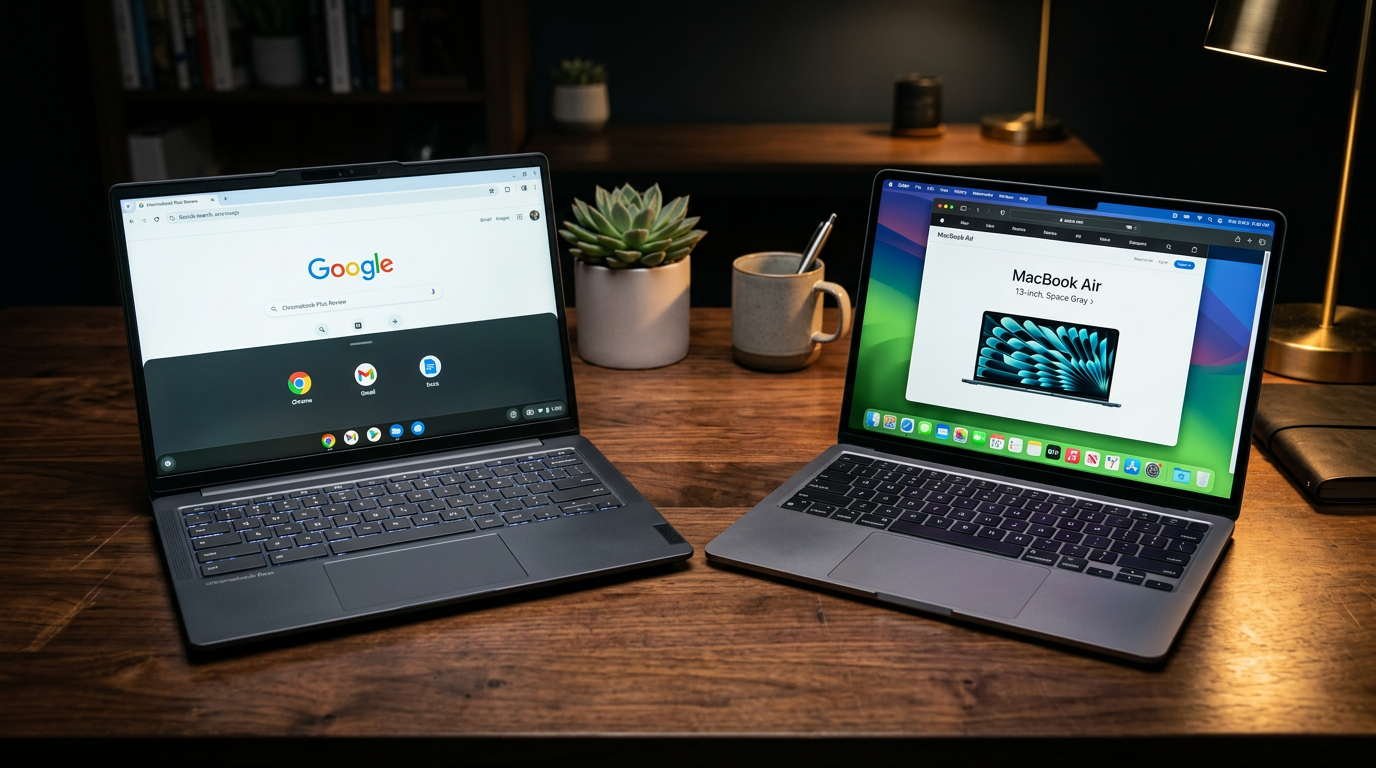
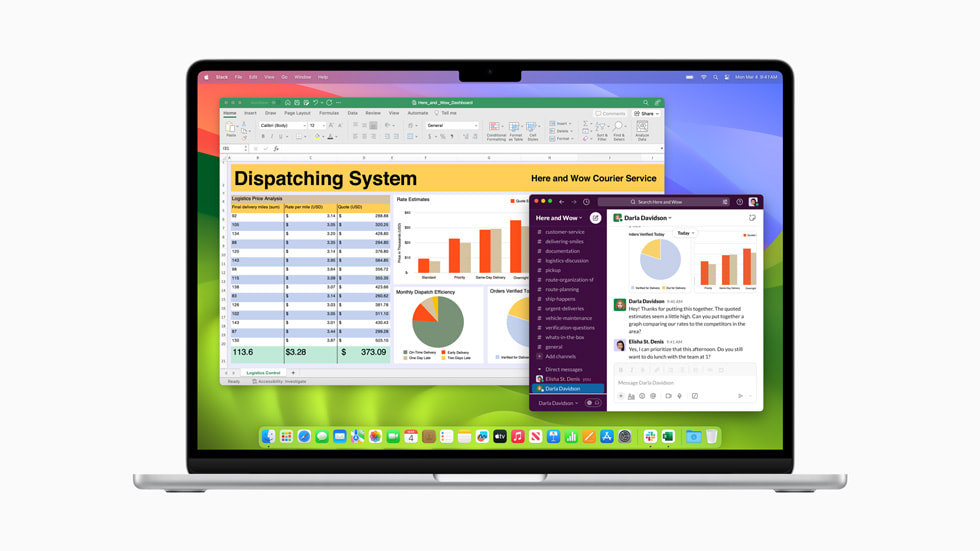
macOS on the MacBook Neo gives you access to the full desktop software ecosystem. Final Cut Pro, Logic Pro, Microsoft Office (the full desktop version), and professional development tools all run natively. The A18 Pro handles these applications with surprising composure for a budget machine, though heavy video exports and large Xcode builds are noticeably slower than on an M-series Air. We explored whether the MacBook Neo is worth it in detail when it launched, and the software advantage remains one of its strongest selling points.
Performance for Common Tasks
For the tasks most buyers care about (web browsing, video calls, document editing, photo management, light video), both machines feel fast. Chromebook Plus models benefit from Chrome OS being lightweight enough to run smoothly on modest hardware. The MacBook Neo’s A18 Pro has more raw CPU and GPU power than almost any Chromebook Plus chip, which matters for bursty workloads like opening a dozen tabs at once or rendering a photo preview.
Where the two differ most is battery life. Apple rates the MacBook Neo for a strong multi-hour day on a charge, comparable to the 10 to 12 hours most Chromebook Plus models claim. Both are comfortably able to get through a working day away from a plug socket.

Display Quality
This is where the MacBook Neo pulls clearly ahead. Apple’s 13-inch Liquid Retina display runs at 2408×1506 with wide P3 colour and is noticeably brighter and sharper than most Chromebook Plus panels at this price. It is, frankly, excellent for the money.
Chromebook Plus displays are perfectly serviceable 1080p IPS panels, but they lack the sharpness, colour accuracy, and brightness of the MacBook Neo’s screen. If you spend hours looking at your laptop screen daily, the MacBook Neo’s display will make a meaningful difference to your experience. For occasional use, the difference is less consequential.
Build Quality and Longevity
Apple’s build quality at this price point is genuinely impressive. The MacBook Neo uses a recycled aluminium unibody chassis that feels solid and premium. The keyboard and trackpad are excellent, using the same Magic Keyboard and Force Touch trackpad style as the more expensive MacBook Air models, which is a notable feat at this price.
Chromebook Plus build quality varies by manufacturer. The ASUS Chromebook Plus CX34 and Lenovo IdeaPad Flex 5i are well-built, but they use plastic chassis components and their trackpads are noticeably less precise than Apple’s. The keyboard experience is acceptable but unremarkable across most Chromebook Plus models.
Longevity is another consideration. Google now guarantees ten years of ChromeOS updates for Chromebook Plus models, which is excellent. Apple typically supports MacBooks with macOS updates for seven to eight years, plus additional security updates beyond that. However, because the MacBook Neo uses the A18 Pro rather than the M-series, it is an open question whether Apple will commit to the full Mac update window on this SKU. Both should serve you well for at least five years of daily use.
Ecosystem Integration
Chromebook Plus slots naturally into any household already running Android phones and Google services. Google Drive, Photos, Keep, Calendar, Gmail and Meet all work seamlessly across both devices, and Nearby Share makes moving files between a Pixel or Galaxy phone and a Chromebook effortless.
If you use an iPhone, the MacBook Neo is the obvious choice. AirDrop, Handoff, Universal Clipboard, iMessage, and FaceTime all work flawlessly between iPhone and Mac. Apple’s ecosystem lock-in is real, but for those already within it, the integration is genuinely useful rather than merely convenient. Our coverage of the MacBook Neo launch explored this ecosystem advantage in depth.

Which Should You Buy?
Buy the Chromebook Plus if you primarily use web-based tools, have an Android phone, want to spend as little as possible, and do not need specific desktop applications. It is an honest, capable machine that handles everyday computing with ease, and the price saving is significant.
For students specifically, the Chromebook Plus is often the pragmatic choice because it is affordable, durable enough for bag life, and handles schoolwork comfortably. For anyone whose work might occasionally demand more, the MacBook Neo’s versatility makes the extra investment worthwhile. You can explore more Chromebook Plus options on Google’s official store, or compare the full portable workspace accessories that pair well with either machine.
Final verdict
Chromebook Plus vs MacBook Neo comparison covering price, performance, display, build quality, and ecosystem integration. Find out which budget laptop suits your needs.
How we compare
Buyer action
Where to buy or check next
Use this as the final check before ordering a phone, changing network or trusting a headline monthly price.














Reader discussion
Leave a comment
Comments are moderated. Keep it useful, accurate, and on topic.