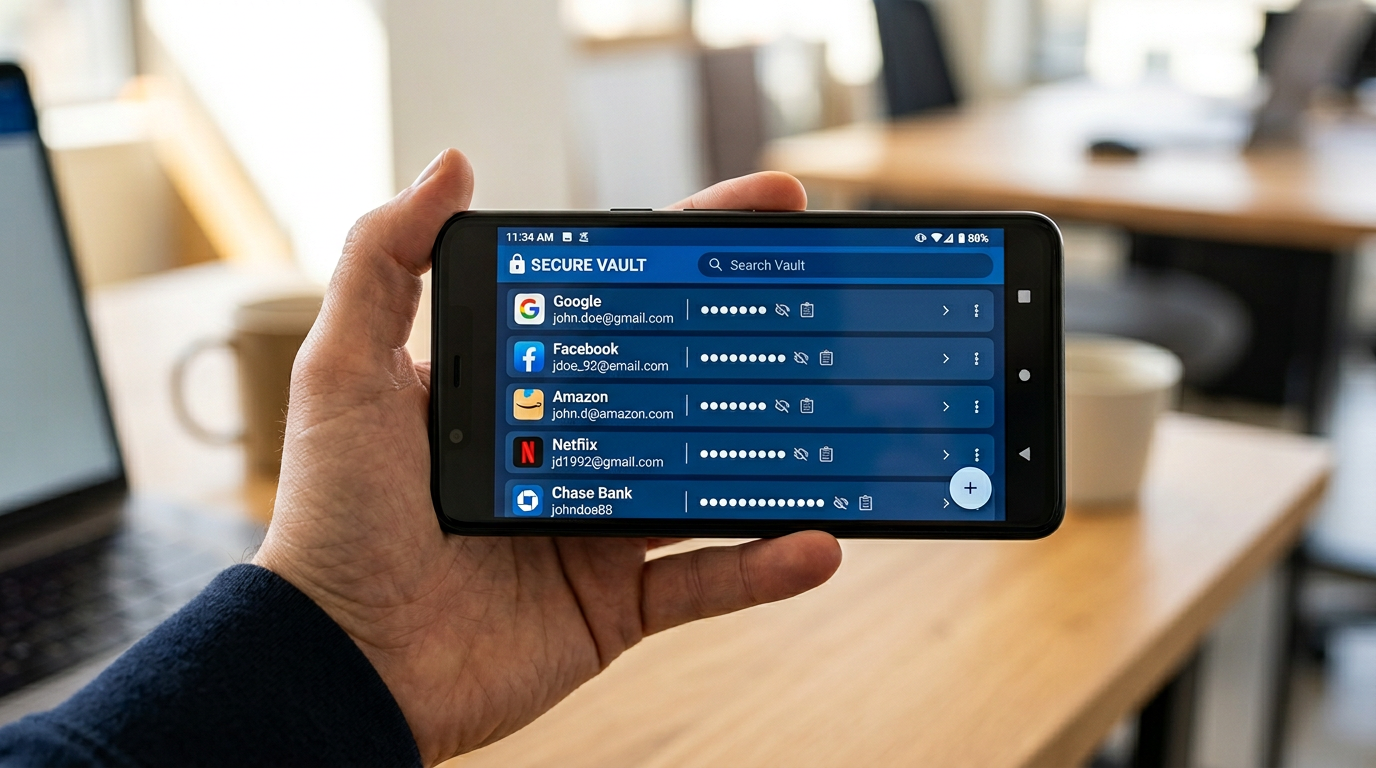
Passwords are a problem that refuses to go away. Despite years of promises that passkeys and biometrics would replace them, most of us still manage dozens, if not hundreds, of login credentials across services that all demand unique, complex passwords. A password manager is no longer optional, it is essential. The good news is that in 2026, the best options are more secure, easier to use, and better integrated than ever. Here are the four worth your attention.
Best Password Managers: Contents
- Why You Need a Dedicated Password Manager
- 1Password: The Best All-Rounder
- Bitwarden: The Best Free Option
- Apple Passwords: Best for Apple-Only Households
- Google Password Manager: Best for Chrome and Android Users
- Passkey Support: The Future Is Arriving Slowly
- Which Should You Choose?

Why You Need a Dedicated Password Manager
If you are reusing passwords across multiple sites, and statistically, most people are, you are one data breach away from having multiple accounts compromised. When a service gets hacked and your email-password combination leaks, attackers try that same combination on banking sites, email providers, and social media within minutes. A password manager generates unique, random passwords for every account, stores them securely, and fills them in automatically. You remember one master password; it handles the rest.
Beyond security, password managers save genuine time. No more “forgot password” flows, no more hunting through email for login details, and no more typing out lengthy credentials on a phone keyboard. Once set up properly, logging into anything takes a single tap or glance. The UK’s National Cyber Security Centre recommends using a password manager for exactly this reason.
1Password: The Best All-Rounder
1Password remains the most polished consumer password manager in 2026. It runs on every major platform (macOS, Windows, Linux, iOS, Android, every mainstream browser), handles passkeys properly across those platforms, and has the cleanest desktop and mobile apps of any competitor. Families get a shared vault, secure document storage, Watchtower breach monitoring, and travel mode to hide sensitive items when crossing borders.
Pricing starts at around £2.99 per month for an individual or £4.99 a month for a family of up to five people, and there is a 14-day free trial. It is not the cheapest, but if you want something that just works across every device without fiddling, 1Password is the default pick for most households.
Bitwarden: The Best Free Option
Bitwarden is open source, has been independently audited, and offers a genuinely usable free tier with unlimited passwords across unlimited devices. If cost is a concern, it is the only credible free option in 2026. The premium tier at around $10 a year (roughly £8) adds 1GB of encrypted file storage, TOTP generation, priority support and hardware security key authentication.
Bitwarden does not have quite the visual refinement of 1Password. Autofill works well on desktop browsers but can be slightly less smooth on mobile compared to the premium competition. These are minor quibbles for a product that costs nothing.
Apple Passwords: Best for Apple-Only Households
Apple spun iCloud Keychain out into a dedicated Passwords app in iOS 18 and macOS Sequoia. It stores passwords, passkeys, verification codes and Wi-Fi passwords, syncs end-to-end encrypted across your iCloud devices, and integrates with Safari and iOS autofill beautifully. There is now a Windows app via iCloud for Windows, but Android support is absent.
For families where everyone uses Apple devices exclusively, this is a perfectly viable option that costs nothing extra. For mixed-platform households, look elsewhere.
Google Password Manager: Best for Chrome and Android Users
Google Password Manager is built into Chrome and Android, making it the default choice for billions of users. It generates passwords, stores them in your Google account, syncs across devices where you are signed into Chrome, and autofills on both web and Android apps.
Google has improved its offering significantly, adding on-device encryption, password strength checking, breach monitoring, and passkey support. The integration with Android is the smoothest of any option, because passwords autofill in apps without any additional setup, using biometrics for authentication.
The weaknesses mirror Apple’s. Cross-platform support is limited to wherever Chrome runs, which excludes Safari on iOS (where it works only through a workaround) and any non-Chrome browser. The management interface, accessed through passwords.google.com, is basic compared to dedicated managers. There is no vault organisation, no secure document storage, and no granular sharing.
Google Password Manager is best for individuals who live entirely within the Google and Chrome ecosystem. It is free, competent, and requires zero effort to use. But it is not a replacement for a dedicated manager if you need sharing, organisation, or cross-platform flexibility.
Passkey Support: The Future Is Arriving Slowly
Passkeys, cryptographic credentials that replace passwords entirely, are gradually being adopted by major services including Google, Apple, Microsoft, Amazon, and PayPal. All four password managers discussed here support storing and using passkeys, though the implementation maturity varies.
In practice, passkeys will reduce the number of passwords you need to remember but will not eliminate them for years. Legacy services, enterprise systems, and smaller sites will continue to use passwords indefinitely. A password manager remains necessary even as passkeys spread.
Which Should You Choose?
If you use multiple platforms and want the best experience, 1Password is the clear choice. The £2.99 monthly cost is money well spent.
If you need a free option or prefer open-source software, Bitwarden is excellent. It is the only manager we would happily recommend without a paid plan.
If you live entirely in the Apple ecosystem and everyone in your household uses Apple devices, Apple Passwords is free, secure, and genuinely well-designed for your context.
If Chrome and Android are your daily tools and you do not need advanced features, Google Password Manager is built in and works well enough.
The most important decision is not which manager to use, but simply to use one. Any of these four is dramatically safer than reusing passwords or keeping them in a spreadsheet. Pick one, spend an afternoon transferring your accounts, and enjoy a year without password-reset emails.
How we pick
Buyer action
Where to buy or check next
Use this as the final check before ordering a phone, changing network or trusting a headline monthly price.














Reader discussion
Leave a comment
Comments are moderated. Keep it useful, accurate, and on topic.