
Choosing the best AI note-taking app UK small businesses can actually trust comes down to three boring questions: what does a seat cost in pounds, where does your data live, and will the notes still be useful in two years. This guide compares the persistent note-taking and knowledge tools your team would live in every day, Notion AI, Microsoft OneNote and Loop with Copilot, Google Keep paired with Gemini, Mem, Obsidian with AI plug-ins and Evernote, using official pricing pages and published data-handling commitments rather than marketing copy. These are knowledge apps, not meeting transcribers, so the test is how well they hold and resurface what you write, not how cleanly they record a call.
- Notion’s Business plan, which bundles its AI agent and enterprise search, lists at €19.50 per member per month billed annually; the Plus plan is €9.50 (Notion pricing).
- Microsoft 365 Copilot is a paid add-on at £13.80 per user per month on an annual commitment (a promotional rate to 30 June 2026), and it requires a qualifying base licence (Microsoft).
- Gemini is now included across paid Google Workspace plans, with Business Standard at £11.80 per user per month on annual billing (Google Workspace).
- Why it matters: for a UK SME, the cheapest path to AI note-taking is often the suite you already pay for, not a separate subscription.
How we compared these note-taking apps
The split that matters most is structural. Notion, Mem, Obsidian and Evernote are standalone knowledge homes you adopt on top of whatever email and documents you already run. Microsoft’s OneNote and Loop, and Google’s Keep, are notes that live inside a suite you may already pay for, which changes the maths entirely. If your team is already on Microsoft 365 or Google Workspace, the AI layer is frequently an add-on or an included feature rather than a fresh subscription, and that is the first thing to check before you buy anything. Our wider take on whether a separate AI bill is justified sits in our look at whether you actually need a paid AI subscription.
The quick comparison table
Before the round-by-round detail, here is the shape of the market at a glance. Prices are the headline list rates from each vendor’s official pricing page, checked on 2026-06-07, and rounded as quoted. Two of these, Notion and Mem, publish in euros and dollars respectively for UK buyers, so we quote the original currency rather than invent a sterling figure.
| App | Entry paid price | AI included? | Best for |
|---|---|---|---|
| Notion AI | €9.50/member/mo (Plus); €19.50 (Business) | Trial on Plus; agent on Business | Teams wanting docs, wiki and notes in one place |
| Microsoft OneNote + Loop (Copilot) | Copilot add-on £13.80/user/mo on a base licence | Paid add-on | Businesses already on Microsoft 365 |
| Google Keep + Gemini | From £11.80/user/mo (Business Standard) | Gemini included in paid Workspace | Workspace teams who want quick capture |
| Mem | $12/mo (Pro) | Yes, AI is the core | Solo operators and small idea-led teams |
| Obsidian + AI | Free core; £4/user/mo Commercial-use option | Via paid plug-ins or your own key | Privacy-first users wanting local files |
| Evernote | £16.50/mo (Advanced, UK) | Yes, AI Search, Edit and Transcribe | Long-time Evernote libraries |
The table flatters the standalone apps on simplicity but hides the suite economics. If you are on Microsoft 365 or Workspace, the relevant number is the incremental AI cost, not a brand-new per-seat fee, which is the same logic we applied in our comparison of Microsoft Copilot versus Google Gemini for UK business.
Round 1: Price and what a seat really costs
On raw entry price, Notion’s Plus plan at €9.50 per member per month billed annually undercuts most rivals, but the AI you probably want, the multi-step Notion Agent and enterprise search, sits on the €19.50 Business plan according to the company’s pricing page. Mem is a clean $12 per month for its Pro tier, with a genuinely usable free allowance of 25 notes and 25 chat messages a month. Evernote’s Advanced plan lists at £16.50 a month in the UK, the highest single-seat figure here for a tool many people no longer think of as cutting their teeth on AI.

The suite players win this round on a technicality. If you already pay for Google Workspace Business Standard at £11.80 per user per month, Gemini is now bundled in at no extra charge, so Keep plus Gemini effectively costs nothing beyond your existing bill. Microsoft is less generous: Copilot is an add-on at £13.80 per user per month on an annual commitment, and that rate is a promotion running to 30 June 2026 before reverting higher, on top of a base Microsoft 365 licence. Obsidian is the outlier, free for personal use with AI added through community plug-ins or your own model key. Round winner: Google Keep plus Gemini, for teams already inside Workspace.
Round 2: UK data handling and privacy
For a UK business, the controller-to-processor relationship is the part that keeps you compliant, and the Information Commissioner’s Office is clear that you must understand what any AI processor does with your data. Notion publishes the strongest plain commitment of the standalone tools: by default it does not use customer data to train models, and it has contractual terms with its AI subprocessors prohibiting them from doing so. The catch for the cautious is residency. Notion stores data in the United States by default, and the option to migrate to a chosen region is reserved for sales-assisted Enterprise customers, so a small business on Business cannot pick a UK or EU region.
The suite vendors answer the residency question more comprehensively. Google states that it does not use Workspace content to train the generative models behind Gemini outside your domain without permission, and offers client-side encryption that keeps the keys with you. Microsoft’s Copilot inherits the enterprise data-protection commitments of Microsoft 365, which is why both already feature in UK regulated settings, as we covered when looking at Microsoft 365 Copilot in insurance. Obsidian’s pitch is the simplest of all: your notes are plain Markdown files on your own disk, and AI only touches them if you connect a plug-in. Round winner: Obsidian, for anyone who needs data never to leave their own hardware by default.
Round 3: Collaboration and team search
Notes are only worth keeping if the right colleague can find them later. This is where Notion earns its premium: its Business plan adds an enterprise search that reaches across your workspace, and the database model means a note, a project and a wiki page are the same underlying object, so structure scales with the team. Microsoft’s Loop is built for exactly this co-authoring, with live components that update everywhere they are pasted, and OneNote gives you the familiar shared-notebook model that smaller teams understand instantly. If your staff already live in Teams, the friction is close to zero.
Google Keep is the weakest team tool here, deliberately so; it is a fast capture surface, and the heavier collaboration happens in Docs, where Gemini can summarise and draft. Mem leans on AI to surface related notes rather than on manual folders, which suits a solo operator or a tight idea-led pair but offers less in the way of granular team permissions. Evernote has rebuilt around AI Search that understands meaning rather than keywords, a real improvement for large back-catalogues. For a growing team that wants notes, docs and a searchable shared brain in one place, the depth is hard to beat. Round winner: Notion AI.
Round 4: AI quality and how the notes get smarter
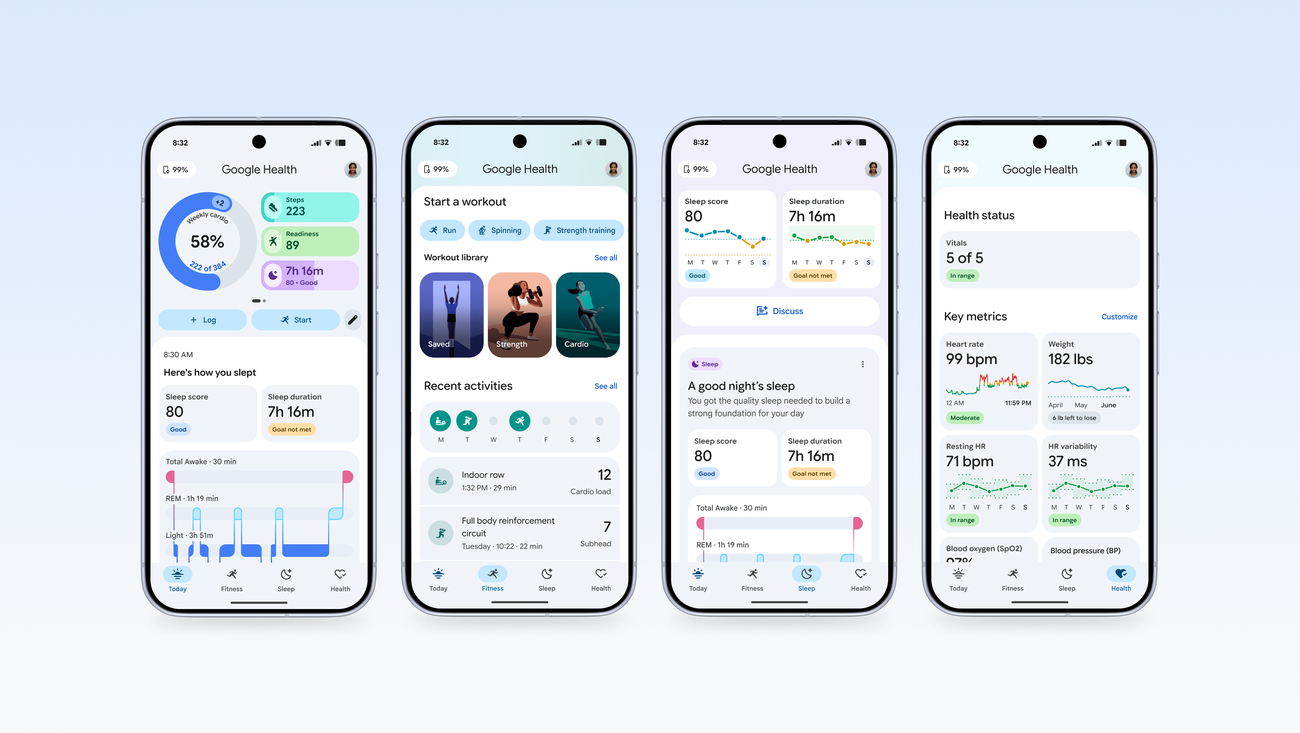
Watching an official walkthrough is the quickest way to judge whether an AI note layer fits how you actually work. Google’s own demonstration of turning scattered documents and notes into a researched, queryable knowledge base shows the direction every tool here is heading.
In day-to-day use the differences are about philosophy. Mem and Notion both push retrieval: ask a question and the AI pulls the relevant notes back to you, which rewards messy, fast capture. Microsoft’s Copilot is at its best when the answer spans Word, Outlook and your OneNote at once, because it reasons across the whole suite rather than a single app. Gemini in Workspace is similar, strongest when it can draw on Gmail and Docs together, and for many small teams that breadth beats a deeper but isolated notes tool. Obsidian’s AI is whatever you wire in, from a local model for total privacy to a frontier API for power, which is liberating if you are technical and a chore if you are not. For pure note-to-answer quality without leaving the app, Mem and Notion lead; for answers that pull your whole working day together, the suites win. Round winner: tie between Notion AI and Microsoft Copilot, depending on whether you want a focused notes brain or a suite-wide assistant. If you are still weighing which assistant to standardise on, our guide to choosing between Claude, Copilot and Gemini for UK work goes deeper.
Round 5: Lock-in and getting your notes out
The unglamorous question that decides whether you regret a choice in three years is export. Obsidian is the clear leader: your notes are plain Markdown files in a folder you own, so there is no vendor to leave because there is no vendor holding them hostage. Notion, Evernote and Microsoft all offer credible exports, to Markdown, ENEX or standard Office formats respectively, though the richer your databases or Loop components, the more structure you lose on the way out. Google Keep exports through Google Takeout, but its notes are deliberately lightweight, so there is little structure to lose in the first place.
Mem is the one to watch here. Because its value is the AI graph that links your notes, exporting the raw text is easy but exporting the intelligence is not; you keep the words and leave behind the connections. That is a fair trade for a single user betting on the product, and a risk for a team standardising on it. The broader lesson is the same one we drew about not over-committing to a single ecosystem when we argued you should not buy new hardware for an AI upgrade alone: keep your exit cheap. Round winner: Obsidian, on portability that no subscription can take away.
Who each app actually suits
Notion AI suits a growing team that wants notes, documents and a wiki in one searchable home and is happy to pay the Business rate for the agent and enterprise search. Microsoft OneNote and Loop with Copilot suit any business already standardised on Microsoft 365, where the add-on cost is the only new line item and the AI reaches across the whole suite. Google Keep with Gemini suits Workspace teams who capture fast and do their heavy lifting in Docs, getting AI at no extra cost on a paid plan.

Mem suits solo founders, consultants and small idea-led teams who want the app to do the filing for them. Obsidian suits the privacy-conscious and the technical, anyone who wants local Markdown files and total control over which AI, if any, ever sees them. Evernote suits long-standing users with years of notes already inside it, now that AI Search and AI Edit make that back-catalogue genuinely useful again. There is no single right answer, only the right fit for how your business already works, which is the same buyer-led approach we took in our best AI writing assistant guide.
Where to find official pricing and sign-up in the UK
Every figure in this guide traces to a vendor page you can check yourself, last verified on 2026-06-07. For Notion, the official pricing page lets you switch currency and shows the Plus and Business tiers. Microsoft’s Copilot pricing page confirms the £13.80 promotional rate and the requirement for a qualifying base licence. Google’s Workspace pricing sets out the Business Starter, Standard and Plus tiers with Gemini included.
For the standalone tools, Mem lists Pro and free allowances on its pricing page, while Evernote’s compare-plans page covers the Starter and Advanced tiers and their AI features. Before you commit a team, read the relevant security and data-residency pages too, and check them against the ICO’s AI guidance for the questions you must be able to answer as the data controller. Most of these tools offer a free tier or trial, so you can pilot with a single team before rolling out, and our piece on setting up Gemini in Gmail and Docs is a useful first step if Workspace is your starting point.
Choosing the best AI note-taking app UK teams trust: frequently asked questions
What is the best AI note-taking app for a UK small business?
For most growing UK SMEs we pick Notion AI on its Business plan, because it combines notes, documents and a searchable wiki with a clear no-train data commitment. But if your team already pays for Microsoft 365 or Google Workspace, the cheaper and often smarter move is to use the AI you already have rather than add a separate subscription. The right answer depends on what you already run.

Is my data used to train AI models?
It depends on the vendor, and you should read the specific commitment. Notion states it does not use customer data to train models and contractually binds its AI subprocessors to the same. Google says Workspace content is not used to train Gemini outside your domain without permission. Microsoft applies its Microsoft 365 enterprise data-protection terms to Copilot. As the controller, confirm the current policy on the vendor’s own security page before you adopt it.
Can I keep my notes in the UK or EU?
Not always. Notion stores data in the United States by default and only offers region selection to sales-assisted Enterprise customers, so a small business on Business cannot choose a UK region. Microsoft and Google offer more mature regional and residency controls through their enterprise consoles. If keeping data on your own premises is essential, Obsidian’s local Markdown files sidestep the question entirely, since nothing leaves your hardware unless you connect a plug-in.
Do I need a paid plan to get the AI features?
Mostly yes for the useful ones. Notion’s full agent and enterprise search sit on its Business plan, and Microsoft Copilot is a paid add-on on top of a base licence. Gemini, by contrast, is now included on paid Google Workspace plans at no extra charge. Mem and Obsidian both offer free tiers, though Mem caps notes and chats per month, and Obsidian’s AI depends on plug-ins or your own model key.
How is this different from a meeting-notes or transcription app?
The apps here are persistent knowledge homes: places to write, organise and resurface information over months and years. A meeting transcriber turns a single call into text and a summary, which is a different job. Some of these tools include meeting-notes features, but their core value is the long-lived note library and how AI helps you search and connect it, not how cleanly they record a conversation.

Is Notion AI worth it over the free version?
For a single user testing the waters, the free plan and a Plus subscription cover a lot. The Business plan earns its higher price once you have several people and need the multi-step agent and workspace-wide search to find anything quickly. If you are a team of two or three with simple needs, start lower and upgrade only when search and collaboration start to hurt.
Which app is best if I want to avoid lock-in?
Obsidian, comfortably. Its notes are plain Markdown files in a folder you own, so moving to another tool means copying files rather than wrestling with an export. Notion, Evernote and the Microsoft apps all export to standard formats, but you lose some structure on the way out. Mem is the hardest to leave cleanly, because its value lives in the AI connections between notes rather than the text itself.
Can I use these tools for free as a sole trader?
Yes, several work well at zero cost. Obsidian is free for personal use, Google Keep is free with a personal Google account, and Mem offers a free tier with monthly caps. Notion and Evernote both have free plans suitable for light use. The free routes are ideal for a sole trader to find a workflow before paying, then upgrade only when AI search, sharing or note limits start to bite.
For a typical UK small business choosing fresh, we would pick Notion AI on its Business plan as the best all-round AI note-taking app: it puts notes, documents and a searchable wiki in one place, publishes a clear no-train data commitment, and scales as the team grows. But our genuine top advice is to check your existing suite first. If you already pay for Google Workspace, Gemini is bundled in and Keep plus Docs covers most teams at no extra cost; if you live in Microsoft 365, the Copilot add-on reaches across every app you already use. Obsidian is our pick for the privacy-first and technical, on local files and zero lock-in. Mem is the smart bet for solo operators who want the AI to do the filing. The one thing that would change our verdict is data residency: a business that must keep records in the UK should weigh Microsoft or Google’s mature controls, or Obsidian’s local files, over a standalone tool that defaults to United States storage.
Related reading on MTW
Buyer action
Where to buy or check next
Use this as the final check before ordering a phone, changing network or trusting a headline monthly price.














Reader discussion
Leave a comment
Comments are moderated. Keep it useful, accurate, and on topic.