UPDATED · News · 17 Jun 2026 · Daniel Reid
I’ve spent a fortnight reading every serious teardown of HP’s ZBook Ultra G1a I could get my hands on, and the one that stuck with me was StorageReview’s verdict — headlined, bluntly, “all the AI hype, not enough payoff”. That’s a striking thing to say about a machine HP is pitching as the future of the mobile workstation. So I want to take the claim apart for a UK creator audience, because the truth sits somewhere more interesting than either the marketing or the cynicism.
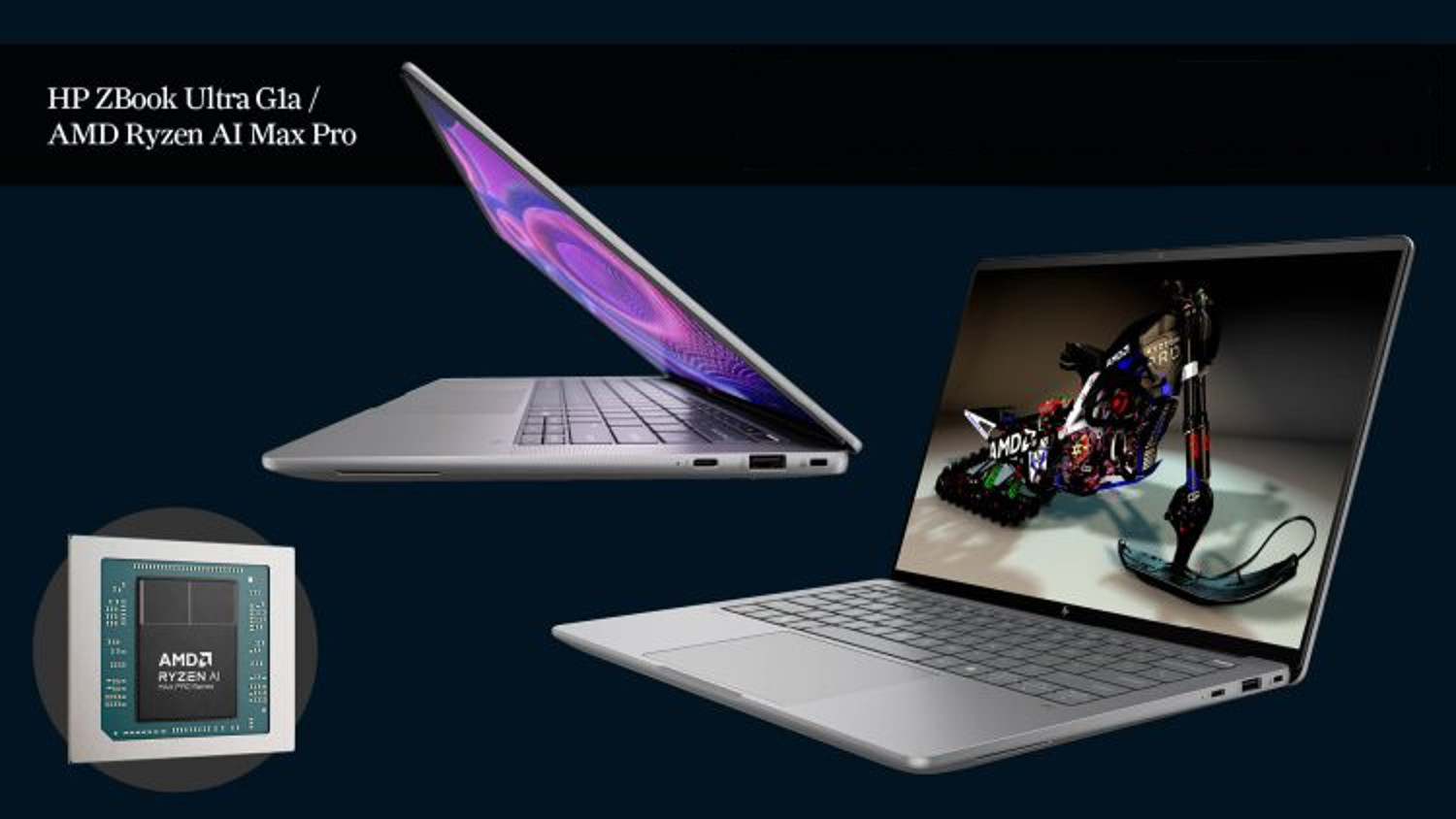
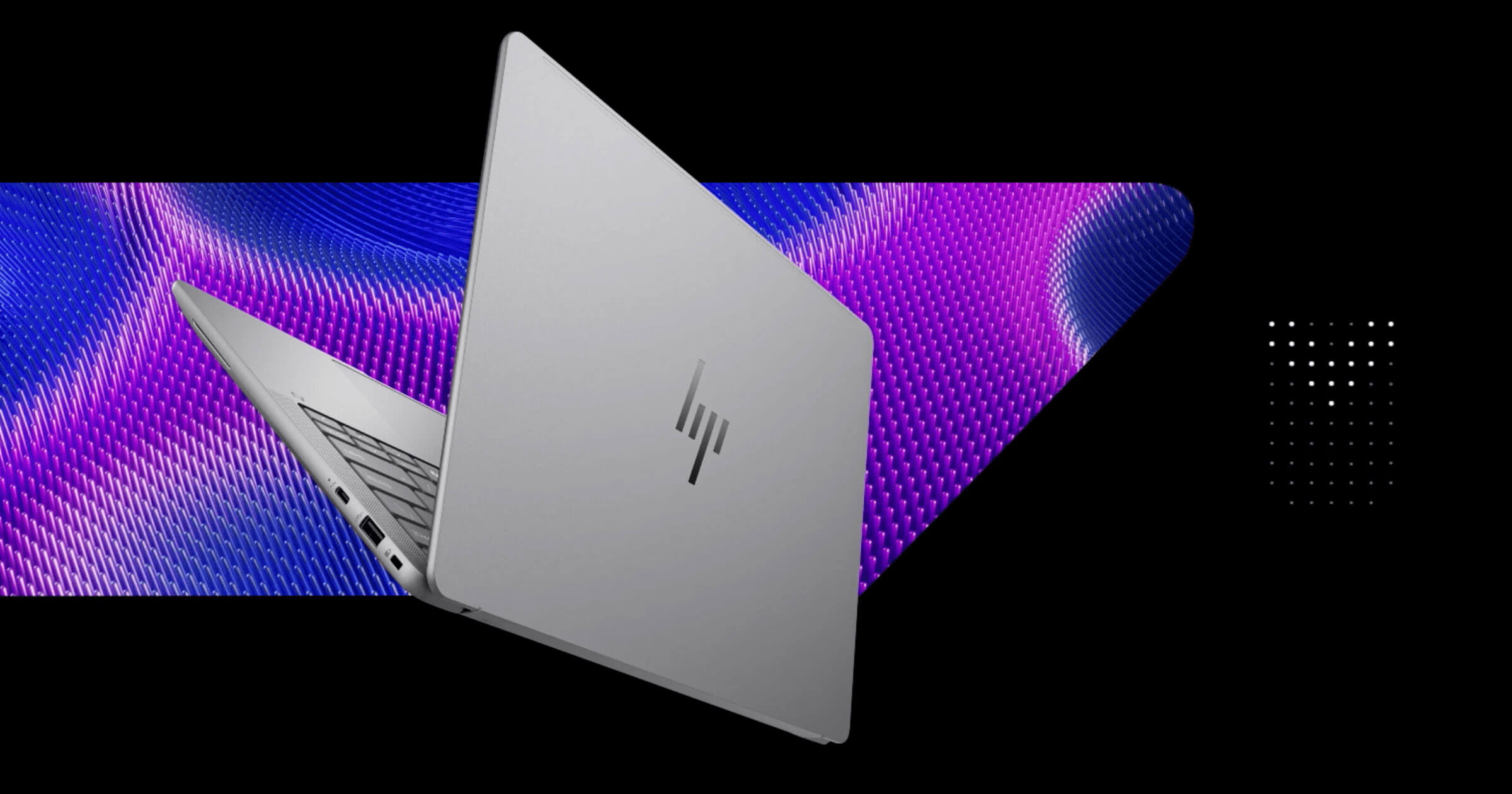
Here’s the short version of what this thing is. The ZBook Ultra G1a is the first ZBook HP has built around AMD’s Ryzen AI Max+ Pro 395 — the “Strix Halo” silicon — and on HP’s own spec sheet it carries a 50 TOPS NPU for on-device AI work. It is also, per DEVELOP3D’s review, the thinnest ZBook HP has ever made: 18.5mm thick and around 1.5kg. A 14-inch workstation that weighs a hair over three pounds is not a normal proposition, and that’s where my interest starts.
The unified-memory trick is the whole story
Forget the NPU headline for a second. The genuinely unusual thing here is the memory architecture. The G1a can be specced with up to 128GB of LPDDR5X-8533, and crucially you can carve off up to 96GB of that as VRAM for the integrated graphics. That is not a number you get on a normal laptop with a discrete card — a mobile RTX chip hands you 8GB, 12GB, maybe 16GB of dedicated video memory and then you hit a wall. Here the GPU can reach into a vast shared pool instead.
For a creator that changes what’s possible away from the desk. Large 3D scenes, big AI models loaded locally, high-resolution comps that would normally choke on VRAM — those become viable on a 1.5kg machine. The AMD Radeon 8060S integrated graphics inside rival an Nvidia RTX 3000 Ada in the benchmarks, which makes this a real 3D-rendering tool rather than a token iGPU. That’s the case for the machine, and it’s a strong one.
Where the cynicism is fair
Now the catch, and it’s the reason I keep returning to StorageReview’s grumble. Unified memory means soldered memory. There is no upgrade path — what you buy is what you keep for the life of the machine, so the configuration decision is permanent. And the 50 TOPS NPU, the bit HP markets hardest, is still chasing software that mostly isn’t here yet. The on-device AI future is real, but it’s arriving slowly, and you should not pay a premium today for a payoff that lands in eighteen months.
Notebookcheck’s testing backs up the broader picture — a fast, well-built, genuinely portable workstation that is brilliant at the things AMD’s APU is good at and ordinary at the things it isn’t. If you want the full sit-down walkthrough, the hands-on video is worth twenty minutes before you spend anything.
The displays, and which one matters
There are two panels and they are not close. The base option is a 14-inch WUXGA (1920×1200) IPS, anti-glare, 400 nits, 100% sRGB — perfectly decent for code, documents and general work. The one a creator actually wants is the 14-inch 2.8K (2880×1800) OLED touchscreen: 120Hz, 400 nits, 100% DCI-P3. For colour grading, photo retouching and any video work, that DCI-P3 OLED is the panel that justifies the ZBook badge. If you’re buying this as a creative tool and you pick the IPS to save a few hundred pounds, you’ve half-defeated the point.
What it costs in the UK
Here’s where UK buyers need to pay attention, because the configuration spread is enormous. At the entry end, UK reseller Misco has listed base builds — Ryzen AI Max Pro 380, 16GB RAM, 512GB SSD, the WUXGA panel — from around £1,580 inc VAT, stock depending. That is a sensible price for a thin, well-made 14-inch business machine.
But that is emphatically not the workstation everyone’s writing about. The model that delivers the 96GB-VRAM, RTX-3000-class story — Ryzen AI Max+ Pro 395, 128GB RAM, 2TB SSD, the 2.8K OLED — is a different animal, and HP’s US pricing points to north of £3,000 inc VAT for the equivalent UK spec. Storage can stretch to a 4TB PCIe Gen4 NVMe if you need the scratch space. The gap between the cheapest and the dream build here is roughly double, and the badge on the lid is identical, so read the spec line before you read the price.
Who I’d hand this to — and who I wouldn’t
I’d buy the G1a if I were a 3D artist, a Blender or Unreal user, or someone running local AI models who needs real GPU work away from a desk and refuses to lug a 2.5kg gaming laptop to do it. For that person the unified-memory architecture is close to magic, and the 1.5kg weight seals it. Spec the 395, the 128GB and the OLED — anything less and you’ve bought a nice ultrabook at a workstation price.
I would not buy it for the NPU alone. If your pitch to yourself is “50 TOPS, on-device AI, future-proofing”, save your money — that future isn’t billable yet, and you’d be paying full freight for a promise. And if you mostly live in Office, a browser and the odd Lightroom session, the base Misco machine is plenty and the expensive build is wasted on you.
The honest read is that HP has built a remarkable piece of hardware and then marketed the least convincing part of it. Buy the G1a for what it does today — a featherweight workstation with a GPU memory pool nothing else in its class can touch — and it’s one of the most genuinely exciting creator machines of the year. Buy it for the AI sticker, and you’ll end up agreeing with the cynics.
Buyer action
Where to buy or check next
Use this as the final check before ordering a phone, changing network or trusting a headline monthly price.












Reader discussion
Leave a comment
Comments are moderated. Keep it useful, accurate, and on topic.