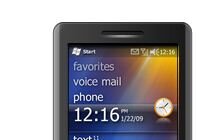

Thanks to Omniafans who have spotted that Microsoft released the WM 6.5 SDK nearly a month ago on the low (but my guess is that it was already available to registered msdn devs and only been up for the public recently). Here’s what the whole package includes:
Emulator Images, Gesture APIs, and Samples for Windows Mobile 6.5
Overview
The Windows Mobile 6.5 Developer Tool Kit adds documentation, sample code, header and library files, emulator images and tools to Visual Studio that let you build applications for Windows Mobile 6.5. This document contains important information about this package. For general information about writing software for Windows Mobile, please see the Windows Mobile Developer Center. The Windows Mobile 6 SDK must also be installed in order to use any of the Windows Mobile 6.5 Gesture API or samples. Windows Mobile 6.5 Developer Tool Kit comes with the following Emulator Images:
Windows Mobile 6.5 Professional Square Emulator
Windows Mobile 6.5 Professional QVGA Emulator
Windows Mobile 6.5 Professional WQVGA Emulator
Windows Mobile 6.5 Professional VGA Emulator
Windows Mobile 6.5 Professional WVGA Emulator
Windows Mobile 6.5 Standard Square Emulator
Windows Mobile 6.5 Standard QVGA Emulator
Available locales:
0804 CHS Chinese Simplified
0409 USA English
0407 GER German
040c FRA French
0410 ITA Italian
0c0a ESN Spanish
0411 JPN JapaneseA new set of APIs is being introduced that will enable application developers to take advantage of the new Windows Mobile 6.5 touch gesture framework. The gesture APIs allow an application to handle touch gesture input and provide a visually consistent experience with the rest of the device UI. Note that the gesture APIs are only available on the Windows Mobile Classic and Professional SKUs.
Grab it here
Buyer action
Where to buy or check next
Use this as the final check before ordering a phone, changing network or trusting a headline monthly price.













