The WhatsApp private chat setting worth knowing about is Advanced Chat Privacy, a control that stops the people you are talking to from quietly carrying your conversation somewhere it was never meant to go. WhatsApp announced the feature on 23 April 2025, and when it is turned on it blocks others in the chat from exporting the conversation, auto-downloading its media to their phone, and using your messages in AI features. It sits alongside disappearing messages and chat lock, but it solves a different problem, and the difference matters if you handle anything sensitive over the app.
- Advanced Chat Privacy was announced by WhatsApp on 23 April 2025 and blocks chat export, media auto-download and use of messages in AI features (WhatsApp Blog).
- It is set per chat or per group by tapping the chat name and choosing Advanced Chat Privacy; WhatsApp describes it as a first version with more protections planned.
- Your one-to-one and group messages remain protected by end-to-end encryption by default; Meta AI only reads a message in a group when you tag @Meta AI.
- For UK readers this is a free, immediate way to reduce how your data leaves a chat, which chimes with the data minimisation principle set out in UK GDPR and ICO guidance.
What the WhatsApp private chat setting actually does
Advanced Chat Privacy is best understood as a lock on the exits of a conversation rather than a lock on its contents. WhatsApp has always encrypted message content end-to-end, but encryption does nothing to stop a recipient from exporting the whole thread to a text file, saving every photo to their camera roll, or pulling your words into an AI tool. This setting closes those routes. According to WhatsApp, turning it on means others in the chat cannot export the conversation, cannot auto-download its media to their device, and cannot use the messages in AI features. WhatsApp frames the goal plainly: everyone in the chat gets greater confidence that no one can take what is being said outside it.
The intended use case is groups where you do not know everyone closely but the subject is sensitive. WhatsApp gives the example of a health support group, where members may be strangers but the discussion is personal. The same logic applies to a residents’ association thread, a community fundraiser, a freelance work chat, or a family group that occasionally discusses money or medical matters. It is worth being honest about the limits, though: this is software friction, not a guarantee. Someone determined to capture a chat can still photograph the screen with another phone, and WhatsApp itself describes the current release as version one, with additional protections planned over time. Treat it as a meaningful raising of the bar, not an absolute seal.
How it differs from disappearing messages and chat lock
People often lump these three features together, but each protects against a separate risk. Disappearing messages controls time: once switched on, new messages in the chat are removed after a set period. WhatsApp offers durations of 24 hours, 7 days or 90 days, set from the chat or as a default through Privacy settings and Default message timer. It is excellent for keeping a thread from accumulating a permanent record, but it does nothing to stop a recipient exporting a message before it vanishes.

Chat lock controls access on your own device: it moves a chat into a locked folder that needs your fingerprint, face or device passcode to open, so a borrowed or stolen phone does not expose the conversation at a glance. That guards against someone holding your handset, not against the person you are messaging. Advanced Chat Privacy is the only one of the three that constrains what the other party can do with the conversation, namely export, bulk media saving and AI use. The three are complementary, and for a genuinely sensitive group we would turn on all three. If you want the fuller settings tour, our guide to the WhatsApp Meta AI privacy settings UK users should check walks through the wider privacy menu.
One practical point: because Advanced Chat Privacy is set inside a specific chat, it does not roam with you to every conversation automatically. You decide which threads deserve it. That granularity is sensible, but it does mean a quick audit of your most sensitive groups is worth ten minutes of your time.
Turning it on: the exact UK how-to
The steps are the same on a UK iPhone or Android handset, because the feature lives inside the chat rather than in a country-specific menu. Here is the path, confirmed against WhatsApp’s own help material:
- Open the individual chat or group you want to protect.
- Tap the chat name or group name at the top of the screen to open its info page.
- Tap Advanced Chat Privacy.
- Turn the setting on. From that point, everyone in the chat is told the setting is active, and the export, media auto-download and AI-feature routes are blocked for that conversation.
A few things to expect. In a group, anyone can turn the setting on or off, so it is worth agreeing as a group that it stays on, the same way you would agree to keep a thread confidential. When it is switched, a system message appears in the chat so there are no surprises about who changed it. If you do not see the option yet, update WhatsApp through the App Store or Google Play, since the control rolled out over time and older builds may not show it. We would pair this with disappearing messages on the same thread for belt-and-braces privacy. For the wider picture of how Meta’s assistant fits into the app, see our explainer on Meta AI in the UK across WhatsApp and smart glasses.
Where Meta AI sits in WhatsApp and how to limit it
Meta AI appears in WhatsApp as a search-bar entry and as an assistant you can summon inside chats. The point that reassures most UK users, once they understand it, is the boundary on what the assistant can see. Your personal one-to-one and group messages stay end-to-end encrypted by default, and Meta AI does not read them unless you bring it in. In a group, the assistant only reads a message when you tag @Meta AI, or when you reply to a message and tag @Meta AI in that reply; it does not see the rest of the conversation. In other words, Meta AI is opt-in per message, not a silent listener.

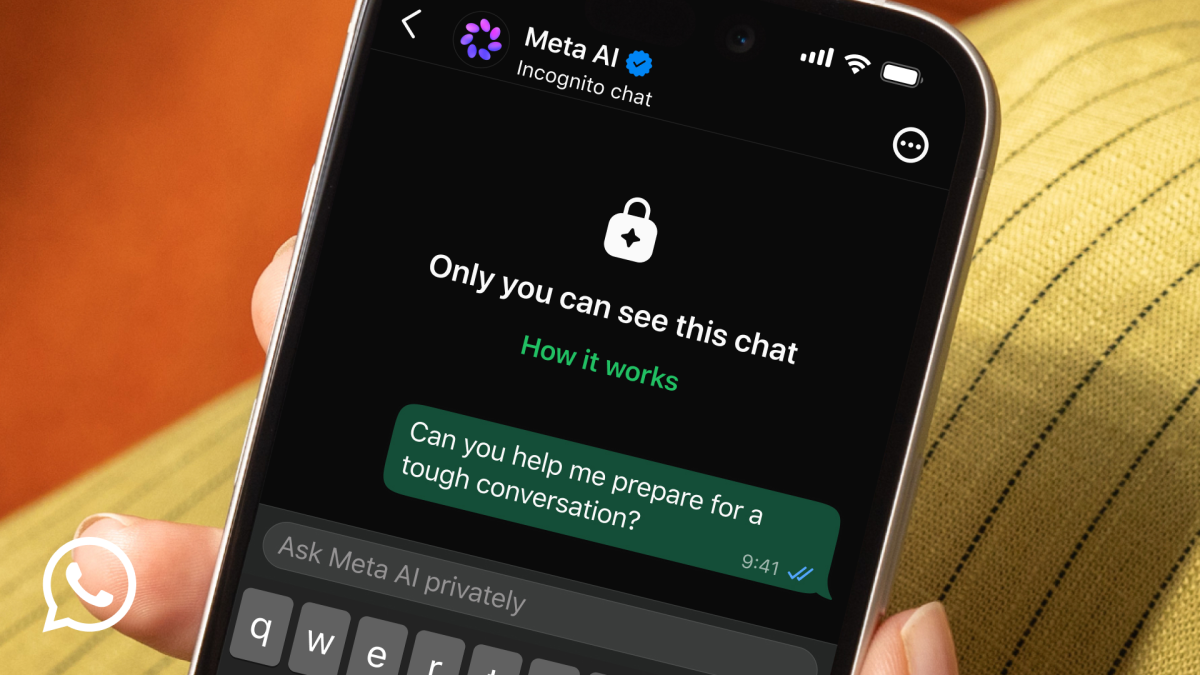
To limit Meta AI in practice: do not tag @Meta AI in sensitive threads, and turn on Advanced Chat Privacy on those chats so messages cannot be fed into AI features at all. If you have chatted with the assistant and want it gone, WhatsApp lets you delete the information you shared with any AI across the app by typing /reset-ai in a conversation. Meta has also built a route for genuinely private AI use: Incognito Chat with Meta AI, announced on 13 May 2026 and built on Private Processing, which WhatsApp says is truly private so that no one can read the conversation, not even WhatsApp itself, and the messages disappear afterwards. If you want a wider comparison of assistants, our look at Meta AI and our piece on choosing between Claude, Copilot and Gemini for UK work put it in context.
Advanced Chat Privacy locks the exits of a conversation, while encryption only locks its contents.
The UK angle: GDPR, the ICO and what Meta AI cannot see
For UK users the relevant frame is not a special WhatsApp setting for Britain, because there is not one, but how these controls map onto UK data protection expectations. UK GDPR and the Information Commissioner’s Office set out data minimisation as a core principle: organisations should collect and keep only what they need. If you run a small UK group, a community committee, a tutoring chat, a club, that principle is a useful lens for your own behaviour too. Advanced Chat Privacy plus disappearing messages is a low-effort way to hold less data and to stop it spreading, which is precisely the kind of practical step the ICO encourages for everyday handling of personal information.
On end-to-end encryption, the position to hold in mind is that the content of personal chats is encrypted by default and is not readable by Meta. The assistant only crosses into a chat when you invite it with an @Meta AI tag, and Incognito Chat keeps even AI conversations out of anyone’s reach via Private Processing. None of that removes the sensible cautions: a recipient with the setting off can still screenshot, and metadata such as who you message and when is a separate matter from message content. If encryption and messaging standards interest you more broadly, our explainer on RCS end-to-end encryption across Android and iPhone covers how the wider texting world is catching up. For the network side of using these apps, see our comparison of EE versus Three in 2026.
A ten-minute privacy audit for your busiest chats
If you only do one thing after reading this, run a short audit. Open your three or four most sensitive threads, the family money chat, the health or support group, the freelance client thread, and decide which controls each one needs. For most, the answer is Advanced Chat Privacy on, disappearing messages set to 7 days, and chat lock applied if the phone is ever shared. None of this costs anything and none of it requires a new app.

Then set group expectations. Because anyone in a group can switch Advanced Chat Privacy off, the social agreement matters as much as the toggle. Pin a short message to the group explaining that the setting stays on and why. Finally, decide your Meta AI posture: if a thread is sensitive, simply never tag @Meta AI in it, and use Incognito Chat when you want the assistant for private brainstorming. If you are weighing the broader cost of AI tools in a UK household, our piece on the real cost of AI subscriptions for UK households is a useful companion. The combination of habits and settings, rather than any single switch, is what keeps a WhatsApp private chat genuinely private.
Our view is that Advanced Chat Privacy is one of the most useful WhatsApp settings most people have never touched, and we would turn it on today for any group that discusses health, money or anything you would not want forwarded. It is free, it takes seconds, and it closes real gaps that encryption alone does not. We would not treat it as bulletproof: it is version one, anyone in a group can switch it off, and a screenshot still beats it, so pair it with disappearing messages and a clear group agreement. On Meta AI, the reassurance is genuine, the assistant only reads what you explicitly tag, but the responsible posture is to keep it out of sensitive threads and lean on Incognito Chat for private AI use. What would change our view is the next version: if WhatsApp adds screenshot blocking or stronger group enforcement, this moves from a sensible habit to an essential one. For now, switch it on, set expectations, and move on with your day.
What does Advanced Chat Privacy block in WhatsApp?
How do I turn on a WhatsApp private chat setting?
How is it different from disappearing messages?
Can Meta AI read my WhatsApp messages?
Is there a UK-specific WhatsApp privacy setting?
What is Incognito Chat with Meta AI?
Related reading on MTW
Buyer action
Where to buy or check next
Use this as the final check before ordering a phone, changing network or trusting a headline monthly price.













Reader discussion
Leave a comment
Comments are moderated. Keep it useful, accurate, and on topic.