
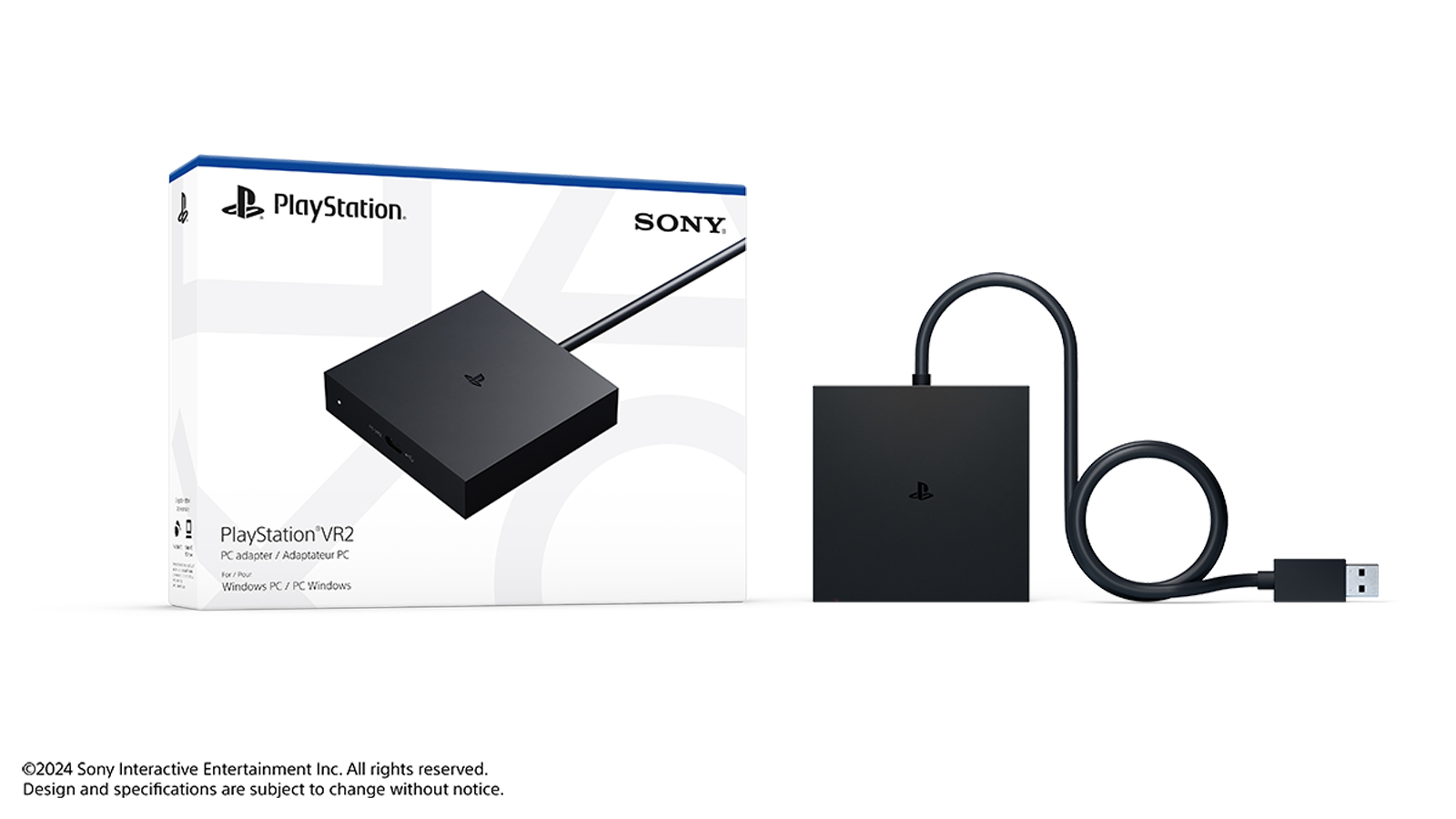
PSVR2 on PC costs £49.99 to unlock, and that small outlay buys one of the more unusual bargains in UK virtual reality right now: Sony’s PlayStation VR2 PC adapter, announced on the PlayStation Blog on 3 June 2024 and on sale since 7 August 2024, turns a PS5 headset into a full SteamVR display. Plug the black box into a DisplayPort 1.4 output and a motherboard USB port, install one free app, and the same OLED panels that run Horizon Call of the Mountain on PS5 will run Half-Life: Alyx, Skyrim VR and the rest of the Steam catalogue. This guide covers the PC you need, the exact setup steps, the features Sony removes on the way across, and whether the whole exercise still makes sense in mid 2026.
Key facts
- The PlayStation VR2 PC adapter launched on 7 August 2024 at £49.99 in the UK ($59.99 in the US), per Sony’s PlayStation Blog announcement of 3 June 2024.
- A DisplayPort 1.4 cable is not included in the box; budget roughly £10 to £15 extra for one.
- Minimum PC spec on Sony’s support pages: Windows 10/11 64-bit, Intel Core i5-7600 or Ryzen 3 3100, 8GB RAM, GTX 1650 (Turing) or newer, any RTX card, or Radeon RX 5500 XT/6500 XT and up.
- On PC you keep the 2000×2040 per-eye OLED resolution, 110-degree field of view and see-through view, but lose HDR, eye tracking, adaptive triggers, headset vibration and advanced haptics.
- UK pricing in June 2026: adapter RRP £49.99, PSVR2 headset £399.99; the Days of Play 2026 offer at £309.99 ended on 10 June 2026.
What the £49.99 adapter actually does
The PlayStation VR2 PC adapter is a palm-sized breakout box with three jobs. It converts the headset’s single USB-C connection into the two signals a Windows PC expects, a DisplayPort 1.4 video feed and a USB data link; it supplies the headset with power; and it handles the handshake that convinces SteamVR it is talking to a supported display. Sony’s 3 June 2024 PlayStation Blog post pitched the adapter as the route for PS VR2 owners to reach games on PC, and in practice the overwhelming majority of the SteamVR library simply treats the headset as a generic six-degrees-of-freedom display.
What the box does not do is bundle everything you need. The adapter ships with its own captive USB cable, but the DisplayPort 1.4 cable that carries the actual picture is sold separately, a detail Sony confirms on its psvr2-pc-usage support page. A certified DP 1.4 lead costs somewhere in the £10 to £15 range from the usual UK accessory shelves, so the realistic entry price is closer to £60 to £65 if you have nothing suitable in a drawer. That still undercuts every dedicated PC VR headset on the market by a wide margin, provided you already own the £399.99 headset for your PS5.
It is worth being clear about what this product is for. Sony has not built a hybrid ecosystem: there is no cross-buy between PS5 and Steam, no shared save files, and no way to launch PlayStation Store VR titles on a PC. The adapter is a one-way bridge that lets the hardware moonlight in Valve’s world. If your VR interest is purely console-side, nothing here changes your week. If you have a gaming PC sitting next to the PS5, the calculus gets interesting, in the same way our Xbox Games Showcase 2026 round-up noted that multi-platform households increasingly buy hardware for the library it unlocks rather than the badge on the front. The same logic ran through our look at whether the Nintendo Switch 2 is worth buying in 2026: the question is never the box, it is what the box lets you play.
The PC you need before you spend a penny
Sony publishes a proper minimum specification, and unusually for VR it is genuinely modest. The floor on the playstation.com support pages is Windows 10 or 11 in 64-bit, an Intel Core i5-7600 or AMD Ryzen 3 3100 (Zen 2 or newer), 8GB of RAM, and a GPU no older than NVIDIA’s Turing generation: a GTX 1650 or better, any RTX card, or on the AMD side a Radeon RX 5500 XT or RX 6500 XT and up. Sony’s recommended tier, an RTX 3060 or RX 6600 XT, is where the headset’s 2000×2040 per-eye panels stop being a burden and start being the point.
Two requirements catch people out more than the GPU. First, the video output must be DisplayPort 1.4, full-size or Mini DisplayPort with the right cable; HDMI will not work, and neither will most USB-C-to-DP dongles on laptops, which is why this is overwhelmingly a desktop project. Second, Sony specifies that the adapter’s USB plug goes directly into a motherboard port, not through a hub or front-panel extension. Bluetooth 4.0 or later is also mandatory for the Sense controllers, and Sony maintains a list of verified Bluetooth adapters because flaky controller tracking is almost always a Bluetooth problem rather than a headset one.
Here is the published specification in one place, straight from Sony’s support documentation.
| Component | Minimum | Recommended |
|---|---|---|
| OS | Windows 10 64-bit | Windows 11 64-bit |
| CPU | Intel Core i5-7600 / AMD Ryzen 3 3100 (Zen 2+) | Anything newer with four or more cores |
| RAM | 8GB | 16GB |
| GPU | GTX 1650 (Turing) / any RTX / RX 5500 XT or RX 6500 XT | RTX 3060 / RX 6600 XT or better |
| Video out | DisplayPort 1.4 or Mini DisplayPort (cable not included) | |
| USB | Direct motherboard port, no hubs | |
| Bluetooth | 4.0 or later (see Sony’s compatibility list) | |
If your machine clears the recommended bar, the headset rewards it. The panels carry more pixels per eye than a Valve Index, and at 110 degrees the field of view is wider than most of the standalone competition. Owners of older Pascal-era cards, a GTX 1070 or 1080 say, are out of luck regardless of raw performance, because the Turing requirement is about the DisplayPort feature set rather than frame rates. Anyone weighing a GPU upgrade purely for this should remember the maths we ran on Samsung’s 6K Odyssey G8 monitor: the display is only ever as good as the silicon driving it.
How to set up PSVR2 on PC, step by step
Sony’s official setup tutorials live at playstation.com/psvr2-pc-usage, and the whole process takes about twenty minutes the first time. The flow below follows Sony’s documented order, with the exact app names and menu labels you will see on screen.
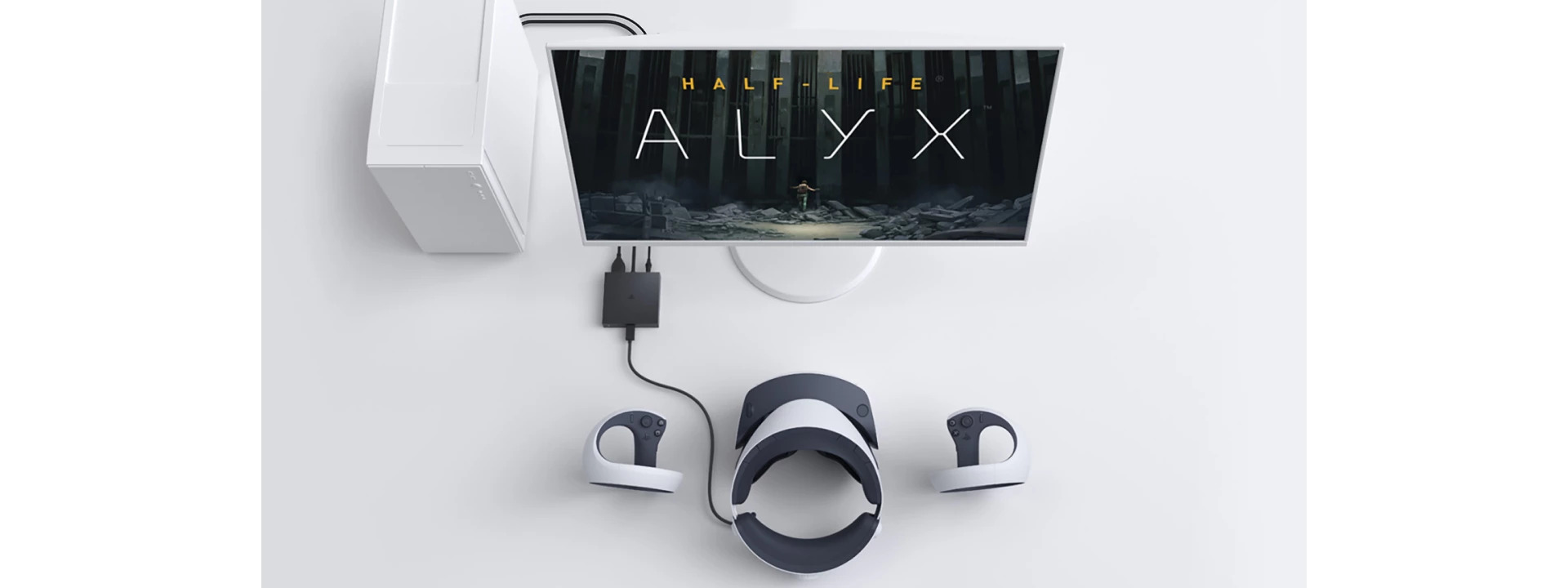
- Connect the hardware. Plug a DisplayPort 1.4 cable from your graphics card into the adapter’s DP port, plug the adapter’s USB cable into a rear motherboard USB port, then connect the headset’s USB-C lead to the adapter. The adapter’s status light shows solid white when the link is healthy.
- Install the software. Open Steam and install two free items: the “PlayStation VR2 App” (published by PlayStation Publishing LLC) and “SteamVR”. Both live on the Steam Store; search the names exactly. The PlayStation VR2 App handles firmware updates, display settings and the play-area tools.
- Pair the Sense controllers over Bluetooth. On Windows 11, go to Settings, then Bluetooth & devices, then Add device, then Bluetooth. On each controller, hold the PS button and the Create button (left) or the PS button and the Options button (right) until the light pulses, then select “PS VR2 Sense Controller” when it appears in the device list.
- Run the PlayStation VR2 App. Launch it from your Steam library with the headset connected. It will update headset firmware if needed, then walk you through play-area scanning using the headset’s see-through view, the same room-mapping flow PS5 owners know.
- Finish in SteamVR. Launch SteamVR, open the menu and choose Room Setup, then pick Standing Only or Room-Scale to calibrate floor height and boundaries. After that, every SteamVR title launches into the headset as standard.
A few practical notes from Sony’s documentation are worth flagging before your first session. The headset’s IPD dial and lens-spacing adjustments work exactly as they do on PS5, and the cinematic mode that mirrors flat content is available on PC too. If SteamVR reports the headset but shows no picture, the support pages point first at the DisplayPort cable, which is the one component in the chain Sony did not supply and cannot vouch for. Cheap DP leads that misreport their bandwidth are the most common failure point, which is why we suggest a certified DP 1.4 cable rather than the bargain bin.
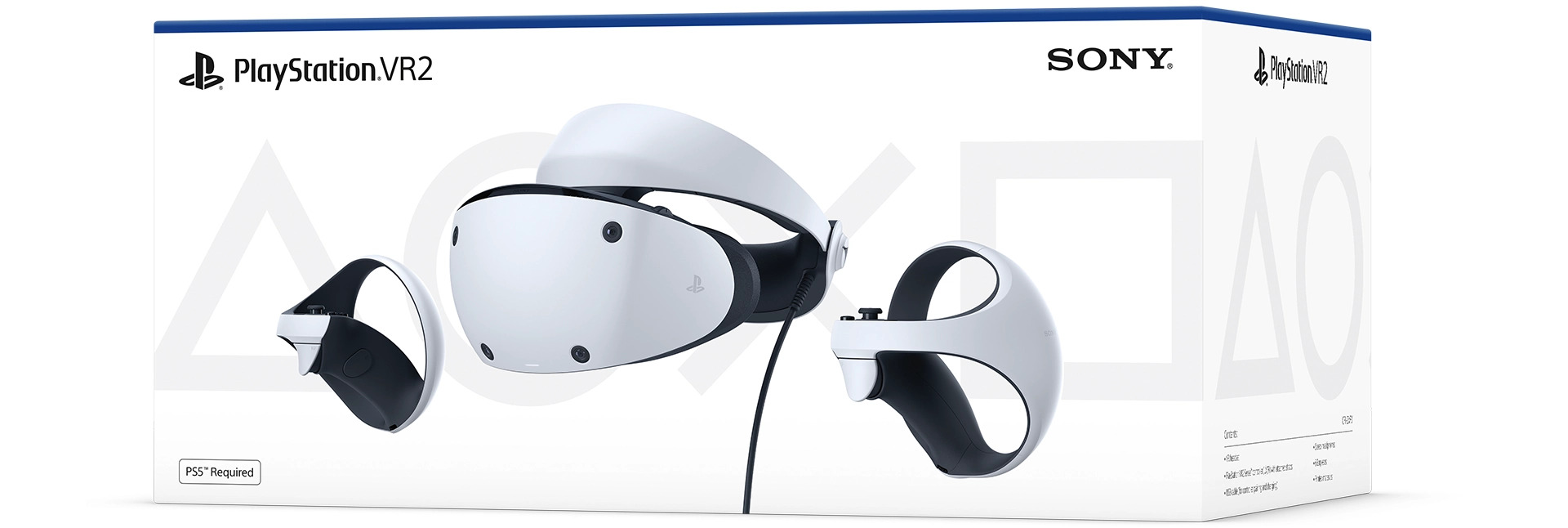
One quirk of the dual-platform life: the “PS5 Required” badge on the headset box stops being strictly true once the adapter is involved, but a PS5 or a PS5-owning friend remains useful, because some firmware updates historically arrived console-first. Sony’s PC app has handled updates independently since launch, so a console is not a prerequisite, just a convenience. Controllers charge over USB-C either way, and if you picked up the official charging station for the console, it works identically while you play on Steam.
What you lose coming from PS5, and what you keep
Sony is admirably specific about the trade-offs, and they matter. Per the playstation.com support pages, five features do not survive the trip to PC: HDR output, headset feedback (the subtle vibration the visor uses for impacts), eye tracking, the adaptive triggers on the Sense controllers, and the advanced haptics beyond standard rumble. On PS5, those five combine into a lot of what makes the headset feel premium; Gran Turismo 7’s trigger resistance and the flinch-inducing headset thump in Resident Evil Village have no PC equivalent through this adapter.
The list of what survives is longer and arguably more important. You keep the full 2000×2040 per-eye OLED resolution, the 110-degree field of view, finger touch detection on the controllers, the camera-based see-through view for checking your surroundings, and 3D audio, albeit rendered through SteamVR’s audio pipeline rather than Sony’s Tempest engine. Most interesting of the lot: foveated rendering still works, just without the eye tracking. In its fixed form the technique concentrates GPU effort in the lens centre rather than wherever you look, which is less clever but still claws back performance on mid-range cards.
How much the losses sting depends entirely on your library. SteamVR’s catalogue was never built around eye tracking or adaptive triggers, so almost nothing on Valve’s store asks for hardware the adapter disables. The genuine casualty is HDR: the OLED panels are capable of it, PC titles increasingly support it, and the adapter simply cannot pass it through. On the published spec sheets, that makes PSVR2-via-adapter a brighter-blacks SDR headset rather than the full HDR display PS5 owners get. For most SteamVR games in 2026, OLED contrast without HDR still embarrasses the LCD panels in similarly priced alternatives.
Sony’s own PC Adapter Features Trailer, above, is a tidy ninety-second summary of the official positioning: the company sells the adapter on resolution, field of view and the Steam library, and stays quiet about the features it strips. That is fair marketing, but a UK buyer should walk in knowing both columns of the ledger. If trigger feel and headset rumble are the reason you love the hardware, the PC side will feel like the same suit with the lining removed; if image quality is the draw, you lose remarkably little.
Should you choose this over a Meta Quest 3?
The obvious 2026 alternative for SteamVR is Meta’s Quest 3, which carries a £469.99 RRP in the UK and connects to a PC wirelessly or over a single USB cable. Price the two paths honestly. If you already own a PSVR2, SteamVR access costs £49.99 plus a cable, against £469.99 for the Meta headset; that argument ends quickly. If you own neither headset, a new PSVR2 at £399.99 plus the adapter lands within touching distance of the Quest 3, and Meta’s hardware brings standalone play, wireless PC streaming and colour passthrough that Sony’s wired bridge cannot match.
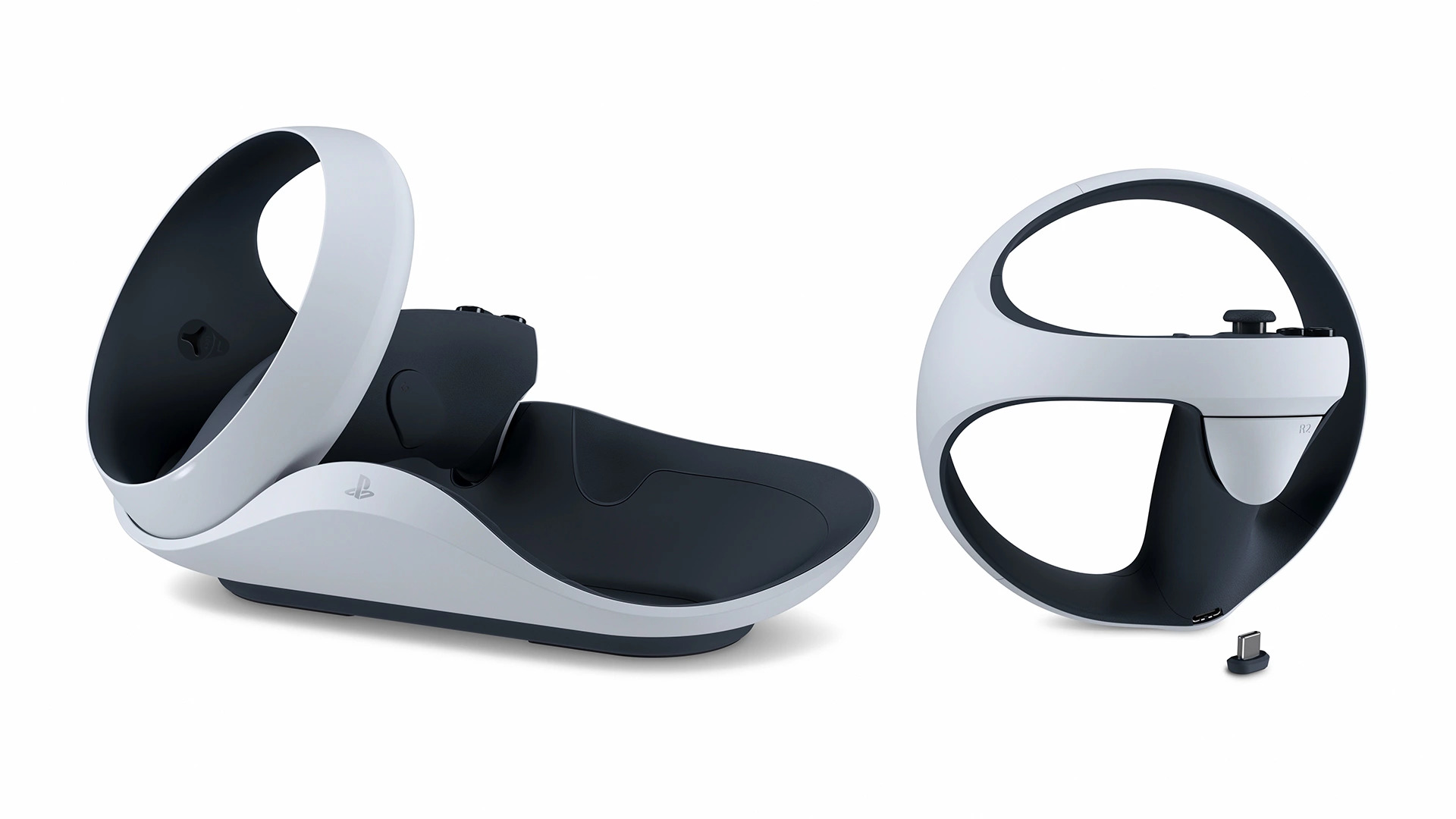
The Sony case rests on the panels. PSVR2 uses OLED with genuine blacks and a wider 110-degree field of view, where Quest 3 uses brighter but greyer LCDs around 104 degrees on the published spec sheets. For seated and cockpit genres, sims, horror, anything dark, the OLED advantage is visible within seconds. The Quest case rests on freedom: no cable, no DisplayPort requirement, and a self-contained library when the PC is busy. On cost trajectories, remember that Meta raised UK Quest prices in April 2026; standalone VR has been getting dearer, which quietly strengthens the PS5-accessory route into SteamVR.
There is also a middle path worth naming: skip PC VR entirely. Plenty of households concluded after our Steam Deck OLED 2026 verdict that flat-screen portable play scratches the Steam itch with none of the cabling, and families weighing hardware budgets against the Switch 2 price rise coming on 1 September 2026 may find VR is the line item that slips a year. That is a legitimate answer. The adapter’s job is to make the VR answer nearly free for people who already own both halves of the equation.
Where to buy the adapter and headset in the UK
The adapter is stocked widely and rarely strays from its £49.99 RRP. Our live price check on 10 June 2026 found Dutch-based VR specialist UnboundXR shipping it to the UK at £51.78, the only street price we verified on the day; the mainstream UK stockists below all list against the standard RRP. The headset itself sits at its normal £399.99; Days of Play 2026 had it at £309.99, a £90 saving, but that promotion ended on 10 June 2026, so if £399.99 feels steep the sensible move is to wait for the next sale window rather than pay full freight in a quiet month.

- PlayStation Direct: PS VR2 PC adapter at the £49.99 RRP; PS VR2 headset £399.99 RRP
- Argos: adapter stocked at the £49.99 RRP, with click-and-collect the quickest route in most towns
- Currys: adapter stocked at the £49.99 RRP; check the same basket for a certified DisplayPort 1.4 cable
- Smyths Toys: adapter stocked at the £49.99 RRP in larger stores
- UnboundXR: £51.78 (last checked: 2026-06-10), the one live street price we confirmed
- DisplayPort 1.4 cable: not included with the adapter; budget £10 to £15 from any of the retailers above
Stock has never been a problem for this accessory the way it was for the console itself, so there is no urgency premium to pay. The only timing question that matters is the headset: Sony has now discounted PSVR2 in consecutive sale seasons, and a £90 cut was on the table as recently as this week. Buyers who missed it lose nothing by holding until the next event, and the adapter will still be £49.99 when they get there. Spreading a hardware budget across the year is the same discipline we preach in our best gaming phone picks for 2026: pay RRP for the cheap, stable accessory, and time the expensive component around a known sale cycle.
For one specific person, this is the easiest recommendation of the year: if you own a PlayStation VR2 and a desktop with an RTX-class graphics card, the £49.99 PlayStation VR2 PC adapter is a near-mandatory purchase. It converts hardware you already paid hundreds of pounds for into the best-value OLED PC headset in Britain, and the Steam back catalogue, from Half-Life: Alyx onward, is a far deeper VR library than the PlayStation Store will ever host. The losses, HDR aside, barely register in software that never expected Sony’s exotic features in the first place.
Who should not bother: anyone whose GPU predates NVIDIA Turing or AMD Navi, because no driver trick gets around the DisplayPort 1.4 requirement; laptop owners without a true DP-wired port; and wireless-first buyers, who should put the money towards a Meta Quest 3 and accept the LCD compromise. Buyers starting from zero hardware should also pause: a full PSVR2-plus-adapter build only beats the Quest 3 if the £399.99 headset price softens again, which is precisely what would change our view. We would also reconsider if Sony ever enabled HDR or eye tracking over the adapter, though after nearly two years there is no public sign of either. For the rest, our verdict is straightforward: the adapter remains the cheapest genuinely premium doorway into SteamVR that UK money can buy in 2026.
| What we like | What we’d watch |
|---|---|
| £49.99 turns a PS5 accessory into a 2000×2040 per-eye OLED SteamVR headset | HDR, eye tracking, adaptive triggers and headset rumble all disabled on PC |
| Modest minimum spec: i5-7600 / Ryzen 3 3100 and a GTX 1650 clear the floor | DisplayPort 1.4 cable sold separately and the most common setup failure point |
| Official Sony support pages, app and Bluetooth compatibility list keep setup honest | Headset back at £399.99 now Days of Play 2026 has ended; sales recur, so timing matters |













Reader discussion
Leave a comment
Comments are moderated. Keep it useful, accurate, and on topic.