
UPDATED · News · 10 Jun 2026 · Claire Bennett
iPadOS 27 broke cover on 8 June 2026, and the most revealing thing about Apple’s announcement is what it leaves out: there is no new multitasking engine, no Stage Manager sequel, no second attempt at windowing. Apple’s WWDC 2026 press release does not mention Stage Manager once. That silence is deliberate, and it is the correct call. The windowing overhaul that turned the iPad into a credible laptop replacement shipped a year ago in iPadOS 26. This year’s release does something less glamorous and arguably more useful: it makes the same machine quicker.
A developer beta went live on 8 June, a public beta follows in July through the Apple Beta Software Program, and the finished update arrives free in autumn 2026. If you bought an iPad in the last few years hoping it could carry your working day, this is the release that decides whether that bet keeps paying off, and for whom.
We have read the full press release, the footnotes Apple buried under its speed claims, and the early third-party reporting. Here is what UK iPad owners and buyers actually get, what the headline numbers really measured, and which models are quietly left out of the most interesting parts.
Key facts
- Unveiled 8 June 2026 at WWDC; developer beta same day, public beta in July via beta.apple.com, free update in autumn 2026 (Apple newsroom, 8 June)
- Apple’s tested iPad claim: browsing and transferring files between external drives and iPad is “up to 5x faster”, measured on an iPad Pro 11-inch (M4) with a USB4 SSD and 10,000 JPGs (Apple footnote 4)
- A new Settings slider personalises Liquid Glass from ultra-clear to fully tinted; the design itself debuted in iPadOS 26 (Apple newsroom)
- Apple Intelligence and Siri AI require an iPad mini (A17 Pro) or any iPad with M1 or later; the £329 entry iPad (A16) misses out (Apple newsroom)
- Siri AI is delayed in the EU under the Digital Markets Act; the UK is not affected (Apple newsroom)
What Apple announced on 8 June, and what it did not
The shape of this year’s update was visible from the way Apple framed the whole event. According to Apple’s WWDC 2026 press release (8 June), the OS 27 cycle is built around three pillars: the next generation of Apple Intelligence with a new Siri AI, an expanded set of parental controls, and a long list of speed and reliability improvements across every platform. Craig Federighi, Apple’s senior vice president of Software Engineering, put it this way: “Apple products are an essential part of people’s lives, and this year we’re bringing powerful new capabilities to empower our users in even more ways… We’re delivering the next generation of Apple Intelligence across our platforms; introducing Siri AI, a profoundly more intelligent, knowledgeable, and capable Siri; expanding child safety features with intuitive new tools for families; and making our software platforms faster, more reliable, and more delightful than ever before.”
Note what is missing from that sentence: any reference to multitasking, windowing or the iPad’s working model. For a company that spent the better part of a decade relitigating how iPad windows should behave, that omission is the story. Our WWDC 2026 preview flagged performance and Siri as the likely headliners, and that is precisely how the keynote played out.
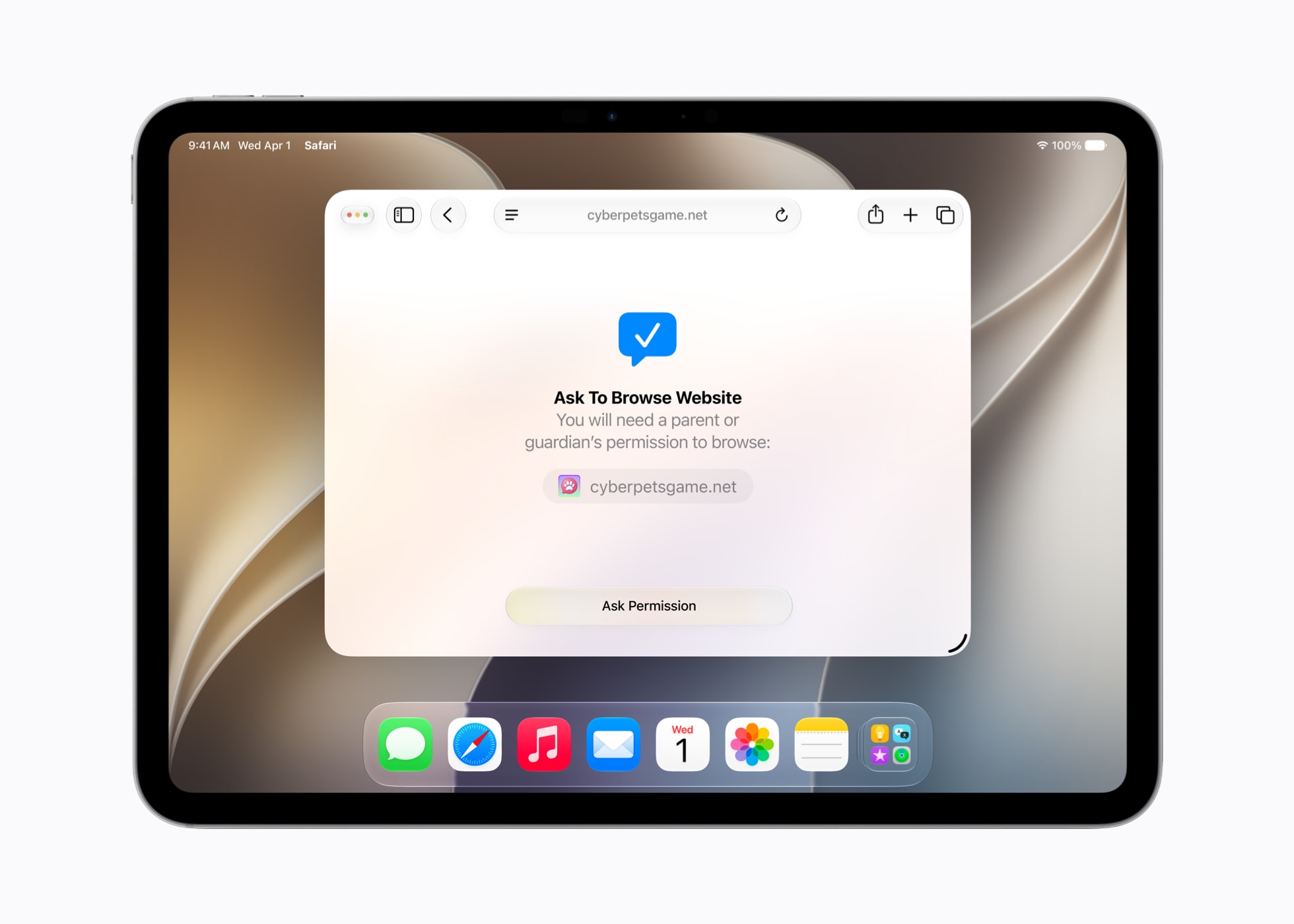
The family-safety additions deserve a mention because they are genuinely substantial rather than checkbox features. Ask to Browse lets a child request access to a website and routes the approval to a parent’s device, and the revamped app restrictions give parents finer control over what runs and when. For households where the iPad is the shared sofa computer, these are practical, everyday tools.
It is also worth reading this release in the context of the company announcing it. This is the first WWDC since Apple confirmed its leadership transition, and as we noted in our analysis of John Ternus stepping up as Apple’s next chief executive, a year of consolidation rather than reinvention fits the moment. iPadOS gets faster foundations; nobody has to learn anything new.
How fast is iPadOS 27? What Apple actually tested
Apple’s headline performance claim is that “iPhone and iPad apps launch up to 30 percent faster”. Treat that number with precision, because the footnote matters: Apple’s own small print says the app-launch testing was conducted on an iPhone 11 Pro Max, comparing iOS 26.4.2 against a prerelease build of 27. It is a cross-platform claim about how much headroom the new release recovers on older hardware, not an iPad benchmark. If you want the detail on what that means for ageing iPhones specifically, our piece on iOS 27 running on the iPhone 11 digs into exactly that footnote.
The iPad-specific number is better evidenced and, for anyone who works off external storage, more exciting. Apple’s footnote 4 describes a real test: an iPad Pro 11-inch (M4), a USB4 external SSD, and 10,000 JPG files copied and browsed between the drive and the iPad. On that setup, Apple says browsing and transferring files between external drives and iPad is “up to 5x faster”, and the press release goes as far as claiming the result is “just as fast as Finder on Mac”. That is a sentence Apple has never been able to write before, and photographers and video editors who offload cards to an SSD in the field will know exactly why it matters.
Underneath the headline numbers sits a rebuilt search and indexing layer. Spotlight, Photos and Mail all draw on a new indexing backend, which is why search results should appear faster and why the new Apple Intelligence features can pull personal context more reliably. The Files app benefits from the same plumbing: directory listings on large folders, previews and metadata all load with less waiting. None of this demos well on a keynote stage, which is presumably why Apple led with Siri, but it is the part of iPadOS 27 that every single user will feel within the first hour.
Our honest caveat: these are Apple’s published figures from Apple’s chosen test conditions, not independent measurements. “Up to” is doing work in both claims, and an iPad Air with an M1 will not match an M4 iPad Pro pushing a USB4 drive. The direction of travel is credible, the specific multipliers are marketing until the autumn builds can be tested at scale.
The windowing engine stayed put, and that is the point
A surprising amount of early coverage has framed this release as another multitasking shake-up. The primary source does not support that. Apple’s WWDC 2026 press release contains zero mentions of Stage Manager and describes no new windowing system, because the overhaul already happened: iPadOS 26, announced in June 2025, rebuilt how windows open, resize, tile and persist, and it was the largest change to how an iPad works since the original Split View. iPadOS 27 inherits that system unchanged and spends its effort making it quicker.
Third-party reporting agrees. AppleInsider’s 8 June coverage put it plainly: “The windowing system in iPadOS 26 was much better, and iPadOS 27 builds upon that further with system-wide optimizations.” That is the right read. When a platform finally gets a fundamental interaction model right, the worst thing its maker can do is churn it again twelve months later. Windows users lived through that cycle for years; iPad users get stability instead.
The competitive backdrop makes the decision easier to understand. Rivals are attacking the iPad on hardware drama, with the Huawei MatePad Pro Max launching at 4.7mm thin and Samsung iterating relentlessly on DeX. Apple’s answer is not a thinner slab or a new window manager; it is the argument that the iPad’s software now does what it promises, quickly, on hardware people already own. Boring, in the way reliable infrastructure is boring.
There is one genuinely structural change under the surface, though Apple attributes it carefully. Per AppleInsider’s reporting, Apple Intelligence has been rebuilt “with Google Gemini at its foundation”, with Apple’s on-device and Private Cloud Compute privacy model wrapped around it. Apple’s own materials do not name Google, so treat the foundation-model detail as third-party reporting rather than an Apple statement. Either way, the practical effect for iPad owners is a smarter assistant rather than a different desktop.
Liquid Glass gets a slider, not a redesign
The visual changes follow the same consolidation logic. Liquid Glass, the translucent design language, is not new: it debuted in June 2025 with iPadOS 26, and it split opinion from day one between people who loved the depth and people who found it visually noisy. iPadOS 27’s answer is to stop arguing and hand over a control. In Apple’s words: “A new slider in Settings gives users the option to personalize Liquid Glass, adjusting it anywhere from ultra-clear to fully tinted”. App icons, Apple adds, are now “sharper and more defined”.
Calling iPadOS 27 “the Liquid Glass update” would therefore get the history backwards. The design shipped last year; this year refines it and, crucially, lets you opt down from it. For anyone who found text hard to read against the glassier surfaces, dragging the slider towards fully tinted should resolve most of the legibility complaints without abandoning the aesthetic. It is a small feature with an unusually honest subtext: Apple accepting that one rendering style cannot suit every eye.
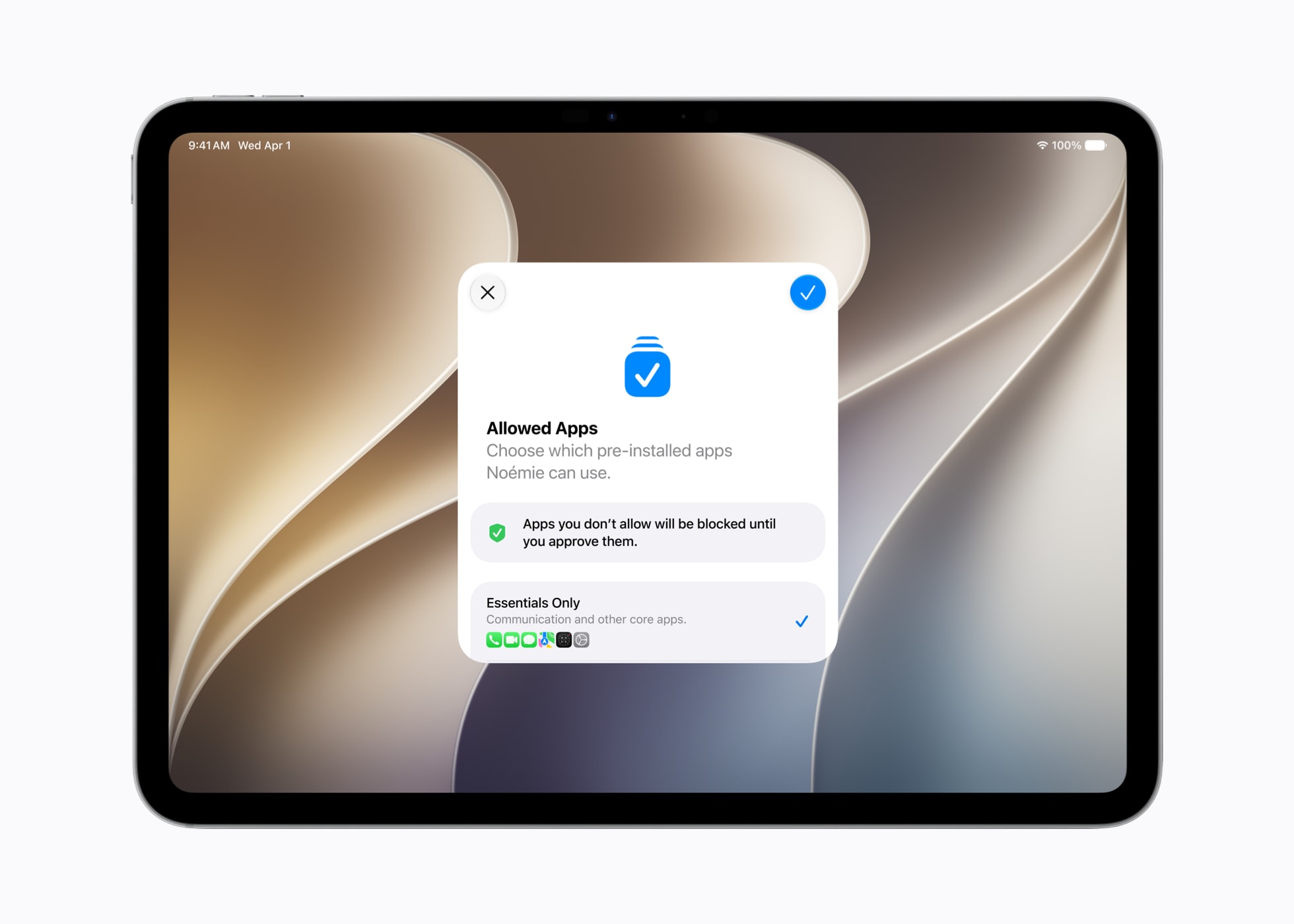
The rest of the polish list is quieter but adds up. Sidebars across the system apps get an improved design that wastes less width, which matters more on an 11-inch screen than on a Mac. The parental controls surface in Settings has been rebuilt around clearer per-app restrictions, so the rules a parent sets are visible and editable in one place rather than scattered across Screen Time menus. And the rebuilt search indexing shows up here too: Settings search, long a punchline, now finds the toggle you actually meant.
If there is a criticism, it is that none of this gives reviewers a single marquee screenshot. iPadOS 26 had dramatic before-and-after window comparisons; iPadOS 27 has a slider and faster lists. We suspect Apple is comfortable with that trade, and after a year of living with the new windowing, most iPad owners will be too.
Siri AI on the iPad: who qualifies, and the quiet UK win
The intelligence story is where the hardware fine print starts to bite. According to Apple’s compatibility notes, the next generation of Apple Intelligence and the new Siri AI require an iPad mini with the A17 Pro chip or any iPad with M1 or later. In the current UK line-up that means every iPad Pro, every current iPad Air and the iPad mini qualify, while the £329 entry-level iPad with its A16 chip installs iPadOS 27 but never sees the AI features. Same update, two very different experiences.
Timing is staged. Siri AI is available for developer testing now, with a user-facing beta later this year, English first, and Apple promising rapid expansion to other languages. So even on a qualifying iPad, the assistant you get on day one of the autumn release will not be the finished article; it grows into the OS over the following months.
Then there is the regulatory wrinkle that, for once, breaks in Britain’s favour. Apple’s newsroom states that Siri AI will not initially be available in the EU on iPadOS because of the Digital Markets Act. The UK, post-Brexit, is not in the EU and is not affected: British iPads get Siri AI on the same schedule as the US. We unpacked the full regulatory picture in our explainer on what Siri AI’s EU delay means for UK users, but the short version is that a Dublin-bought iPad Pro and a London-bought one will, for a while, have meaningfully different assistants. That is a genuine, if accidental, UK advantage.

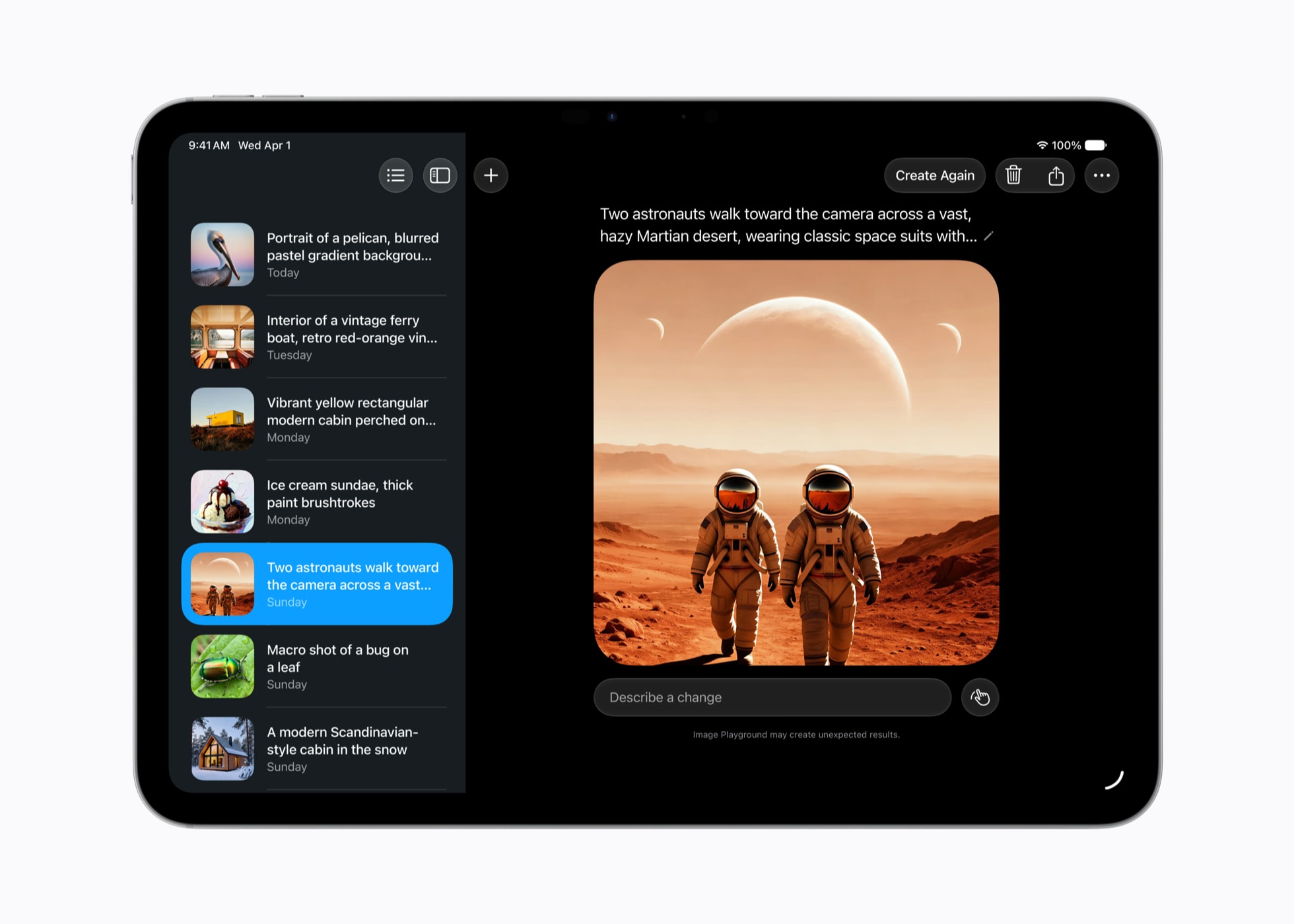
The capabilities themselves lean on that new indexing backend: better understanding of photos and on-screen content, Shortcuts that can be written in plain English, Image Playground with realistic generation, and new Photos editing tools including improved object removal and Spatial Reframing. On iPad specifically, visual intelligence answering questions about what is on screen is the feature most likely to change how students and researchers actually use the machine.
Does the tablet-instead-of-laptop case change this autumn?
Here is our core argument: iPadOS 26 changed the calculus, and iPadOS 27 consolidates it. Last year’s windowing rebuild answered the structural objection to using an iPad as your only computer. This year answers the residual ones: external drives that felt slower than a Mac’s Finder now match it on Apple’s own numbers, search that lagged a Mac’s Spotlight has been re-plumbed, and app launches get quicker on the very hardware that felt the old release’s weight most.
For buyers weighing the two routes, the maths is sharper than it was. An iPad Pro M5 starts at £999 in the UK before you add a keyboard, while our comparison of the MacBook Air M5 and MacBook Pro M5 shows where traditional laptops still win on sheer value per pound. The iPad’s counter-argument was always touch, Pencil, cellular and portability; its weakness was friction in the boring jobs. iPadOS 27 attacks exactly that weakness.
The education and family segment arguably gains most. A managed iPad with Ask to Browse, rebuilt app restrictions and faster everything is a stronger school machine than it was a week ago, and pairing the entry iPad with something like the Logitech Rugged Combo 4c keyboard case remains the cheapest credible laptop-shaped setup Apple’s ecosystem offers. The catch, again, is that the £329 iPad does all of this without any of the Apple Intelligence features, and parents should know that before assuming the keynote demos apply to the cheapest model.
What would change our view? Independent benchmarks failing to reproduce anything like the file-transfer gains, or the Siri AI beta slipping out of 2026 for UK users. Neither looks likely on current evidence, but both are checkable within months, and we will revisit this verdict when the public builds land.
Which iPad to check before the autumn update
Compatibility maps cleanly onto Apple’s UK price list, and the gap between “runs iPadOS 27” and “gets everything in iPadOS 27” is the single most important thing to verify before buying. Here is the mapping, with prices from apple.com/uk as of 10 June 2026.
| Model (UK price from) | Chip | iPadOS 27 | Apple Intelligence + Siri AI |
|---|---|---|---|
| iPad, £329 | A16 | Yes | No |
| iPad mini, £499 | A17 Pro | Yes | Yes |
| iPad Air, £599 | M-series | Yes | Yes |
| iPad Pro, £999 (to £2,599) | M-series | Yes | Yes |
Five specific checks worth making before autumn:
- Apple Store UK iPad Pro: from £999 for the 11-inch, rising to £2,599 fully specced, at apple.com/uk/ipad-pro (last checked: 2026-06-10)
- Apple Store UK iPad Air: from £599, the cheapest iPad with the full Apple Intelligence set, at apple.com/uk/ipad-air (last checked: 2026-06-10)
- Apple Store UK iPad mini: from £499 with the A17 Pro, the only non-M-series iPad that qualifies for Siri AI (last checked: 2026-06-10)
- Public beta signup: register your Apple Account at beta.apple.com ahead of the July public beta; it is free
- Before installing any beta: run a full backup via iCloud or a Mac, because beta builds cannot be downgraded without a wipe, and a July beta on your only work machine is a gamble we would not take
If your current iPad already qualifies for everything, there is no hardware purchase to make here at all: the update is free, and that is rather the point of this year’s release.
iPadOS 27 is the rare platform update whose modesty is its strength. Owners of an M-series iPad Air, iPad Pro or the A17 Pro iPad mini should care most: they get real, Apple-documented speed gains, the full Apple Intelligence and Siri AI roadmap, and a UK release schedule the EU does not share. Buyers eyeing the £329 iPad should go in clear-eyed: it is still the best cheap tablet on sale, but it runs this update without the intelligence features that dominated the keynote.
Should you install the July public beta? On a spare or secondary iPad, yes; the personalisation slider and Files improvements are immediately enjoyable. On your only machine, wait for the autumn release. And on the bigger question, whether iPadOS 27 changes the iPad-instead-of-a-MacBook decision: it does not change it, it settles it. iPadOS 26 made the iPad a plausible laptop; iPadOS 27 makes that same iPad faster at being one, and for this hardware generation we think that argument is now won or lost on your apps, not on the operating system.
| What we like | What we’d watch |
|---|---|
| Documented 5x external-drive gains on iPad Pro 11-inch (M4), with test conditions published | Whether independent testing reproduces Apple’s “up to” multipliers on M1-era iPads |
| Liquid Glass slider ends the legibility argument without a redesign | Siri AI’s staged rollout: English-first user beta has no firm UK date beyond “later this year” |
| No churn to the iPadOS 26 windowing model that finally worked | The £329 A16 iPad’s growing feature gap versus the £499 iPad mini |
Buyer action
Where to buy or check next
Use this as the final check before ordering a phone, changing network or trusting a headline monthly price.











Reader discussion
Leave a comment
Comments are moderated. Keep it useful, accurate, and on topic.