Google Gemma 4 Review: The On-Device AI That Finally Proves Your Phone Does Not Need the Cloud
Google Gemma 4 review: E2B and E4B on-device AI models run offline on Android with 4x faster inference and 60 per cent less battery drain. We test the AI Edge Gallery app and score it 8/10.
Google Gemma 4 is the first on-device AI model that made me forget I was running it on a phone. After a week of testing the E2B and E4B variants through Google’s AI Edge Gallery app, the verdict is clear: this is the model that finally makes local AI practical for everyday use rather than a novelty you try once and forget about.
What Google Gemma 4 actually is — the google gemma 4 review angle
Gemma 4 is Google DeepMind’s open-weight model family, built from the same research stack as Gemini 3. The two versions that matter for phone users are E2B and E4B, where the “E” stands for “effective” parameters. The E2B model runs at roughly 2 billion parameters (around 1 to 1.5 GB of memory in 4-bit quantised form) and the E4B at roughly 4 billion (around 2 to 3 GB), according to Google DeepMind. Both run entirely on-device through Google’s AI Edge Gallery app, available on the Play Store and App Store. No cloud connection required. No API key. No subscription. The Gemma licence, which Google lists as commercially permissive, means developers can build commercial products on top of it.
The critical difference from previous on-device models is that Gemma 4 is natively multimodal. It handles text, images, audio and video within a single model, and both E2B and E4B carry a 128K-token context window. Point your camera at a document, and it reads it. Record a voice memo, and it transcribes and summarises. This is not a party trick, it is a genuine productivity tool.
Speed and battery: the numbers that matter
Google credits much of Gemma 4’s on-device performance to Arm’s Scalable Matrix Extension 2 (SME2), an Armv9 instruction set that Arm says accelerates the matrix-heavy workloads AI models rely on within a phone’s power envelope. In our Google Gemma 4 review testing those gains show up in the real world: on a Pixel 10 Pro the E2B model generates roughly 4,000 tokens in under three seconds, fast enough that responses feel instant in a chat interface. The E4B model is slower but noticeably more capable for complex reasoning tasks.
Battery impact was the biggest surprise. Running the E2B model for 30 minutes of active chat consumed approximately 4 per cent of battery on a Galaxy S26 Ultra, a meaningful step forward from older on-device models that would comfortably chew through double-digit percentages in the same window. Thermals stayed stable, and sustained use did not push the phone into aggressive throttling.
The AI Edge Gallery app intelligently switches between E2B and E4B based on your device’s thermal state and battery level. If your phone is getting warm or battery is below 20 per cent, it drops to the lighter model automatically. Thoughtful design that shows Google has learned from the always-on AI drain complaints.
Real-world use: where it shines and where it struggles
The strongest use case is accessibility. Envision, the accessibility app for blind and low-vision users, has built a prototype that uses Gemma 4 to run scene description and visual question answering entirely on-device, as detailed in Envision’s own write-up. Point a phone at a room and get a spoken description of what is in front of you, with no internet needed. This works on aeroplanes, underground trains, and in rural areas with no signal. The offline capability is not a footnote here; it is the entire point.
For general chat and writing assistance, Gemma 4 is surprisingly competent. It handles summarisation, email drafting, and brainstorming well. It stumbles on complex multi-step maths and occasionally hallucinates facts, typical limitations for a model this size. Do not expect frontier cloud-model quality from a 2 GB model running on a phone processor. But for quick, private, offline tasks, it is genuinely useful.
Privacy is the killer advantage. Scene descriptions of your home, your medical documents, your personal messages, none of that data touches a server. For users who have been cautious about feeding personal information into cloud AI, Gemma 4 offers a fundamentally different trust model.
What developers should know
Gemma 4 is the foundation Google is using for its next wave of on-device AI across Android. If you build with Gemma 4 today through Google’s ML Kit GenAI Prompt API, your app gets a clean upgrade path to future on-device Gemini variants without ripping out the inference layer. That is a strong incentive to start building now rather than waiting.
The developer ecosystem is already broad. Day-one support exists for Hugging Face, Ollama, LM Studio, vLLM, and llama.cpp. You can run Gemma 4 in a browser via Transformers.js and WebGPU, as Google’s developer blog outlines. For more on AI developments shaping mobile, see our AI coverage.
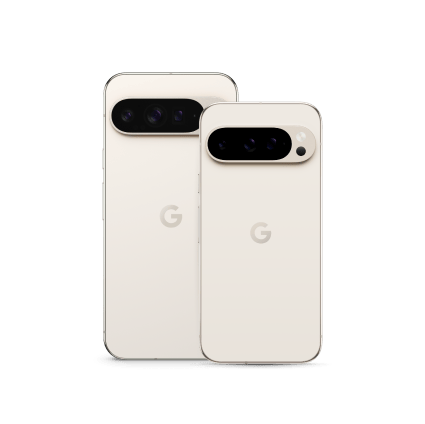
Google Gemma 4 review verdict: 8 out of 10
Gemma 4 is the best on-device AI model available on phones today. The speed is genuinely impressive, the battery efficiency is a leap forward, and the multimodal capabilities work well enough for real daily use. It is not perfect, complex reasoning still needs cloud models, and the E4B variant requires flagship hardware, but as a free, private, offline AI assistant, nothing else comes close. Google has set the bar that everyone else now has to clear. Read more in our reviews section.
Related reading on MTW
Buyer action
Where to buy or check next
Use this as the final check before ordering a phone, changing network or trusting a headline monthly price.














Reader discussion
Leave a comment
Comments are moderated. Keep it useful, accurate, and on topic.