
Choosing the best AI meeting notes tool UK teams can actually trust in 2026 comes down to three things that the marketing pages rarely lead with: the real GBP price after VAT, where your meeting transcripts physically live, and whether the assistant plugs into the call platform you already use. We compared five of the most widely deployed options for British organisations, Microsoft 365 Copilot, Otter.ai, Fireflies.ai, Google Gemini in Meet and Fathom, against those criteria, fetching each official pricing page on 7 June 2026 so the numbers here are current rather than recycled.
- Microsoft 365 Copilot lists at £13.80 per user/month on an annual commitment in the UK, currently discounted from £16.10, billed ex-VAT.
- Otter.ai stores all recordings on US servers and offers no UK or EU data residency; Fireflies.ai holds SOC 2 Type II and GDPR attestations but also does not publish a UK region.
- Google Workspace Business Standard, which includes Gemini “take notes for me” in Meet, costs £11.80 per user/month ex-VAT on an annual plan, and Google offers UK machine-learning data residency for eligible editions.
- For a UK reader, data residency and the platform you already pay for, Teams or Meet, usually matter more than a small monthly price gap.
What an AI meeting notes tool actually does for a UK team
An AI meeting notetaker joins or listens to a call, transcribes the audio, then produces a structured summary with action items and, increasingly, an answer engine you can question after the fact. The category has split into two camps. The first is the assistant baked into the platform you already run: Microsoft 365 Copilot inside Teams, or Google Gemini inside Meet. The second is the standalone bot that dials into any call regardless of platform, which is where Otter.ai, Fireflies.ai and Fathom sit. Each approach carries a trade-off that a UK buyer feels directly.
The built-in route keeps transcripts inside one vendor’s compliance boundary, which simplifies your data protection paperwork, but it locks you to that platform and usually its priciest licence tier. The standalone bot works everywhere and often has a generous free plan, but it sends a guest into your meeting and parks your recording on infrastructure you do not control. If your organisation already runs Microsoft 365 or Google Workspace, the honest starting question is whether the recap feature you are paying for is good enough before you bolt on a third-party tool. Our guide to Microsoft Copilot versus Google Gemini for UK small business covers that platform decision in more depth.
How the five tools compare at a glance
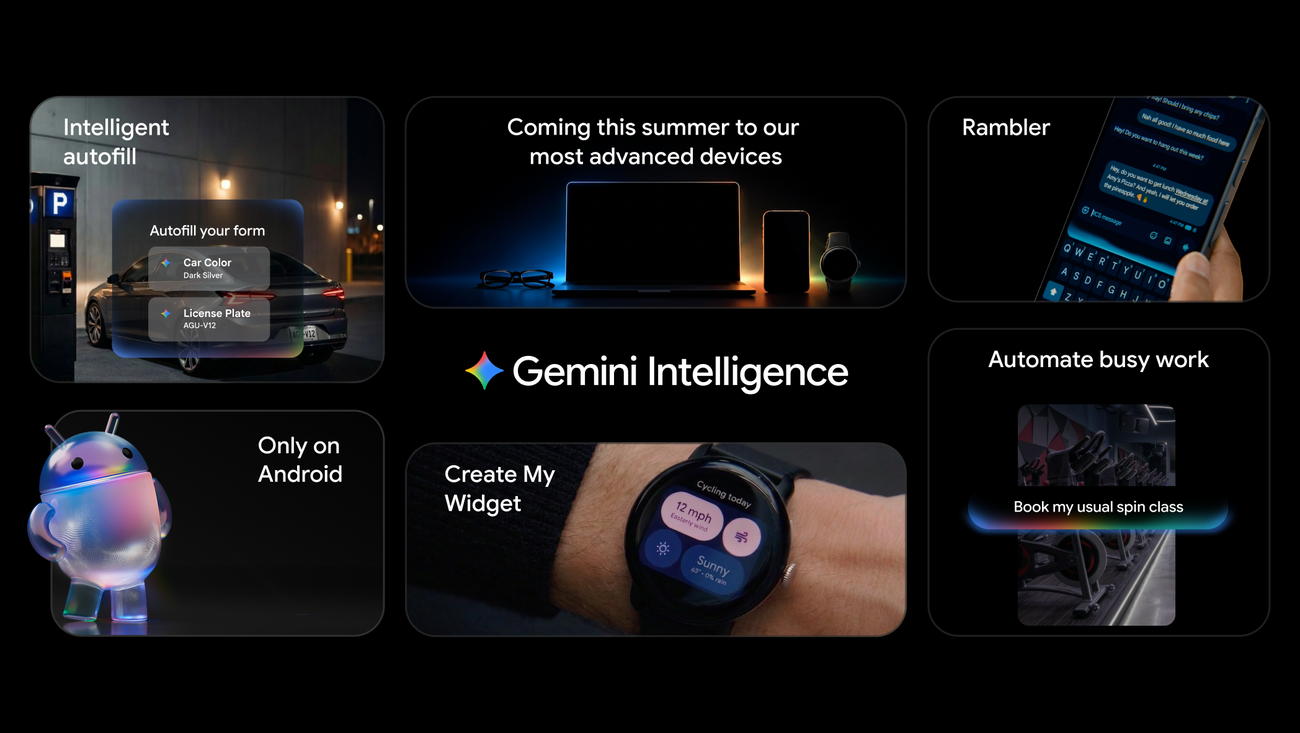
The table below sets out the entry paid price, the headline differentiator, UK data handling and the buyer each tool suits. Prices are list prices taken from each official page on 7 June 2026. Note that Otter.ai and Fireflies.ai bill in US dollars, so your card issuer applies the exchange rate and your bank may add a conversion fee; the Microsoft and Google figures are the UK GBP list prices and exclude 20% VAT. We have kept the comparison to the paid tier most UK teams would actually buy rather than the loss-leader free plans.
| Tool | Entry paid price | Key differentiator | UK data handling | Best for |
|---|---|---|---|---|
| Microsoft 365 Copilot | £13.80/user/mo (annual, ex-VAT) | Recap and video recap inside Teams | EU Data Boundary service | Teams-first organisations |
| Google Gemini in Meet | From £11.80/user/mo (Business Standard, ex-VAT) | “Take notes for me” saved to Drive | UK ML data residency available | Workspace and Meet users |
| Otter.ai | $8.33/user/mo (Pro, annual) | Live transcription and OtterPilot | US servers, no EU residency | Cross-platform individuals |
| Fireflies.ai | $10/user/mo (Pro, annual) | AskFred answer engine, CRM sync | SOC 2 Type II and GDPR | Sales and revenue teams |
| Fathom | $16/user/mo (Premium, annual) | Free tier with unlimited recordings | US-hosted, see trust centre | Budget-conscious freelancers |
A pattern jumps out. The two platform-native tools cost more per seat on paper but bundle the rest of an office suite, while the three standalone bots look cheaper until you remember you are paying for Microsoft 365 or Workspace anyway. If you want the wider context on whether a paid AI subscription earns its keep at all, our piece on whether you actually need a paid AI subscription in 2026 is a useful companion read.
Round 1: Pricing and value for money
On a pure headline figure, Fathom wins the affordability fight because its free plan offers unlimited recordings and transcriptions, with the paid Premium tier at $20 per month, or roughly $16 with annual billing, unlocking unlimited AI summaries and follow-up emails. Otter’s Pro plan sits at $8.33 per user per month billed annually, rising to $16.99 monthly, while Fireflies Pro is $10 per user per month annually. None of those dollar prices include UK VAT considerations or card conversion, which quietly inflates the real cost for a British buyer.
The platform-native options are priced differently because they are not really standalone notetakers. Microsoft 365 Copilot is a £13.80 per user per month add-on to an existing Microsoft 365 licence on an annual commitment, currently discounted from £16.10, and that buys Copilot across Word, Excel, Outlook and Teams, not just the meeting recap. Google’s “take notes for me” arrives bundled inside Gemini in Gmail and Docs on Business Standard at £11.80 per user per month ex-VAT annually. If you already pay for either suite, the marginal cost of meeting notes is effectively zero. Round winner: Fathom for the cheapest genuine standalone option, though the suite bundles undercut it for existing subscribers.

Round 2: UK data residency and compliance
This is where a UK buyer should slow down, because it is the criterion that separates a tidy procurement form from a six-month data protection headache. Microsoft 365 Copilot is an EU Data Boundary service, meaning that for European and UK tenants configured correctly, working documents and meeting transcripts are processed within the European boundary rather than shipped to the US, as Microsoft sets out in its data, privacy and security documentation. Google goes a step further for some editions, having committed to UK data residency so that storage at rest and machine-learning processing can both occur within the UK, per its UK data residency announcement.
The standalone bots are weaker here. Otter.ai stores all recordings on US servers and offers no EU or UK data residency, relying instead on the EU-US Data Privacy Framework and Standard Contractual Clauses, which after the Schrems II ruling means you may need a documented Transfer Impact Assessment. Fireflies.ai holds SOC 2 Type II and GDPR attestations and uses 256-bit AES encryption, but its public pages do not state a UK hosting region either. For an FCA-regulated firm or a public-sector body, that distinction can be decisive; our note on what FCA firms should check before adopting AI applies just as well to a notetaker. Round winner: Google Gemini in Meet, for offering genuine UK machine-learning residency rather than a transfer mechanism.
Round 3: Platform support and integrations
The split between native and standalone tools shows most clearly in platform coverage. Microsoft 365 Copilot only recaps Teams meetings, and its newer video recap that stitches together narrated highlights is limited to recorded English-language meetings on a Copilot licence. Google Gemini’s “take notes for me” only works inside Google Meet, and crucially the meeting organiser, not each participant, must hold an eligible Workspace plan for anyone to use it. That organiser-licence rule trips up plenty of teams who assume their own subscription is enough.
The standalone bots win on breadth. Otter.ai, Fireflies.ai and Fathom all dial into Zoom, Microsoft Teams and Google Meet, so a consultant hopping between clients on different platforms gets one consistent notetaker and one searchable archive. Fireflies extends that further with integrations into HubSpot, Salesforce and Zoho for sales teams who want call notes pushed straight into the CRM. If your week is a patchwork of Zoom, Teams and Meet calls, the cross-platform bots solve a problem the native tools simply cannot. For teams weighing the broader Copilot rollout, the recent Microsoft 365 Copilot redesign changes how recap surfaces in Teams. Round winner: Fireflies.ai, for the widest platform and CRM reach.

Round 4: Summaries, accuracy and the answer engine
Raw transcription is now a solved problem; the differentiator in 2026 is what each tool does after the call. Fireflies leans on AskFred, an answer engine that lets you query a meeting or a whole library of past calls, governed by an AI credit system where each plan ships a one-time shared pool, from 20 credits on Free and Pro up to 50 on Enterprise, with add-on bundles for heavy users. Otter offers tailored meeting summaries and a real-time chat assistant during the call. Fathom keeps things simple with instant summaries, action items and follow-up emails, and limits its free tier to five AI summaries a month before nudging you to Premium.
The native tools answer in the context of your wider data. Microsoft 365 Copilot can pull a meeting transcript together with related emails and documents from Microsoft Graph, so a recap can reference the project file someone mentioned, provided you have permission to see it. Google’s notes land as a tidy Google Doc saved to Drive, ready to share. No tool here is flawless: all of them can mishear names, jargon and crosstalk, so treat the summary as a fast first draft rather than a verbatim record. We have written before about how AI scribes in healthcare show both the promise and the accuracy limits of automated transcription. Round winner: Fireflies.ai, for AskFred’s cross-meeting recall.
Round 5: Consent, etiquette and the bot in the room
There is a softer factor that a price table cannot capture: how the tool behaves in front of other people. A standalone bot visibly joins your call as a participant, which some clients find intrusive and which, under UK data protection law, can require you to gain consent before recording. Google tightened this in 2026 by requiring explicit consent for “take notes with Gemini”, recordings and transcripts in Meet, a change that reflects growing scrutiny of silent notetakers. Microsoft’s recap, by contrast, is generated from a meeting the platform already records, so there is no extra guest in the room.
For a UK organisation, the practical advice is the same whichever tool you pick: tell participants the meeting is being captured, ideally in the calendar invite, and check your privacy notice covers AI processing of the transcript. Fireflies publishes detailed recording and privacy settings to help admins control who gets recorded, and Otter’s reliance on US storage makes a clear consent trail even more important. The etiquette point matters commercially too, because a client who feels surveilled is a client you may lose. Round winner: Microsoft 365 Copilot, for keeping recap inside the existing meeting rather than adding a visible bot.
Where to sign up and get help in the UK
None of these tools are bought from a high-street retailer, so the “where to buy” question is really about official sign-up and pricing pages, all checked on 7 June 2026. Microsoft 365 Copilot is added through the Microsoft 365 admin centre or a Cloud Solution Provider partner; the UK list price is £13.80 per user per month annually ex-VAT on the official Microsoft 365 Copilot pricing page, with that promotional rate running to 30 June 2026. Google’s Gemini notetaking comes with eligible Google Workspace plans from Business Standard at £11.80 per user per month ex-VAT annually.
For the standalone tools, sign up directly: Otter.ai’s pricing page lists Pro at $8.33 and Business at $19.99 per user per month annually, billed in US dollars; Fireflies.ai runs Pro at $10 and Business at $19 per seat annually; and Fathom’s free tier is genuinely usable before its $16 Premium plan. Because the dollar-priced services charge your card in USD, factor in your bank’s conversion fee and check whether you can reclaim VAT. For self-serve support, each vendor runs its own help centre, and the Microsoft and Google options also benefit from your existing IT or CSP support contract, which standalone bots do not provide.
Best AI meeting notes tool UK: frequently asked questions
Is there a genuinely free AI meeting notes tool?
Yes. Fathom’s free plan offers unlimited recordings and transcriptions with a limited number of AI summaries each month, which is enough for a freelancer or small team to test the workflow without paying. Otter and Fireflies also have free tiers, though they cap monthly minutes and storage. The platform-native tools, Copilot and Gemini notetaking, are not free standalone; they require a paid Microsoft 365 or Google Workspace subscription, so the “free” route in practice means a standalone bot.
Which tool is safest for UK data protection?
For data residency, Google’s Workspace editions with UK machine-learning processing and Microsoft 365 Copilot as an EU Data Boundary service are the strongest, keeping transcripts within European or UK infrastructure. Otter.ai stores data on US servers and relies on the EU-US Data Privacy Framework, which can require a Transfer Impact Assessment. Fireflies holds SOC 2 Type II and GDPR attestations but does not publish a UK region. Regulated firms should check the vendor’s data processing addendum before committing.
Do AI notetakers work with Zoom, Teams and Meet?
The standalone bots do. Otter.ai, Fireflies.ai and Fathom all join Zoom, Microsoft Teams and Google Meet calls, making them the right choice if your week spans multiple platforms. The native tools are restricted: Microsoft 365 Copilot recaps only Teams meetings, and Google Gemini’s “take notes for me” works only inside Google Meet. If you live in one ecosystem, the native tool is simpler; if you bounce between clients on different platforms, a cross-platform bot saves real friction.
How accurate are the summaries?
Transcription accuracy is high for clear English audio but degrades with heavy accents, technical jargon, crosstalk and poor microphones. Every tool here can misattribute who said what or garble a product name. Treat the AI summary as a fast first draft to review, not a legal record. For meetings where precision matters, such as board minutes or clinical notes, keep a human in the loop and correct the transcript before circulating it. The action-item extraction is generally reliable but still benefits from a quick sanity check.
Do I need consent to record a meeting in the UK?
You should always tell participants a meeting is being recorded and processed by AI, and for external or sensitive calls you may need explicit consent under UK data protection rules. Google now requires explicit consent for its Gemini notetaking, recordings and transcripts in Meet. Best practice is to flag recording in the calendar invite, announce it at the start, and ensure your privacy notice covers AI processing of transcripts. This protects both compliance and client trust.
Is Microsoft 365 Copilot worth it just for meeting notes?
Only if you want the rest of Copilot too. At £13.80 per user per month it is more expensive than a standalone notetaker, but that price buys AI assistance across Word, Excel, Outlook and Teams, not just meeting recap. If meeting notes are your sole need, a cheaper standalone bot makes more sense. If you are already weighing a full Copilot rollout for document drafting and email, the recap and video recap features become a useful extra rather than the main reason to buy.
Will my recordings be used to train AI models?
For the enterprise tiers, generally no. Google states that Workspace content used within Gemini for Workspace is not used to train models and is not reviewed by humans, and EU and UK customers get data-region controls by default. Microsoft applies similar enterprise protections within its service boundary. Standalone tools vary, so read the specific plan’s terms; consumer or free tiers sometimes have weaker protections than paid business plans. Always confirm in the data processing agreement rather than the marketing page.
Can these tools update my CRM automatically?
Fireflies.ai is the strongest here, with integrations that push call notes and action items into HubSpot, Salesforce, Zoho and other CRMs, which is why it appeals to sales and revenue teams. Otter and Fathom offer integrations too, though the depth varies by plan. The native tools keep notes inside their own ecosystem, Teams or Google Drive, so CRM sync usually needs a separate automation tool. If automatic CRM updates are central to your workflow, Fireflies should top your shortlist.
Our verdict: which AI notetaker should you buy
For most UK teams we think Microsoft 365 Copilot is the best overall pick, not because its recap is dramatically smarter than the rivals but because it keeps your transcripts inside an EU Data Boundary service, adds no extra bot to the call, and bundles AI across the whole Microsoft 365 suite you very likely already run. If you live in Google Workspace instead, Gemini’s “take notes for me” is the equivalent answer and edges ahead on UK data residency. The standalone tools earn their place where cross-platform coverage rules: pick Fireflies.ai if you want CRM sync and an answer engine, Otter.ai for live transcription, and Fathom if budget is tight and a free plan will do. Our MTW value assessment, based on published pricing and documentation rather than a hands-on lab test, puts Copilot at 9/10 for organisations already on Microsoft 365. The judgement flips if your meetings span Zoom, Teams and Meet equally, or if strict UK-only data residency is mandatory, in which case Google Workspace or a carefully vetted standalone bot becomes the safer call.
Related reading on MTW
Related coverage
Buying Guides
Best AI note-taking apps for UK small businesses
Buying Guides









Reader discussion
Leave a comment
Comments are moderated. Keep it useful, accurate, and on topic.