
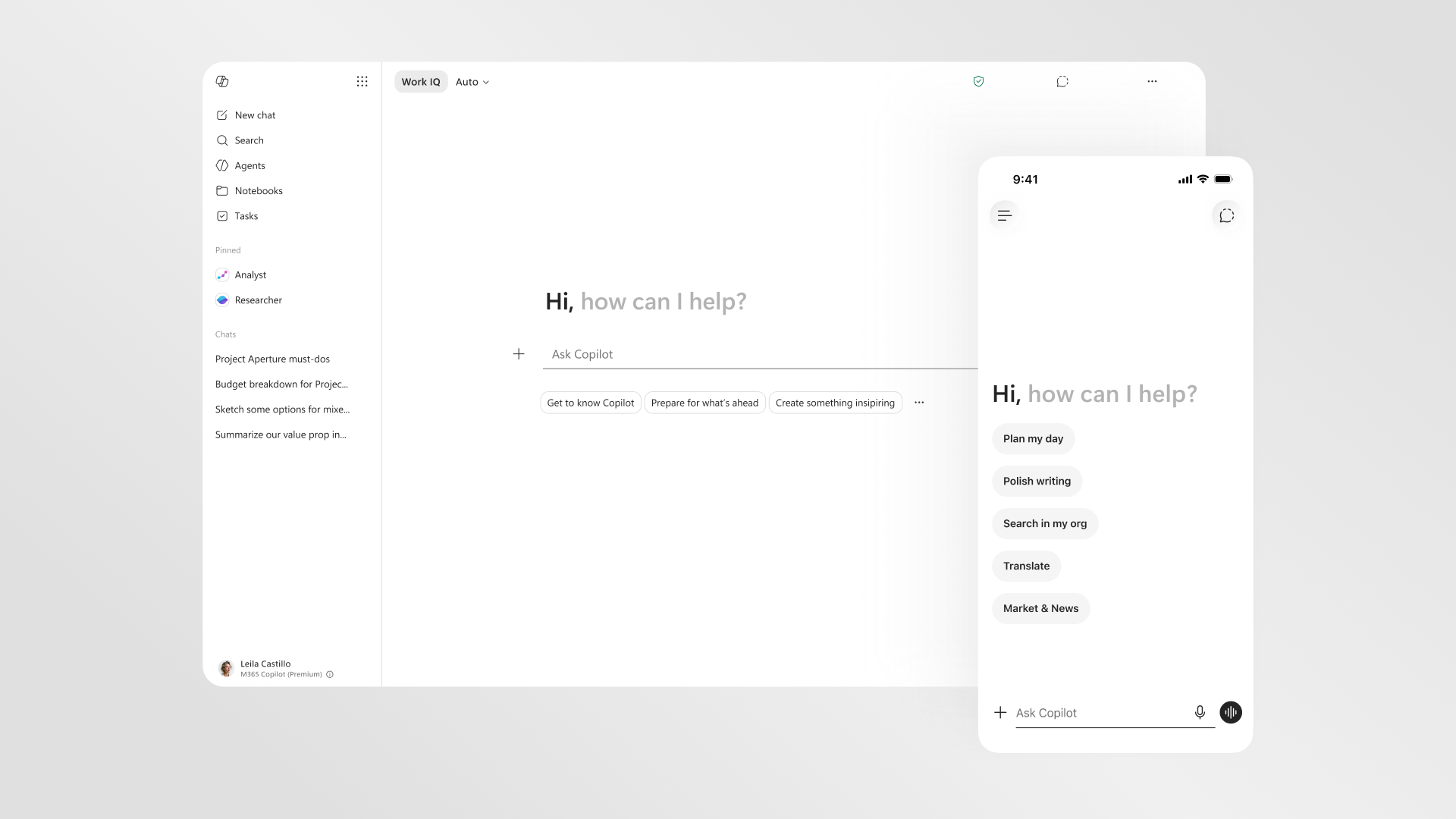
Rolling out Microsoft 365 Copilot UK businesses can actually trust starts long before anyone types a prompt: it begins with the right base licences, a clean SharePoint, and a data-governance plan that would survive a glance from your data protection officer. This how-to walks a UK small or mid-sized business through the whole journey, from buying the add-on in the Microsoft 365 admin centre to assigning a pilot group, measuring adoption, and keeping the Information Commissioner’s Office happy. Every admin path and price below is taken from Microsoft’s own documentation, checked on 7 June 2026.
- Microsoft 365 Copilot for business lists at £13.80 per user per month paid yearly, or £14.49 on a monthly annual commitment, for up to 300 users (Microsoft, 2026).
- It is an add-on: you need a qualifying base plan such as Business Basic, Business Standard or Business Premium first.
- Licences are assigned in the Microsoft 365 admin centre under Billing then Licenses; Copilot can take up to 24 hours to appear in apps.
- Why it matters for UK readers: Copilot reads everything a user can already see, so oversharing and a DPIA under UK GDPR are governance issues you must settle before go-live.
What Microsoft 365 Copilot actually is, and what it is not
Before you spend a penny, be clear about what you are buying. Microsoft describes Microsoft 365 Copilot as an orchestration engine that connects large language models to the content in your tenant through Microsoft Graph, surfacing answers inside Word, Excel, PowerPoint, Outlook, Teams and the Copilot chat experience. The important detail for a business decision is that Copilot only ever shows a user data they already have permission to open. It does not widen access; it makes existing access faster to act on, which is precisely why a messy permissions model becomes a visible risk the moment Copilot is switched on.
It is also not the free Copilot Chat that ships with many Microsoft 365 plans. The paid add-on is what embeds Copilot inside the desktop and web apps and lets it reason over your organisation’s documents and emails. If you are still weighing the tiers, our explainer on free Copilot, Copilot Pro and Microsoft 365 Copilot sets out where each one stops, and our comparison of Microsoft Copilot versus Google Gemini for UK small business is worth reading if you have not committed to the Microsoft stack at all. Microsoft also confirms that prompts, responses and Graph data are not used to train its foundation models, a line your finance director will want in writing.

Counting the real cost in GBP
Microsoft’s UK pricing page lists Microsoft 365 Copilot for business at £13.80 per user per month when paid yearly, or £14.49 per user per month on a monthly billing, annual commitment basis, for up to 300 users. That headline number is only part of the bill, because Copilot is an add-on that sits on top of a qualifying base subscription. A genuinely useful budget therefore adds the Copilot seat to whatever Business plan the user already holds, and most SMEs land on Business Standard or Business Premium for the security tooling.
| Item | UK list price | Notes |
|---|---|---|
| Microsoft 365 Copilot (add-on) | £13.80 user/month, paid yearly | Or £14.49 paid monthly on annual commitment |
| Microsoft 365 Business Standard (base) | Required base plan | One of the qualifying prerequisites |
| Microsoft 365 Business Premium (base) | Required base plan | Adds Defender and Purview tooling |
| Seat cap | Up to 300 users | Business tier limit |
One timing point matters for UK buyers right now: Microsoft has signalled commercial price changes taking effect on 1 July 2026, and the Copilot add-on is among the products affected. We have covered the detail separately in our piece on the Microsoft 365 Copilot UK price rise on 1 July 2026, so if you are budgeting a rollout it is worth reading before you sign a multi-year agreement. The honest position today is that the verified current list price is £13.80, and any organisation renewing close to that date should ask its reseller to confirm the exact figure in writing rather than rely on a percentage estimate.
Confirming your base licences and prerequisites
Microsoft is explicit that Microsoft 365 Copilot is sold only as an add-on to a qualifying plan. For the business SKU, the qualifying base plans are Microsoft 365 Business Basic, Business Standard, Business Premium and Microsoft 365 Apps for Business. Larger tenants on the enterprise SKU can attach Copilot to Microsoft 365 E3 or E5, Office 365 E1, E3 or E5, and a long list of Teams, Exchange, SharePoint and OneDrive standalone plans. The practical check is simple: every user you intend to give Copilot must already hold one of those base licences, or the add-on cannot be assigned to them.
Two prerequisites trip up first-time rollouts. First, your Microsoft 365 Apps must be on a supported update channel. Microsoft recommends the Current Channel or Monthly Enterprise Channel and notes Copilot is available on every channel except the Semi-Annual Enterprise Channel, so a tenant pinned to the slow ring will not see Copilot until you move it. Second, accounts must be standard work or school identities in your own tenant: Microsoft confirms you cannot assign Copilot to cross-tenant users or guests. Before you order seats, use the Copilot License Details diagnostic Microsoft links from its licensing page to confirm a sample user genuinely qualifies. Sorting these two items first saves a frustrating support ticket on day one.

Data governance under UK GDPR before you switch it on
This is the step most SMEs underestimate. Because Copilot can instantly surface anything a user is technically allowed to open, latent oversharing in SharePoint and OneDrive becomes a live problem. Microsoft’s own setup guidance tells admins to export the top sites from the SharePoint admin centre, run a permission-state report, disable the broad “everyone except external users” grant at tenant level, and apply sensitivity labels before deployment. Treat that as mandatory housekeeping, not an optional extra.
On the regulatory side, the Information Commissioner’s Office is clear that a data protection impact assessment is required before processing that is likely to result in high risk, and it lists the use of innovative technology, including AI, as a relevant trigger. Read the ICO’s guidance on when a DPIA is needed and complete one that records your lawful basis, the data Copilot will touch, and your oversight measures. Microsoft helps on its side: it states Microsoft 365 Copilot is covered by its GDPR and EU Data Boundary commitments, that EU traffic stays within that boundary, and that admins can use Microsoft Purview to set retention and review Copilot interactions. The UK lessons from real deployments, such as those we drew out in our analysis of Copilot in insurance, almost always come back to governance done early.
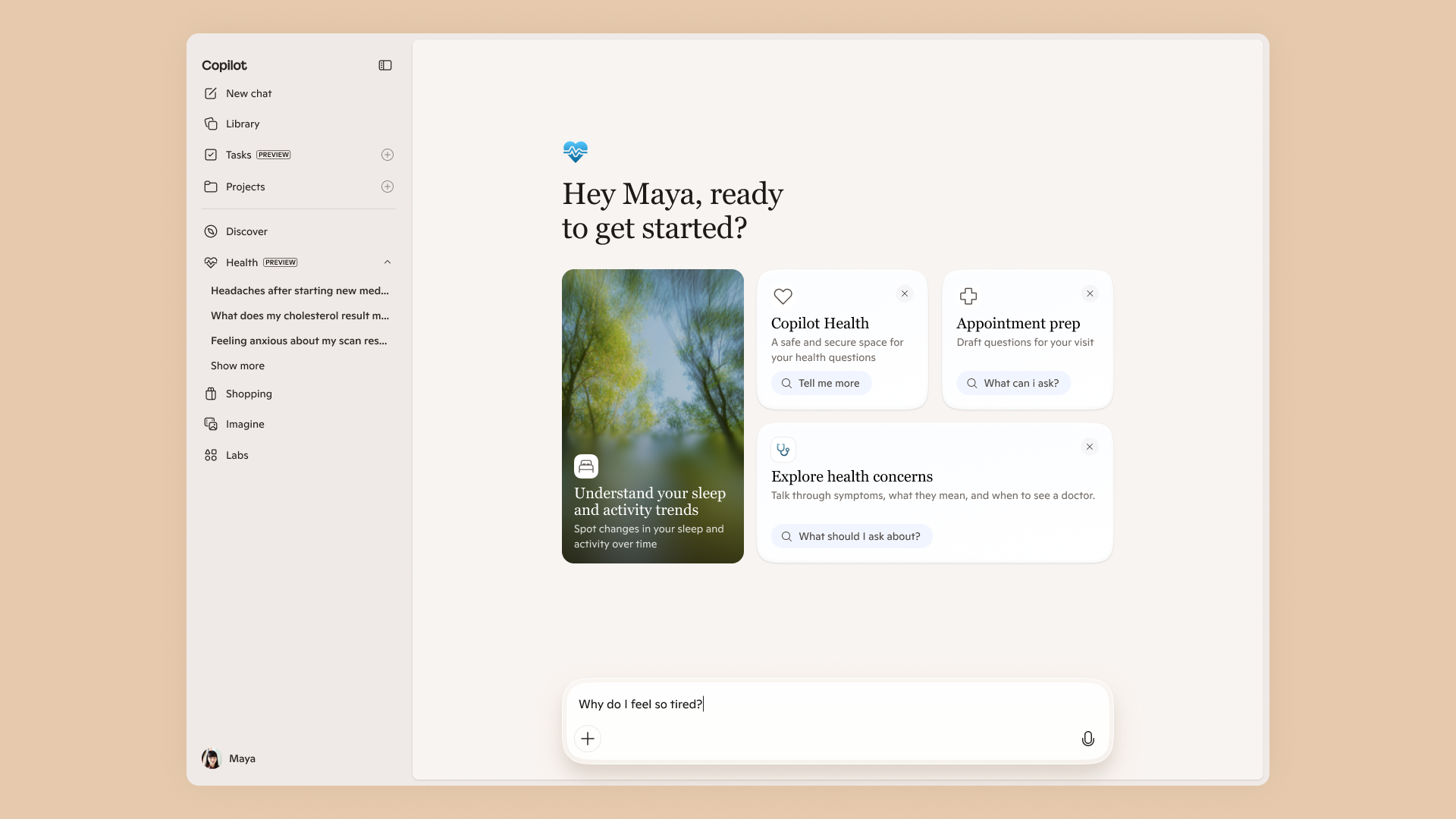
A short word on responsibility: Copilot restricts itself from making judgements about an employee’s performance or emotional state, and Microsoft does not claim ownership of the output. Even so, your DPIA should note that generated text is not guaranteed accurate and that staff must review it. If you want a wider view of how Copilot is reshaping working patterns, the Microsoft Work Trend Index 2026 is a useful companion read for the people side of the rollout.
Buying and assigning licences, step by step
With prerequisites met, the mechanics are quick. Microsoft documents a clear sequence in the admin centre, and following it in order avoids the most common errors. Here is the path an IT admin actually clicks:
- Sign in to the Microsoft 365 admin centre at admin.microsoft.com as a Billing or Global administrator, then open the marketplace under Billing to purchase your Microsoft 365 Copilot seats.
- Confirm each target user already holds a qualifying base licence under Users then Active users.
- Go to Billing then Licenses and select Microsoft 365 Copilot.
- On the product details page, assign licences to individual users or to a group, which is the cleaner option for staged rollouts.
- Verify under Users then Active users that the Copilot licence shows against each account.
- Wait up to 24 hours: Microsoft notes Copilot can take that long to appear in apps, and users may need to restart Word, Excel or Outlook before it shows on the ribbon.
If you prefer guard rails, the Microsoft 365 Copilot setup guide built into the admin centre walks you through the rollout phase and the licence assignment for you. For tenants with hundreds of seats, scripting the assignment with PowerShell is the more maintainable route. Either way, assign by group rather than by individual so that adding a new starter to the pilot is a one-click change later.

Running a pilot and training your early adopters
Microsoft frames deployment as three phases: pilot, deploy, operate. Resist the urge to skip the first. The recommended approach is to identify a small group of early adopters across different teams, ideally people who already use Microsoft 365 heavily, assign them Copilot first, and let them become champions who explain the tool to peers in plain language. You can spot heavy users by reviewing usage metrics in the admin centre, which is more reliable than asking for volunteers.
Training should be concrete rather than abstract. Give each pilot user two or three real tasks to try in their first week: summarising a long email thread in Outlook, drafting a first-pass document in Word from a few bullet points, or building a slide outline in PowerPoint. The skill that separates a useful rollout from a disappointing one is prompting, and a short internal session on writing clear instructions pays for itself. Our guide to choosing between Claude, Copilot and Gemini for UK work is a handy primer if your team is comparing assistants, and the broader Microsoft 365 Copilot redesign explains the newer interface your early adopters will see. Capture their feedback formally, because it shapes the wider deployment and gives you the war stories that win over sceptical colleagues.

Measuring adoption and return on investment
A Copilot rollout that nobody measures is impossible to justify at renewal. Microsoft provides two tools out of the box: the Copilot Dashboard from Viva Insights, which reports readiness, adoption, impact and user sentiment, and the Microsoft 365 usage reports in the admin centre, which show who is actually using their licence. Check these in the operate phase and reclaim seats from users who never engage; an unused £13.80 a month adds up quickly across a team.
For a small business, the honest return-on-investment question is whether Copilot saves enough hours to cover its cost. If a knowledge worker on a typical salary recovers even a couple of hours a week on drafting, summarising and searching, the maths usually works, but you should validate that against your own pilot data rather than a vendor case study. Large-scale rollouts offer useful benchmarks: our look at the 743,000-seat Copilot deployment at Accenture shows how enterprises structure measurement, and many of those lessons scale down to an SME. Set a review date 90 days after go-live, compare adoption against your pilot expectations, and decide then whether to expand, hold or trim your licence count.
Microsoft 365 Copilot UK rollout: frequently asked questions
How much does Microsoft 365 Copilot cost in the UK?
Microsoft lists the business add-on at £13.80 per user per month paid yearly, or £14.49 per user per month on a monthly annual commitment, for up to 300 users. That price sits on top of a qualifying base plan such as Business Standard or Business Premium, so budget for both. Microsoft has flagged commercial price changes from 1 July 2026, so confirm the current figure with your reseller before signing a long agreement.
Do I need a separate Microsoft 365 plan first?
Yes. Copilot is an add-on, not a standalone product. For the business SKU you need Business Basic, Business Standard, Business Premium or Microsoft 365 Apps for Business. Enterprise tenants can attach it to plans such as Microsoft 365 E3 or E5 and Office 365 E1, E3 or E5. Every user who gets Copilot must already hold one of these qualifying base licences, otherwise the add-on cannot be assigned to their account.
Where do I assign Copilot licences?
In the Microsoft 365 admin centre at admin.microsoft.com, go to Billing then Licenses, select Microsoft 365 Copilot, and assign seats to users or groups from the product details page. Check the result under Users then Active users. After assignment, Copilot can take up to 24 hours to appear in apps, and users may need to restart Word, Excel or Outlook before it shows on the ribbon.
Is Microsoft 365 Copilot compliant with UK GDPR?
Microsoft states that Microsoft 365 Copilot is covered by its existing GDPR and EU Data Boundary commitments and that prompts and Graph data are not used to train its foundation models. Compliance is shared, though: you remain the data controller, so you should complete a DPIA, fix oversharing in SharePoint, and set retention and review policies in Microsoft Purview before go-live. The ICO treats new AI processing as a likely DPIA trigger.
Will Copilot let staff see files they should not?
No, but it exposes mistakes you have already made. Copilot only surfaces content a user already has permission to open; it does not grant new access. The risk is that years of casual sharing have left files more open than intended, and Copilot makes that easy to find. Run SharePoint Advanced Management permission reports, remove the broad “everyone except external users” grant, and apply sensitivity labels before you switch Copilot on.
How long does a rollout take for an SME?
The licence side is same-day, but a responsible rollout is paced over a few weeks. Allow time to confirm prerequisites, clean up permissions, complete a DPIA, and run a pilot with a handful of users before wider deployment. Microsoft’s pilot, deploy and operate model is designed for exactly this. Most small businesses can move from pilot to full deployment within four to six weeks, with a formal review around 90 days after go-live.
Can I assign Copilot to guests or contractors?
Not to external guests. Microsoft confirms it does not support assigning Copilot licences to cross-tenant users, including guests. Contractors need a standard work or school account inside your own Microsoft 365 tenant, with a qualifying base licence, before they can be given Copilot. If you regularly bring in external staff, factor the cost of proper internal accounts into your rollout plan rather than relying on guest access.
How do I measure whether Copilot is worth it?
Use the Copilot Dashboard from Viva Insights for readiness, adoption and sentiment, and the Microsoft 365 usage reports in the admin centre to see real usage. Reclaim licences from users who never engage. For return on investment, estimate the hours saved on drafting, summarising and searching against the seat cost, and validate it with your own pilot data rather than a vendor case study before expanding.
Our verdict on rolling out Copilot
For a UK SME already committed to Microsoft 365, we think Copilot is worth piloting now rather than waiting, provided you treat governance as the first task and not the last. The £13.80 list price is defensible if even a couple of hours a week come back to each user, and Microsoft’s documentation makes the admin side genuinely manageable for a small IT team. The win comes from the unglamorous work: confirming base licences, cleaning up SharePoint permissions, completing a DPIA, and running a real pilot before you scale. Skip those and you are buying a fast way to surface every oversharing mistake your tenant has ever made. The one thing that would change our recommendation is the 1 July 2026 price position: if your reseller quotes a materially higher renewal figure than today’s list, re-run the ROI maths on the new number before committing to a multi-year term. Done in the right order, this is one of the more straightforward AI rollouts a UK business can undertake.
Related reading on MTW
Buyer action
Where to buy or check next
Use this as the final check before ordering a phone, changing network or trusting a headline monthly price.














Reader discussion
Leave a comment
Comments are moderated. Keep it useful, accurate, and on topic.