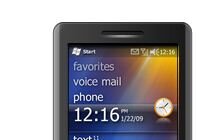

The Windows Mobile Team has just posted part 3 of their Windows Mobile 6.5 Widget anatomy article. This one takes a look at how to make them performant without draining too much battery.
This is part three of my Widget Anatomy series which which will explain the ins and outs of the Widget Framework that is shipping as part of Windows Mobile 6.5. In this installment I will discuss how to squeeze the last drop of performance out of the Widget framework to ensure all our Widgets are interactive, alive and fun to use while being good mobile citizens and not draining the user’s battery dry in the process.
[…]
So, just because we are among friends here I’ll share a little secret that showcases the biggest challenge to creating responsive Widgets. Here it goes… are you ready?… On Windows Mobile 6.5, JavaScript execution blocks the UI. This means that, whenever there is a script running nothing else can be processed in the widget which includes menu commands and keyboard or touch input processing. Also note that, during script execution the Widget can’t redraw – in other words, any screen updates done during the execution of the script will not be reflected on the screen until after the script finishes its execution
Read the whole thing here
Source: Windows Mobile Team Blog
Buyer action
Where to buy or check next
Use this as the final check before ordering a phone, changing network or trusting a headline monthly price.