
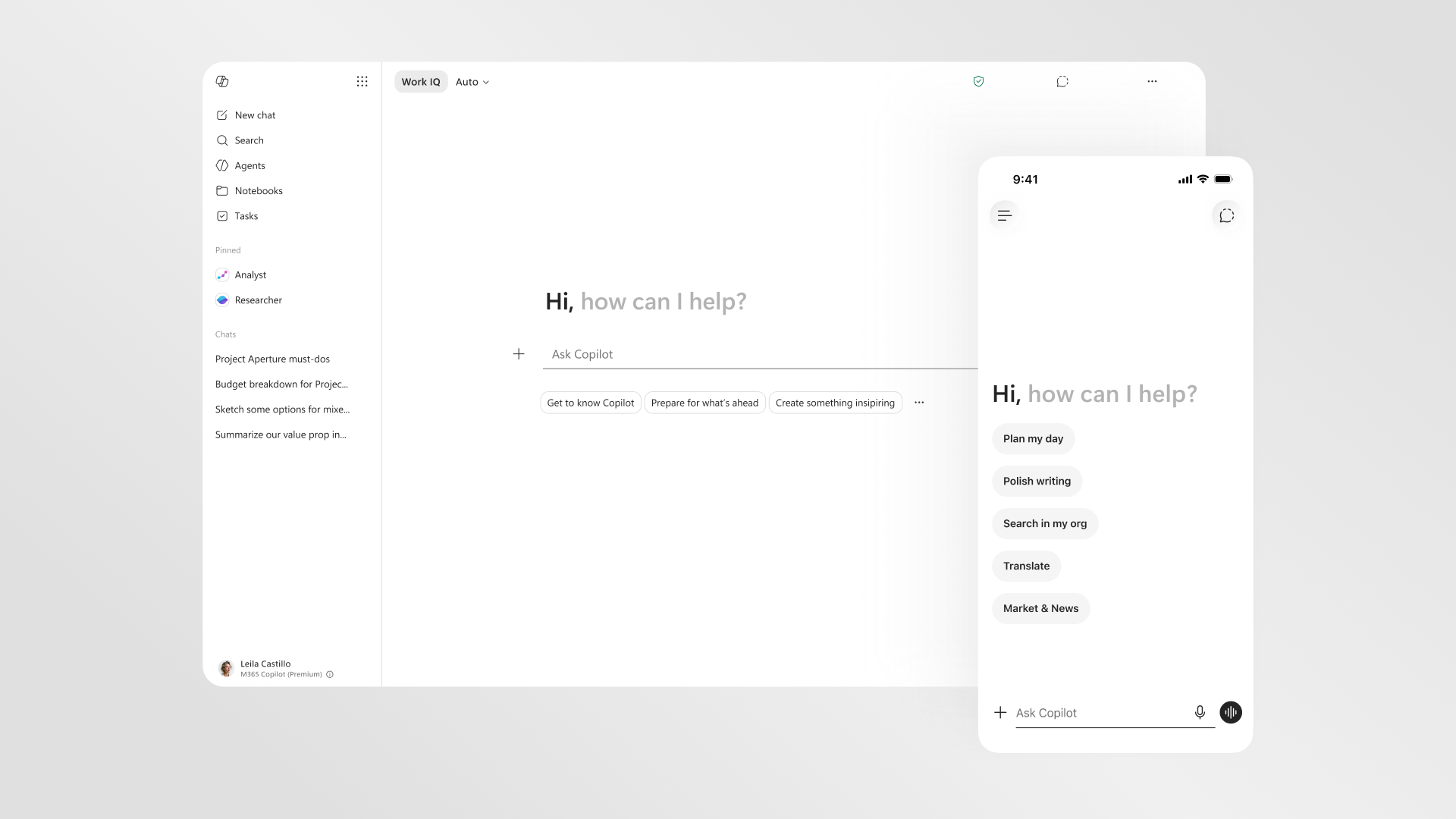
Copilot for UK small business owners has gone from a curiosity to a real line item, and the question now is whether the productivity gain justifies the per-seat cost. Microsoft 365 Copilot sits inside Word, Excel, Outlook and Teams, drafting, summarising and analysing against your own files and emails, but it is a paid add-on with a licensing prerequisite and a price that rises in July 2026. This guide breaks down what it costs in pounds, what it actually does, how your data is protected, and whether a small firm should buy now or wait a few weeks.
- Microsoft 365 Copilot Business lists at £16.10 per user per month on an annual commitment, with a limited-time promotional rate of £13.80 through 30 June 2026, all ex VAT (Microsoft 365 Copilot pricing page, last checked: 2026-06-08).
- The monthly-commitment option is £19.32 per user per month, ex VAT, and the Business plan is capped at 300 users.
- Copilot is not standalone: a separate licence for a qualifying Microsoft 365 plan is required first.
- Microsoft 365 Copilot Chat is available at no additional cost for users on an eligible Microsoft 365 subscription.
- Microsoft states prompts, responses and data accessed through Microsoft Graph are not used to train the foundation models, and the service is GDPR and EU Data Boundary compliant (learn.microsoft.com, last checked: 2026-06-08).
What Copilot for UK small business actually does
The core pitch is simple: instead of switching to a separate chatbot window, the assistant lives inside the apps your team already opens every morning. In Word it drafts a document from a prompt or rewrites a clumsy paragraph; in Excel it explains a dataset, suggests formulas and builds a starter analysis; in Outlook it summarises a long thread and drafts a reply; in Teams it produces meeting notes and a list of action items while you talk. According to Microsoft’s documentation, Copilot connects large language models to your organisation’s content through Microsoft Graph, so its answers are grounded in your real emails, files, calendar and chats rather than generic web text. That grounding is the difference between a novelty and a tool a small team will keep using.
For a typical British firm of five to fifty people, the everyday wins are mundane but real: catching up on an inbox after a day out, turning a spreadsheet export into a readable summary, or producing first-draft minutes so nobody has to scribble during a call. None of this replaces judgement, and Microsoft is explicit that responses are not guaranteed to be factual and should be reviewed. We treat Copilot as a fast junior assistant that drafts and summarises, not as an oracle. If you want a deeper operational view, our guide to rolling out Microsoft 365 Copilot in a UK business covers the change-management side that pricing pages skip.

The price in pounds, and the July 2026 change
Here are the figures that matter. On the official Microsoft 365 Copilot pricing page, Microsoft 365 Copilot Business is listed at £16.10 per user per month on an annual commitment, with a limited-time promotional rate of £13.80 per user per month available through 30 June 2026 (last checked: 2026-06-08). If you prefer not to commit for a year, the monthly-commitment option is £19.32 per user per month. All of those figures exclude VAT, and the Business plan is capped at 300 users, which is comfortably above what most small firms need. The promotional rate is the reason timing matters: a firm that signs before the end of June locks in the lower number, while one that waits until July pays the standard list price.
Crucially, none of this is the whole bill. Copilot is an add-on, so you also pay for the underlying Microsoft 365 subscription per seat. A firm on Microsoft 365 Business Standard, for example, pays that plan’s monthly fee and then the Copilot charge on top, so model the combined per-seat cost rather than the Copilot line alone. We have tracked the wider restructuring in our piece on the Microsoft 365 Copilot UK price rises on 1 July 2026, and if you are weighing the consumer-grade options too, our breakdown of free Copilot versus Copilot Pro versus Microsoft 365 Copilot explains which tier suits which user.

Licensing prerequisites you cannot skip
This is where small firms most often trip up. Microsoft’s pricing page is explicit that a separate licence for a qualifying Microsoft 365 plan is required before you can add Copilot. In plain terms, you cannot buy Copilot on its own and bolt it onto a free Outlook.com account or a bare email plan; each person who uses it needs an eligible paid Microsoft 365 subscription, and then the Copilot add-on is layered on per seat. For most small businesses that means a Business-tier Microsoft 365 plan with the desktop apps, because Copilot’s deepest value lives in the installed versions of Word, Excel, Outlook and PowerPoint rather than the browser-only experience.
There is also a free rung worth knowing about. Microsoft 365 Copilot Chat is offered at no additional cost for users who already hold an eligible Microsoft 365 subscription. That gives you a secure, enterprise-grade chat experience without buying the full add-on, though it lacks the deep grounding in your own documents and the in-app actions that the paid tier provides. A sensible approach for a cautious firm is to let staff use Copilot Chat first, see who genuinely leans on it, and only then buy paid seats for the heavy users. For a side-by-side with the main rival, our Microsoft Copilot versus Google Gemini for UK small business comparison is the natural next read.
Data protection a British firm should check
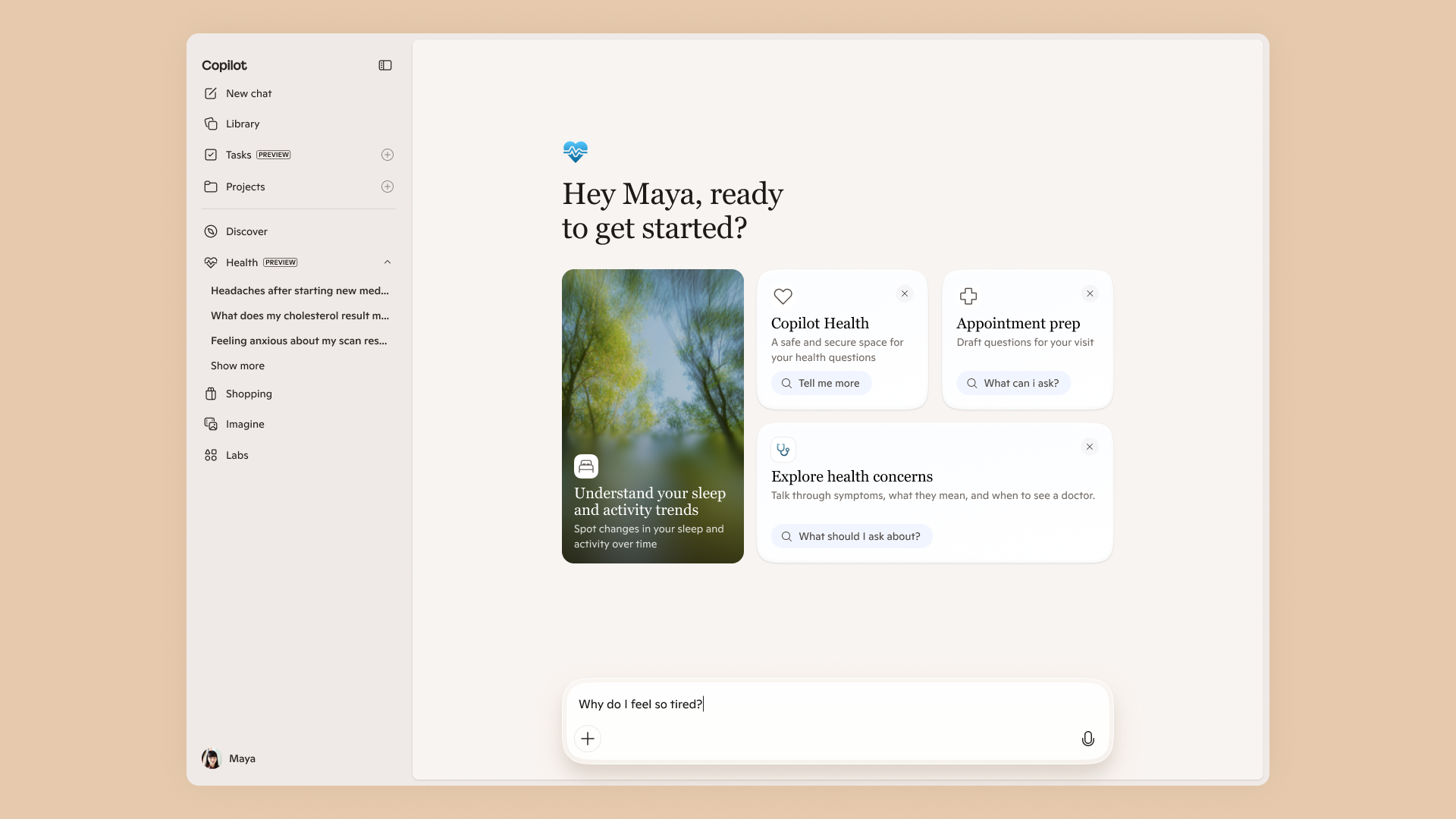
Data handling is the question that decides Copilot for a lot of UK businesses, especially anyone touching client records or regulated information. Microsoft’s data, privacy and security documentation states plainly that prompts, responses and data accessed through Microsoft Graph are not used to train the foundation large language models, including those used by Microsoft 365 Copilot. The same page confirms the service is compliant with Microsoft’s existing commitments to commercial customers, including the General Data Protection Regulation and the EU Data Boundary, and that processing runs on Azure OpenAI rather than the public OpenAI service, which does not cache your content.
Two practical points follow for a small firm. First, Copilot only surfaces data a given user already has permission to see, so your SharePoint and Teams permissions effectively become your Copilot permissions; tidy those up before you switch it on, or someone may suddenly find that Copilot can summarise a folder they should never have reached. Second, admins can view, retain and delete Copilot interaction history through Microsoft Purview, and users can clear their own activity history from the My Account portal. Under UK GDPR you remain the data controller, so document the lawful basis and your retention approach. Our look at Copilot in insurance, drawn from the Triglav rollout, shows how a regulated business approached exactly these controls.
Real workflow value across the apps
Beyond the marketing, the value shows up in a few concrete loops. In Outlook, the assistant condenses a fifty-message thread into a short brief and drafts a reply you can edit, which turns an hour of catch-up into ten minutes. In Teams, it captures decisions and action items from a meeting so the notes are written by the time everyone leaves the call. In Excel, it reads a sales export, flags trends and suggests the formula you half-remembered, which is a genuine help for owners who are competent but not power users. In Word, agent-style features can refresh a recurring report against fresh figures rather than starting from a blank page. Microsoft’s own Work Trend Index research argues that this kind of in-flow assistance is where time is reclaimed, and we have unpacked the UK angle in our Microsoft Work Trend Index 2026 analysis.
The honest caveat is that value is uneven. A solicitor or accountant who lives in documents and email will likely feel the benefit within a week; a field-based team that barely touches Office may struggle to justify a seat. That is why we keep returning to the same advice: buy seats for the roles that demonstrably benefit, not for everyone by default. For teams whose main need is capturing meetings and notes, it is also worth comparing dedicated tools in our best AI note-taking apps for UK small businesses roundup before committing to a full Copilot estate.

How the per-seat maths stacks up
Run the numbers before you sign. At the promotional £13.80 per user per month, a five-seat firm pays roughly £69 a month for Copilot, plus the underlying Microsoft 365 subscriptions, all ex VAT. At the standard £16.10, that becomes about £80.50 a month for the same five seats. The decision then turns on a plain time-saved test: if Copilot reliably gives each user back even thirty minutes a week, the cost is trivially recovered for any professional billing or salaried at typical UK rates. If it saves a couple of minutes here and there, it is harder to defend. The table below summarises the tiers so you can see the shape of the choice at a glance.
| Option | UK price (ex VAT) | What you get |
|---|---|---|
| Microsoft 365 Copilot Chat | £0 (with eligible M365 sub) | Secure enterprise chat, no deep file grounding |
| Copilot Business (annual, promo) | £13.80 per user/month to 30 Jun 2026 | Full in-app Copilot, capped at 300 users |
| Copilot Business (annual, standard) | £16.10 per user/month | Same features, standard list price |
| Copilot Business (monthly) | £19.32 per user/month | No annual lock-in, highest unit cost |
One more practical note: because the add-on requires a qualifying base plan, the true monthly figure per heavy user is the Copilot price plus the Business plan price, so always quote the combined number to whoever signs off the budget. If you are still mapping the assistant landscape, our Claude versus Copilot versus Gemini for UK business piece sets Copilot against its main rivals on cost and capability.

Where to check or subscribe in the UK
For pricing you can act on, the primary source is Microsoft’s own UK Microsoft 365 Copilot pricing page, which lists Copilot Business at £16.10 per user per month on an annual commitment, the £13.80 promotional rate through 30 June 2026, and £19.32 on a monthly commitment, all ex VAT (last checked: 2026-06-08). The same site explains that Copilot Chat is included for eligible subscribers at no additional cost. Because Microsoft adjusts promotional rates and is restructuring licences from July 2026, confirm the live figure on microsoft.com before you commit rather than relying on any third-party quote.
You can buy directly from Microsoft, or through a Microsoft Cloud Solution Provider partner, which many UK small firms prefer for billing and support. For the data-protection commitments, the authoritative reference is Microsoft’s data, privacy and security documentation on learn.microsoft.com, which carries the no-training and EU Data Boundary statements quoted above. If you handle personal data, cross-check your own obligations against the Information Commissioner’s Office guidance on artificial intelligence, since being a Microsoft customer does not transfer your controller duties under UK GDPR.
Our verdict: buy now or wait
Our view is that document-heavy small firms should act before the end of June 2026 to lock in the £13.80 promotional rate, but only for the seats that will genuinely use it. If your team lives in Outlook, Word, Excel and Teams, the time saved on summarising, drafting and note-taking comfortably clears the per-seat cost, and the data-protection commitments are strong enough for most non-specialist UK businesses. Start with a small paid pilot, measure the time recovered against the licence cost, and expand only where the benefit is obvious.
We would wait if your staff rarely open the Office apps, if your budget is tight, or if you have not yet tidied your SharePoint and Teams permissions, because Copilot will faithfully surface whatever a user can already reach. In that case, lean on the free Copilot Chat tier first, clean up access, and revisit paid seats once you know who the power users are. The promotional window is a nudge, not a reason to over-buy: a focused five-seat rollout that people actually use beats a twenty-seat estate that mostly gathers dust.












Reader discussion
Leave a comment
Comments are moderated. Keep it useful, accurate, and on topic.