UPDATED · News · 20 May 2026 · Hannah Foster
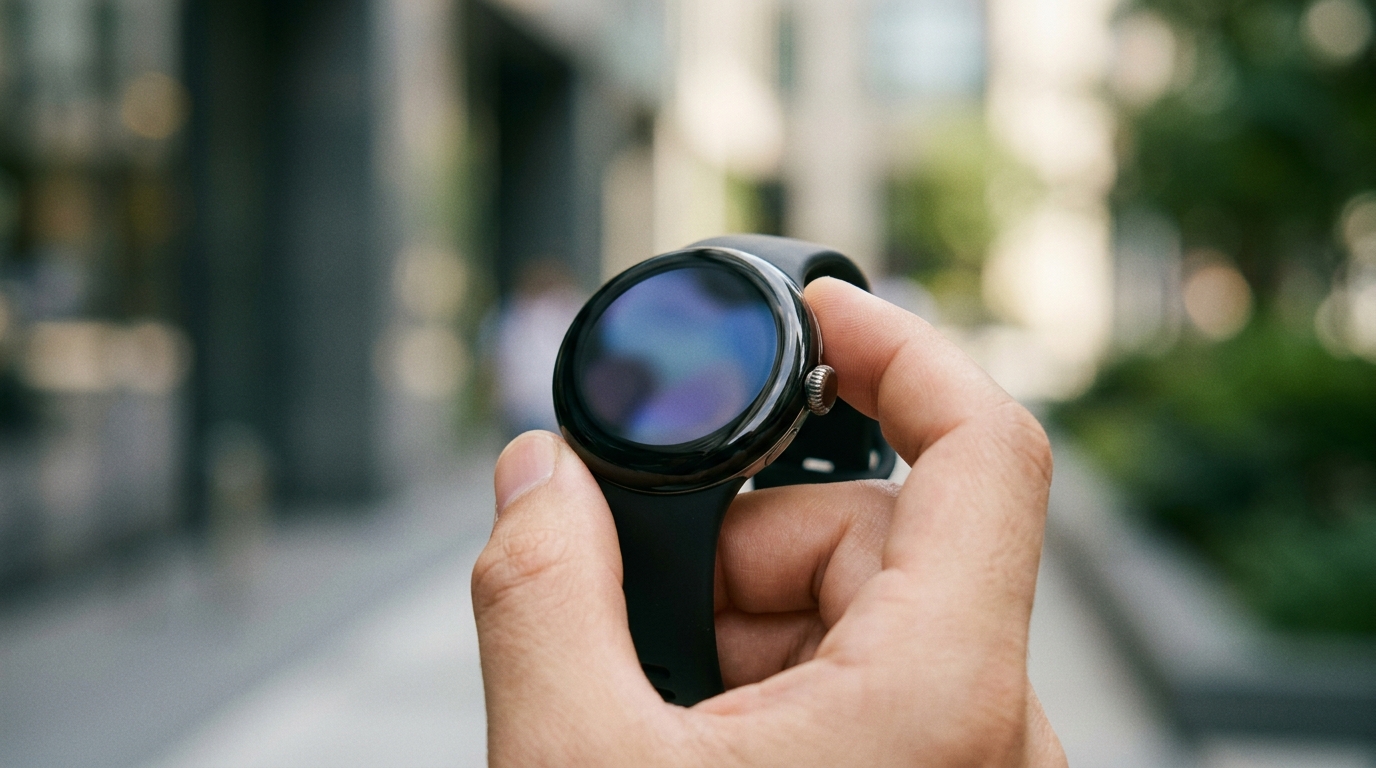
Google Wear OS 7 was the wrist story at Google I/O 2026, and it landed with three structural changes plus one significant caveat. Google announced Wear OS 7 on 19 May 2026 with Live Updates, Wear Widgets replacing tiles, a universal workout tracker and Gemini Intelligence – the last of those locked to “select” 2026 watches only.
- Google Wear OS 7 was announced at I/O 2026 on 19 May 2026; the Wear OS 7 Canary Emulator is live for developers from the same day.
- Wear OS 7 ships to consumers “later this year”; Google has not committed to a calendar quarter.
- Wear OS 7 is 10% easier on battery than Wear OS 6 across the board, per Google’s own announcement.
- Gemini Intelligence on the wrist is restricted to “select watches” arriving later in 2026 – no current Pixel Watch or Galaxy Watch is on the list.
What Google Wear OS 7 actually changes on the watch
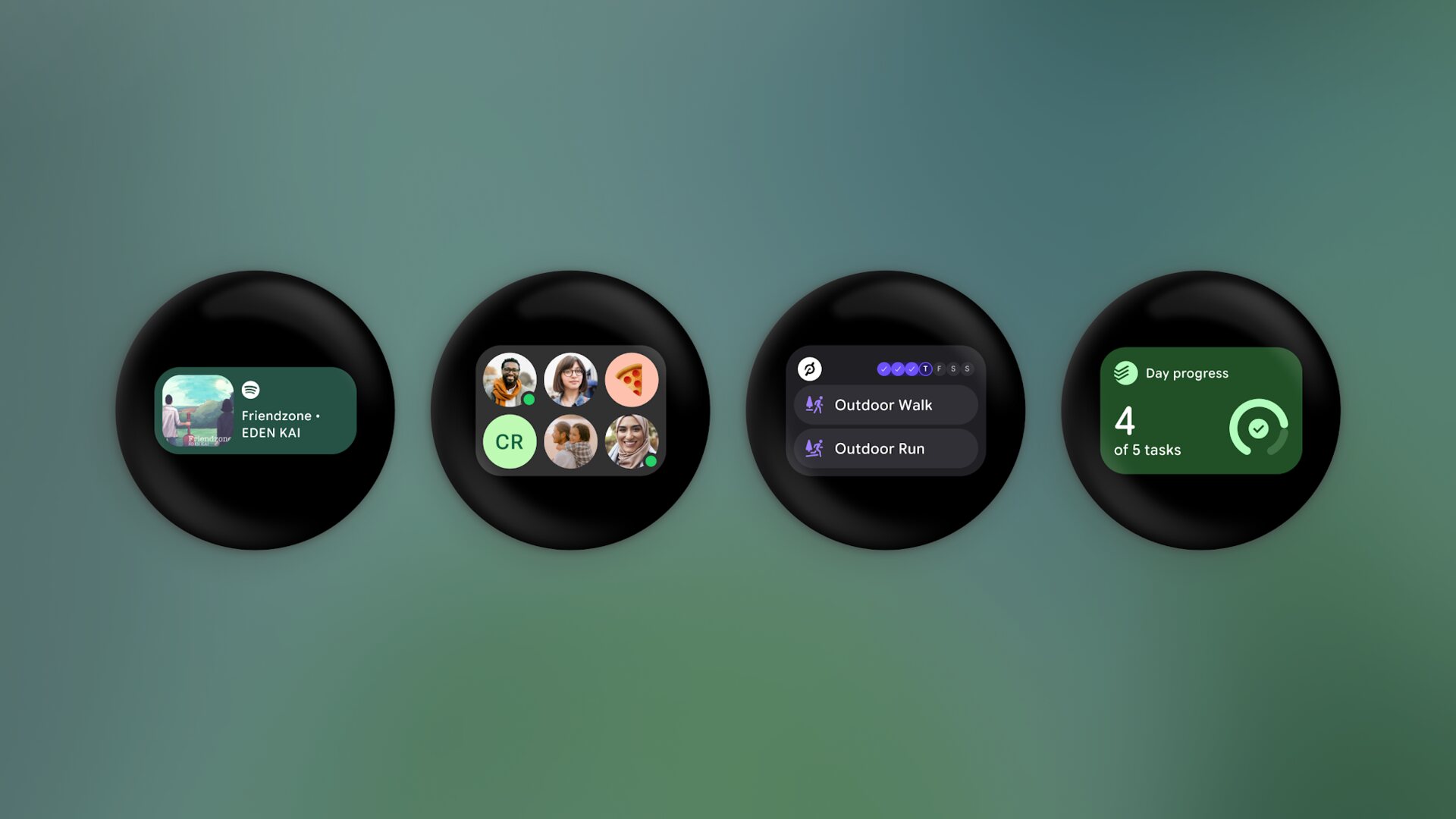
The headline shift in Google Wear OS 7 is the death of swipeable tiles. Tiles, the full-screen panels Wear OS users have flicked through since the platform’s reset in 2021, are being replaced by Wear Widgets in two formats: a slim 2×1 block and a square 2×2 block, both styled to match Android 16’s widget system on the phone. The widgets are dynamic, so a glance at the wrist gets you the same live data your phone’s lock screen now serves up. Combined with the platform’s Gemini Intelligence pivot, this is the year Wear OS stops feeling like a phone accessory and starts behaving like a small Android device of its own.
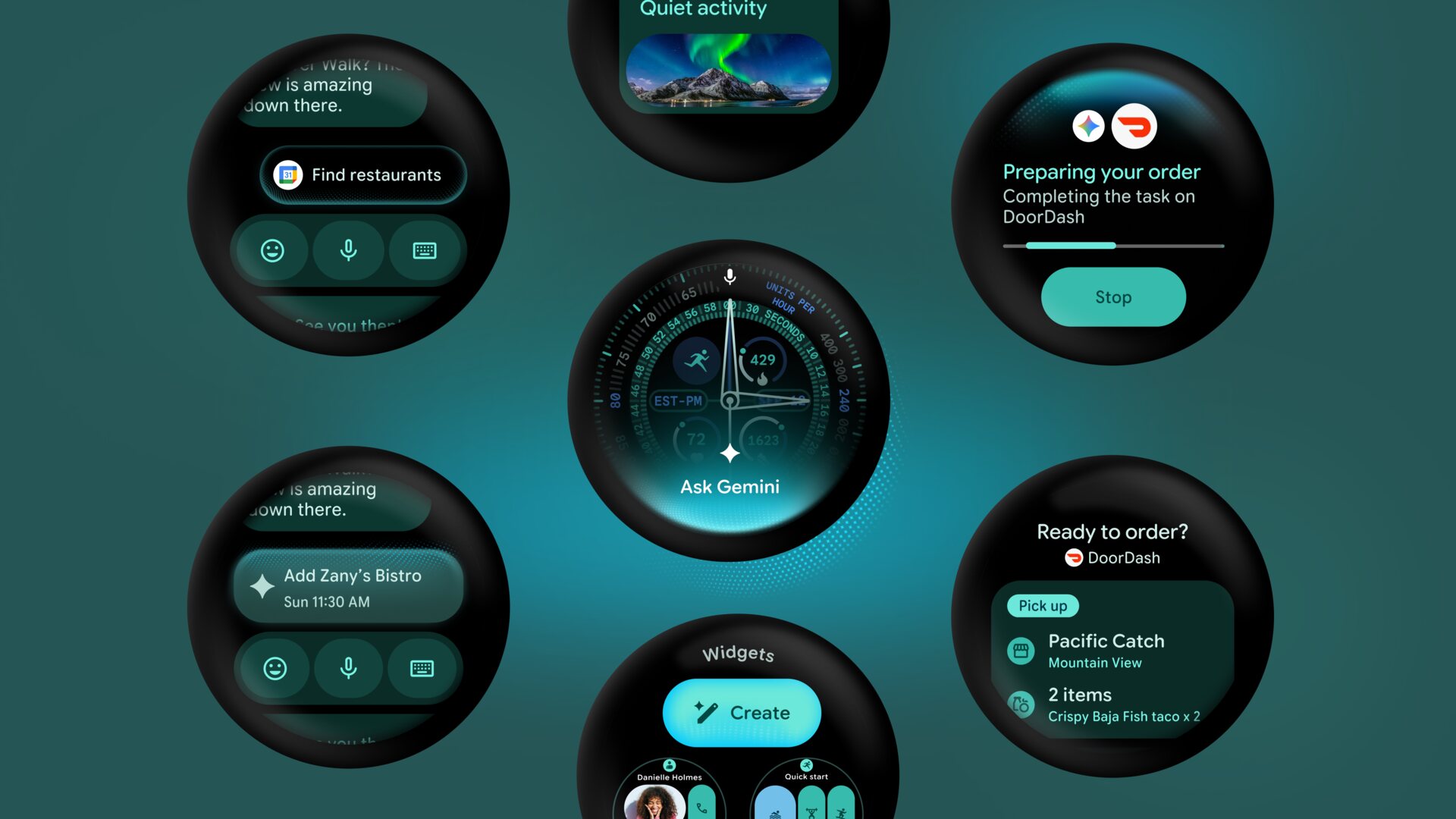
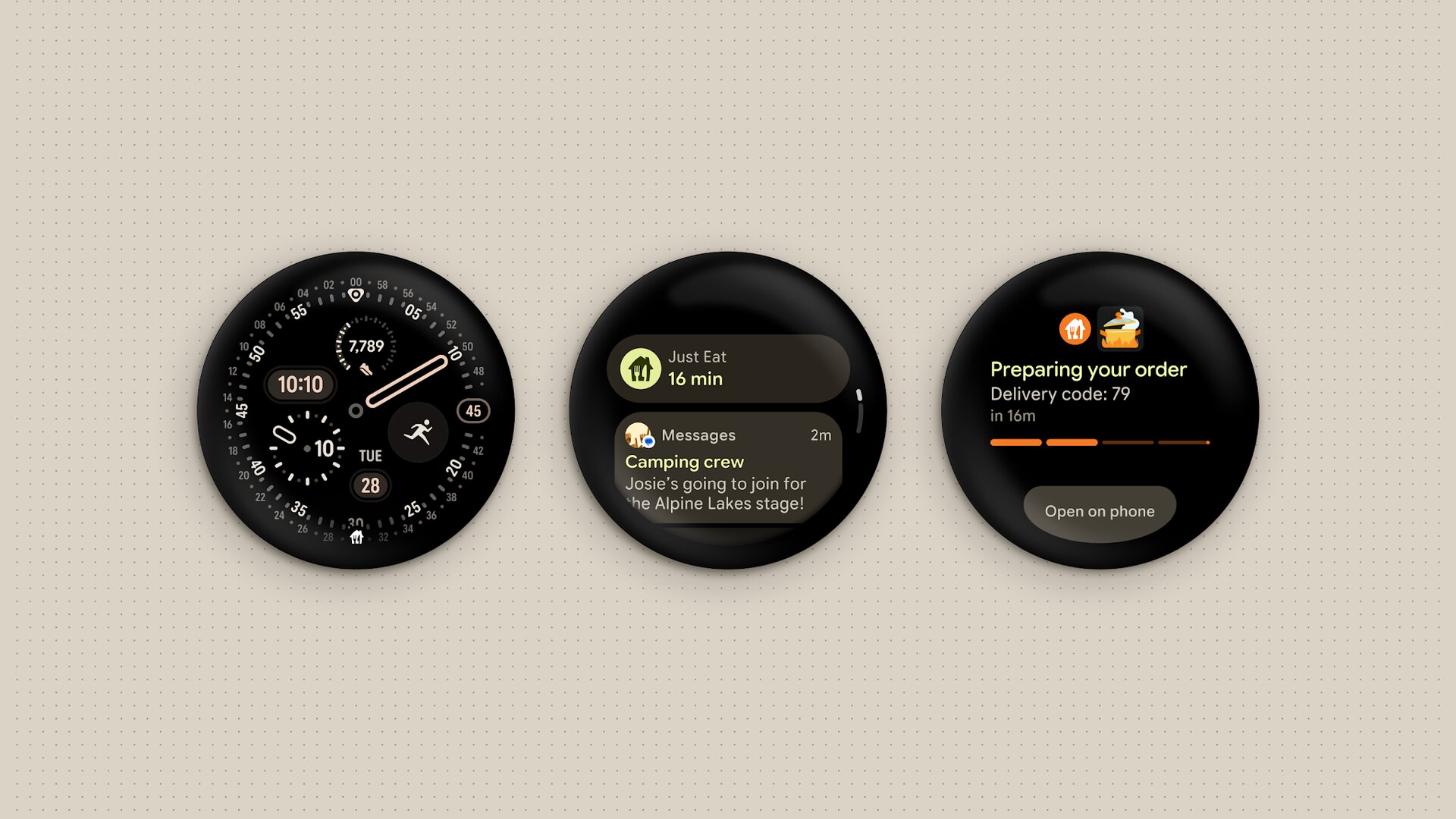
Live Updates land on the wrist alongside the widget reset. Google has lifted the same Live Updates mechanic from the Android 16 lock screen and put it on the watch face: a small notification icon for the ongoing task, a fuller view when you tap, and dynamic data inside the notification for things like food deliveries, navigation progress or workout sessions. The third structural change is a universal workout tracker built into Wear OS 7 itself, with a standardised UI that third-party exercise apps can adopt instead of building their own. That is a quiet win for third-party exercise apps, because heart-rate handling and media controls now come for free.
Google Wear OS 7 widgets and Live Updates in practice
Widgets are the part of Google Wear OS 7 that will be felt fastest. Google’s screenshots show a 2×1 widget holding a single piece of information at a glance and a 2×2 widget holding two stacked pieces, both with the rounded-corner styling Android 16 uses on phones. The visual case for replacing tiles is strong: tiles forced a one-thing-at-a-time logic on a screen the size of a 50p coin, whereas widgets let two glanceable things share the same view. The dev-side win is the same one developers got on Android phones – one widget API, one design language, two surfaces.
The Google Wear OS 7 Gemini Intelligence asterisk
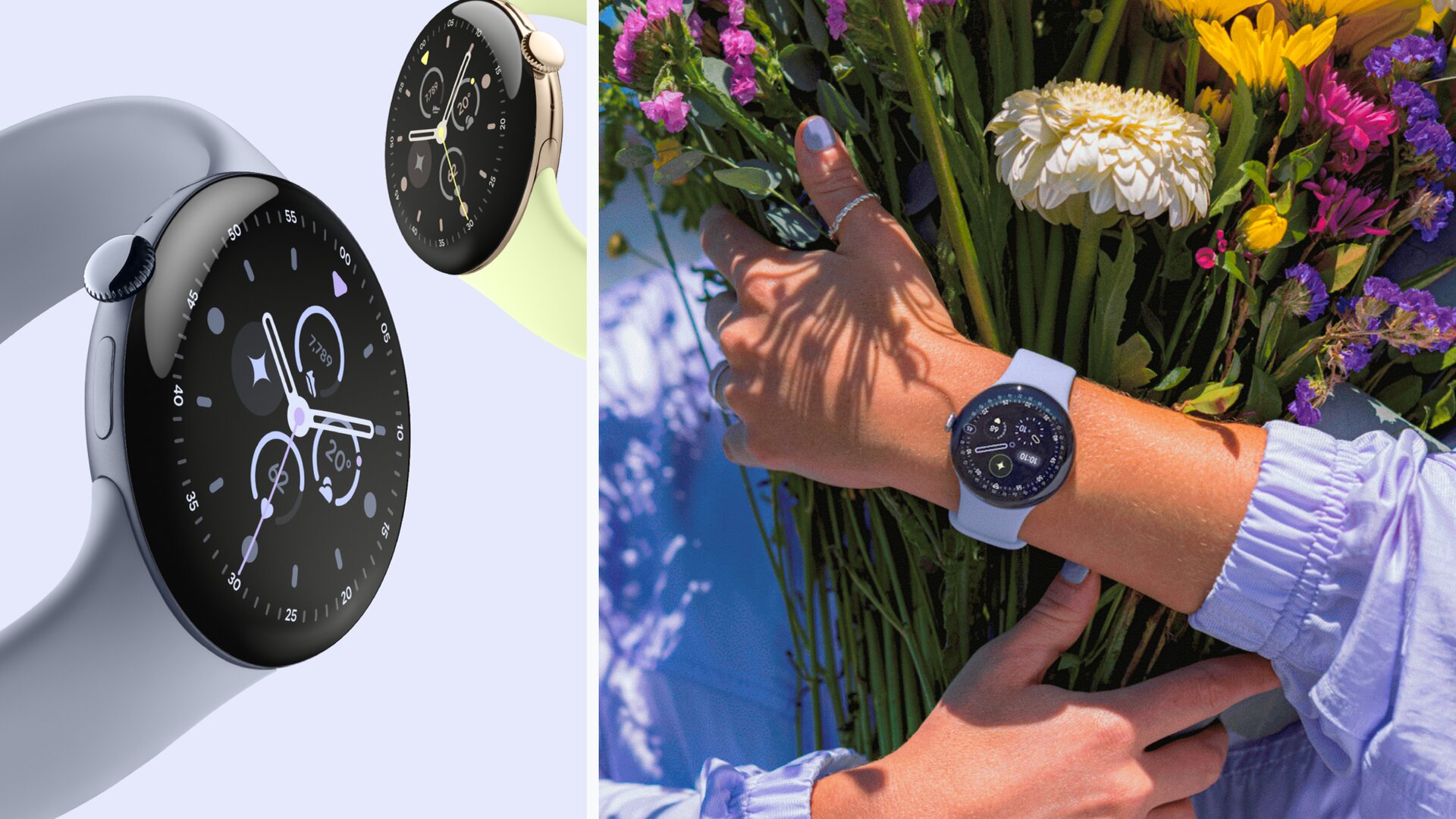
This is where Google Wear OS 7 forces a difficult conversation. Gemini Intelligence on the wrist is, per Google, restricted to “select watches” arriving later in 2026 – language that Google has explicitly tied to future hardware, not to the current Pixel Watch or Galaxy Watch lineup. The Pixel Watch 4 that we covered against the Garmin Forerunner 70 last week will get Wear OS 7’s widgets, Live Updates and battery improvements when the update rolls out, but Google has not committed to bringing the proactive Gemini Intelligence layer back to it.
The hardware reason is the chip. Gemini Intelligence on the wrist needs more on-device neural compute than the Snapdragon W5 Gen 2 inside the Pixel Watch 4 can supply, which is why Google’s “select watches” language essentially flags the 2026 hardware refresh as the line in the sand. That is a hard sell for anyone who bought a Pixel Watch 4 or a Galaxy Watch 8 this year on the explicit promise of Gemini on the wrist; in practice the AppFunctions API gives developers a path to third-party Gemini integration, but the proactive, conversational Gemini layer is gated to whatever Made by Google ships in late 2026.
What Google Wear OS 7 means for UK buyers right now
For UK buyers the immediate read on Google Wear OS 7 is straightforward: stop buying a current Wear OS watch at RRP and wait for the 2026 hardware. The Pixel Watch 4 and the Galaxy Watch 8 both ship with Wear OS 6 today and are both due to receive Wear OS 7 later this year, but Google has not committed Gemini Intelligence to either – and that is the feature most worth waiting for if you have not already committed. The watchOS side of the fence has its own answer – our take on the watchOS 26.5 RC and cross-wearable Live Activities is the obvious comparison point.
The other UK angle is the 10% battery improvement Google quotes for Google Wear OS 7. On a 45mm Pixel Watch 4 that already gets 40 hours of mixed use – Google’s own number from the Pixel Watch 4 announcement – that is roughly four extra hours of standby, enough to make the difference between “charge it on the nightstand every night” and “charge it during a morning shower every other day”. Battery on a smartwatch is the only spec UK reviewers will measure in real life, and Google moved it the right way without changing the chassis.
MTW verdict
Google Wear OS 7 is the biggest visual reset to Wear OS in five years, and the AI layer that makes the reset matter is locked behind 2026 hardware. UK buyers should wait for the next Pixel Watch and the next Galaxy Watch; do not pay RRP for today’s models.
Buyer action
Where to buy or check next
Use this as the final check before ordering a phone, changing network or trusting a headline monthly price.









Reader discussion
Leave a comment
Comments are moderated. Keep it useful, accurate, and on topic.