
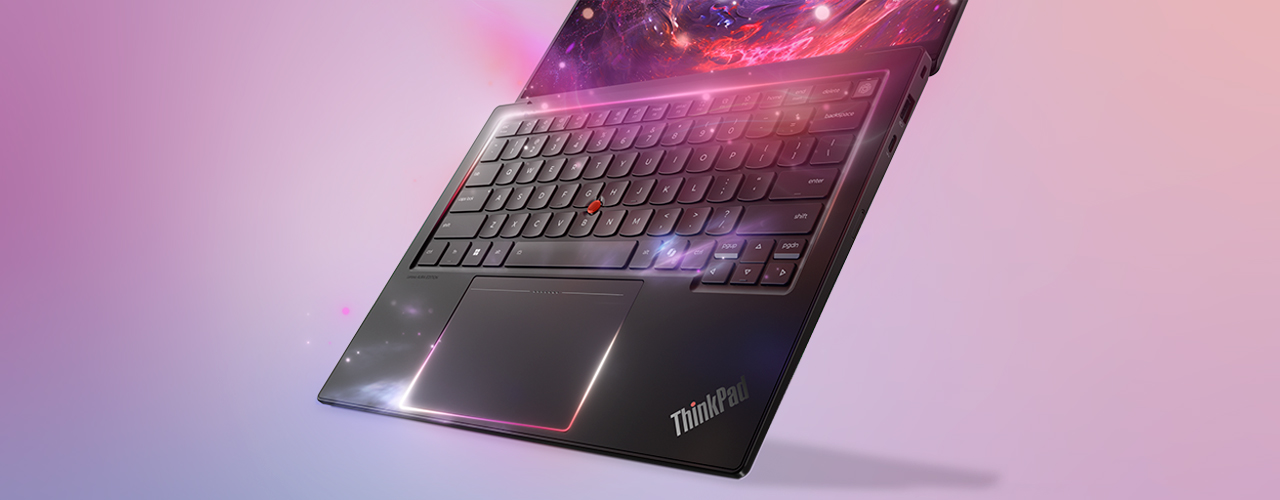
Lenovo ThinkPad X1 Carbon Gen 14 review: the business ultrabook UK pros should still buy
The ThinkPad X1 Carbon Gen 14 is the sub-1kg business ultrabook UK pros should still buy: light, fixable and quiet, just not a creator GPU machine.
The Lenovo ThinkPad X1 Carbon Gen 14 is the rare 2026 laptop that gets more interesting the less powerful it sounds, and after Lenovo’s 6 January 2026 CES reveal and the UK order pages going live this spring, I think it is the business ultrabook most mobile UK professionals should still buy. I have not run this one on a bench, so be clear about what this verdict is: it is built from Lenovo’s published UK specs, the live lenovo.com/gb pricing I checked today, and the first wave of owner and reviewer reports, not a personal hands-on test. What it is not is a creator GPU machine, and that distinction matters more than the spec sheet lets on.
Why the ThinkPad X1 Carbon Gen 14 is built for travel, not timelines
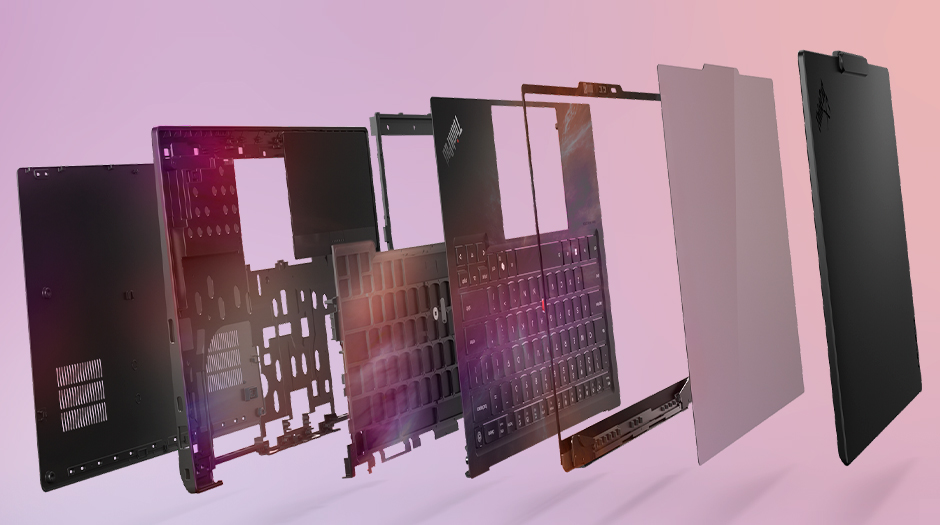
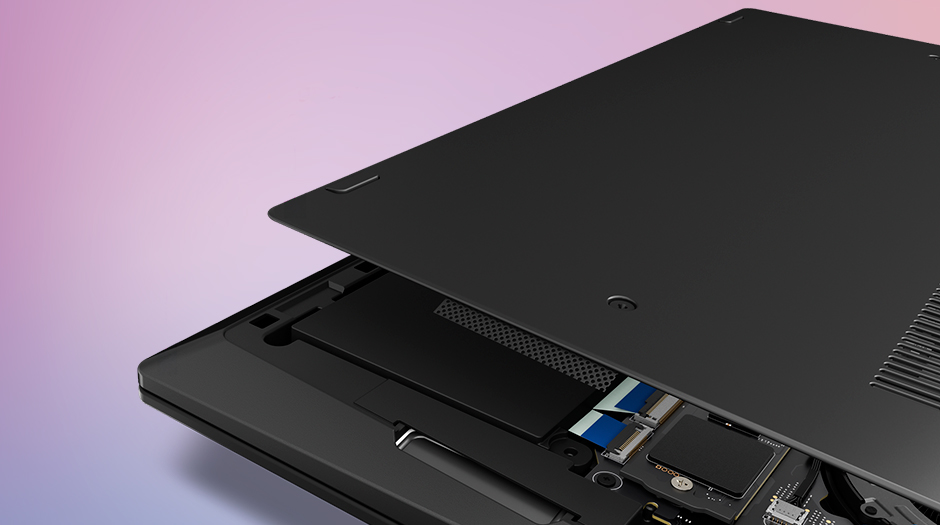
Start with the number Lenovo leads on: a starting weight under 1kg, roughly 996g. That is the whole argument. This is a 14-inch machine you forget is in the bag, and Lenovo got there with a new “Space Frame” chassis that lays components on both sides of the motherboard, shrinks the printed circuit board by about 20 percent and makes room for a fan that is 70 percent larger. The payoff is a quieter, cooler laptop that holds its 30W sustained power without sounding like a hairdryer on a packed train. If your day is meetings, email, long documents and the occasional photo cull on a train or in a lounge, the X1 Carbon is engineered for exactly that life. If your day is exporting 4K timelines or training models, keep reading, because this is the wrong tool and I will say so plainly.
The chip inside is Intel’s Panther Lake Core Ultra Series 3, configurable up to the Core Ultra X7 358H, with a neural engine rated up to 50 TOPS and a 12-core Xe integrated graphics part. In plain terms: this comfortably clears the Copilot+ bar, runs on-device AI features well, and keeps general office work snappy. But that integrated graphics, however improved, is a world away from the discrete RTX cards in the creator laptops I would point you to instead. If you have been weighing a Copilot+ ultraportable, my notes on the Yoga Slim that I think most Copilot buyers should consider apply here too: the AI silicon is the easy part, the chassis is what you live with.
The Space Frame turns serviceability into the real headline feature
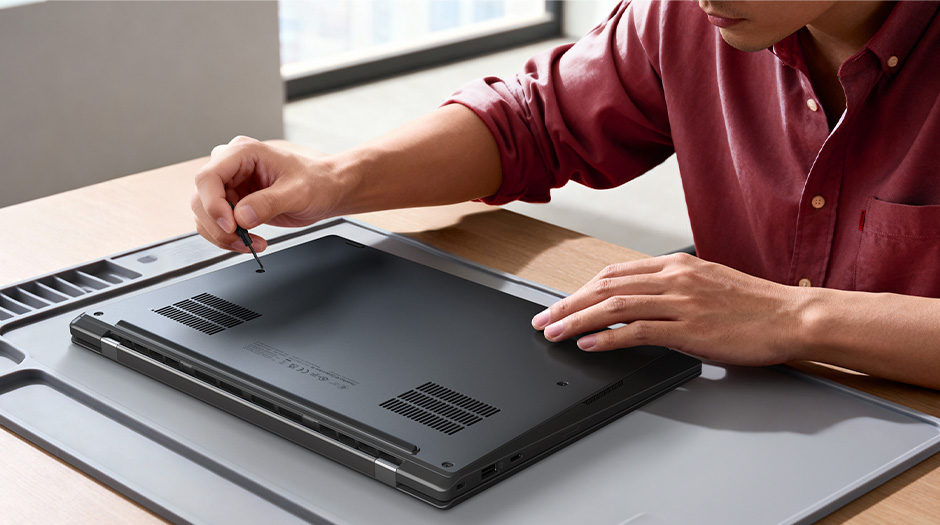
Here is the part that genuinely changed my mind. The Space Frame is not just a thermal trick, it is the most repairable ThinkPad in years. Lenovo lists the battery, SSD, keyboard, daughter I/O board and even the USB-C ports as customer-replaceable units, and the laptop carries a 9 out of 10 iFixit repairability score. In an era where most thin-and-lights are glued shut, a sub-1kg machine where you can swap a worn USB-C port yourself is close to unheard of. For a UK pro keeping a laptop three to five years, that is real money saved and real downtime avoided.
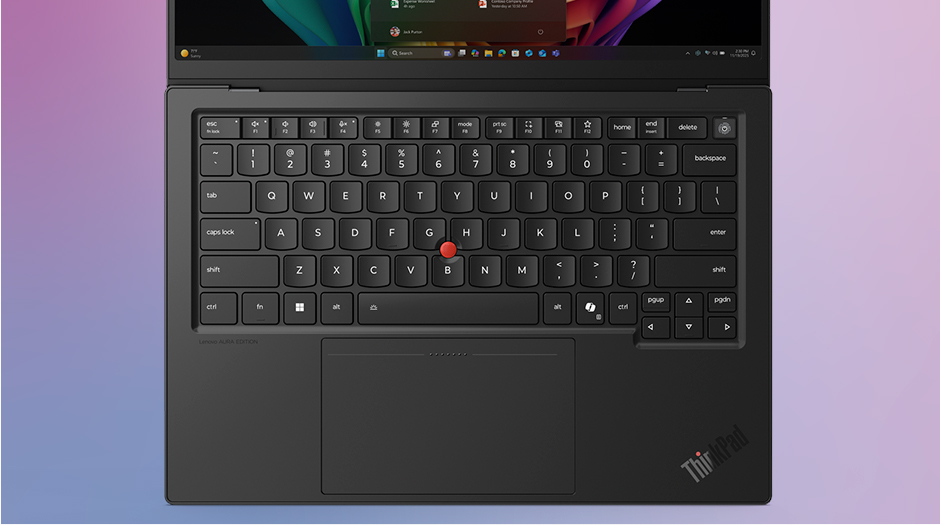
The second standout is the input. Lenovo has fitted a larger glass haptic ForcePad, 130mm by 80mm, alongside the iconic red TrackPoint that long-time ThinkPad users will not give up. The keyboard keeps its 1.5mm of travel and the spill-resistant, MIL-STD-810H build the line is known for. This is a laptop you type on for eight hours and do not think about, which is the highest praise a work machine can earn. If you live in a desk-and-mouse setup, it pairs naturally with something like the precision mouse I rate for long office days, but the ForcePad is good enough that you will not feel naked without one on the road.
Display, battery and ports cover the mobile-pro essentials
You pick your screen by job. The standard 14-inch WUXGA IPS panel runs at 1920 by 1200, 60Hz, 400 nits and 100 percent sRGB, which is plenty for documents and bright enough for a sunlit cafe window. Step up to the 2.8K OLED at 2880 by 1800 and 120Hz if colour accuracy and smoothness matter for light photo edits and presentations. Either way you get a 58Whr battery, three Thunderbolt 4 ports, HDMI 2.1, a 10MP 110-degree webcam with a privacy shutter and a compact 65W GaN charger that tops up fast. That is a clean, no-dongle port set for a laptop this thin, and it shames a lot of pricier rivals.
This is also where I would temper expectations against the touchscreen tablets people sometimes cross-shop. The X1 Carbon is a clamshell laptop first; if you actually want a detachable, a Windows tablet like the latest Surface Pro on Snapdragon or one of the better Android tablets I would buy this year is a different proposition entirely. The ThinkPad’s job is to be the one machine you do real work on, all day, and it is built around that.
UK price and the creator laptops you should buy instead
On lenovo.com/gb the Gen 14 Aura Edition starts at £2,099 for the Core Ultra 5 entry build, and the configuration I priced today, a Core Ultra 5 325 with 32GB and a 512GB SSD, was listed at £2,765 with a 9 percent web discount bringing it to £2,499 inc. VAT (last checked: 2026-06-17). That is premium money, and you are paying for the weight, the chassis engineering and the three-year support, not raw graphics grunt. It is worth saying clearly: if you want this laptop chiefly for its AI smarts, the same Copilot+ features arrive through Microsoft Copilot in Windows 11 across the whole category, so the X1 Carbon’s case rests on the hardware, not the software.
And this is the honest line I keep coming back to. If you are a creator, this is not your laptop. We reviewed the Asus ProArt P16 and the Razer Blade 16 today precisely because those are the machines with discrete GPUs, big colour-accurate panels and the thermal headroom to render and edit. The ThinkPad X1 Carbon does none of that, and trying to make it would miss the point. It is the anti-creator laptop: light, fixable, quiet, all-day. For anyone weighing a more conventional business 2-in-1, my take on the current Surface Pro for UK buyers is the natural cross-shop, but it does not match the X1 on weight or repairability.
Who I would actually hand this laptop to
I would put the ThinkPad X1 Carbon Gen 14 in front of mobile execs, consultants, writers, lawyers and anyone who lives between a bag and a meeting room and does light photo work at most. For them, sub-1kg weight, a keyboard you trust, a screen you can see in daylight and the genuinely new ability to fix it yourself add up to the best work laptop on sale. If you render, edit video or game, do not buy this; buy the ProArt or the Blade and accept the extra kilo and noise as the price of the GPU. Knowing which camp you are in is the whole decision, and if you are in the first one, the X1 Carbon is worth every pound. Our score: 8.6/10.
How we test
Buyer action
Where to buy or check next
Use this as the final check before ordering a phone, changing network or trusting a headline monthly price.













Reader discussion
Leave a comment
Comments are moderated. Keep it useful, accurate, and on topic.