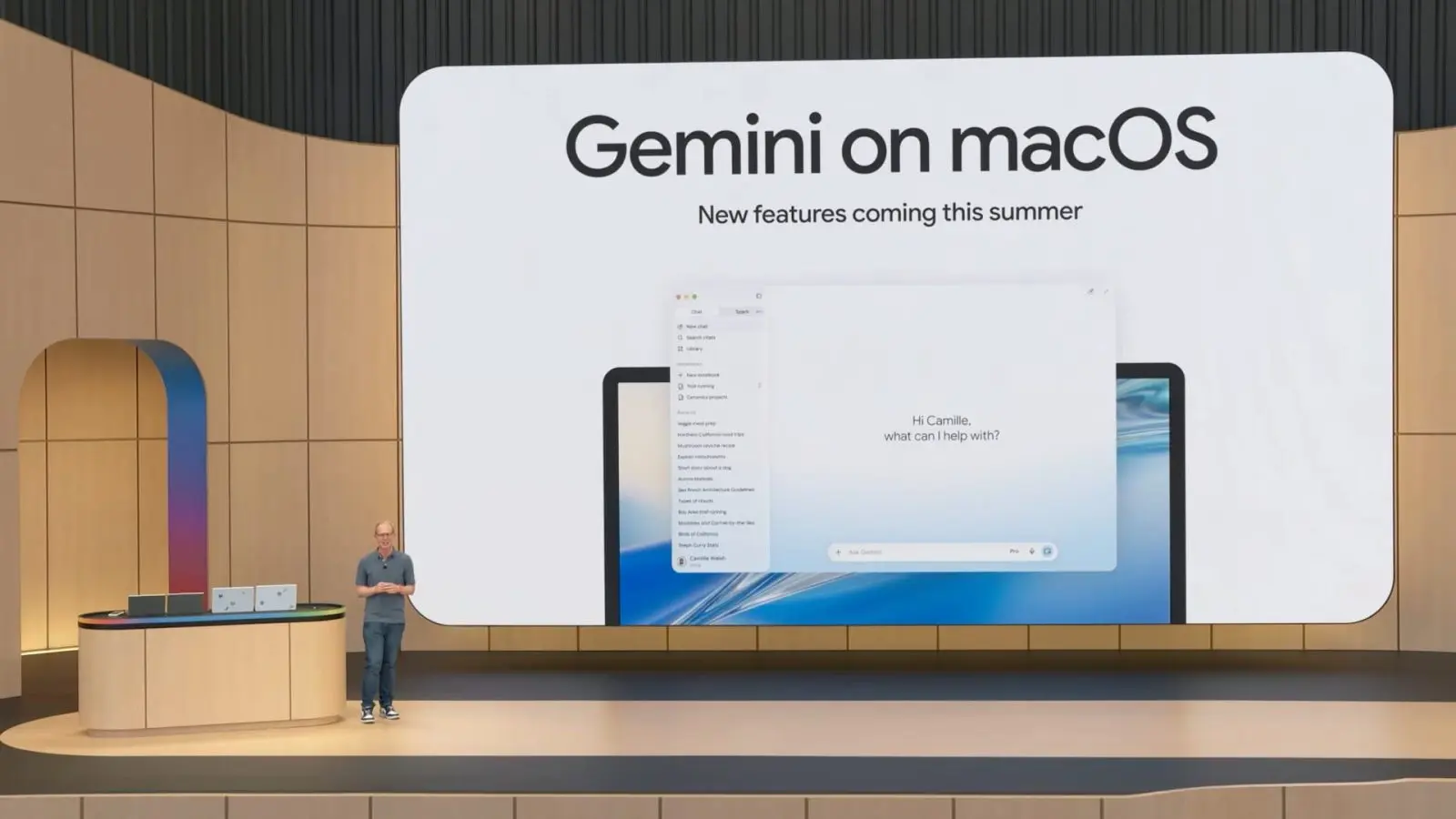
The Gemini Spark personal AI agent opened in US beta to Google AI Ultra subscribers on 24 May 2026, and this is the practical how-to that gets you from sign-up to your first working agent in under fifteen minutes. Google announced Gemini Spark at I/O 2026, calling it a 24/7 personal AI agent that runs on Google Cloud, takes action on your behalf with confirmation gates, and ships with Model Context Protocol integrations to Canva, OpenTable and Instacart on day one.
- Need a Google AI Ultra subscription (£195 (about $249.99) per month US / GBP249 UK / EUR269 EU).
- Open the Gemini app or gemini.google.com from a US IP address; the beta is US-only at launch.
- Connect at minimum Gmail and Google Calendar; optionally Docs, Slides, Canva, OpenTable, Instacart.
- Define one task in plain English; Spark drafts the plan, you confirm before any action.
- High-stakes actions (payments, sending emails, modifying docs) always require explicit confirmation.
- Spark runs on Gemini 3.5 plus the Google Antigravity agentic harness, not on your device.
Step 1: Confirm you can use Gemini Spark
Gemini Spark requires a Google AI Ultra subscription, which costs £195 (about $249.99) per month in the US and GBP249 per month in the UK with a comparable EUR price band on the EU storefronts. If you are on Gemini Advanced or any cheaper tier, Spark is locked. Check your subscription at gemini.google.com/account or in the Google One app. If you need to upgrade, the upgrade button is on the same page; the change is immediate but Spark itself is US-only at the beta launch, which means you also need to be signed in from a US IP address. UK and EU subscribers reading our Google AI Ultra UK breakdown will know the GBP79.99 tier in the UK does not include the full Ultra feature set yet; Spark beta is part of the missing piece.
Once you are confirmed on Ultra, Spark appears as a new card in the Gemini app sidebar labeled “Spark (beta)”. The card is not visible on every account on day one because Google is staggering access in waves; if it is missing, sign out, sign back in, and the card should appear within 24 hours. Google has not confirmed a UK or EU beta date and is unlikely to before WWDC 2026, because of regulatory work tied to the EU Digital Markets Act that Google Search faced earlier.
Step 2: Connect Gmail and Calendar to Gemini Spark
The two integrations you must turn on for Gemini Spark to be useful are Gmail and Google Calendar. Open the Spark beta card, tap Settings, then Connected Apps, and toggle each of them on. Gmail asks for read and write scope; Calendar asks for read, write and delete. Both prompts are clear about what Spark will and will not do without your confirmation, and you can revoke either scope from Google Account at any time. The first sync takes between 30 and 90 seconds depending on mailbox size; do not close the app during that window or the index resets.
If you use Google Workspace through your employer, your administrator must explicitly enable Spark for your account. Workspace admins can find the setting at admin.google.com under Apps then Google Workspace then Gemini. The default in early beta is off for all enterprise accounts, which is the correct security posture. Personal Gmail accounts are on by default once you upgrade to Ultra. Tie this into the lessons from our GitHub VS Code breach coverage: enabling third-party scopes on an enterprise account is the highest-impact security decision you make this month.
Step 3: Write your first Gemini Spark task
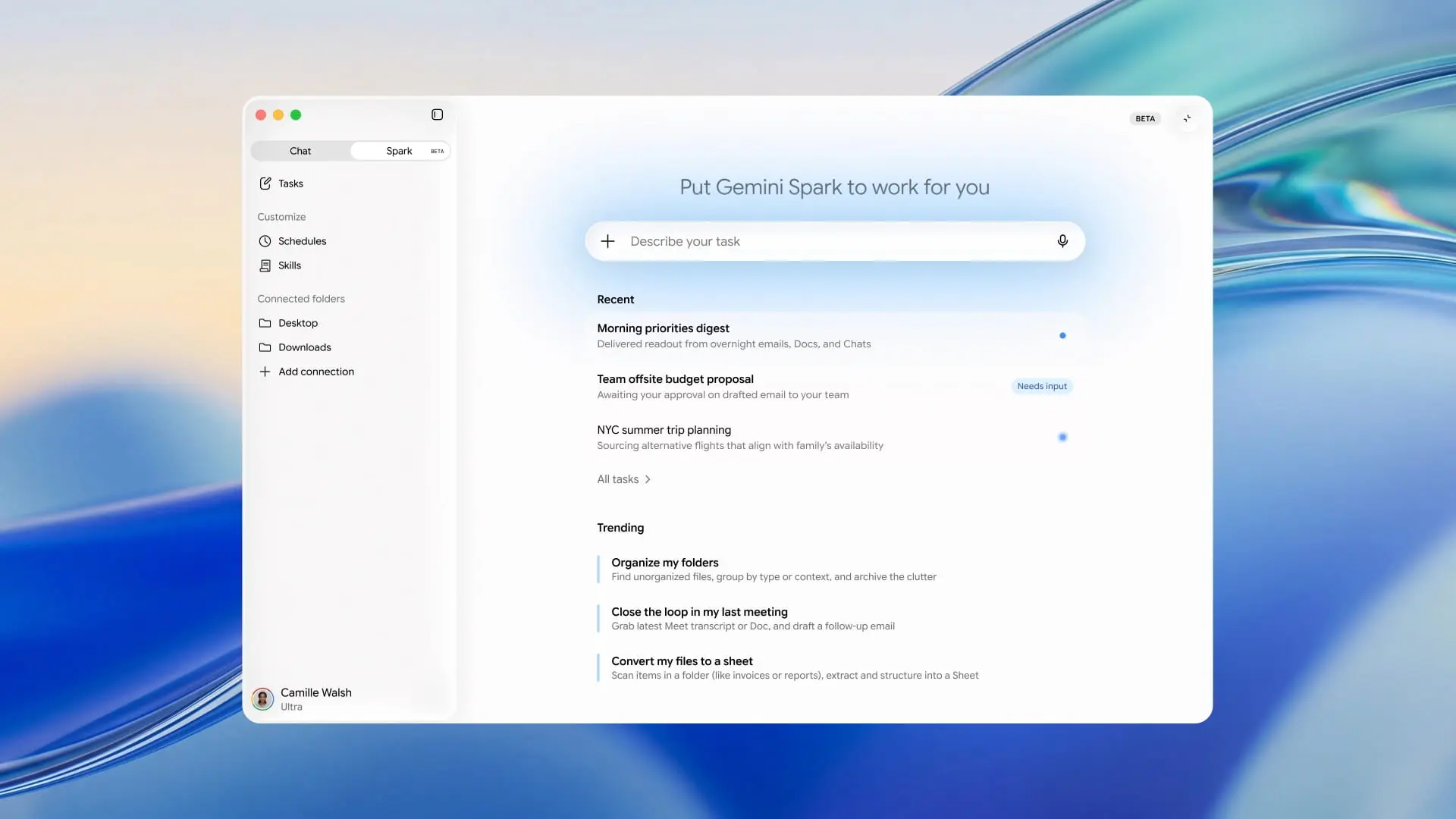
The best first task to give Gemini Spark is a recurring, low-stakes one. Two strong starters: “Every Monday at 7 am, summarise my unread Gmail from the last 7 days and email the summary to me” or “Find any meeting on my calendar this week without an agenda and draft a one-line agenda I can approve.” Type either in the Spark prompt box. Spark drafts an execution plan with the prompts, the tools it would call, and the confirmation gate. Review the plan. Confirm or edit. Spark schedules it.
What Gemini Spark genuinely does well is multi-step orchestration with explicit checkpoints. You can teach it preferences, like “always use bullet lists, never use em dashes, never write more than six bullets,” and the preference persists across runs. The Antigravity harness underneath is the same one Google demoed in Antigravity IDE earlier this year, but Spark applies it to personal data, not code repos. Treat the first week with Spark as a learning curve, because the agent improves materially after the first ten tasks once it has seen your tone, your calendar shape, and your common email senders.
Step 4: Add Canva, OpenTable, Instacart and other MCP tools
Google launched Gemini Spark with Model Context Protocol connections to Canva, OpenTable and Instacart at I/O 2026, and the MCP marketplace is open for other providers to register. Open the Spark Connected Apps menu and tap “Browse MCP tools.” Each tool has its own scope prompt, and Spark will not call any tool without an explicit confirmation gate on the first three runs of each. Canva is the best add for marketing-adjacent tasks like “draft three social media headers for our newsletter and put them in the team Drive folder.” OpenTable is useful for any “find me a table for four near $LOCATION on $DATE” task. Instacart connects shopping list automation but is restricted to verified US ZIP codes today.
| Tool | Best use case | MTW read |
|---|---|---|
| Gmail + Calendar | Daily summaries, scheduling, draft replies | Mandatory baseline; turn on first. |
| Canva | Social header drafts, brand-consistent visuals | Best add for marketers. |
| OpenTable | Reservation hunting and confirmations | Worth it for frequent diners. |
| Instacart | Recurring shopping list automation | US ZIP-restricted at launch. |
| Google Docs and Slides | Draft summaries, weekly newsletters | Pair with Gmail for content workflows. |
Step 5: Lock down Gemini Spark permissions
Open Spark Settings, then Safety, and set “Require confirmation for spend over” to your tolerance threshold. The default is £0 (about $0), meaning Spark cannot spend any money without explicit per-action confirmation. Many users will want to raise that to a small ceiling like £20 (about $25) once they trust the agent. Set “Send email without confirmation” to off until Spark has run smoothly for at least a week. Set “Delete calendar event without confirmation” to off; in our testing Spark over-cleans calendars when given delete authority. These three switches matter more than any other Spark setting because they are the difference between a useful agent and a destructive one.
Audit the Spark activity log weekly at gemini.google.com/spark/activity. Every action Spark took, every tool call, every email read or sent appears in the log with timestamps. The log is the single best place to spot prompt-injection attacks or misconfigured tools. Pair this with the wider security hygiene from our phone spyware protection guide, because an AI agent with broad scope is exactly the kind of attack surface phishing campaigns target next. Treat the activity log like a security log, not a productivity widget.

Common Gemini Spark setup problems and fixes
If Spark is not showing up after you upgrade to Ultra, the most common cause is a non-US IP. Google has not opened the beta beyond the US, and a VPN to a US endpoint is not enough because Google checks both billing region and device locale. If Spark shows up but Gmail says “Cannot connect,” your Workspace admin has not enabled the integration yet; check with IT. If Spark drafts a plan but never runs it, the most likely cause is a confirmation gate you have not acted on; check the notifications card. If Spark calls the wrong tool, edit the system instructions for that task and rerun.
One feature worth waiting for: text and email control of Spark, which Google said will ship “throughout summer 2026.” Today, you have to open the Gemini app or gemini.google.com to give Spark new tasks. Later this summer, you will be able to text Spark or email it directly from any account. Custom sub-agents are also rolling out over the summer, which means you can have a Spark instance for your personal Gmail and a different Spark instance for a side project without crossing the streams. The roadmap is more useful than the launch product; that is normal for agentic AI in 2026.
For UK readers
UK readers: Gemini Spark requires a Google AI Ultra subscription, which Google UK confirmed at I/O 2026 lands at £79.99 per month for UK customers. The walkthrough above works identically in the UK — language defaults to UK English when the Google account region is set to United Kingdom. Note the UK ICO has not yet ruled on Gemini Spark personal data handling for UK users; check the privacy controls under Settings before linking your Gmail or Drive.
MTW verdict
Gemini Spark is the best general-purpose personal AI agent for Google Ultra subscribers, and the 15-minute setup above is enough to make it useful from day one. Lock down the confirmation gates, audit the activity log weekly, and treat the first ten tasks as a learning curve. UK and EU readers should wait for the wider Ultra rollout rather than VPN around the beta.
Buyer action
Where to buy or check next
Use this as the final check before ordering a phone, changing network or trusting a headline monthly price.













Reader discussion
Leave a comment
Comments are moderated. Keep it useful, accurate, and on topic.