
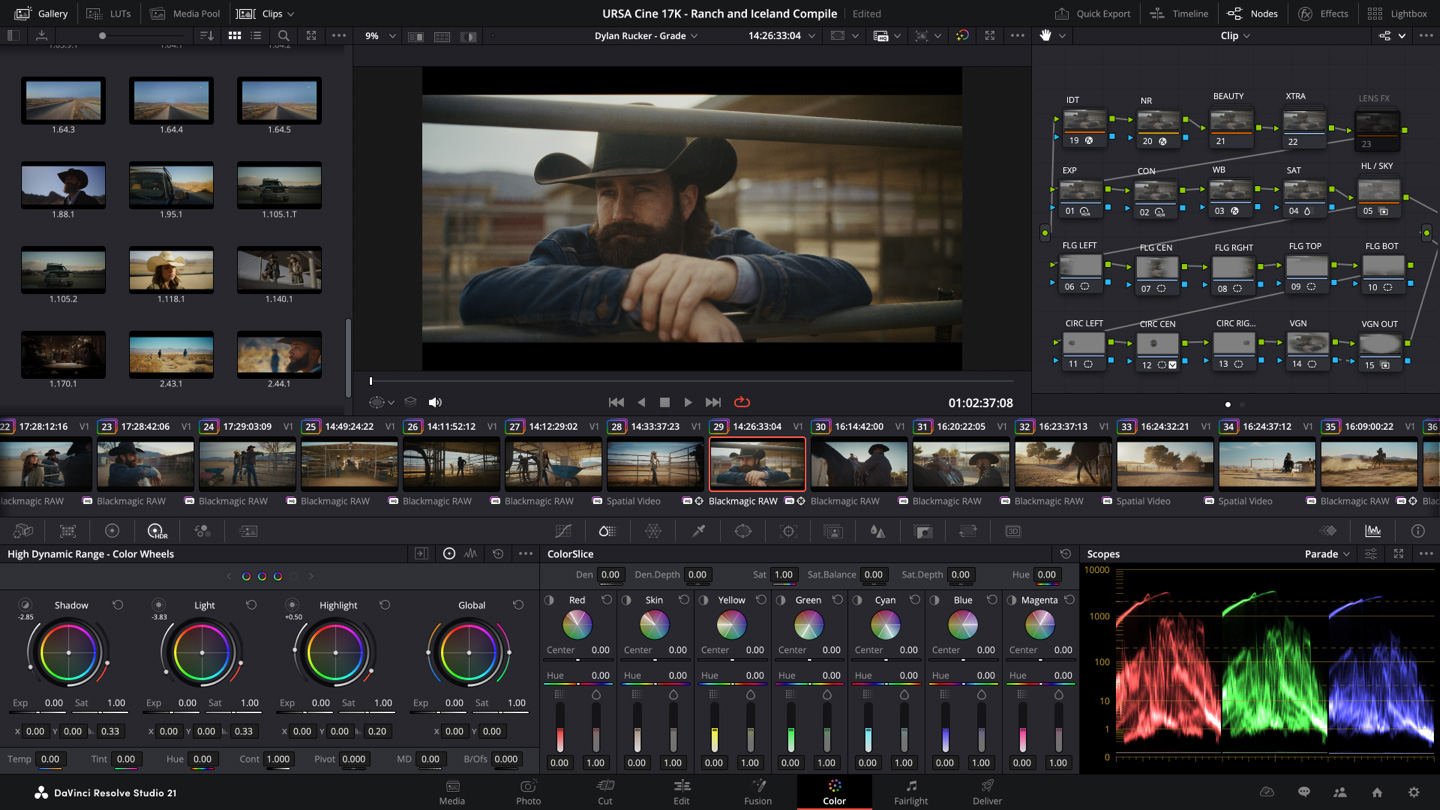
DaVinci Resolve Studio is the rare bit of professional software you buy once and then stop thinking about, and that is exactly why a small UK edit suite trying to wriggle out of Adobe’s monthly bill keeps circling back to it. Blackmagic Design released DaVinci Resolve 21.0 on 4 June 2026, the stable build of the version it first showed at NAB in Las Vegas on 14 April, and the Studio edition still costs a flat £225 as a one-off download licence on the company’s UK store (last checked: 2026-06-17). No subscription, no annual lock-in, and every future version upgrade is included. If you have spent the last few years watching Adobe Creative Cloud Pro tick over at £56.98 a month, that single line on the Blackmagic checkout page does something to your blood pressure.
I want to be straight with you up front: I have not run a controlled lab test pitting the two suites against each other, and you should distrust anyone who claims a clean win without one. What follows is built from Blackmagic’s published specs and UK pricing, the well-documented free-versus-Studio feature split, and the long paper trail of real owner reports from editors who have actually switched. The verdict is opinionated, but the maths is honest.
The £225 sum that makes Adobe sweat
Here is the comparison that matters for a small suite. Adobe Creative Cloud Pro, the plan formerly called All Apps, is £56.98 a month on the annual plan billed monthly. Over three years that is roughly £2,051. Over five years it is about £3,419, and you own nothing at the end of it. DaVinci Resolve Studio is £225 once. Even if you bought a fresh licence for every editor on a four-seat team, you would spend £900 and still be thousands of pounds ahead of one Adobe seat across the same window. That is not a rounding error you can argue away; it is the entire reason this conversation exists, and it is why the cost of creative software has quietly become one of the biggest fixed lines in a freelancer’s budget, sitting right alongside the stack of AI subscriptions a UK household now quietly carries.
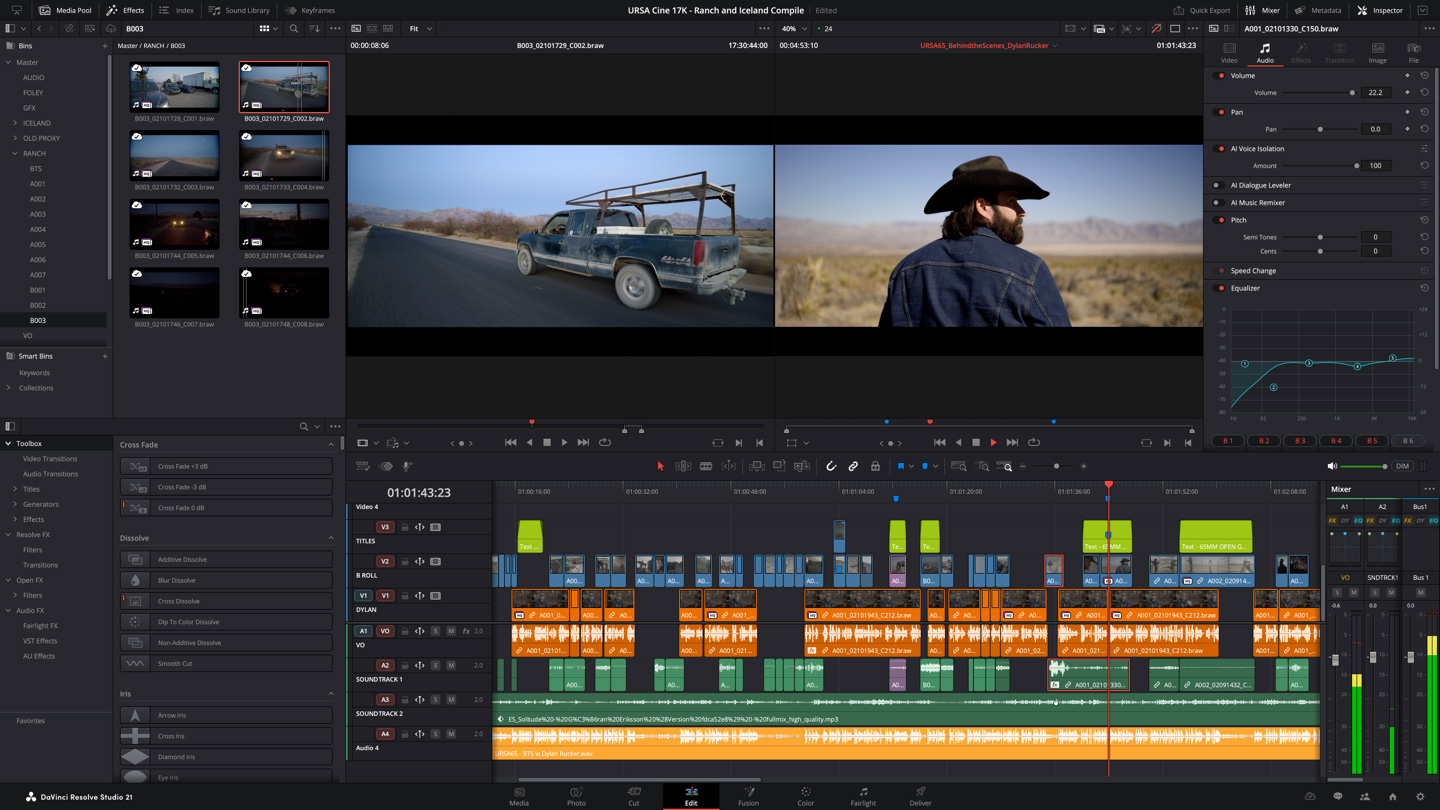
The catch most people forget is that Adobe’s bill is recurring forever, while Blackmagic’s is a one-off that also swallows the upgrade you would otherwise pay for. Resolve 21 is a free update for anyone who already holds a Studio licence, which means the editor who bought into Resolve 18 three years ago has paid nothing since and is now running the same software I would buy today. That is the difference between renting and owning made very plain, and if you are the sort of person who has been carefully trimming every monthly software cost you can find, it is close to the perfect candidate for the chop.
DaVinci Resolve Studio versus the free build: where the line falls
Now the honest caveat, because I will not pretend the free and paid versions are the same thing. They are not. The free DaVinci Resolve is genuinely the most capable no-cost editor on the planet and will carry a lot of small suites a long way: full editing, Fusion compositing, Fairlight audio and the famous colour page are all there. But Studio is where the features a working pro leans on live. You pay your £225 for the AI Neural Engine tools, hardware-accelerated encoding and decoding, multi-user collaboration through Blackmagic Cloud, HDR grading, the higher frame-rate and resolution ceilings, and a long list of Resolve FX the free build locks off.
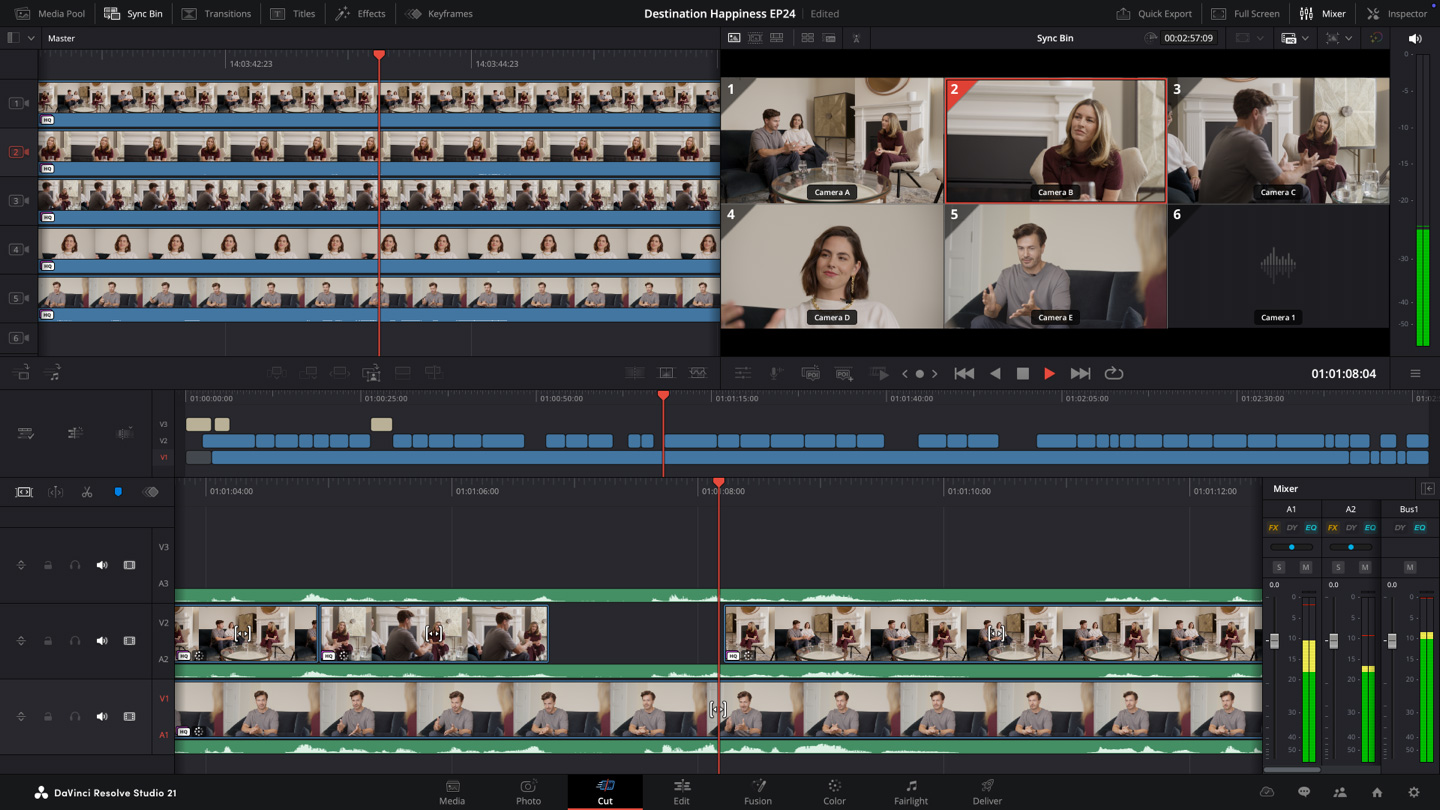
For a one-person YouTube channel cutting 1080p talking-head videos with the odd b-roll insert, the free version may honestly be all you ever need, and I would tell you to try it before spending anything. The moment you start delivering client work in 4K, leaning on hardware encoding to hit deadlines, or passing projects between two editors, the Studio licence pays for itself in saved render hours alone. If your channel is built on action footage rather than interviews, the same logic applies to the camera as to the software; it is the same calculation I walked through in the GoPro Hero 13 review and again with the DJI Osmo Action 6, where the kit only earns its keep once you are actually billing for the output.
Photo page and AI: what Resolve 21 actually adds
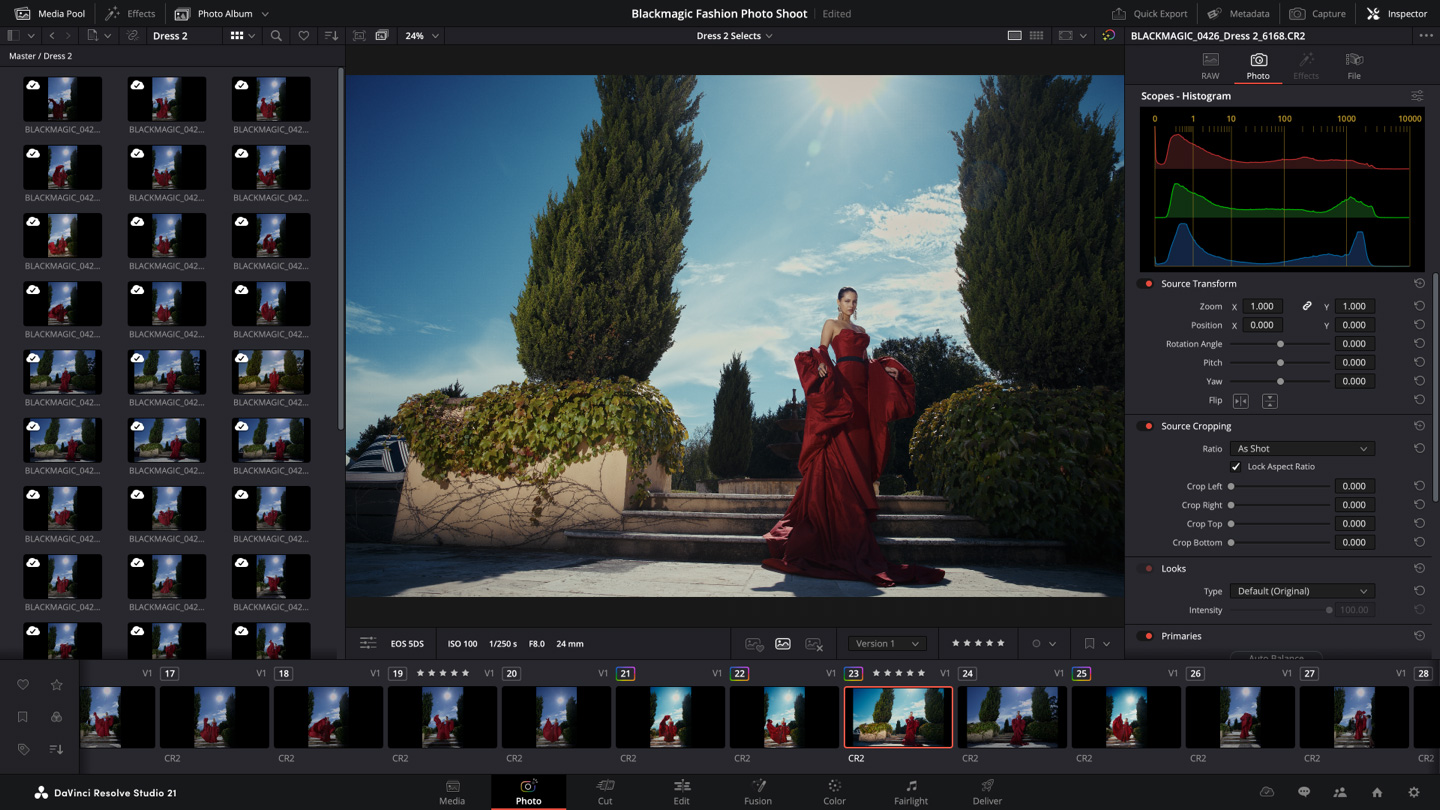
The headline change in this release, the one Blackmagic led with at NAB, is a new Photo page that brings Resolve’s node-based colour tools to still images: curves, qualifiers, power windows and the full grading stack, applied to photographs rather than frames of video. It is a clear shot across Adobe Lightroom’s bows, and it folds stills work into the same project a video editor is already living in. CG Channel’s coverage of the 21.0 release also flags hundreds of smaller additions, including AI tools such as IntelliSearch for finding clips by content and CineFocus for shifting focal points after the fact, plus facial-refinement features in the Studio edition.
I would not buy Studio for the AI features alone, mind you. They are useful, they will save you the odd hour, but they are the seasoning rather than the meal, much as I concluded about most of the generative add-ons when I looked at how a small team can actually use Google’s NotebookLM research tool. The real reason to pay is the encoding speed, the collaboration plumbing and the resolution headroom. The AI is a bonus that happens to be improving fast.
Hardware is the bill nobody mentions on the price page
Here is where it gets less rosy, and where I would slow you down before you celebrate escaping Adobe. Resolve is genuinely hungry. It leans hard on the GPU, far harder than Premiere Pro does, and a tired old laptop with weak integrated graphics will stutter on the colour page and crawl through renders no matter which version you install. The software may be a one-off £225, but the machine to run it comfortably is not. You want a decent dedicated GPU, plenty of fast storage and ideally 32GB of RAM, and on a Mac the experience is noticeably smoother because Resolve is tuned tightly for Apple silicon.
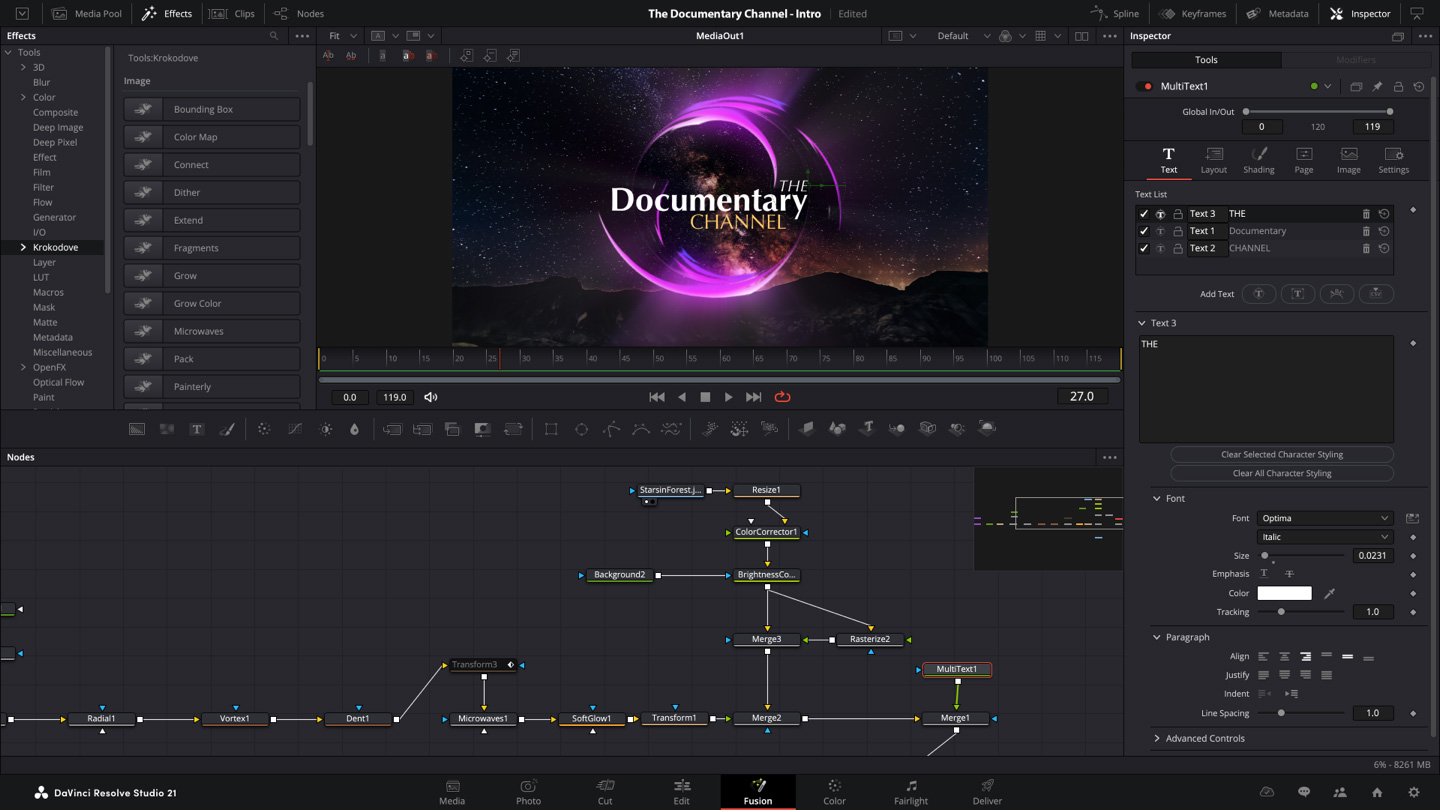
So fold that into the sum honestly. If your current machine already chokes, the true cost of moving to Resolve is £225 plus a hardware upgrade, and that closes some of the gap on Adobe in year one. The difference is that the hardware is a one-time spend you would probably make anyway, whereas Adobe’s £56.98 keeps coming whether your laptop is new or ancient. There is also a learning curve: the node-based colour workflow and Fusion’s node graph are not Premiere, and your first week will feel slower. Most editors I have read clear that hump inside a fortnight, but a fortnight of friction is real, and a busy suite mid-project may not have it to spare.
What I would actually run a small UK edit suite on
So is it worth the faff? For most small UK suites, yes, and it is not close on the money. If you are buying a new editing machine anyway, or you already have a GPU worth its salt, I would download the free version first, live in it for a week, and pay the £225 for Studio the day you hit a feature wall: hardware encoding, a second editor, or a 4K-and-beyond delivery spec. The total-cost gap against an Adobe subscription over three to five years is simply too large to ignore, and the perpetual licence means the bill genuinely stops once you have paid it. That is the same value-versus-recurring-cost logic worth applying to every tool in the stack, the way I would weigh up whether Microsoft 365 Copilot earns its monthly fee for a small business before signing up.
The one situation where I would tell you to stay put is if you are mid-way through a deadline-heavy run on an underpowered machine, deeply fluent in Premiere, and your clients hand you Adobe project files you cannot easily rebuild. In that narrow case the switching cost outweighs the saving for now. For everyone else, a small suite escaping Adobe’s monthly bill could not ask for a cleaner off-ramp than a £225 licence you buy once and never renew.
Buyer action
Where to buy or check next
Use this as the final check before ordering a phone, changing network or trusting a headline monthly price.
















Reader discussion
Leave a comment
Comments are moderated. Keep it useful, accurate, and on topic.